

Investigating the postgraduate application process and guidance
Back in April, I carried out some discovery work into the postgraduate applying process. We wanted to find out what it’s like to use the EUCLID application form and whether the guidance content we provide on the study site reflects and supports this experience.
What we wanted to know
The goal of this work was to get some insight into the user experience of applying for a postgraduate degree programme. We wanted to find out more about the process of completing and submitting the EUCLID form, so we could assess the effectiveness of the supporting content we provide on the study site.
To deepen our understanding of the process (and how well our support content reflects this) I explored the following questions:
- Are there any obvious usability issues with the EUCLID form?
- What information is entered directly into the form, and what has to be uploaded as a separate document?
- Is there a difference in the application form flow for postgraduate taught versus postgraduate research programmes?
- What kind of help text or guidance is included in the EUCLID form interface?
- Does the guidance in the form reflect what we say in our content on the postgraduate study site?
- Are there any other guidance resources across the web estate?
- If so, how well do they reflect the application process?
- Are our users looking at these resources?
- Are there any recurring pain points for users (either admissions staff or applicants)?
What I did
Figuring out the EUCLID form
The first step was to fill in the EUCLID form using test links.
I received test apply links for postgraduate taught, postgraduate research, and postgraduate professional (invoiced at course level) programmes.
I took screenshots of each page of the EUCLID form as I went through the various application flows.
I annotated the screenshots with comments, noting:
- how the form functioned
- is it easy to use?
- was the flow of the form different for different types of programmes (PGT vs PGR for example)
- what sort of guidance we provide in the form:
- particularly around the supplementary information and documents that users have to provide with their application
- any differences in the flow of the form for taught versus research progammes
- anything that I needed to confirm or clarify with subject matter experts
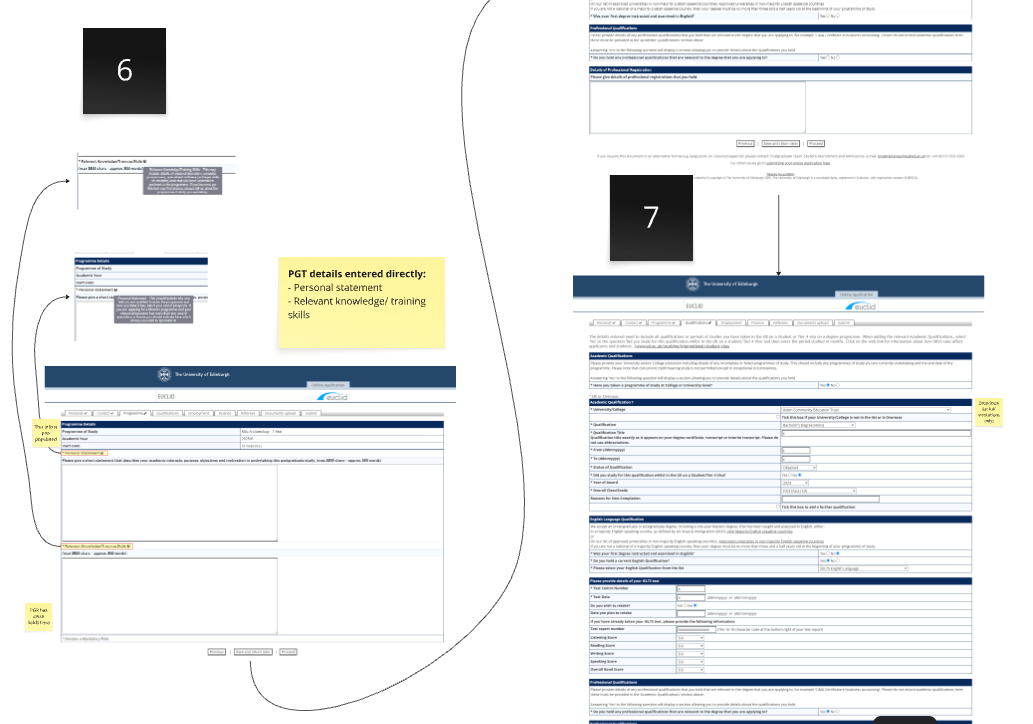
I completed the EUCLID form myself to understand how it works.
What I learned about the form
- It alerts you if you try to submit it without completing mandatory fields.
- You can save at any point and return to the form later.
- Research applicants have a few extra documents and pieces of information to provide compared to those applying for postgraduate taught programmes.
- There is guidance material within the form.
- Guidance text under each field is generally easy to understand and helpful.
- Some of the supporting content it links to is out of date.
Auditing content on the study site and looking for other supporting content
In 2024, we carried out an extensive audit of the whole postgraduate study site, including the Applying section.
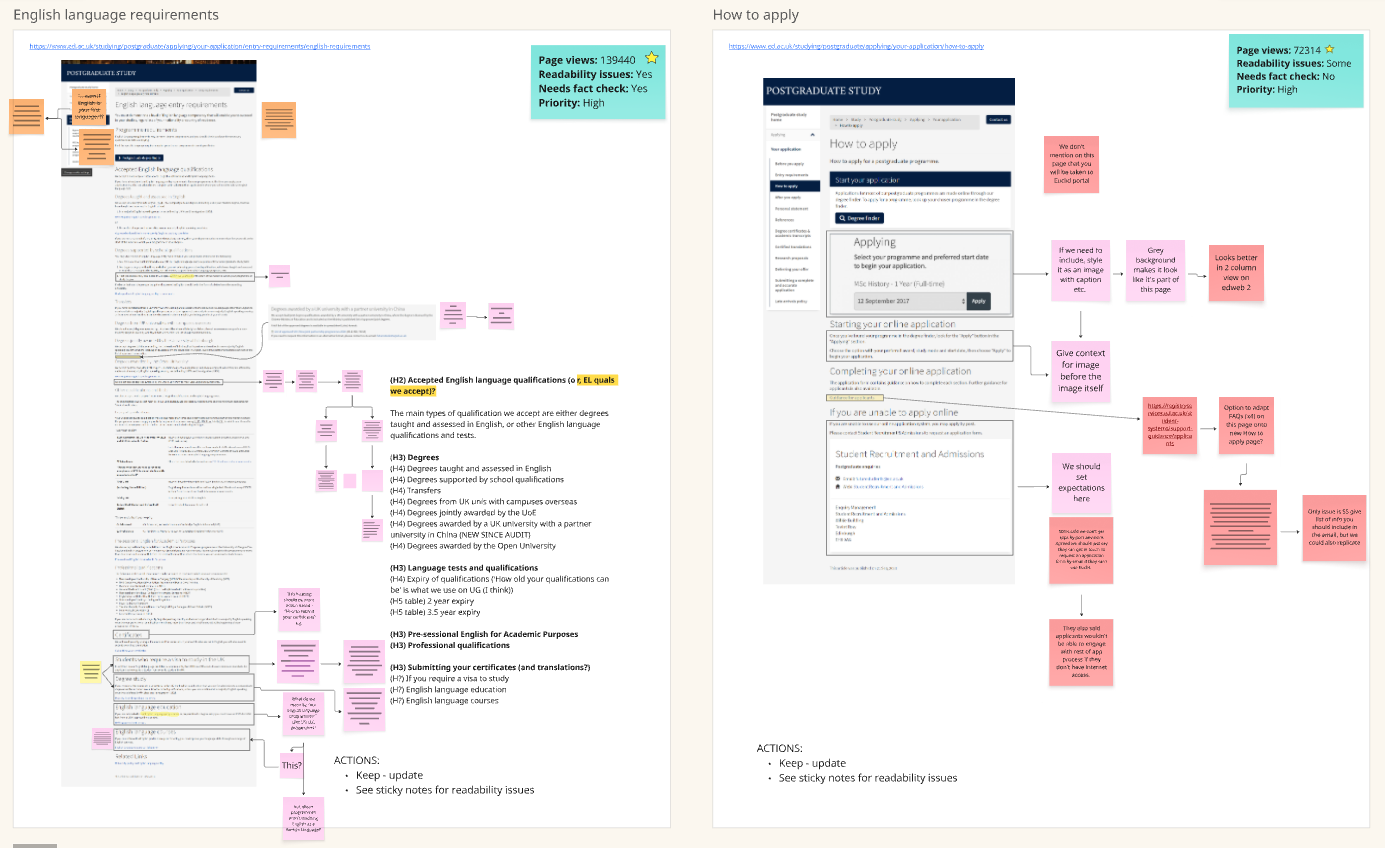
During the 2024 content audit, as well as recording everything in a spreadsheet, we recorded pages as annotated screenshots in Miro. We find having a visual representation of the audit alongside a traditional spreadsheet log helpful.
Almost a year had passed since we conducted this audit, so I needed to do a brief re-audit of the Applying pages to make sure nothing had changed since I last looked.
I also wanted to have a look at other supporting content we provide for the EUCLID application process across the wider web estate.
What I learned from reviewing the support content
Nothing about the study site content had changed significantly since we conducted the 2024 audit. This meant I could rely on the findings of that audit to inform this work.
From the 2024 audit, our most significant observation was that the ‘Before you apply’ page was very long, and the variety of information it contained made it difficult to scan and take on board.
In terms of supporting content elsewhere on the web estate, I found a series of videos demonstrating how to complete the form. However, these videos were out of date, as the degree finder interface and parts of the EUCLID form had changed since they were recorded.
Gathering analytics data
Once I had identified where all EUCLID support content existed across the web estate, I was able to gather some analytics to understand how users interacted with this content and the content on the study site.
I wanted to know:
- What content gets the most views?
- Are people regularly viewing the video support content?
What the analytics revealed
In the postgraduate study site applying content, the ‘How to apply’ page accounted for 37.3% of clicks from the ‘Your application’ overview page, with the next most clicked on page in that section being ‘Entry requirements’ (9.4% of clicks).
When users land on the ‘Before you apply’ or ‘How to apply’ pages, they tend to click through to content that gives a general overview of the applying process more often than content which provides more granular details of what they need to apply with (such as the Entry requirements or References pages).
In terms of the video content that sits outside the study site, the number of views was low considering these videos have been live for around 10 years, with an average 1000 views per year. To put that in context, we regularly receive in excess of 100,000 postgraduate applications each year.
Talking to subject matter experts (SMEs)
Up to this point, I hadn’t come across anything that stood out to me as in need of clarification from SMEs.
However, it was still worth reaching out to relevant stakeholders and subject matter experts to see if there was anything they wanted to tell me.
I talked with the Enquiry Management Team, who were able to tell me what parts of the applying process prompt the most enquiries from applicants.
I also reached out to colleagues in the college and central admissions teams to ask if they knew of any pain points for users that they wanted to highlight.
What SMEs told me
We receive relatively few queries from users around filling in the EUCLID form itself. Most enquiries related to applying are people either sending supporting information or documents, or asking for advice based on their personal circumstances.
However, SMEs from across the University told me that they spend a significant amount of time chasing applicants who haven’t supplied all the supporting documentation we need to make a decision, or who have uploaded the wrong type of documentation.
There was a consensus that we could be doing a better job of informing applicants (in advance of starting their application) about what information and documents they need to provide. Further, stakeholders suggested we could have stronger messaging around the fact that it makes the process easier and faster for everyone if applicants can prepare all their documentation in advance of submitting their application (when possible).
Related to this point, the supporting content on the postgraduate study site didn’t make it clear that some information is entered directly into the form, while other information must be uploaded to the form as an attachment.
What we did next
We carried over these insights into redevelopment of the applying content on the study site:
- We made it clear that some information is entered directly into the form, whereas some documents have to be uploaded.
- We added wording to say it’s best to have all supporting documents ready before submitting the application, when possible.
- We split up the ‘Before you apply page’ into multiple pages, including a page called ‘What you need to apply’, which focuses on supporting information and documents. This was to make it clearer what supporting documentation is needed to make an application.
- On each of the pages which talked about a particular supporting document, we added a call to action at the end which links to similar pages for other supporting documentation, as a reminder to the user of everything they must submit.
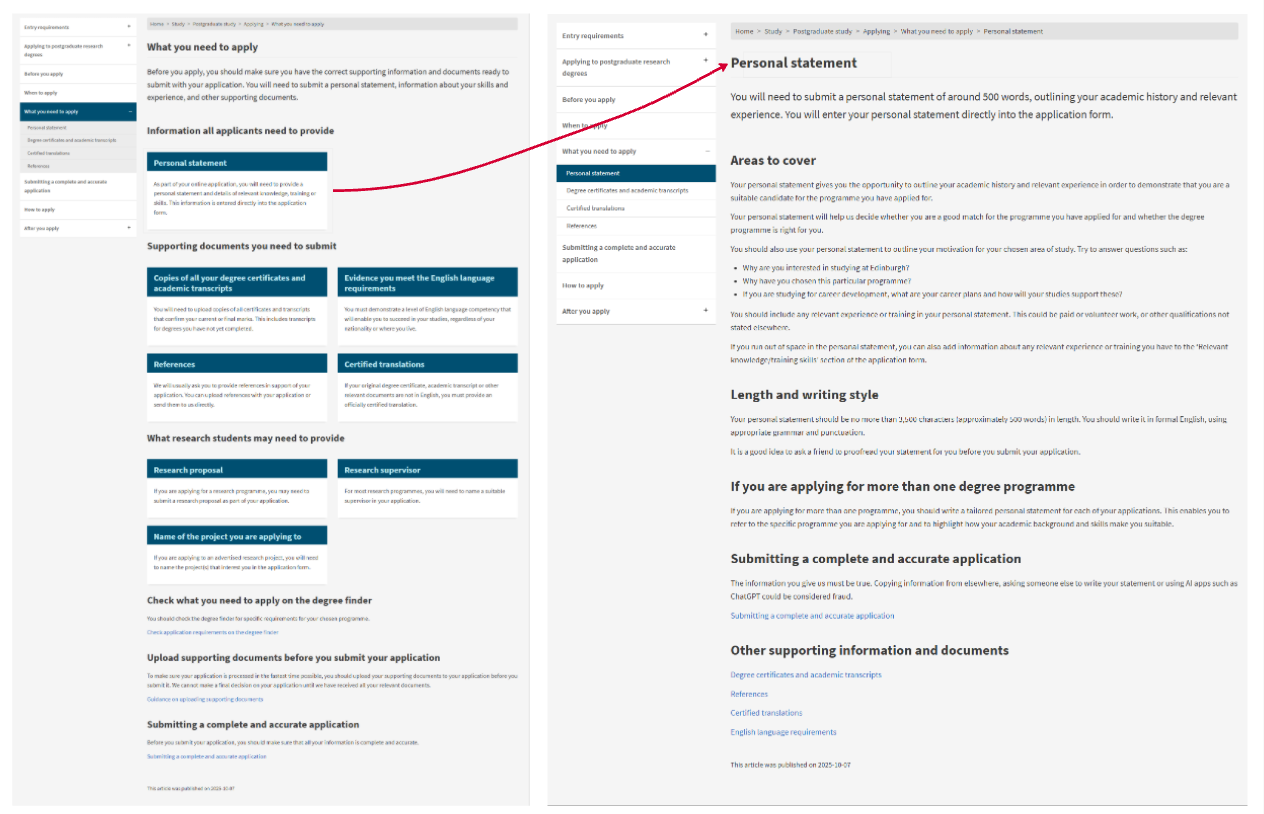
We split the old Before you apply page into multiple pages, including a new ‘What you need to apply’ page. We wanted to make it clear what documents and information an applicant needs before they start their application.
View our applying pages
The revamped applying pages were recently published, so we will monitor them over time to check the issues our SMEs talked about are mitigated.