

November Content Improvement Club: Creating an event page that works for users
Content Improvement Club is our regular meetup for web publishers. In our November session we covered events pages. We worked in groups to create a journey map of the information people need from an events page at different points in time. We also spent time peer reviewing events pages people had brought along.
We produce a lot of events content at the University
The idea to focus the session on events pages came about as we thought in the run up to Christmas there’s lots of events going on around the University. However, in reality the University events calendar is busy all year round both for internal and external events.
To give some context, as of May 2025, at a rough estimation there were just over 5,000 events page on EdWeb 2 (covering all existing, past and present events).
During the session we did a WooClap poll to get ideas from people in the room about the type of events they need to advertise. This showed the wide variety of events and it also helped us to decide which type of event to focus the journey mapping exercise on.
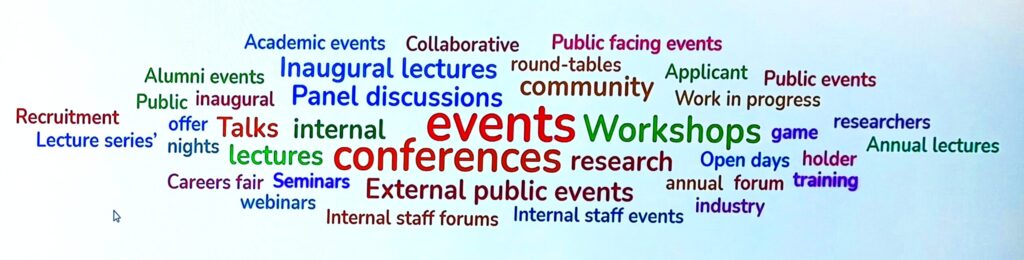
A WooClap word cloud of the results of our in-session poll question: what types of events do you need to advertise?
Journey maps can help you to assess how user needs change over time
Sarah Winters from Content Design London describes a journey map as a timeline, which shows the series of steps that your audience goes through, as they try to get from where they are to a desired goal.
The process of creating the map helps you to think through what a user needs at different points in their journey, which in turn helps you to assess how effective your content is.
For events pages, the information that users are going to need will likely vary depending on when you ask them and which stage of the process they are at. For example, what someone needs before signing up for an event will be different to what they need after they’ve attended.
More widely journey mapping can be a useful way to:
- analyse user needs in other contexts
- identify pain points
- get a collective view of a service (not just the bit you support)
We created user journey maps for a University in-person conference
In the session we took the example of a University in-person conference (as this was the most popular type of event from the WooClap poll) and in groups mapped out what information an attendee would need from an events page about the conference at different points in time.
We had identified certain key milestones in the journey before the session, but attendees added their own milestones as they went too.
The key milestones were:
- Deciding whether to attend
- Logistics of attending
- A week before the event (added by participants)
- The day before the event
- At the event
- After the event
Step 1: Map out tasks and questions
The first task was to think about the tasks that an attendee needs to complete and also the questions they might need to answer at each milestone. We did this by laying out the milestone stages in blue sticky notes and then used yellow sticky notes to add the tasks and questions underneath.
Step 2: Decide what information attendees need
The second task was to think about the different types of information attendees need from the page based on the tasks and questions previously identified. We did this by adding pink sticky notes under each milestone stage.
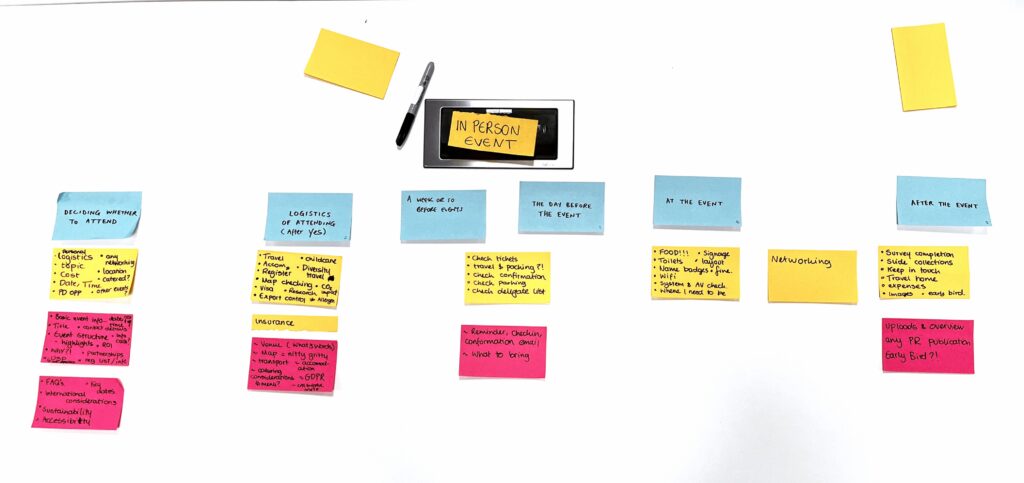
Journey map created by one group in the session
Summary of the key information attendees might need at each milestone
The journey mapping process was helpful to assess the content that attendees would need at different stages. During the session each group fed back on their journey map and shared their ideas among each other. This was a really useful way to create discussion between groups and highlight areas of difference between approaches.
We’ve consolidated some of the ideas people had about the key information event attendees might need at each key milestone:
Deciding whether to attend
- Event title, organiser and affiliation
- Date and time
- Event structure/overview and key note speakers
- Costs (sponsorship opportunities)
- Format and agenda
- Accessibility and venue facilities
- Contact details
- International considerations
- Sustainability
- Speaker opportunities
Logistics of attending
- Venue location (What3Words) or map
- Transport options
- Accommodation
- Catering
- Calendar invite
- GDPR
- Sustainability
A week before the event (added by participants) / the day before the event
- Reminder / confirmation email
- What to bring
- Directions to the venue
- Reminder about catering
At the event
- Programme / schedule
- Networking opportunities
- Note of the sessions you’ve pre-booked
After the event
- Event overview
- Session recordings and downloadable resources
- Early bird discounts for next conference
We peer reviewed a selection of different events pages
A key part of our Content Improvement Club format is providing the opportunity for people to bring along a page from a site they work on and discuss it with colleagues from across the University. For this session we had time after the journey mapping to take a look at some event pages people had sent through to us in advance. Each group picked a couple of pages to review and provide feedback to each other on.
The idea was to think about how the content catered for the user needs we’d previously identified, as well as how effective the order and layout of the information was. It was great to see people discussing their pages and getting a fresh perspective from somebody outwith their team.
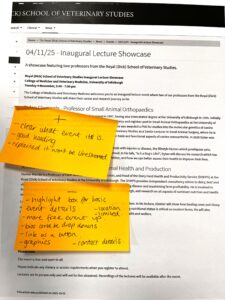
Photo of one of the events pages with group feedback provided
How to hear about our next session
We’ll promote our next session via our mailing list. If you’re interested, please sign up:
Join the UX and Content Design mailing list (University login required)
We’re always interested to hear topic ideas for these sessions. It would be really helpful if you could let us know any ideas you have using this form:
Suggest a topic for Content Improvement Club
Other training that we offer
More training is listed on the User Experience Service website:

