

Hi Jackie, This sounds like an exciting creative project. Designing and animating custom stick figures from scratch is not that…
This is fascinating, particularly the idea of "coding without writing a single line." It really highlights the potential of prompt…
N.B. Closing date now extended to 23:59 on Wednesday, 4th of March.
Thanks Stewart for your encouragement!
Thank you Miki. I very much enjoyed reading this with my morning coffee. It was lovely to have such a…


Being crafty with hand-drawn stick figures and open-sourced music
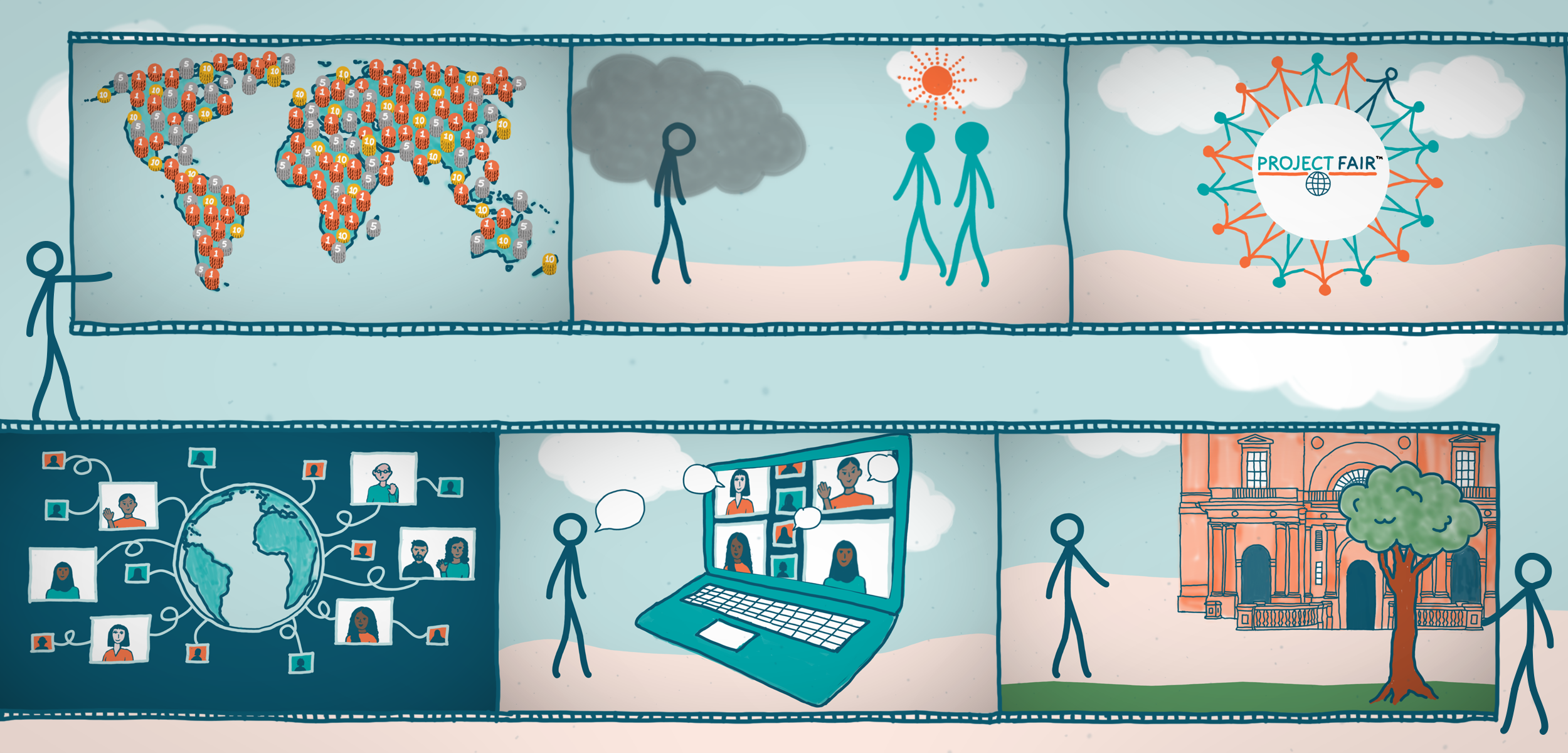
Changing the visual design mid-way in a video project is quite unusual, but pivoting to a softer animation style with stick figures proved successful for both the client and us.
Visual design reboot
I started building a video animation for Project Fair at the Business School around September 2025 in Adobe After Effects. Originally, the graphics I created for the animation were based on their existing visual design – professional, clean, classic.
The team actually wanted something softer, looser, a more friendly style with a stick figure and weren’t worried about it matching, but we did keep the same colour palette.
Compiling the components
Voiceover
The script was written fairly early on with a basic storyboard, so a temporary voiceover was recorded to help us get started. This was very useful for us all as it meant we could see where any gaps might be in the design and how long certain animated sections needed to be. We met every couple of weeks in the Business School café to keep progressing. When the final voiceover was recorded, albeit not that different from the original, I still had to adjust the animation timings; the trickiest part was editing the stick figure limbs!
Creating the graphical elements and animating
I sketched all the graphics with a Wacom tablet and pen using a brush tool within Photoshop so that it had line width variations like painting or drawing. The one exception to this was the stick figure, which I drew in Illustrator. I have animated a stick figure in the past, but I wanted this to be better!
When looking for the best way to approach it, I found a few things, mainly in Adobe Animate (formerly Flash). I discovered you could import Animate into After Effects only to then find out this function had stopped working on Macs and apparently hasn’t worked for quite some time. I also read a few online discussion boards which actually suggest Animate is to be discontinued.
I ended up building the animation of the stick figure in After Effects, which isn’t quite as straightforward. Simply put, it is based on moving the different layers, arms, head, legs, etc., around anchor points, parent linking them so they move together, and for the walking part, pre-composed with looping to be able to make it repeat. I found these interesting videos on YouTube whilst researching how to go about animating the stick figure:
- How to Animate a Basic Walk Cycle – although this is for Animate, I used the basic movement principles.
- This video was great for how to make the figure move, using the anchor points and parent linking in After Effects: A simple way to illustrate and Animate Characters | After Effects + ProCreate.
- Whilst looking for stick figure animations, I discovered Alan Becker, who uses Animate for all his amazing video shorts featuring stick figures:
- I took tips for designing the stick figure from: ALAN BECKER – Stick Figure Animation (revamped)
- One of my favourite animations of Becker’s: Animation vs Addiction.
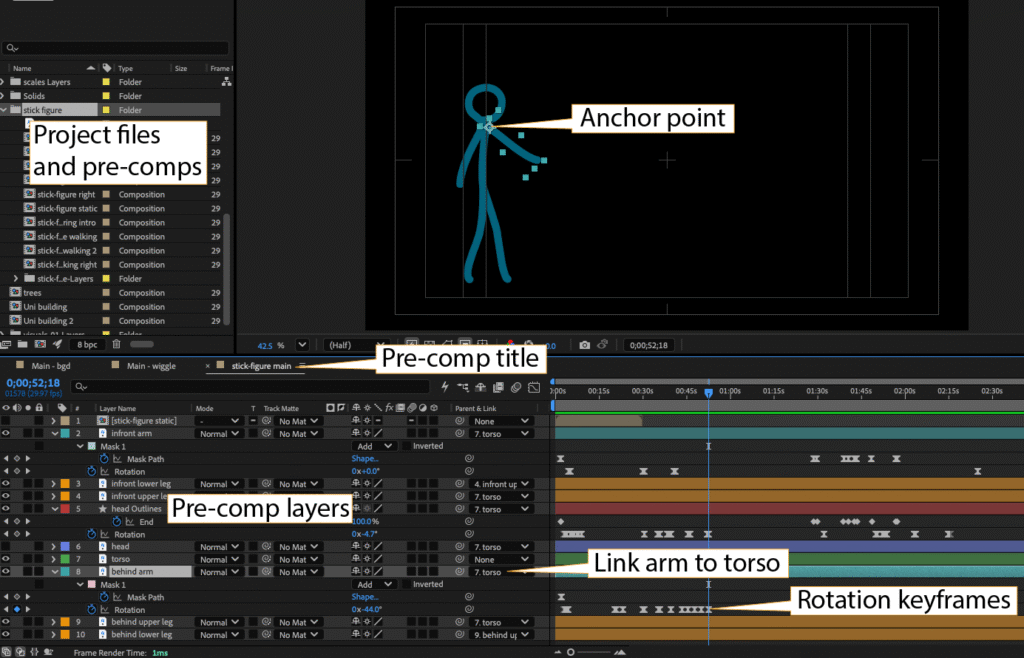
After Effects editing interface with labels pointing to the layers, keyframes, files and preview window.
Sourcing music for the video
I do use Pixabay, mainly for sourcing the odd photograph and vector graphic. In the last few years, individuals have started adding their own music and sound effects to this resource. Great! Music is always a lovely addition to make your video more professional.
I started with a completely different piece of music for this video, as I wasn’t initially aware of the Google Content ID fingerprinting on Pixabay at the time of downloading. To be honest, I haven’t used that much music in animations.
Content ID is designed for tracking intellectual property on YouTube, which I totally understand, and on Pixabay, this is shown as a little shield next to the length of the music track. When I realised, I looked into this in more detail; Pixabay even has a blog post which goes into detail about it, ‘How to clear a YouTube Content ID claim with a Pixabay License Certificate’.
The more I read about this, the more concerned I became, particularly as this project was to be licenced CC BY and potentially might end up on YouTube in some form. Even though I downloaded the licence, it had my Pixabay account associated with it, so it would be ok for my own video perhaps but not for something being shared.
I lost some sleep over this and decided I had to change the track. I went back to Pixabay and looked for any music that had no ContentID tagging and ‘no copyright’ associated with it. Even though Pixabay says you don’t need to attribute authors, I normally do anyway as other sites I use often do.
If you look closer at the Pixabay Licence, they do have a disclaimer at the bottom of the page about the use of intellectual property. I wonder, should Content ID tagged material even appear on Pixabay if it confuses (me) and frustrates us?
Final video animation
I loved working on this project with the Business School; it was a rewarding collaboration for both parties. You can either watch the completed video in situ on the Project Fair website, or in the embed below:
Copyright and licence
Copyright © The University of Edinburgh. This work is licensed under a Creative Commons Attribution (CC BY) 4.0 International licence.
Acknowledgements
- Voiceover by Dr Ishbel McWha-Hermann from Business School, The University of Edinburgh
- Animation and illustrations by Jackie Aim from Interactive Content, DLAM, LTW, ISG, The University of Edinburgh
- Photographs by Project Fair, Business School, The University of Edinburgh
- Music by MiroMaxMusic via Pixabay

Share



Hi Jackie,
This sounds like an exciting creative project. Designing and animating custom stick figures from scratch is not that easy!
I have run into similar challenges when searching for “safe music” for projects and checking the licences can be a nightmare.
I wonder if using a royalty free/ Safe music paid resources or SoundCloud CC music may help and may be supported by the UoE or the school.