Rethinking Breathing Interaction through TouchDesigner
1. Introduction
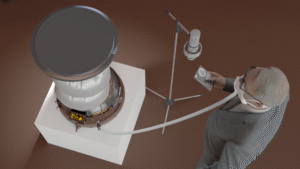
This project began as an exploration of how breathing data can be visualized in real time using TouchDesigner. However, as the project developed, our focus gradually shifted from simple data representation to a more critical question:
Can visual systems guide perception, rather than just display information?
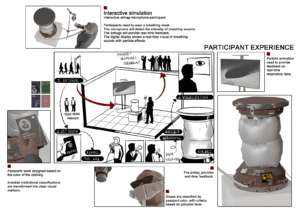
Instead of treating breathing as a dataset to be shown, we started to explore how visual feedback could influence how users perceive—and even regulate—their own breathing.
2. Initial Approach: Data as Representation


At the beginning, we approached the project as a typical data visualization task.
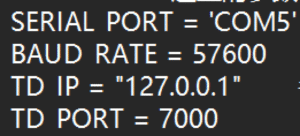
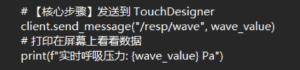
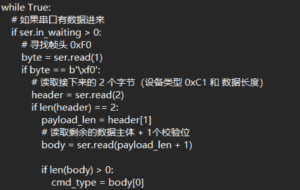
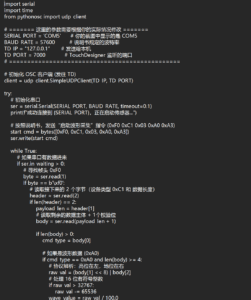
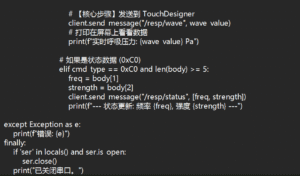
- Breathing data was captured and sent via OSC
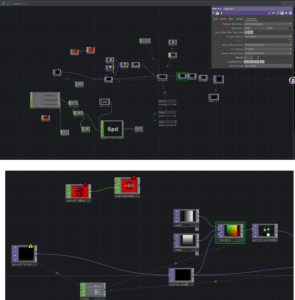
- TouchDesigner received the data and mapped it to visual parameters
- The system was built using nodes such as Noise, Feedback, and Composite
Our logic was straightforward:
Data changes → visual parameters change
However, despite the system functioning technically, the outcome revealed a major issue:
- The visual changes were subtle
- The breathing rhythm was not clearly perceptible
- The audience could not intuitively relate the visuals to their own breathing
3. A Shift in Thinking: From Showing Data to Guiding Perception
At this point, we began to question our initial assumption.
We realized that:
Visualization alone does not guarantee perception.
This led to a conceptual shift:
- From “How do we display breathing?”
- To “How do we make breathing feelable?”
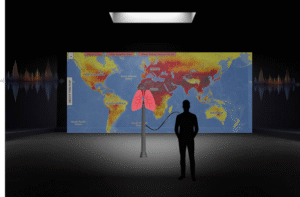
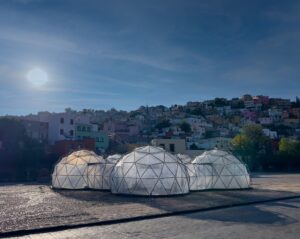
This shift aligns with the work of Rafael Lozano-Hemmer, whose interactive installations often use biometric data (such as heart rate or breath) not simply as information, but as a way to create embodied interaction between the system and the participant.
In his work, data becomes a medium for experience, not just representation.
4. Iteration: Designing for Perceptual Impact


Following this shift, we redesigned our system with a focus on motion and perceptual clarity.
4.1 From Static Parameters to Motion
We stopped mapping data to:
- color
- brightness
and instead mapped it to:
- motion speed
- spatial distortion
- temporal rhythm
This made changes in breathing immediately visible and intuitive.
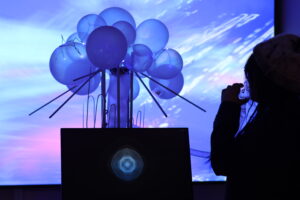
4.2 Introducing Ripple Dynamics
To further enhance perception, we introduced a ripple-like visual layer:
- Created using GLSL and displacement techniques
- Layered onto the existing visual system
This ripple effect functions as a metaphor for breathing:
- expansion and contraction
- waves propagating through space
It transforms breathing into something that can be seen, tracked, and followed.
4.3 Layering and Composition
We combined multiple visual layers using compositing techniques:
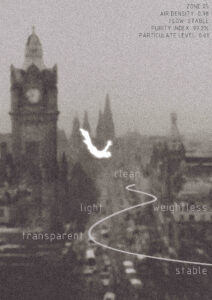
- base flow (atmospheric movement)
- ripple layer (rhythmic structure)
This allowed us to maintain visual richness while emphasizing the breathing rhythm.
5. Key Insight: Data as Experience, Not Information
Through this process, we arrived at a key understanding:
The role of data in interactive design is not to inform, but to transform perception.
Breathing data is inherently subtle. Without proper translation, it remains invisible.
By mapping it to:
- motion
- distortion
- rhythm
we were able to amplify its perceptual presence.
6. Reflection
This project represents a shift in our design thinking:
Initial mindset
Data → visualization
Final mindset
Data → perception → behavior
Rather than asking users to observe data, we created a system that encourages users to:
- feel the rhythm
- become aware of their own breathing
- potentially adjust their breathing in response
7. Conclusion
This project demonstrates that:
Effective interaction design is not about accurately representing data, but about making it perceptually meaningful.
Inspired by artists like Rafael Lozano-Hemmer, we moved beyond visualization and towards embodied interaction.
Ultimately, the project is not just a visual system, but:
a perceptual interface that connects internal bodily rhythms with external visual experience.