Details of the device design process 1
“Since it had been the group that submitted the overall content before, there were sometimes parts that were duplicated.”
- The model was submitted for 3D printing and then underwent painting treatment at the end.
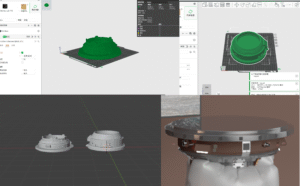
- Since the pressure sensor was located in the abdominal area, it disrupted the immersive experience of the project. Moreover, there were some issues with the sensitivity test of the pressure sensor, which did not meet the requirements of the project. Therefore, we decided to switch to a breathing sensor.
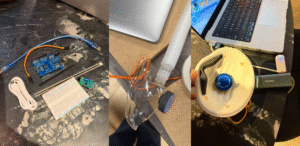
- Cut the wooden board by hand and drill holes using the wood workshop.Collecting waste materials in the metal workshop
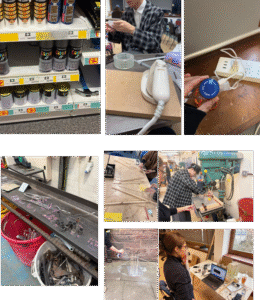
- Regarding the airbags, we initially attempted to use TPU fabric, but the result was extremely unsatisfactory. Now we have switched to using transparent balloons instead.
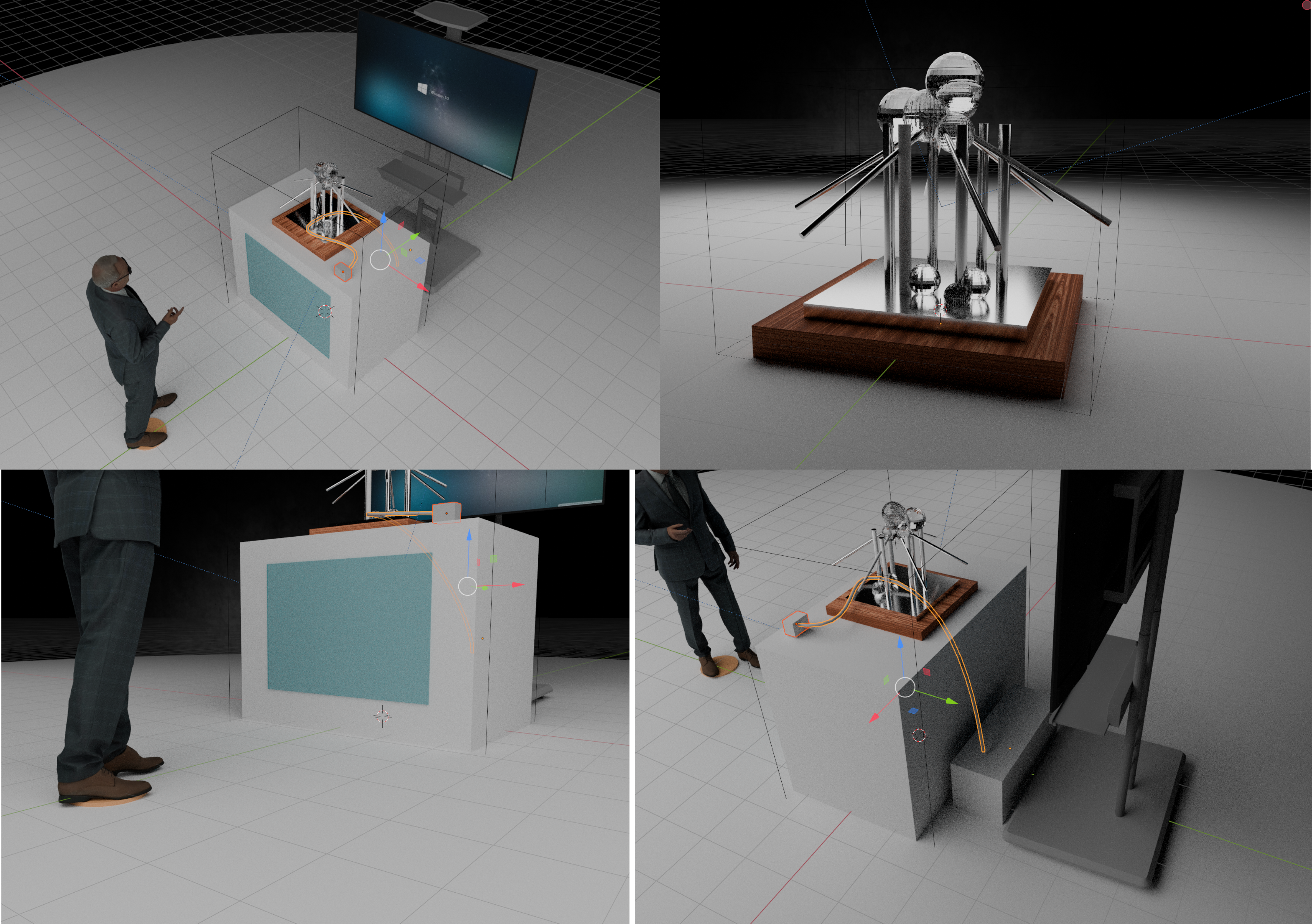
- For the pre-rendered effect images
The part that needs the most improvement is the issue of data communication for the sensors.
- After collecting and testing a large amount of data, we decided to use a breathing sensor to capture the tiny “airflow fluctuations”.
When the user wears the mask and breathes, the air pressure inside the mask and at the nasal cavity will undergo subtle fluctuations as they exhale. This sensor is equipped with a high-precision pressure sensing element inside, specifically designed to “sense” these changes.
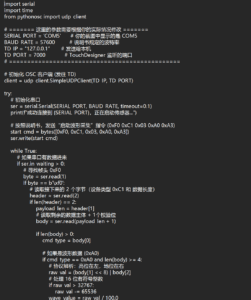
The data will be transmitted to the computer via BLE 4.0 (Low Energy Bluetooth). The device part requires that the data be transmitted to our touchdesigner in real time. - Annotation: Coding based on AI
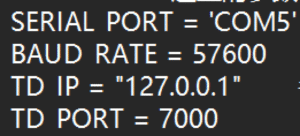
- First, the serial communication is initialized by setting the port to COM5 and the baud rate to 57600, which is used to receive data sent from the sensor. At the same time, the listening port of TouchDesigner is set to 7000 so that the parsed data can be transmitted later. Since the sensor outputs a continuous stream of bytes without explicit boundaries, a specific marker is required to divide the data into frames. In the program, the received byte is checked to determine whether it equals
b'\xf0', which serves as the frame header. Once this marker is detected, a new data frame is considered to have started. The subsequent bytes are then read according to the predefined data format and further parsed and processed. In this way, complete data frames can be accurately extracted from the continuous data stream, ensuring the correctness of data transmission and processing.
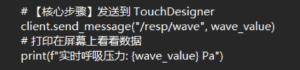
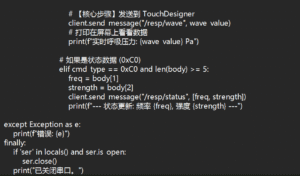
- The parsed data (such as wave_value) is sent out via client.send_message.
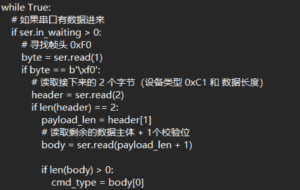
Core logic summary:Receive raw bytes → identify the 0xF0 frame header → calculate Pa (pressure value) according to the protocol → package and send it to TD.
The complete code is as follows: After the logical framework is completed, it is assisted by AI