
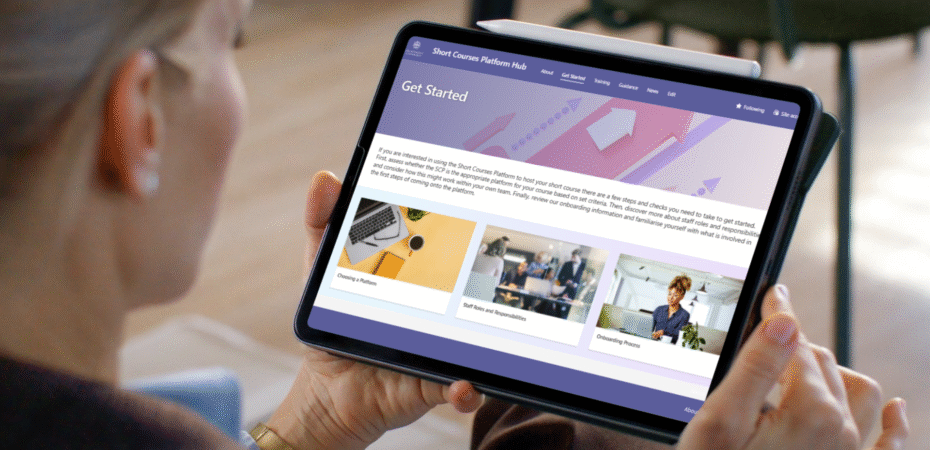
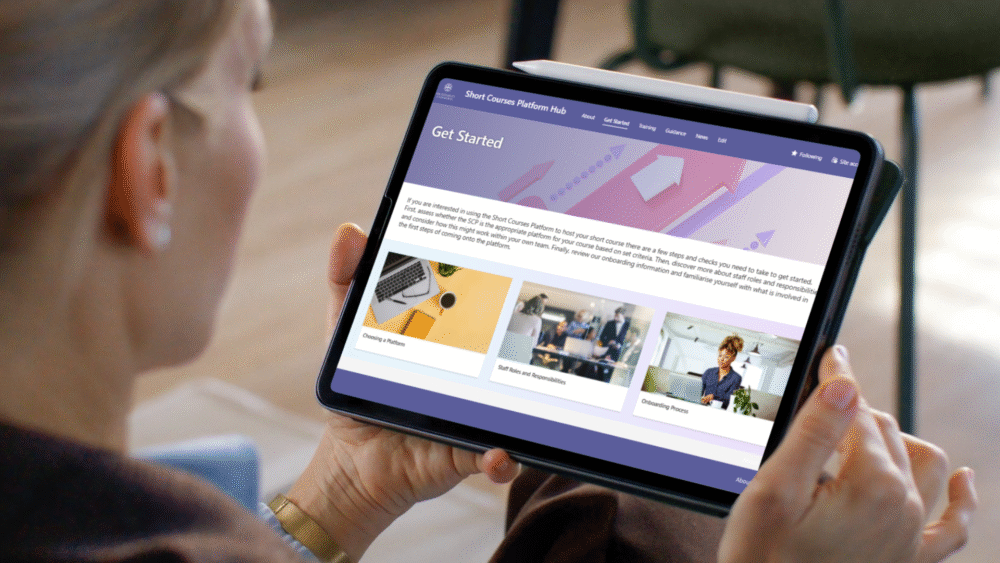
In this post, Fiona Buckland and Lizzy Garner-Foy describe how, as part of the Short Courses Platform project, they created an information, training and guidance hub on SharePoint to engage stakeholders and support colleagues with the set-up and management of short courses at the University of Edinburgh. In this post, they outline some of their approaches and reflections.
One of the key methods of disseminating updates and sharing information about the Short Courses Platform project was via a SharePoint Hub. Whilst SharePoint is frequently used across the institution, we were keen to incorporate instructional design practices to ensure the site was clear, engaging, and met the needs of our users.
An instructional design approach to SharePoint site design
The word ‘SharePoint’ might incite readers to think they don’t want to read on, but it really can be a fantastic tool to share information and static content in an engaging, bitesize and accessible way. As a team of Instructional Designers, we approached the design and development of the SharePoint site in the same way as we would with online learning materials. We created clear, logical menus of content, wrote focused pages of one to five minutes’ reading time, and included GIFs, screenshots, downloadable resources, and relevant imagery to make the information user-friendly and easy to understand.
As the project transitioned to a service, one of our key considerations was to create training and guidance that could be accessed when the user needs it. Our challenge was how to make workflows for complex tasks and multiple platforms easy for users to access and follow, when they need it. Our solution was to use ThingLink.
Making guidance interactive and user-friendly with ThingLink
ThingLink is a web-based platform for creating interactive content. The University has an institutional licence that allows staff and students to create their own materials. However, a login is not required to view or access any content that has been created.
By using ThingLink, we were able to make static screenshots of platform interfaces interactive, with ‘tag’ icons for users to click to find specific, relevant information and examples.
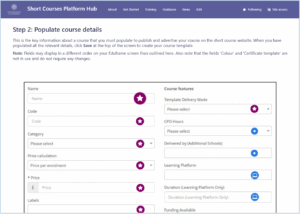
Users can easily click along while setting up their own courses, and focus on the relevant fields step by step. We were able to distill complex information and instructions and use consistent iconography for users to quickly understand what they need to digest.
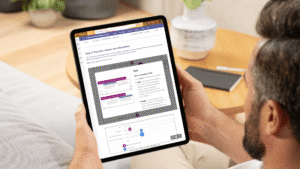
We decided that ThingLink was the best approach, rather than producing detailed documents or video tutorials – as it enabled us to make quick edits in line with platform updates made by vendors. This meant that we could be agile in our approach; the guidance stays up to date on SharePoint, and we’re not at risk of videos and multiple versions of documents becoming inaccurate and difficult to manage within the team. It also enabled us to create engaging training resources that staff found easy to use.
Our key takeaways
Feedback from users has been overwhelmingly positive, and we review and update the site on a weekly basis. Creating a SharePoint site as a ‘one-stop shop’ for news, guidance, training and project information allows us to share a single link with stakeholders containing everything they need.
Our key takeaways are:
- Carefully plan and design your SharePoint site – consider branding, templates, key topics, and consistency across sections and pages.
- Use plain English and be clear and simple with navigation, headings and naming conventions.
- Be thoughtful in your use of images, videos and tools used – does it add value to your users?
- Think sustainably when creating your site. If content is likely to change frequently, videos will be resource heavy and costly to change and update.
- You are never truly finished. Content, navigation, and design will evolve as the service grows – just let your users know!
What did our users say?
“As a frequent user of the SCP SharePoint Hub, I find it incredibly useful for accessing resources quickly. The site is well-designed, easy to navigate and provides clear and detailed information on all SCP components.” – Mavis Frempong, Learning Designer
“The Short Courses Platform itself, and the SharePoint hub have been incredibly useful for me and my team. It’s allowed us to create a range of courses, both public and private, with ultimate flexibility. The SharePoint is a one-stop shop for all of our questions, and makes it very easy to quickly figure out everything from how to design an engaging course, to how to upload H5P content. The Short Courses Platform colleagues have been nothing short of amazing, and we are very grateful to them for the support they have provided.” – Chelsea Ferguson, Study and Work Away Adviser, Edinburgh Global
All images are © The University of Edinburgh, 2025, all rights reserved.
 Fiona Buckland
Fiona is a Learning Technology Team Manager, based in Educational Design and Engagement (EDE) section in Information Services Group. Fiona manages the Online Course Production Service which offers support for the development of high quality digital education, from project planning and learning design to media production and marketing. This includes managing relationships with our partner platforms: edX; Coursera; and FutureLearn; and our portfolio of over 100 Massive Open Online Courses (MOOCS).
 Lizzy Garner-Foy
Lizzy is an Instructional Designer in the Online Course Production (OCP) team within Educational Design and Engagement (EDE). Her background is in academic writing, copy-editing, and media production, and she is passionate about active learning and interactive content development. Lizzy works closely with academic teams to design, develop and build online courses.