Any views expressed within media held on this service are those of the contributors, should not be taken as approved or endorsed by the University, and do not necessarily reflect the views of the University in respect of any particular issue.
This blog documents the production process of a video set across six countries, which aims to guide viewers through an exploration of the sensory experiences evoked by air and breathing.
The video unfolds across six distinct locations, each representing a different air quality environment. These locations are not presented as objective facts, but rather as part of a sequence depicting the perception of polluted environments.
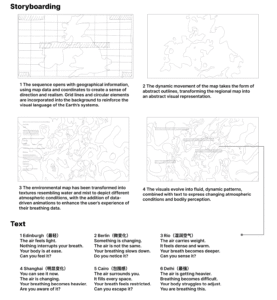
The visual elements draw on geographical references and are transformed into abstract forms, whilst text and sound are used to guide the viewer’s experience.
The pattern-making process
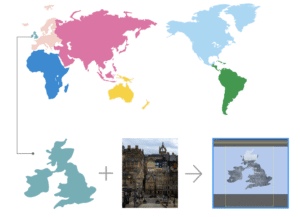
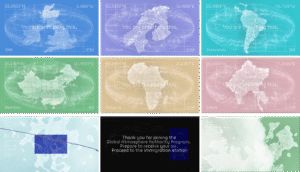
Create vector maps for each region to provide a clear visual representation of geographical distribution, facilitating subsequent visualisation of data across different regions
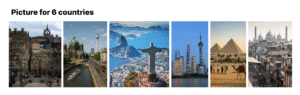
Each selected location has been transformed into a simplified visual form; using Illustrator, cut-out masks were created from photographs of the city and its respective districts to produce the main visuals.
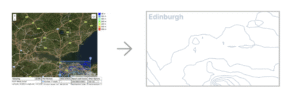
As air quality is influenced by environmental factors such as rainfall and terrain, contour lines are used to enhance the visual representation of atmospheric conditions.
Issue
One key issue identified in David’s feedback was that the entire process felt too monotonous; although the six countries were categorised by pollution levels, this was not reflected in the video.
Furthermore, some of the text was overly prescriptive, thereby undermining the sense of openness that is essential to an experiential video’s ability to engage the audience.
Consequently, the text has been reworked so that each section conveys a distinct tone and intensity. Rather than relying on repetitive, fixed structures, the language now evolves gradually, allowing the reader to experience a progressive journey rather than a static narrative.
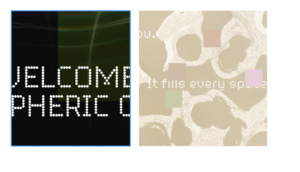
To enhance the experimental nature of the video, disruptive visual elements have been incorporated into the work, including inverted split-screen effects.
This fragmented effect creates moments of instability and unease, shifting the work from ‘representation’ towards ‘perception’ and ‘experience’.
Visual Effects
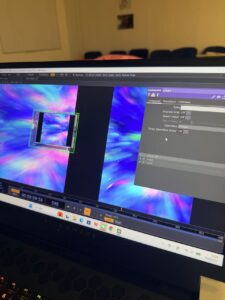
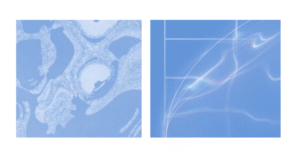
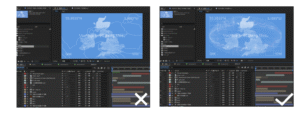
1. Turbulent Displace: The transformation is achieved using After Effects, primarily through the Turbulent Displace effect, which distorts the original map shapes into fluid, organic forms. Changes in distortion intensity simulate variations in air conditions.
2. Motion blur: A combination of motion blur and subtle distortion is applied to the main visuals to simulate instability in the atmosphere. The intensity of the effect increases progressively across different regions, where higher levels of pollution result in heavier blur and more pronounced visual vibration.
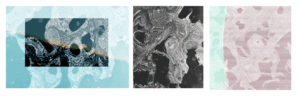
3. Inverted Split: An inverted split-screen effect is introduced to fragment the image, creating moments of visual disruption. The duration and frequency of this effect increase in relation to pollution levels, reinforcing a sense of environmental imbalance and perceptual interference.
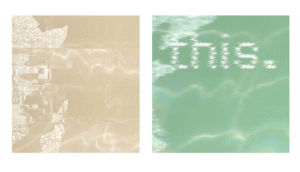
4. Randomised Colour Blocks: Random blocks of colour have been incorporated into the text to simulate digital noise and atmospheric interference. This effect heightens sensory tension and impairs the text’s legibility, thereby reflecting the difficulties encountered in perceiving and processing information under conditions of air pollution.
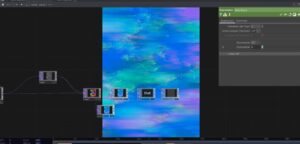
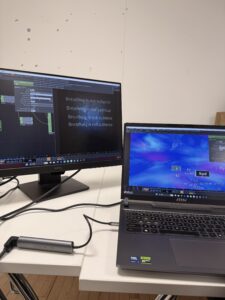
The After Effects video production process
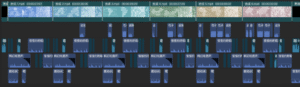
Iterations focus on improving visual clarity, cohesion, and the perception of atmospheric density.
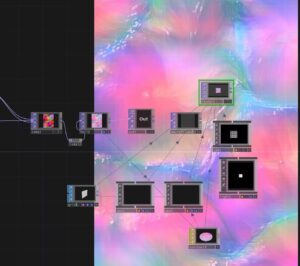
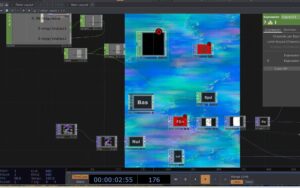
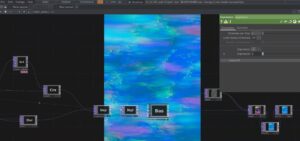
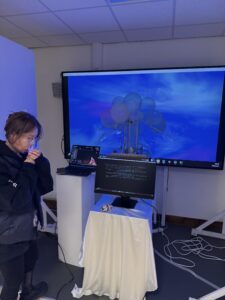
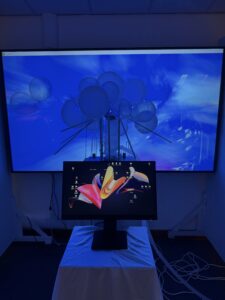
The visual system is realised through After Effects compositing and motion graphics, blending map data with atmospheric texture transitions.
Sound effects
Using sound design assets from CapCut, this piece blends breathing sounds, ambient effects and electronic noise to create an immersive auditory experience. These elements have been layered and modulated to reflect the ever-changing atmosphere whilst enhancing the audience’s physical perception of air.
During the critical project push over the past two weeks, we have focused on advancing three core optimization tasks.
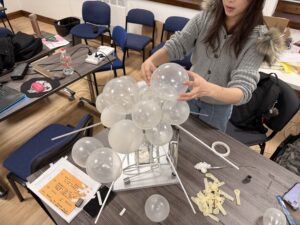
In response to the potential hazards existing in the airbag system, the team conducted comprehensive testing and repair work. Through multi-step operations such as disassembly inspection, seal reinforcement and pressure testing, the airbag is ensured to respond stably under various working conditions and fully comply with safety standards.
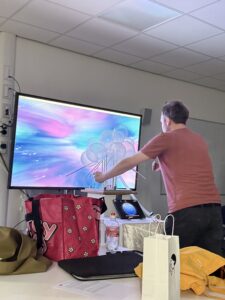
Meanwhile, we have actively adopted David’s professional advice — combining user visual experience research data with interface interaction logic, we have precisely adjusted the key components to the visual center of the screen, which not only improves operational convenience but also optimizes the overall visual balance.
Furthermore, for the presentation effect of the video section, we have made systematic modifications, including optimizing the main visual colors, adjusting the narrative rhythm, adding key information annotations, and resolving the audio-video synchronization issues. Through multiple rounds of refinement, the video content has become more in line with the usage scenarios, and the information transmission has become more intuitive and efficient. All the optimizations have been repeatedly verified to ensure they meet the requirements of project progress.
On March 10, our group had a detailed discussion about how to divide the work. We clarified each person’s role and made sure that both the visual and technical parts of the project can move forward smoothly. The video will be one of the main outputs.
The very important part of our discussion was developing the concept of six virtual countries based on different air quality conditions. Instead of using real-world countries, we decided to create fictional ones.
Each country represents a different type of air environment. For example, some countries have clean, fresh air, while others are polluted, heavy, or artificial. We also started to connect these air qualities with emotions and lifestyles. For instance, a country with “living air” might feel open, natural, and healthy, while a country with polluted air might feel oppressive and industrial.
Based on these ideas, we began designing passports for each country. The passports are not just visual objects, but also part of the storytelling. Each one reflects the identity of its country through color, symbols, and typography. We aim to keep a consistent design system across all six passports, while still giving each country its own unique feeling.
We also plan to include a universal stamp system, similar to customs stamps, to strengthen the idea of “traveling” between different air conditions. This helps turn the project into an immersive experience rather than just a visual presentation.
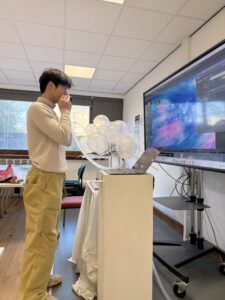
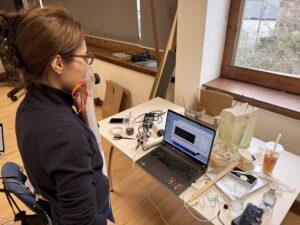
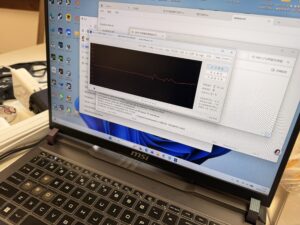
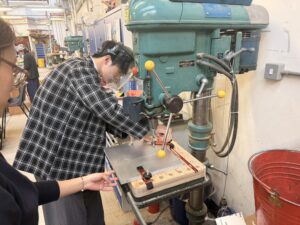
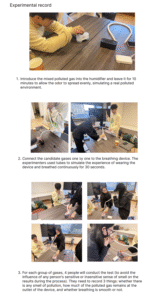
On March 18th, the functional test of the breathing device was completed, and at the same time, the assembly and debugging of the device were also carried out.
Xiaoyu Liu, Keye Huang, Tinglan Ma, and Drew Yang conducted comprehensive performance tests and parameter verifications on the breathing device, ensuring its stable operation and normal functions. At the same time, they completed the structural setup, component assembly, and overall trial run of the device, successfully completing the two related tests and setup tasks for the device today.
One of the least discussed aspects of DMSP is semantic conflict. Everyone agrees on: “we want something immersive” No one agrees on what immersive means.
Language as Problem. Words like: immersive, interactive, narrative are dangerously vague. In our group: one member imagined theatre, another imagined game design, another imagined data visualization. We were using the same words to describe different worlds.
A useful example of how meaning is not fixed but negotiated can be seen in the interactive installation Tall Ships by Gary Hill. In this work, visitors walk through a dark corridor where projected human figures slowly approach them in response to their movement. While the system behaviour is technically consistent, the interpretation is not. Some viewers experience intimacy, others discomfort, and some even fear.
As critics have noted, the installation produces an “uncannily real exchange” that makes viewers aware of their own psychological state This highlights a crucial issue in collaborative design: even when the system is stable, meaning is not. In our group, we assumed shared understanding when using terms like “immersive” or “interactive”. However, as with Tall Ships, interpretation is shaped by individual perception rather than shared definition. This suggests that meaning in design is not transmitted — it is constructed.
I would like to show our resolution Strategy to solve such questions. We introduced reference mapping. Each member brought: one artwork, one film, one interaction example. We compared them. This externalised assumptions.
In terms of my insight. I think meaning in collaborative design is negotiated, not given. Language is not neutral. It is a design material.
Public exhibition changes everything. In studio, we control lighting, sound, behavior. In public: people interrupt children run through sensors phones flash someone will ask “what does this do?” Looking at installations like Rain Room by Random International, the audience completes the work. Without participants, it is just plumbing. Testing with Humans We ran informal user testing with classmates. Unexpected findings: They didn’t read instructions. They preferred playful ambiguity. They touched what we told them not to. This forced us to design for behaviour, not ideal use. Insight Audience is not passive. They are unpredictable co-authors.
I insert a link named Rain room. The system does not simply react to the audience — it requires them to exist. The audience doesn’t just experience the work — they perform it. Interactive installations shift authorship from designer to system + audience.
In DMSP course we talk a lot about tools: Touch Designer, Arduino, projection mapping, sensors. But collaboration itself is a technology. It requires, for example: protocols, debugging, version control, user testing, maintenance. When collaboration fails, the “system” crashes.
Moreover, I am willing to discuss that the course suggests modelling ourselves like a production company. We tested this. We assigned roles: Director, Technical Lead, Media Designer, Sound Designer, Documentation Lead.
Initially, this clarified responsibility. But we noticed something interesting: Roles created ownership, but also territorialism. The media designer began defending visual decisions as if they were intellectual property. The technical lead became gatekeeper of feasibility.
In terms of ‘comparison’,Looking at collective practices like team Lab, their work appears seamless. But interviews reveal a highly structured internal communication system. They don’t just make immersive work. They engineer collaboration.
In that case, We introduced rotating critique sessions where each role critiques their own domain publicly. This flattened hierarchy.
The result for instance: less ego, more shared language, more integrated design.
In a nutshell, I think collaboration isn’t soft skill. It’s infrastructure.
Passport
Edinburgh → East Asia → Shanghai → South Asia → India → Europe → Berlin → Africa → Cairo → Americas → Rio de Janeiro
Technology
– Sound capture (microphone)
– Pressure sensor (abdominal compression)-Depends on which modules are purchased
– Exhaled gas (fan speed)
– Heart rate
Gas
– Incense perfume
– Air humidifier – output intensity controllable via app
Particles
– Visual effects (available for purchase via Tb)
– Data input for post-production debugging
Mask
– Selection and purchase of styles
– Flexible tube
Region
– Dynamic video
Note
The airbag section is temporarily removed as a reflection, and additional content will be added to the report.
Issues to be resolved in the next group meeting:
1. How to connect the passport performance art, and what is the overall process? Need a clear text description.
2. How to arrange the actual interactive area of the customs device, and how to set up the backstage?
3. Produce a complete user experience flow sketch.(Customs area / Backstage / Interactive area)(Three regional lines?)
4. Whether to include images of the generated particle effects in the final output: select 5–10 images for each region to make a zine or poster for comparison.What is the goal of our project to make users feel?
2026/3/6
This meeting focused on discussing the progress, existing issues, and subsequent plans of the art project related to air pollution. The specific contents are as follows:
Project concept and visual presentation
1. Dynamic simulation:
2. Color expression effect: Adjusting the color of the simulation effect can convey different visual images, such as presenting a healthy and vibrant state of the lungs, or visual effects of damage and deterioration.
Sensor selection
1. Alternative options: The team has proposed two sensor solutions. The first is an electronic flexible sensor patch that can be attached to the abdomen, and the second is a breathing sensor that is compatible with the face mask.
2. Recommendation: It is recommended to choose the face mask-based breathing sensor. This solution has a higher alignment with the project theme and fewer practical issues compared to the chest patch solution.
3. When purchasing sensors, consider the logistics cycle (delivery takes 5-8 days). Additionally, a backup plan should be formulated to handle situations where the sensors cannot be used after arrival.
Odor Design
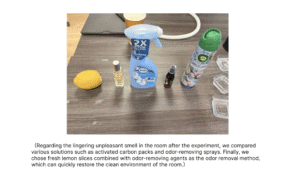
1. Design Concept: The odor design aims to recreate the sensory experience of air pollution. All odor selections must closely align with the core theme of the project.
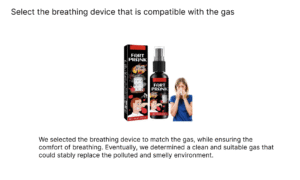
2. Experimental Direction: The team is currently attempting to combine prank-specific fragrances with incense odors. At the same time, multiple people’s odor perception tests are required to ensure that the selected odors have sufficient sensory impact.
3. Odor Dispersal: The initial plan was to use small fans to disperse the odor within the enclosed container. However, the actual effectiveness of this plan still needs to be verified through experiments. (The plan has been completed)
Project Implementation Coordination
1. Division of Labor and Schedule: The team needs to formulate a detailed work schedule, clearly defining the responsible persons for each task, including passport issuance, odor dispersion, odor blending, etc.
2. Form Submission: The team must complete the form filling by Monday to reserve the project exhibition venue. They can note their preference for the venue on the form, such as preferring a location near a window.
Subsequent Work Plan
1. Core tasks for next week: Complete the printing of the project-specific passport, receive and inspect the purchased materials, and finally determine the type of odor to be used in the project.
2. Core objective of the project: Focus on the issue of air pollution, allowing the audience to truly perceive the impact of this problem; all design and implementation aspects of the project must be carried out in line with the core concepts such as “air poverty” and “individual behavior impairment”.