Digital safety for students with disabilities

This Disability History Month (20 November – 20 December 2025) we reflect and learn how to be more inclusive as digital citizens and shape an accessible future for technology.
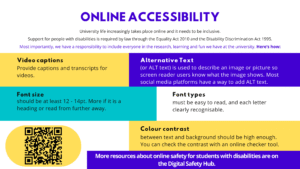
During December, we encouraged students across campus to reflect on their online accessibility basics and take digital citizenship seriously with the latest digital safety info poster (poster text is also written below):
The University also has a variety of resources to support students and staff with disabilities, help everyone adhere to accessibility regulations, and, most importantly, make the digital world more inclusive for all:
- The new Digital Accessibility Policy includes updates and additions like applications and legal requirements for testing.
- Guides for Online safety for students with disabilities can be found on the Digital Safety, Wellbeing and Citizenship hub.
- Additional services for disabled studentsare being offered by University Libraries.
- The Disability and Learning Support service is here to support you with your concerns, needs and questions as a student with disabilities at the University.
To make tomorrow a bit more accessible than yesterday, we encourage you to feature at least one tip from the poster in your New Year’s resolutions.
Online Accessibility – Digital Safety poster text:
University life increasingly takes place online and it needs to be inclusive.
Support for people with disabilities are required by law through the Equality Act 2010 and the Disability Discrimination Act 1995.
Most importantly, we have a responsibility to include everyone in the research, learning and fun we have at the university. Here’s how:
Video captions: Provide captions and transcripts for videos.
Alternative text: (or ALT text) is used to describe an image or picture so screen reader users know what the image shows. Most social media platforms have a way to add ALT text.
Font size: should be at least 12 – 14pt. More if it is a heading or read from further away.
Font types: must be easy to read, and each letter clearly recognisable.
Colour contrast: between text and background should be high enough. You can check the contrast with an online checker tool.
More resources about online safety for students with disabilities are on the Digital Safety Hub.