Any views expressed within media held on this service are those of the contributors, should not be taken as approved or endorsed by the University, and do not necessarily reflect the views of the University in respect of any particular issue.
Now that everyone is settling in to the new semester, we wanted to remind all students and staff that there is lots of material to help you use library resources for study and research.
In Week One we held live online sessions for PGT and PGR students, recordings of which can be found on the Law Librarian Media Hopper Channel:
If you missed them please feel free to use the videos to catch up, or download the slide decks attached to each video.
Last week we also ran an in-person on campus session for UG students. Although we didn’t record the session, you can find the slides for each part of the session below, or you can watch the PG session above for a similar introduction to library services.
If you require these documents in a different format please contact us by email: law.librarian@ed.ac.uk.
You can also contact us to book an individual appointment for a 30 minute one-to-one session where we can help with finding resources for research and study, referencing and making the most of library resources. Booking is available via the MyEd events booking system, or you can use the following links to find available time in our diaries.
If you’re an academic working in the School of Law, you may have seen several emails flying back and forth about Resource Lists and getting them created for new courses, or updating those for courses due to run in the next academic year. You may be curious about what all the fuss is about and whether they even actually help our students find the things they need. If you’re a Course Organiser we’d love to encourage you to set up a list, if you haven’t already, and make it as helpful as possible for the incoming cohort. We’re keen to bust some myths which might be putting people off so let’s look at some common concerns below.
I’m too busy, I really don’t have time to make up a list or learn how Leganto works!
We appreciate the huge time pressure that our academic colleagues face, but it doesn’t mean you need to duplicate work or construct a list from scratch. Here are some ways we can help:
If the Course Organiser already has their reading list in a word document and can indicate priority on this (Essential/Recommended/Further Reading) then this can be sent to the Library via the online form and they will create the list.
If the materials which make up the reading list are contained in the Course Guide, or one or more other documents, handouts or presentations, we Law Librarians will be happy to help collate these into a Resource List and work with COs to finalise the list.
I’ve missed the deadline, is there any point in still submitting a list?
Yes absolutely. The deadlines the Library sets for submission or review of Resource Lists is deliberately early so that they can guarantee to have lists and purchases ready for the start of teaching. However, missing the deadline should not be a reason not to create or review a list at all. Lists can be submitted at any time and the Library will do their best to get them ready as quickly as they possibly can. Lists submitted after the deadline will be dealt with first come, first served so there is a benefit to getting them in as early as possible! Where possible, Course Organisers are strongly encouraged to send their lists to the Library by the stated deadlines.
But I don’t know everything I’ll need right now. Some of my guest tutors may have things to add later.
Lists are not set in stone once submitted to the library. Course Organisers can add to and amend the list at any time, even during teaching if necessary, but getting the bulk of your list organised now means it’s more likely to be ready before your students need it.
I am concerned that this is ‘spoonfeeding’ our students. If they get links to every resource they need, they won’t investigate on their own.
There is no expectation that every possible resource related to the course topic will be included in the list. The Essential readings must be included, but the Course Organiser can choose to include Recommended and Further Readings as appropriate (with the caveat, of course, that items not included on lists can’t be taken into account in the Library’s planning for purchases and digital subscriptions, so they wouldn’t be able to guarantee availability).
Resource Lists fosterstudent library skills, by keeping them within the Library ecosystem of tools and services rather than in Google Scholar or ChatGPT. Furthermore, the Library offers their LibSmart online course to help build these skills.
Use of a Resource List does not de-skill our students, or hinder the development of research skills. If one of the key tasks on a course is for students to research and discover materials by themselves, then of course those materials need not be included on the course Resource List. The key accessibility need is to remove barriers to students finding and engaging with their essential readings – the ones they cannot do without – and allowing them to plan their time accordingly (they are also under, at times, extreme pressure). Student feedback on Resource Lists demonstrates how much the system helps with this and how valuable our students find it.
I’ve never had a Resource List before and I don’t want one now. My methods of teaching have always been fine in the past!
Providing a Resource List does not force a Course Organiser to change the way they teach. It simply provides the students with their readings and other resources in the same place and in a consistent way across all their courses, whichever School they might be in. In fact, use of the Resource List system frees up staff time, as they no longer need to provide and maintain their own lists of references and links – they can simply refer the students to the Resource List atthe appropriate places and have the Library review the list each year to keep it current.
Hmm, I’ll think about it, but I do have more questions.
Great, no problem. We have actually created a guidance document specifically for the School of Law which goes into more depth on what you may or may not wish to include on your list: Law Resource List guidance v3
You could have a look at that first, and if you still have questions just let us know. We’re happy to discuss resource lists via email at any time. You can also contact the Library Learning Services team (who run the Resource List service) directly for assistance with creating and editing lists.
We hope this has been convincing. We love Resource Lists here at the library because they help us keep our fingers on the pulse of what’s being used to teach. It helps us keep the Law Library stocked with the right texts for the right student numbers, which is of crucial importance to supporting our users in their study and research.
Watch this space for more on Resource Lists as we launch into the new academic year, where we’ll be posting up recommended user guides for students as well as stats on the top used Resource Lists for the school.
This post was created using material written by Neil Davidson, Learning Technologist for the School of Law. Neil is an expert in the creation and use of Resource Lists and can be contacted via email.
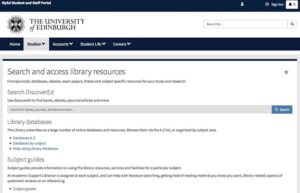
So, how have you been searching for databases for your studies so far?
Have you been using the link from myEd?
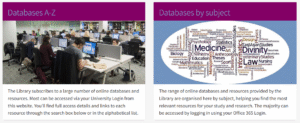
Or perhaps going straight to the Databases A-Z list or by subject?
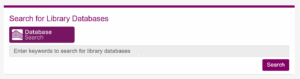
Well, now there is another way that is user friendly and hopefully can increase your engagement with using databases. A Library Databases search went live a few weeks ago. Its aim is to improve the way you search for databases; you can either search by name (if you already know the name of the database you want to access) or by subject. Using either way, will limit the results in DiscoverEd to the ones that are most relevant.
Here are two examples:
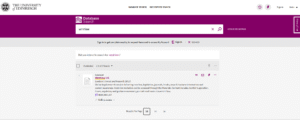
a) if you want to search for Westlaw, you type the name of the database and click on the search button. As soon as you do that, you will be directed to the Westlaw link in DiscoverEd
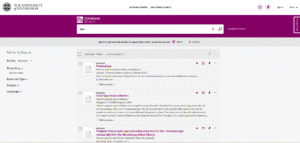
b) if you don’t know which database you want to access but instead search by subject, then you will get a list of databases that are relevant to the subject term you inserted. In this example, I used ‘law’.
In both cases, please remember to sign in before you go any further so that you can access all the material we are subscribed to.
The usage of this new featured will be monitored over the next few months (in comparison to the Databases A-Z for example) and if you find it useful, any feedback will be welcomed.
Till then, happy searching and be in touch with any comments!
Hello, and if you’re a new student joining us for the 2023/24 academic year we look forward to meeting you in the Law Library soon!
We are Anna Richards and SarahLouise McDonald, and we are your Law Librarians. Anna works the first half of the week, SarahLouise the second, and you can reach us both by email on law.librarian@ed.ac.ukat any time.
You may have already met us at one of the several induction sessions we’ve been running over the past week or two. If you missed them you can find recordings on the Law Librarian Media Hopper Channel:
The slides for each session are added as ‘attachments’ to the videos above. Please note that captions are automatically generated and we’ll endeavour to get them corrected over the coming month.
One session which wasn’t recorded was the Diploma Welcome to the Library session which was delivered face-to-face. If you’re a Diploma student you should already have access to the slides via your Learn pages, but if not you can find them here: Law – Diploma induction 2023.
If you’re looking for information on using the physical library, we recommend you check out the Law Library webpages and take a look at our Virtual Orientation Guide (Microsoft Sway document – other formats are available by request). We hope that you’ll get in touch with either ourselves or our colleagues on the library helpdesk by contacting EdHelp if you have any queries. See you in the library!
Welcome to the Law School to all our new students and welcome back to our returning students! You’ll be glad to know that the library has expanded it’s ebook collection ahead of the new academic year and we now have access to Hart’s 2023 Law collection.
Recently HeinOnline has added the Law Library of Congress Reports to its online databases offerings. From Hein’s website:
The Law Library of Congress was established in 1832 as a separate department of the Library of Congress. Its mission is to provide authoritative legal research, reference and instruction services, and access to an unrivaled collection of U.S., foreign, comparative, and international law. To accomplish this mission, the Law Library has assembled a staff of experienced foreign and U.S. trained legal specialists and law librarians, and has amassed the world’s largest collection of law books and other legal resources from all countries, now comprising more than 2.9 million items, including one of the world’s best rare law book collections and the most complete collection of foreign legal gazettes in the U.S.
The Law Library produces reports on foreign, comparative, and international law in response to requests from Members of Congress, Congressional staff and committees, the federal courts, executive branch agencies, and others.
This database includes more than 3,500 reports from the Law Library of Congress on foreign, comparative, and international law—all in one easy-to-navigate collection. HeinOnline offer a helpful LibGuide which can help you explore the content further, and you can access the database itself via the Library Databases pages.
We want to alert students to a change we’re dealing with regarding Bloomsbury Professional ebooks which were formerly offered on the LexisLibrary platform.. Unfortunately going forward these will no longer be available on this database, and we’re working on access to them via Bloomsbury’s own platform instead.
The courses affected are mainly Property, Evidence, Criminal, Employment, and Contract Law, and the book titles are as follows:
Walker & Walker: The Law of Evidence in Scotland
A fingertip guide to Scots Criminal law
Commercial Leases
McDonald’s Conveyancing Manual
Conveyancing Practice in Scotland
Property Trusts and Succession
Mental Health, Incapacity and the Law in Scotland
Scottish Law of Leases
Scots Criminal Law
Employment Law in Scotland
Contract Law in Scotland
Missives
Scottish Planning Law
Scottish Older Client Law Service
Drafting Wills in Scotland
International Sucession Laws
Thomson’s Delictual Liability
Tolley’s Estate Planning
Tolley’s Inheritance Tax
Tolley’s Company Law Handbook
Style Writs in the Sheriff Court
While negotiations are ongoing with Bloomsbury (and until the end of May 2023) we’ll be able to access all of these titles using a trial they’ve given us to their own platform, providing students from 2022/23 access through the end of Semester Two exams. The procedure for finding these books is as follows:
Click on ‘Bloomsbury Professional Scots Law Titles’
You will be prompted to log in with your usual username and password.
You’ll arrive at a page that will give you the username and password to use on the Bloomsbury site
Click the link to Bloomsbury (it helps to do this in a new tab or window so you can copy the log in details), then enter the username and password to log in.
Use the navigation on the left hand side to access the title of the book you need.
This information has been added to the DiscoverEd records for these books, and I will also be circulating it via newsletters, blogs and other communication channels. Please do share this information with your classmates to assist them with their study or research if they require access to these books.
We’ve set up another date for our popular ‘Referencing for Law’ session, which is always well attended by UG and PG students alike. If you are not familiar with referencing law materials, this is the session for you! We’ll cover:
Why we reference and the definition of plagiarism
How to use reference systems in assessed work
What to include in a reference list for OSCOLA
An assessment of how reference manager software works with OSCOLA
Hints and tips to make referencing easier
The all-important date for this is Wednesday 5th April, 10am-11am.
The session will be held online using Blackboard Collaborate, with a link to the session provided on the event page and also in reminder emails. The seminar will last just under an hour with time for questions built in. It will be recorded and uploaded to the Law Librarian Resources Media Hopper Channel for access asynchronously afterwards; slides and a link to the recording will be sent out after the event. Please book a place viathe MyEd Events Booking system.
We understand this is a little late for UG students whose dissertations are due in the next few weeks, but don’t despair! If this is you, we recommend you take a look at the materials you can access at any time here:
Referencing for Law – April 2023 – UPDATED! Recording of session from 5th April, replacing the previous video from October 2021.
OSCOLA guide – the official 61 page guide to the current 4th edition of the OSCOLA referencing system. Many students’ questions can be answered by careful perusing of this guide, or alternatively checking the Cite Them Right database.
If you’ve read and watched all of the above but are still struggling, just get in touch by email: law.librarian@ed.ac.uk.
Do you need help with your research? Have you got yourself into a muddle using legal resources online? Do you just need to know what you need to know?
Book a one-to-one meeting with our Law Librarian team to discuss your research issues or library problems. In previous one-to-ones we’ve helped students with:
search strategies
using our subscription databases
finding international case law
finding historical Scots material online (specifically the Institutional Writers)
referencing (specifically using OSCOLA)
setting up news alerts for cases or legislation
We arrange appointments once a fortnight using the MyEd booking system. Search for “Literature search clinic” and select the Law specific event, or search for “Law” and select provider group “IS Library and University Collections” to find all our Law related training. Future dates include:
19th January
9th February
23rd February
1st March
15th March
30th March
13th April
4th May
Please note: due to our current staffing situation these appointments are all on Wednesdays and Thursdays. If you require a different day please get in touch.
We release appointments approximately three weeks before each scheduled date. This semester we’re trialling a combination of online and in-person appointments so when you book feel free to contact us to discuss how you would prefer to meet. If you cannot see an available meeting slot that suits you please email law.librarian@ed.ac.uk and we will find a suitable time.
For those rejoining us in January for Semester Two, welcome back! For those who are new to the Law School or just this blog, welcome! This is where we report news, updates and offer tips for training in library resources. The blog is currently written by SarahLouise, the Law Librarian who works Wednesdays to Fridays, as we have a vacancy for the other half of the post. We hope to have a new Law Librarian joining the team over the next few months and will introduce them when they start!
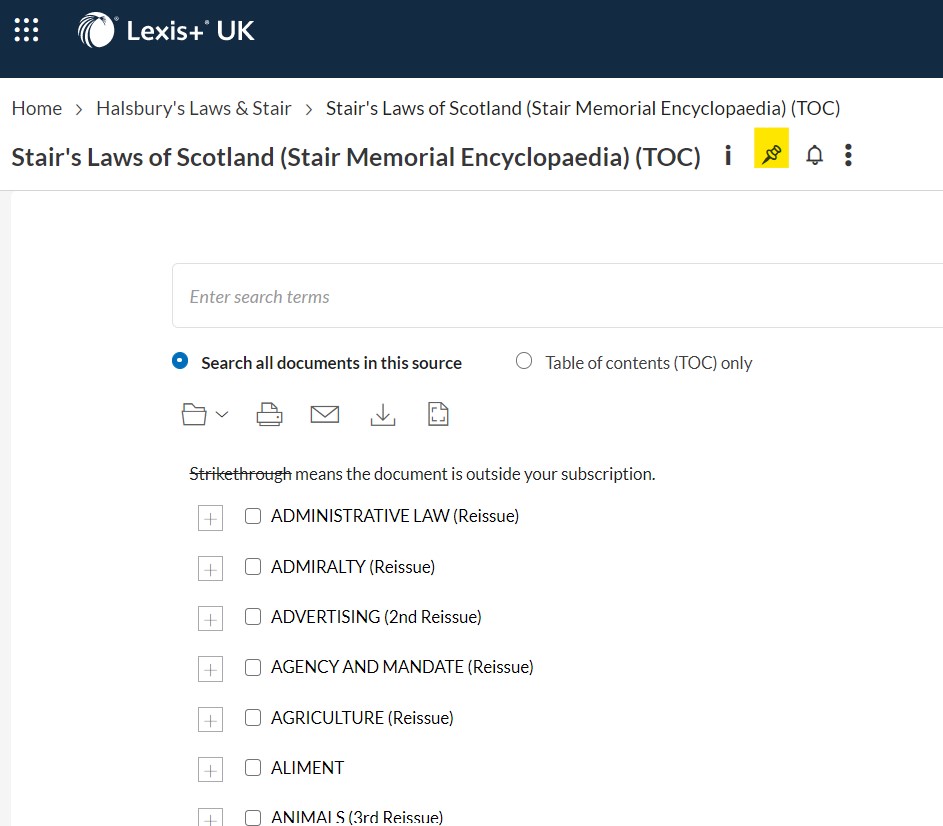
We’ve received quite a few queries about locating some key resources for research and study over the last few months so we wanted to clarify how best to access these. First up, the Stair Memorial Encyclopaedia. This is a resource which is core for our undergraduate students as they get to grips with Scots Law. We do have instructions listed on the Law Databases Help & Training page under ‘Resources for Scottish Legal System’, but we wanted to add some screenshots here for the visual learners.
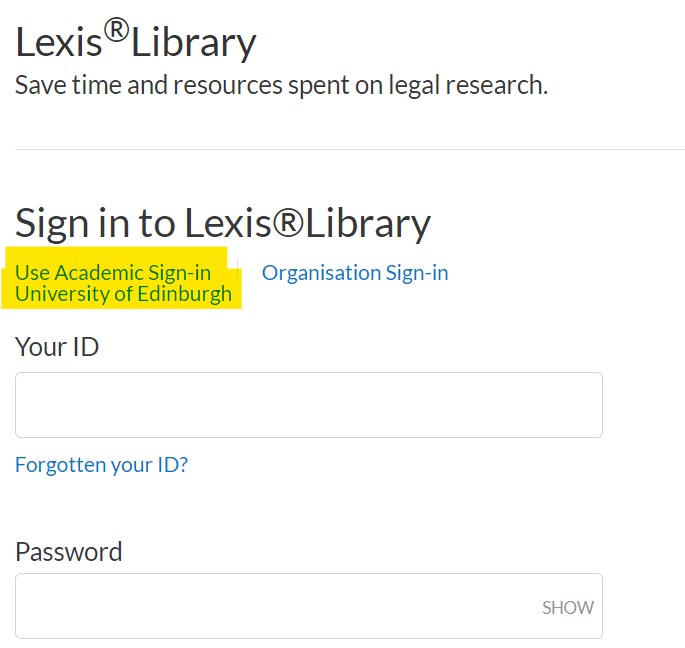
To log in toLexis+, you will need to select ‘academic log in’. You may then be presented with a dropdown box to select ‘UK Access Federation’. Select ‘University of Edinburgh’ from the list, and you will be logged in. Alternatively you may have the option to select ‘University of Edinburgh from the front page – do this if available!
You may be asked to log in with your UUN at this stage if you’re not on-campus. Use your usual student ID and password.
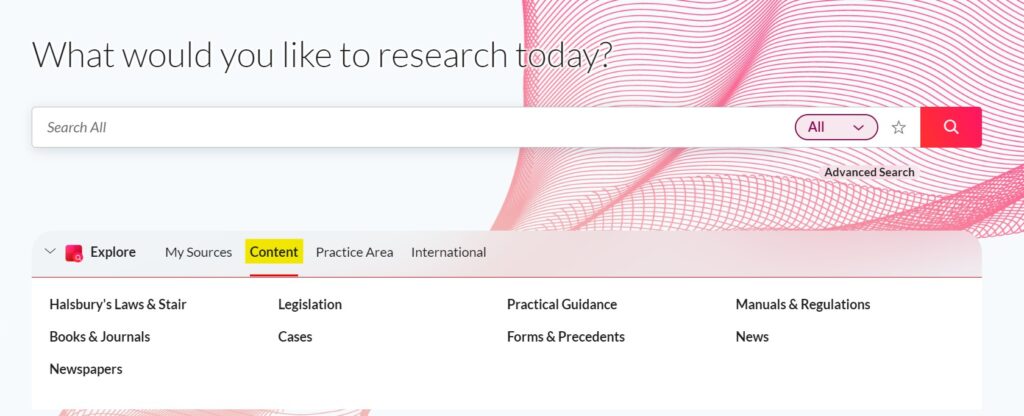
In the middle panel in the centre of the page, select ‘content’ from the navigation menu.
The resource will be one of the first items listed as ‘Halsburys Laws and Stair’. Click this.
Then you will see a link to Stair Memorial Encyclopaedia. Click the title, and use the plus and minus boxes to navigate through to find the section you need.
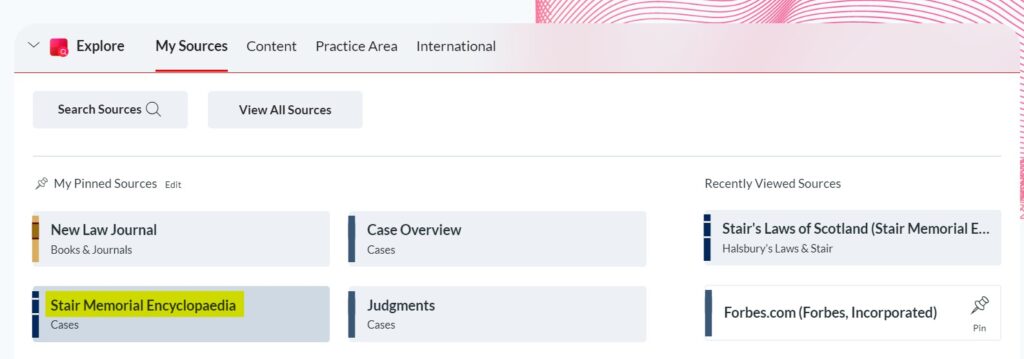
If you want to, use the pushpin icon near the title to add this to your pinned sources. This bookmarking tool means that a shortcut will appear under ‘My Sources’ on the main panel when you log in to Lexis in future, which will save you a few steps.
We hope this is helpful. If you have a resource you’d like a little more advice on accessing, please let us know by email (law.librarian@ed.ac.uk) or by commenting on this post.