

Details May 2026
- White Space improvements in Documents
- Improved screen reader experience in Document view mode
- Make second due date for Discussions visible in Gradebook
- Visualise release conditions inherited by items in learning modules and folders
- Improved search and navigation in Course Switcher
- Carry group filter into Flexible Grading
- Resized Accommodations icon
- Provide answer-level feedback for multiple choice and multiple answer questions
- Lock answer options in a fixed position for multiple choice and multiple answer questions
- Known Issues
White Space improvements in Documents
These updates improve the presentation of content items—including images within content blocks—and apply consistently when editing existing content or creating new content.
Improved screen reader experience in Document view mode
Make second due date for Discussions visible in Gradebook
The second due date for Discussions now appears in the Gradebook’s Overview and Gradable Items pages, allowing instructors to be more aware of and responsive to student discussions needing grading. This improvement reduces instructor confusion around deadlines for student engagement.
- Overview
- Gradable Items
Under Due Date on the Discussion item on each Gradebook page, the item’s second, final due date is displayed. Next to that date is a circle icon with a lower case i inside. Hover over or tab to this icon, and a pop-up bubble displays details of both due dates. For example: This discussion has 2 due dates: Due date 1: 5/1/26, 12:00 PM Due date 2: 5/8/26, 12:00 PM
Image 1: The second discussion due date now appears on the Overview and Gradable Items pages in Gradebook.
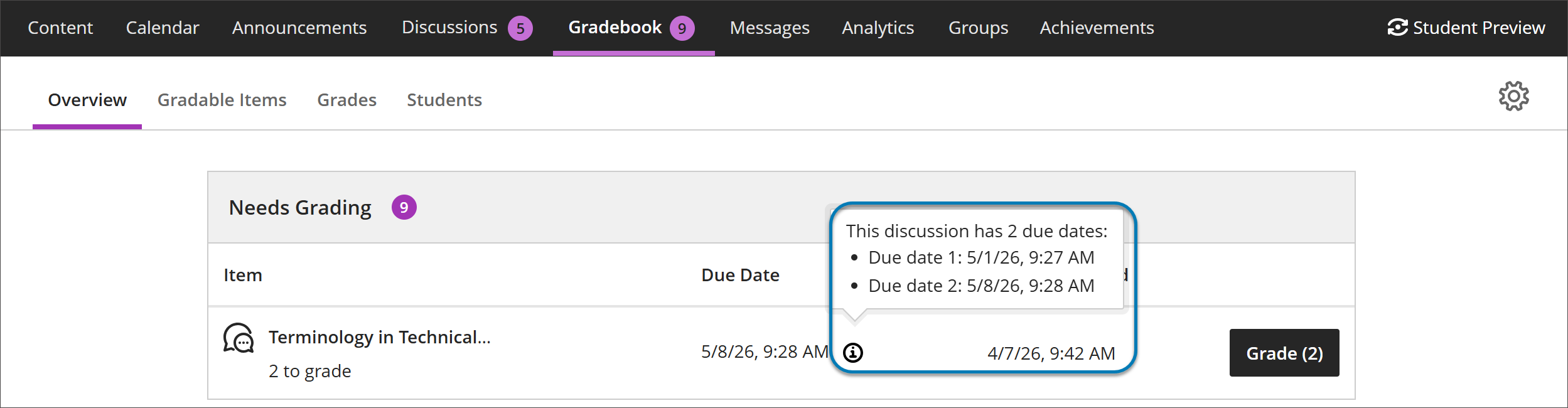
Instructors benefit from clearer communication of discussion expectations, reducing the need to clarify deadlines and helping ensure students understand how and when their contributions are graded.
Visualise release conditions inherited by items in learning modules and folders
This update also ensures that discussions hidden within a learning module are no longer accessible from the Discussions tab. Discussions now respect the release conditions applied at the learning module level.
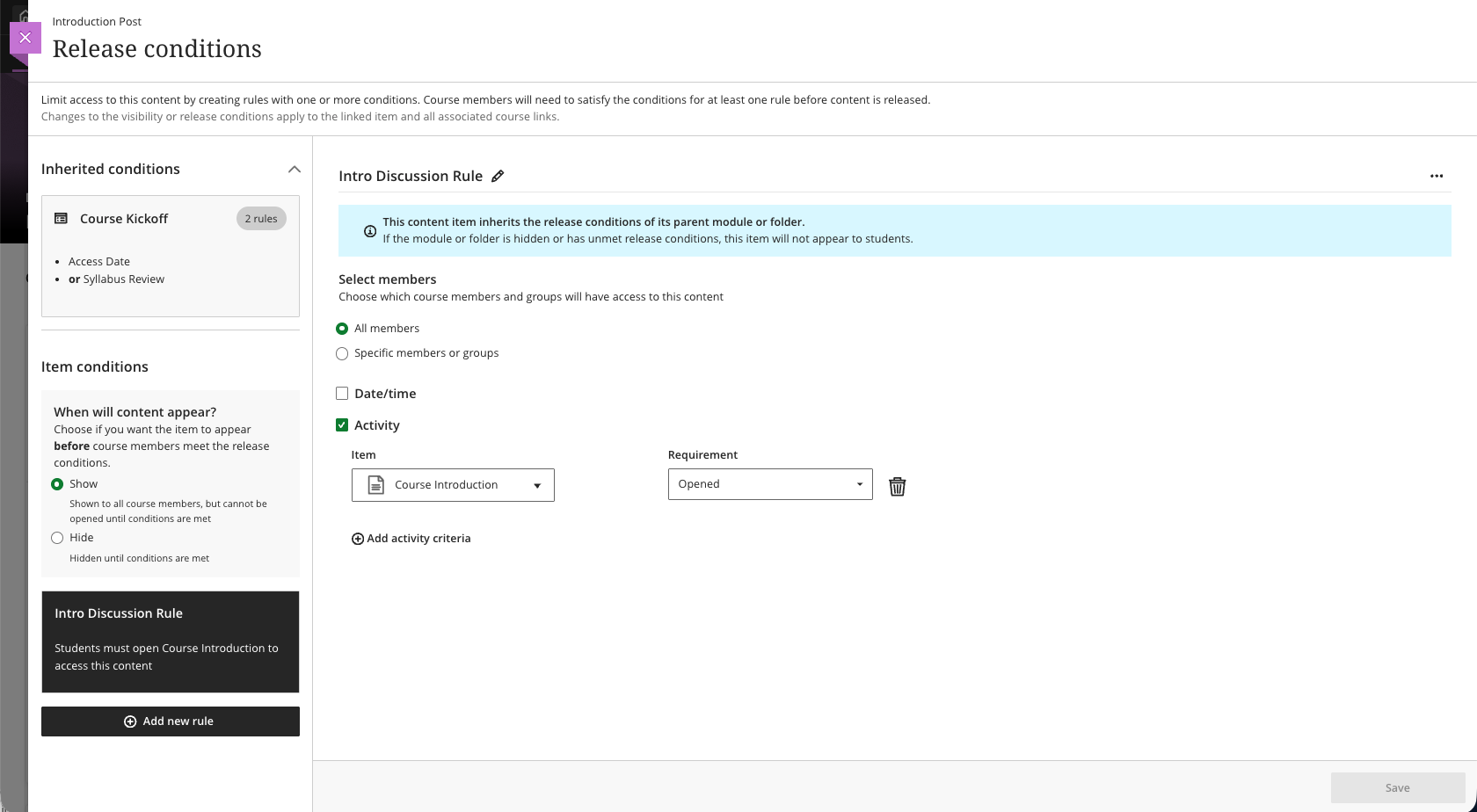
Improved search and navigation in Course Switcher
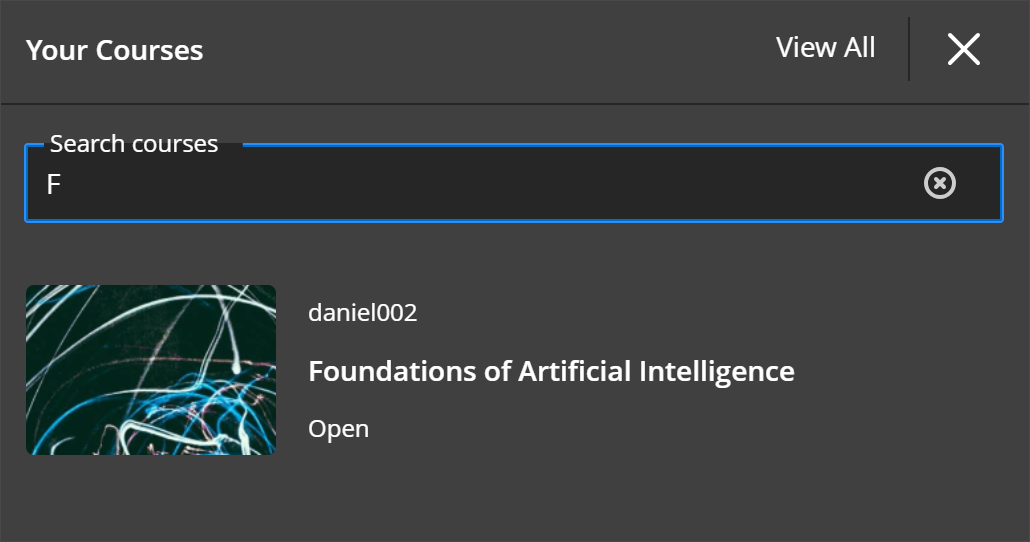
This update builds on the existing quick access to recent courses and helps reduce navigation friction when working across multiple courses.
- Quick access to the four most recent courses
- A View All link that opens the full Courses page
By combining search with recent‑course access, the Course Switcher provides a centralized and efficient way to move between courses—helping users stay focused on their tasks rather than managing navigation.
Image 1: Course Switcher now has a Search courses capability allowing users to search for courses by course name or course ID.
Carry group filter into Flexible Grading
Resized Accommodations icon
The Accommodations icon has been updated to a smaller size across Learn. This update was made to make the icon consistent across Learn and is being released in advance where applicable.
Image 1: The smaller re-sized icon in the gradebook

Image 2: The smaller re-sized icon in the class register

Provide answer-level feedback for multiple choice and multiple answer questions
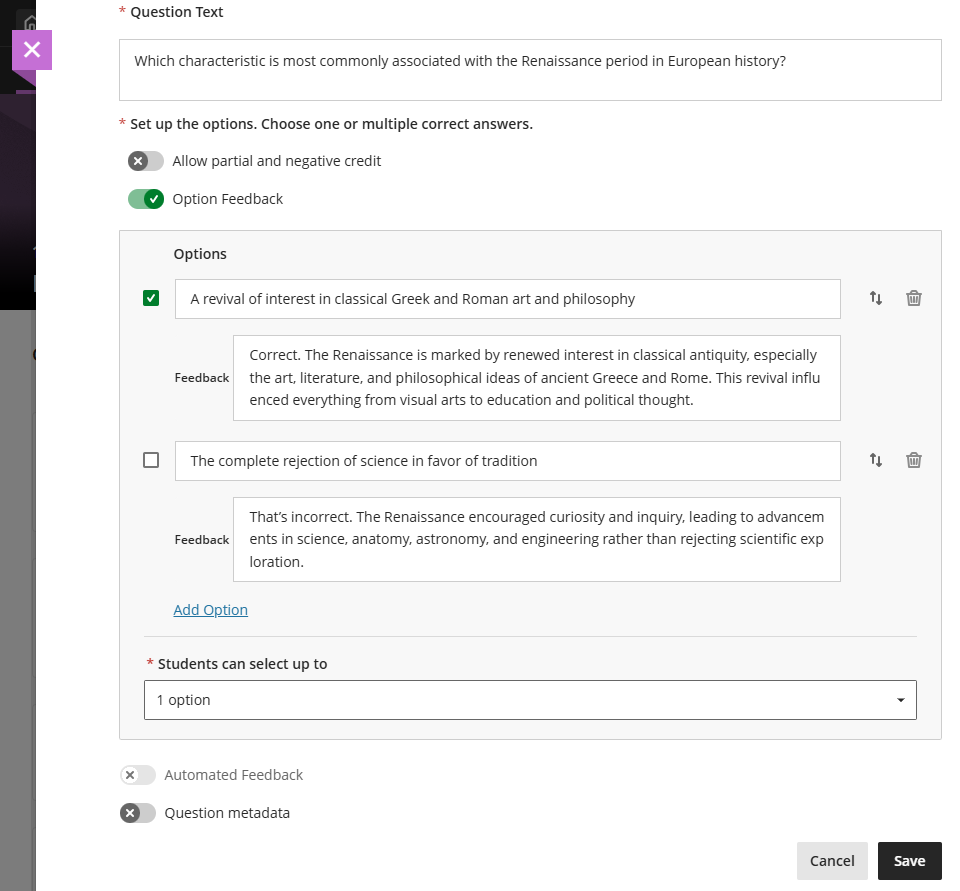
Turning on Option Feedback disables Automated Feedback option. The Automated Feedback option lets instructors provide feedback for the correct answer and for incorrect answers. Answer-level feedback also allows for automatic feedback, which instructors can configure in the Assessment results section of Assessment Settings.
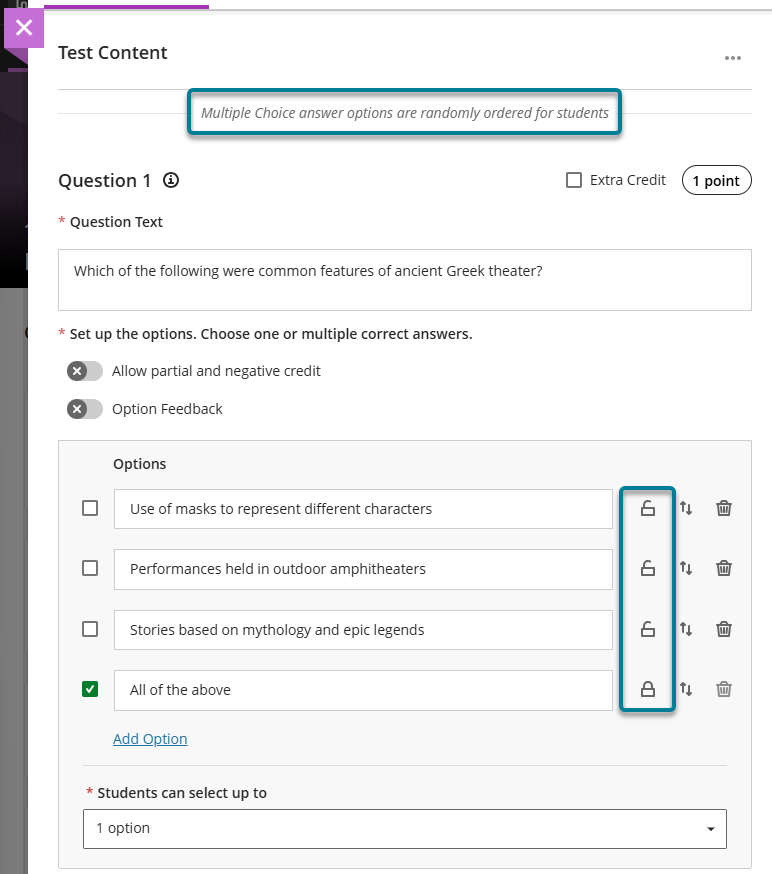
Lock answer options in a fixed position for multiple choice and multiple answer questions
Known Issues
This release will look to fix an issue with Journals where selecting editing options such as allowing users to edit and delete entries removes the Grade Journal option if previously selected. The fix will confirm expected behaviour where selection (or de-selection) of any editing options will not reset the Grade Journal option.

Comments are closed
Comments to this thread have been closed by the post author or by an administrator.