

Details March 2026
- Enhanced threading experience in Course Messages
- Add a second participation requirement and due date in Discussions
- Question Title field relocated
- Partial credit limits removed for Multiple Choice and Multiple Answer
- Anonymous grading by question
- Known Issues
Enhanced threading experience in Course Messages
- In conversations that include all course members, all instructors, adding and removing members remains on one thread.
- When users add new members to a previous one‑on‑one conversation, the system starts a new, separate conversation.
- Deleting a message doesn’t delete the entire conversation.
- When instructors send a reminder from Gradebook, the system attributes the message to an existing conversation. Anonymous grading reminders go to email.
Add a second participation requirement and due date in Discussions
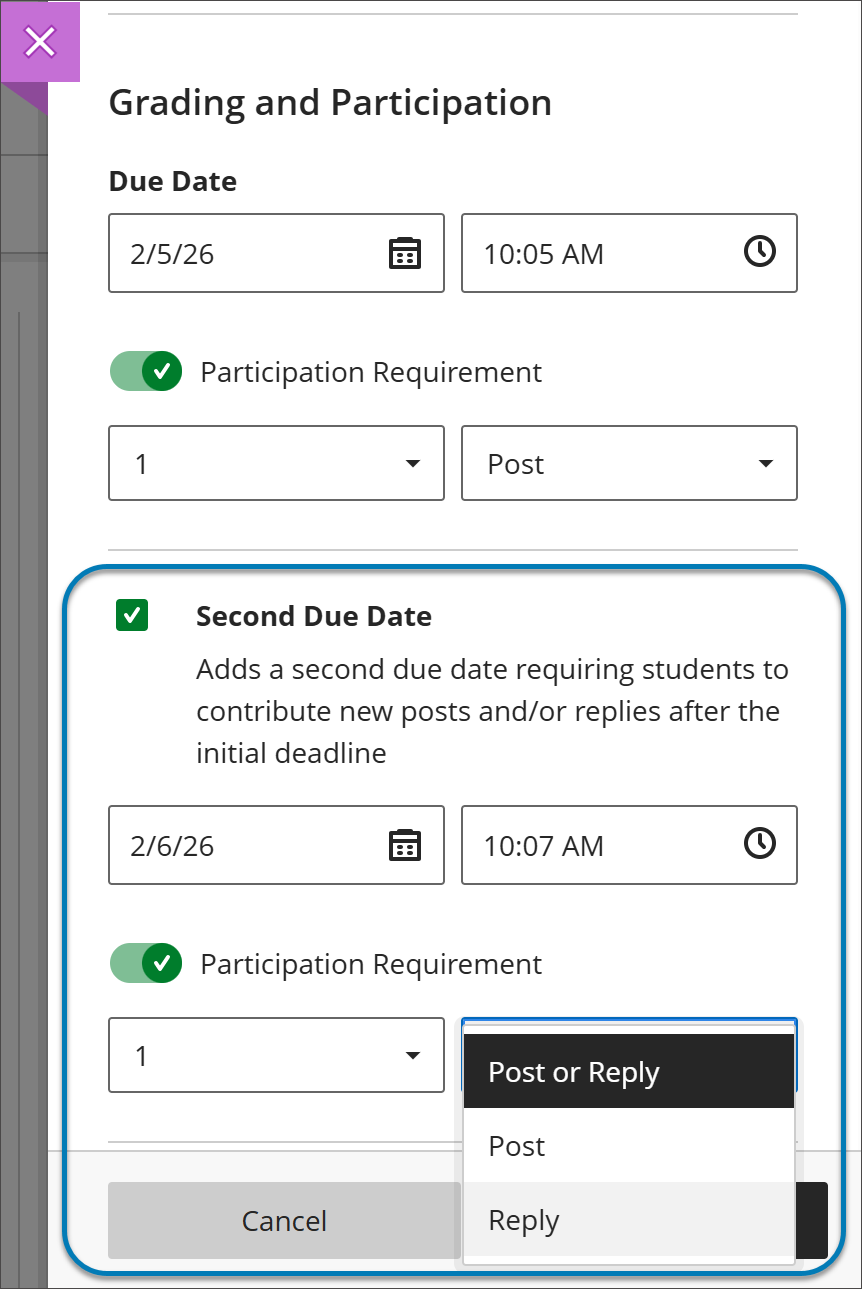 |
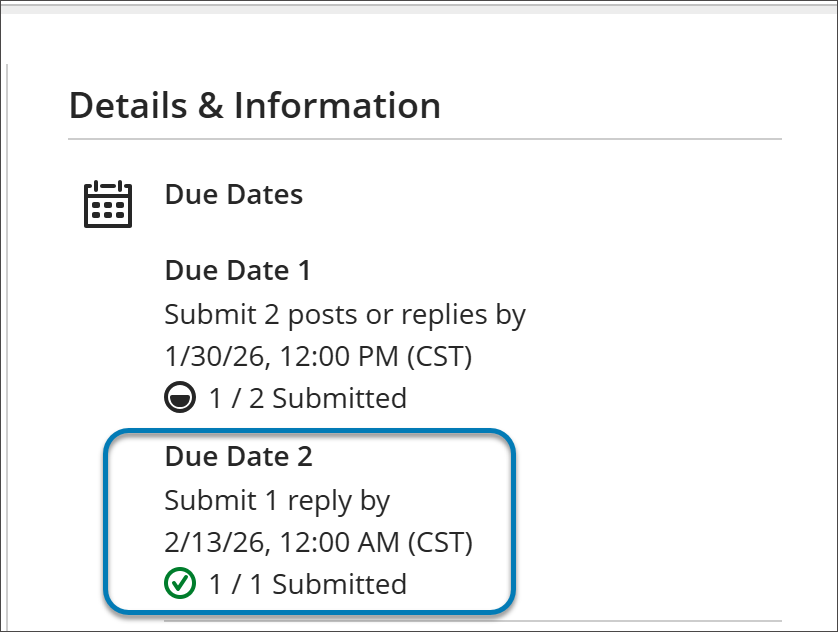
For students, when they open a discussion they find two clear participation requirements with separate due dates. As they post and reply, progress indicators update in real time.
Students can complete requirements in any order, but contributions after a due date won’t count toward that requirement. Once all requirements are met, the discussion is marked complete and Progress Tracking updates.
Image 2: In a Discussion, a student can find due dates in the Details & Information section in the discussion assignment.
 |
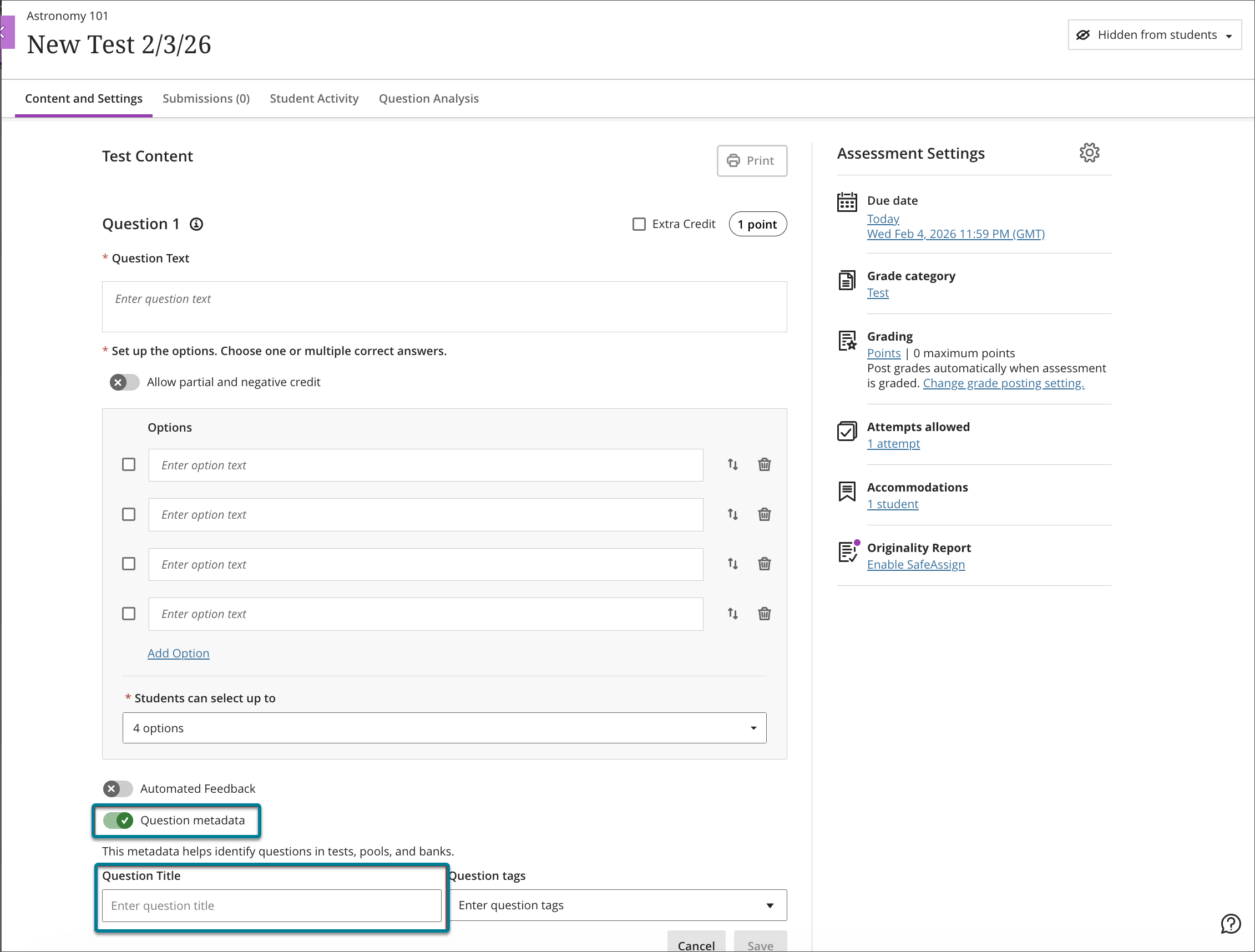
Question Title field relocated
Image 1: Before this change, the Question Title field was at the top of the question authoring workflow.
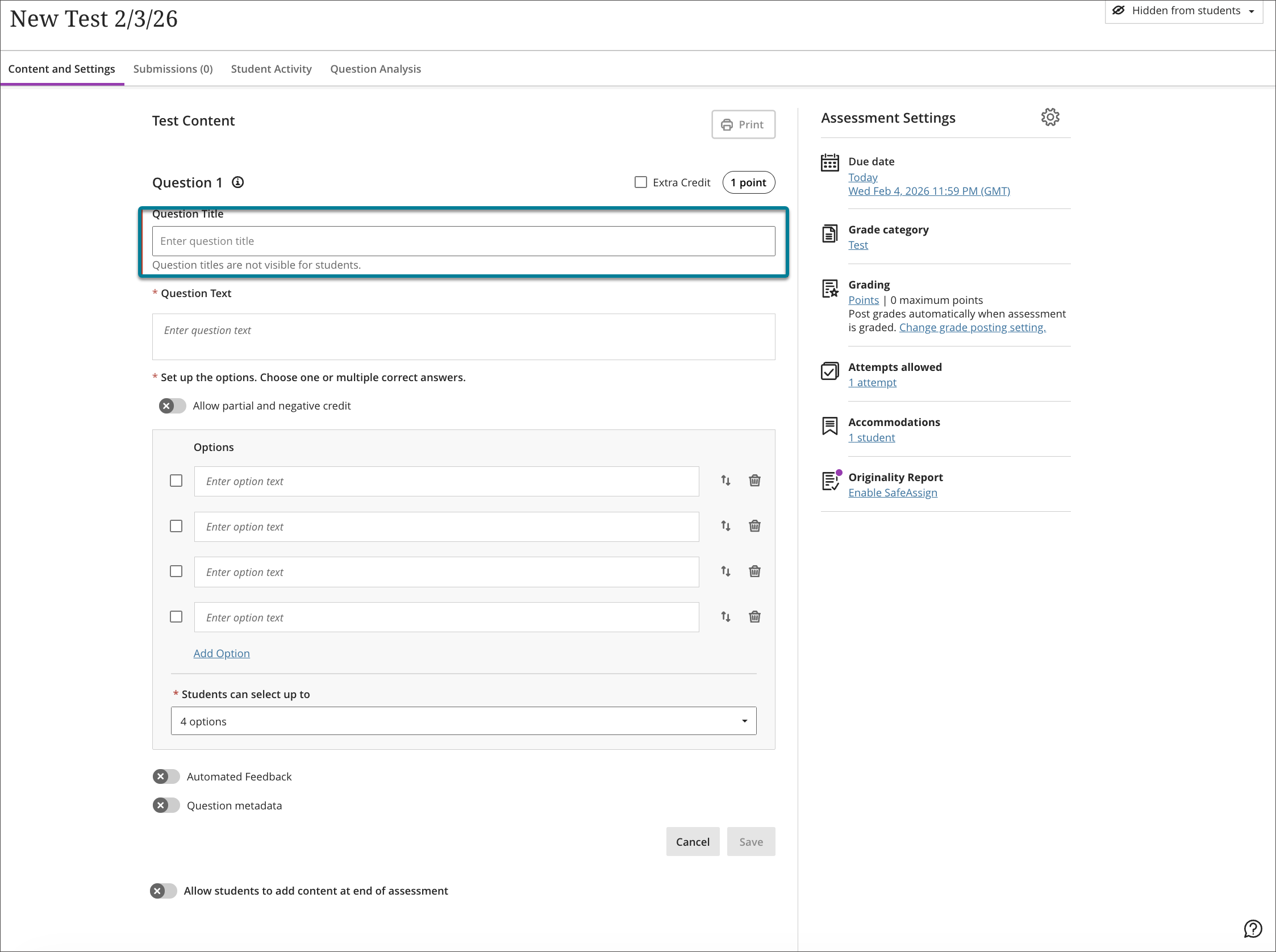
Image 2: Now, the Question Title field is at the bottom of the question authoring workflow, underneath the Question Metadata field.
Partial credit limits removed for Multiple Choice and Multiple Answer
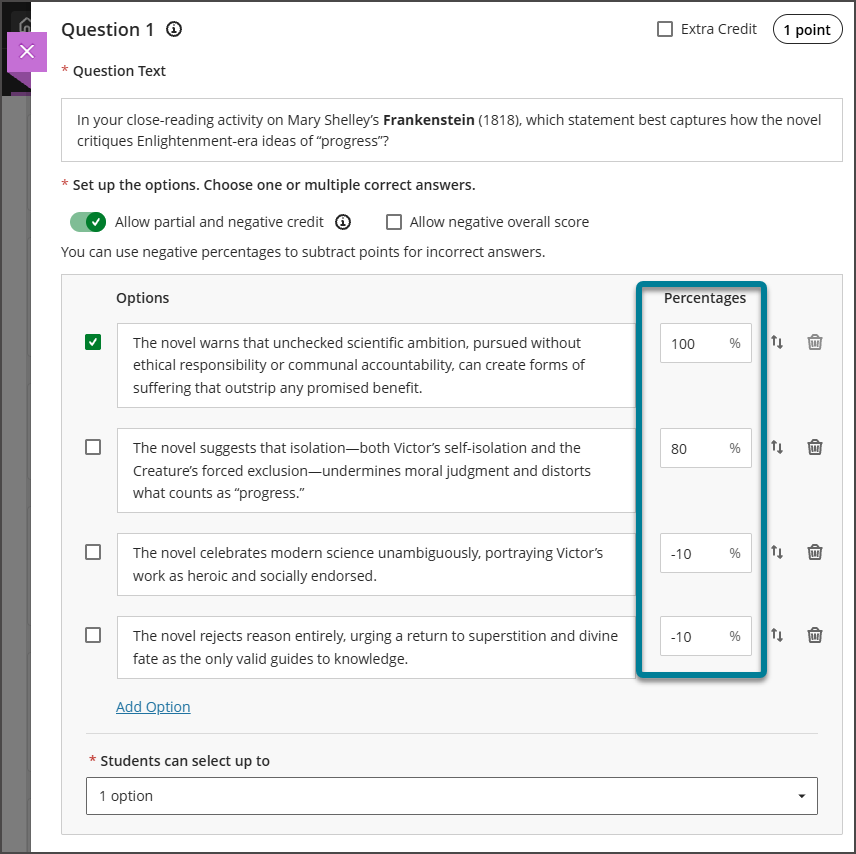
The system now allows instructors to enter any partial credit value for each option within a range of –100% to +100%. Validation continues to warn instructors if total values exceed 100%, but it no longer blocks question setup. Instructors may now also enter positive credit values for options that are not marked as the correct answer The total partial credit value for correct answers should be at least 100%, and it may exceed 100%. Negative marking continues to operate when enabled. Instructors can adjust credit values during regrading as well.
Image 1: Instructors can have answer options that do not sum to 100%.
Anonymous grading by question
When grading anonymous test submissions in Question View, the interface replaces the student name, avatar, and ID with an anonymous identifier and a blank avatar. All functionality available when grading non‑anonymous submissions by question is also available when grading anonymously. When anonymous grading is enabled, related APIs no longer return identifying information.
Known Issues
In an effort to improve the efficiency of information while still maintaining transparency with the community, our Known Issues page has had an update. The more user-friendly layout will aim to inform users of current known issues firstly, laid out consisting of a concise descripion, a workaround (if there is one), as well as the issue’s status. Below that users can then find recently resolved issues, following the same layout as previously mentioned in the current ones.

Comments are closed
Comments to this thread have been closed by the post author or by an administrator.