The first stage: Denial
Denial is an individual’s first line of psychological defense in the face of significant loss or trauma. Core features of this emotion include:
Unwillingness to accept reality: the individual may subconsciously avoid or refuse to acknowledge painful facts.
Rational-emotional disconnect: The individual may be rationally aware of the facts, but emotionally unable to accept them, displaying a “this can’t be happening to me” state of psychological collapse.
Step 1 : Brainstorming
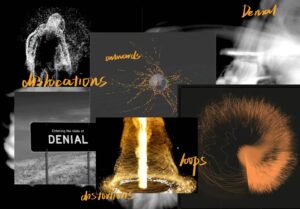
I don’t want to speak of the first stage of emotions acting calmly; denial is not a cold stillness, it is an intense collapse of the inner world, a high-speed chaos, an extreme self-defense. Beneath the seemingly calm surface, emotions have been in violent turmoil for the first time. The individual tries to suppress the sudden onslaught with reason, but the inner core is splitting, struggling between reality and illusion.
Step 2 : Touch Designer experimental stage
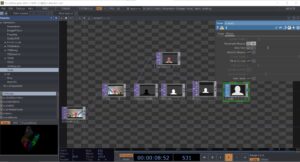
1. Character tracking and input
blur1 (for blurring)
track1 (for tracking character outlines)
Obtains information about the character’s silhouette from the camera and blurs it to reduce detail and enhance the softness of the particle effect.
PS: We are supposed to be using Kinect for tracking the characters, but due to the limited equipment on bookit, I can’t have kinect at all times, so the experimental phase was replaced with a computerized camera, which is also used for the emotions in the following phase, so I won’t go into that again
2. Particle Type
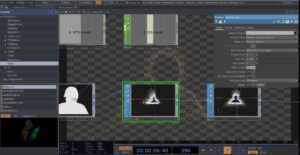
Render as point sprites
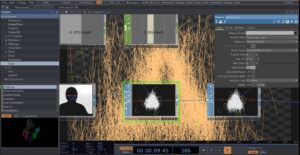
Render as Lines
Lines are more outwardly directional and sharp in space
2. Particle Time Inc
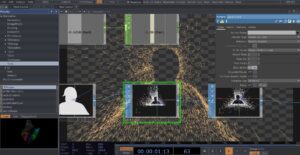
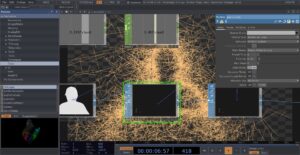
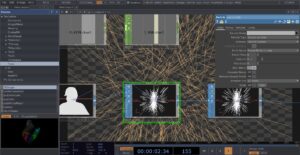
After testing, the frame rate of particles is more suitable at 0.01-0.02
The second stage: Anger
The stage of ANGER has been experimented with in submission 1 and decided to apply it in the final presentation, here is the link
Emotion Visualization: Visual Exploration of the “Angry” Stage – dmsp-presence25
The third stage: Bargaining
Step 1 : Brainstorming
The emotion of bargaining strikes me as vulnerable and humanizing. It’s not explosive like anger or heavy like depression, but rather a struggle between sanity and despair. Humans innately want to be in control of their lives, so when things get out of control, we desperately grasp at any possible hope, even if it’s illusory. Bargaining isn’t entirely negative, though.
I think it is in a way a transition, a way of letting go slowly. Though it is full of uncertainty, at least it proves that we are still searching for answers, still trying to make sense of the pain.
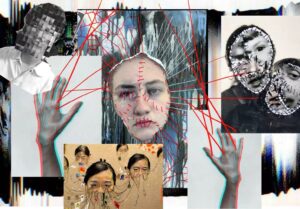
I wanted to use distortion, fragmentation, and data glitches to convey the sense of bargaining’s instability, struggle, and attempts to reconfigure reality, and these characteristics fit the psychological state of the bargaining stage – trying to control or change an irreversible reality that has begun to crumble or disintegrate.
Step 2 : Touch Designer experimental stage
1. Displace
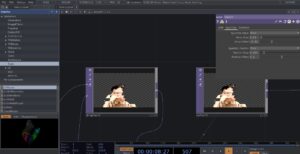
I tried using the Displace node to create image dislocation or distortion effects, representing the sense of instability in Bargaining.
2.Extrude
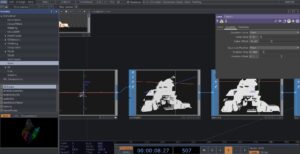
Instead of a flat rendering, I tried to use extrude in the TOP component to stretch the figure, through the 3D dimensionality of the image to make it look more sculptural and data-driven, making the image less thin
3.Creating Stretching Lines with a Point Cloud
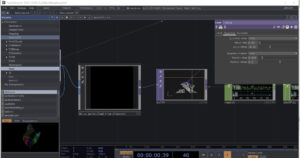
Used a point cloud map plugin from artist Alexxxxxi

Use the chopto component to connect the points on the point cloud map in real time to form intersecting lines in space
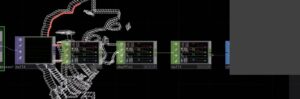
The effect is not very good, it stays around the character wireframe and the visual effect is not very strong.
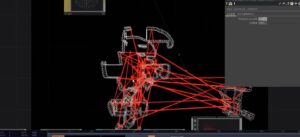
Later I made more lines in the frame by trying to manually increase the number of point clouds in the plugin.
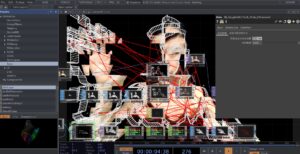
The final effect.
The third stage: Depression
Depression in grief is like sinking into deep water and feeling like the upper world is out of reach. A silent sense of absence, a numbness that settles in your bones. Everything is in slow motion; it’s heavy, constant, and crushing. There is no resistance, no bargaining, only silent acceptance; nothing can undo what has happened. The world goes on, but you fall into a stillness that no one seems to notice.
Step 1 : Brainstorming
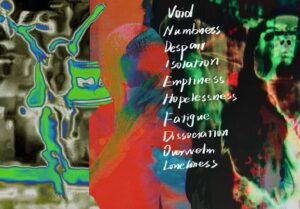
The thermal imaging effect looks great, with strong color shifts and blurring around the edges. The human figure is fragmented and loses its stable contours.
Step 2 : Touch Designer experimental stage
1. Noise&Displace
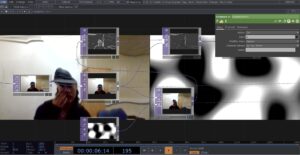
Try to use NOISE as a displacement map to distort the camera feed, creating a flowing effect.
2.Color contrast
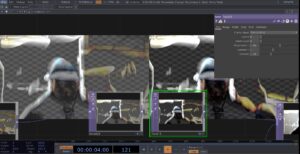
Use the Level element to adjust contrast and brightness to make the picture more three-dimensional or highlight certain colors. Try HSVADJ to adjust hue, saturation, and brightness. Adding false-color effects to the thermal imaging style makes it less in line with natural tones and more experimental.
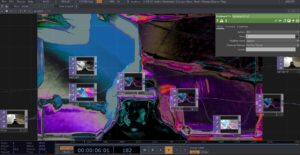
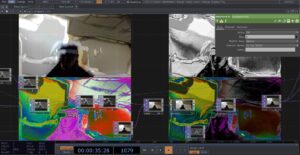
3. Try adding different effects together
The fifth stage: acceptance
Acceptance feels like a gentle letting go after a long struggle, the first quiet, honest acknowledgement in the midst of heartbreak that, “Yes, this is really happening.” At this stage, the person stops trying to change the unchangeable reality, and stops asking “why me”, and starts to find the shape of life again in the remaining fragments.
Step 1 : Brainstorming

Step 2 : Touch Designer experimental stage
1.particle&dispalce
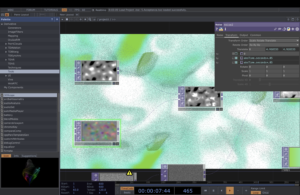
Initially, I just wanted to keep the image relatively calm while having a slight sense of ebb and flow, so I used noise. With the addition of color and dynamics, the image began to become fluid and unstable. Eventually a slight but constant disturbance was created by displace.
2.color : RAMP
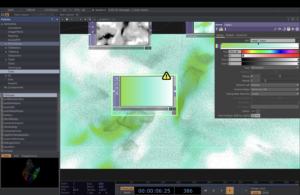
I tried to do some color gradients using the ramp component, and chose different levels of green based on the brainstorming in the first session phase. Green is somewhere between calm and vibrant, like a slow repair process, and the combination of this color and the particle effect has the appearance of a state where the emotions are slowly calming down and then starting to breathe again.
3. Material:PHONG
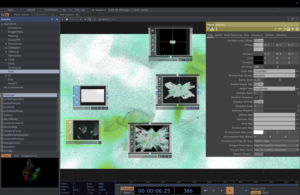
I tried to add some soft reflections and warm texture to the material