Any views expressed within media held on this service are those of the contributors, should not be taken as approved or endorsed by the University, and do not necessarily reflect the views of the University in respect of any particular issue.

Blur Camera and Particle Effect in Unity_KYP

Since one of our player has some degree of blurring or blind vision, I took some suggestion from Dr. Jules and found some solutions about it. I mainly focused on two solutions: blur camera and particle effect.

1.Blur Camera

This solution focuses on creating a post processing object to do blurring effect on player’s camera which is easier to apply and makes a vague screen.

Blur Camera :

Setting up post processing in Unity:

The first video mainly use three sections to achieve blurring effect : Motion Blur, Depth Of Field and Vignette. We can change many parameters in it to adjust the perfect one for our project or even make some live changes. But it needs a set up for post processing in the second video. I never tried it so I am not sure how can we avoid blurring two cameras.

2.Particle Effect

Using particle effect to create fog is another interesting solution for making a vague landscape or maze. It’s not to say we have to use it for blurring the vision of one specific blind player, but we can also apply it in designing the environment.

This video used a standard asset in asset store to create a high adjustable and dynamic fog. It can also be applied in part of our environment. It is helpful if we want to hide some clue inside or temporary blurring the vision in our project.
Pro Builder Workshop

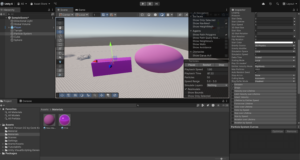
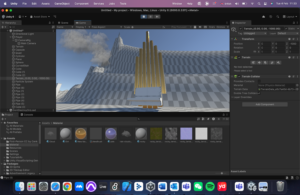
In order to attend the need of building our own game world, professor Eleni introduced us to the package ProBuilder in Unity.

ProBuilder allows us to build, edit, and texture custom geometry in Unity. ProBuilder is very helpful with in-scene level design, prototyping, collision Meshes, and play-testing.

Objects and materials
Organ and cloud by Yuping


dmsp-play discussion 1.24

Our group mainly discussed the planning and conceptualization of a project for dmsp-play, involving the design and realization of a game or interactive installation, with the main components:

Project Objective:

The project is centered around a “game” or “interactive device”, with an emphasis on the user’s interactive experience.

The plan is to produce a project that combines virtual and physical interactions, which may include mental games, exploration games, interactive installations, and so on. This can be realized by means of sound, light, sensors, etc.

Creative Direction:

The use of technologies such as virtual reality (VR), sensors (e.g. gesture recognition), etc. is mentioned.

There were suggestions to change the perspective (e.g., from the point of view of a non-human character) to increase the novelty of the experience.

Technology implementation and tool development:

Virtual part: developed based on VR or computer game engines (e.g. Unity).

Physical part: using interactive devices combined with sound design to realize realistic immersive experiences. For example, using Leap Motion’s gesture tracking technology for intuitive user interaction.

Teamwork and work organization:

It is recommended that the task be divided into three parts: conceptual design, technology development, and documenting and summarizing, with each member dividing up the work.

Emphasize the importance of documenting the creative process and uploading progress through blogs or shared documents.

Next Step Plan:

Organize all ideas and directions and create a shared document for group members to add to.recording text

Discuss specific directions with tutor at next meeting and finalize project proposal.

Prioritize clarifying the project’s storytelling context and interaction mechanisms, then gradually consider technical details.


Welcome!

Welcome to your new blog site!

This is your first post. You can edit this or delete it and start blogging.

You should read the Terms of Use if you haven’t already.

For help and advice on getting started with a WordPress blog, see the Academic Blogging help pages.

Your blog is private by default

You can open your blog up to as many or as few people as you like in Dashboard > Settings > Reading > Site Visibility:

  • You can open your blog up to specific University members by adding them as users to your blog.
  • You can open your blog up to all University members who have an EASE login.
  • You can make you blog open to the world.


The featured image on this post comes from the University Collections. If you want to use more images in your blog posts, or perhaps use your own choice of image in your blog header, you can:


css.php

Report this page

To report inappropriate content on this page, please use the form below. Upon receiving your report, we will be in touch as per the Take Down Policy of the service.

Please note that personal data collected through this form is used and stored for the purposes of processing this report and communication with you.

If you are unable to report a concern about content via this form please contact the Service Owner.

Please enter an email address you wish to be contacted on. Please describe the unacceptable content in sufficient detail to allow us to locate it, and why you consider it to be unacceptable.
By submitting this report, you accept that it is accurate and that fraudulent or nuisance complaints may result in action by the University.

  Cancel