Any views expressed within media held on this service are those of the contributors, should not be taken as approved or endorsed by the University, and do not necessarily reflect the views of the University in respect of any particular issue.
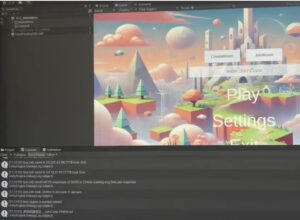
I have tried to build an online system based on Unity Netcode for GameObjects (NGO) + Unity Relay / Lobby with the following flow:
– Player A creates a room → generates and displays the room code.
– Player B enters the code → connects to the same game room.
– After successful connection, the game starts.
In practice, the following difficulties were encountered:
– The controller generation logic needs to be adjusted, and the first-person controller cannot be placed in advance.
– After the host creates a room and generates a code in the console, the slave cannot enter the game after entering the code.
Despite this lack of success, I was able to gain a deeper understanding of Unity’s multiplayer networking framework through this process. In the end, our group used Alteruna Multiplayer SDK to successfully implement the online function and solve the technical obstacles.
Considering that this project is set up as a two-player co-operative puzzle game, where one of the players is visually impaired but has normal hearing, we believe that voice prompts will become one of the most crucial ways of information transfer between the two players.
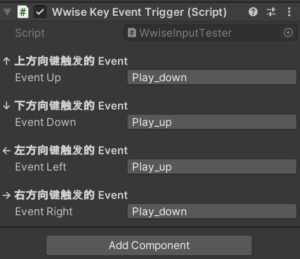
In order to meet this design requirement, I developed a voice triggering system script in Unity, so that the able-bodied players can press the up, down, left, right and right arrow keys of the keyboard to play the voice commands with different meanings (e.g., ‘forward, backward, right, left, right,’ ‘danger’, ‘need’, ‘need’, ‘need’, ‘need’, ‘need’, ‘need’, ‘need’). ’, ‘need help’, ‘find the exit’, etc.), and at the same time these voices have different emotional colours (e.g. nervousness, encouragement, confirmation, etc.), so that the messages are not only clear instructions, but also have a certain degree of emotional This makes the messages not only clear instructions, but also has a certain emotional impact, enhancing the sense of immersion and character immersion. Finally, after exporting the soundbank integration of wwise to unity, the game language system can be triggered in unity.
In the end, the system successfully realises the closed-loop interaction from key input → playing voice events → providing command prompts, and the visually impaired players can judge the environmental information through hearing, which further improves the depth of collaboration between players and the playability of the game.
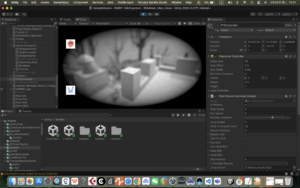
This week I focused on developing a visual effect that simulates a ‘blind person’s perspective’ to enhance the immersion and challenge of the game. By investigating Unity’s Post Processing technology, I implemented a Bokeh effect that allows the player to only see close objects clearly, while the distant terrain is blurred, making the exploration process more difficult and tense. At the same time, I made adjustments to the overall image, including the addition of vignettes and black and white tones, to more realistically reproduce the perceptual experience of the visually impaired.
In addition, I also implemented an automatic resurrection function when the player falls into the water, the character will automatically reset to the starting position to ensure the continuity and playability of the game flow.
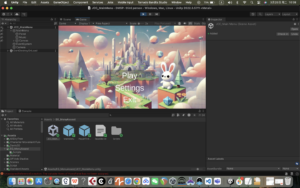
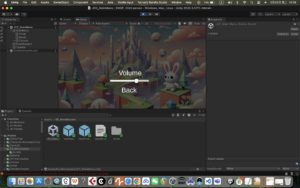
This week I designed and implemented the game’s start menu, which contains the Play, Setting, and Quiz buttons, and basically builds the game’s main navigation structure. At the same time, I reserved a channel to interface with the Wwise audio middleware, so as to easily integrate sound effects and music content.
In terms of functionality, I implemented the jump logic between each button and the corresponding scene through script control to ensure that the player can enter the main scene smoothly after clicking Play, which lays the foundation for the complete game flow.
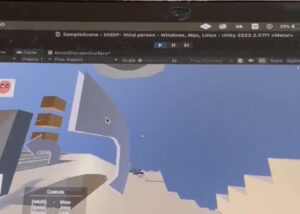
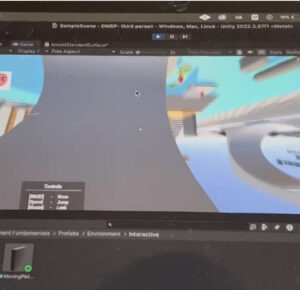
In order to better fit the Monument Valley art style of our game, this week I focused on developing and implementing the ability for characters to change their gravity direction. By writing control scripts (using Physics.gravity and Rigidbody), the character can change the direction of gravity based on specific triggers, allowing for multiple angles of movement and exploration in the scene.
The implementation of this feature will greatly enrich the spatial puzzle mechanism of the game, enabling the player to explore the maze path from a multi-dimensional perspective, and enhancing the game’s fun and immersion.
This week, during the development of the project, I found that some of the mechanisms of our game can be effectively borrowed from the functional design explained in the ISE course, so I studied the tutorials and examples provided in the ISE course, and implemented two key functions, which are ‘picking up the key to unlock the door of the corresponding room’ and ‘rotating display of items’. rotation display’.
These mechanisms not only enhance the interactivity of the game, but also lay the foundation for more complex level design. In the next phase, I will incorporate these two features into the current game development process to further enrich the player experience!
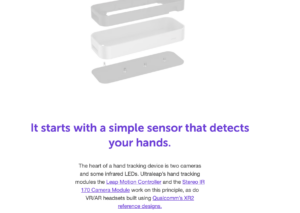
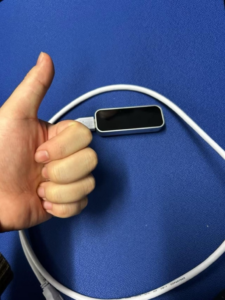
Leap Motion is an advanced gesture control technology that allows users to interact with computers through hand movements. It captures hand and finger movements with extreme precision and responsiveness through a small sensor device.Leap Motion can be used in a wide range of applications such as virtual reality (VR), augmented reality (AR), gaming, design, healthcare, and more.
Leap Motion uses infrared sensors to capture hand movements. These sensors can accurately detect the position, speed, and trajectory of the fingers, and can even sense small changes in movement. Leap Motion analyzes this data to convert hand movements into computer-recognizable signals in real time, enabling gesture control.
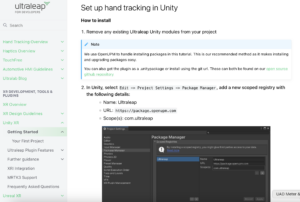
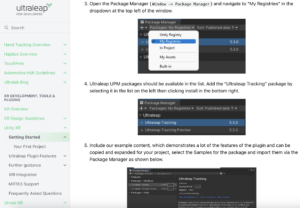
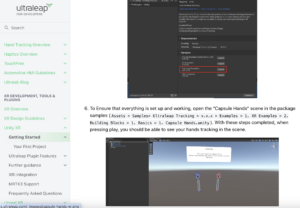
This is the official Leap motion tutorial for connecting to unity.
This is the official YouTube tutorial for Leap motion
https://www.youtube.com/user/LeapMotion
We also found the official Leap motion forums for technical queries
https://forums.leapmotion.com/latest
Specific examples of related games
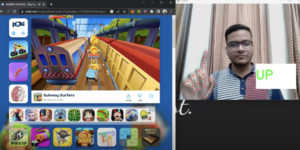
An example of a similar implementation goal, such as using one gesture to control movement forward and a specific gesture to control the player’s jump.
Our group mainly discussed the planning and conceptualization of a project for dmsp-play, involving the design and realization of a game or interactive installation, with the main components:
Project Objective:
The project is centered around a “game” or “interactive device”, with an emphasis on the user’s interactive experience.
The plan is to produce a project that combines virtual and physical interactions, which may include mental games, exploration games, interactive installations, and so on. This can be realized by means of sound, light, sensors, etc.
Creative Direction:
The use of technologies such as virtual reality (VR), sensors (e.g. gesture recognition), etc. is mentioned.
There were suggestions to change the perspective (e.g., from the point of view of a non-human character) to increase the novelty of the experience.
Technology implementation and tool development:
Virtual part: developed based on VR or computer game engines (e.g. Unity).
Physical part: using interactive devices combined with sound design to realize realistic immersive experiences. For example, using Leap Motion’s gesture tracking technology for intuitive user interaction.
Teamwork and work organization:
It is recommended that the task be divided into three parts: conceptual design, technology development, and documenting and summarizing, with each member dividing up the work.
Emphasize the importance of documenting the creative process and uploading progress through blogs or shared documents.
Next Step Plan:
Organize all ideas and directions and create a shared document for group members to add to.recording text
Discuss specific directions with tutor at next meeting and finalize project proposal.
Prioritize clarifying the project’s storytelling context and interaction mechanisms, then gradually consider technical details.