Instructions for Pure users on how to find data to join PubMed LinkOut
PubMed LinkOut is a service where you can send data to NCBI which will allow them to link PubMed records directly to your institutional repository:
Whilst the benefits for repository owners are obvious – e.g. massively increasing the visibility of your open access content – not many repositories are actually doing this. At the time of writing, in the UK there are only 4 other repositories in the LinkOut programme: University of Strathclyde, Imperial College London, the White Rose consortium & the London School of Hygiene & Tropical Medicine. Currently there are no other institutions that use Pure so I thought I would investigate and create some instructions.
This blog post will help Pure administrators find URLs to full‐text open access items that have a PMID, but not a PMCID which can be used to send to NCBI.
Step 1: find Pure records that have a PMID, and also have open access full-text.
Note: Pure only holds PMIDs for records that have been imported from PubMed. Unfortunately, PMC IDs are not stored like other identifiers like ISBNs or DOIs. Set up a new report with the following filters:
- Organisation Unit – include all underlying subunits
- Source: select value is PubMed
- Electronic version(s) of this work: Accepted author manuscript/Submitted manuscript
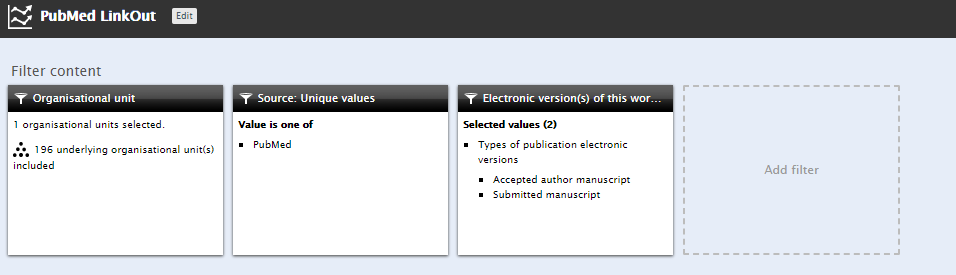
Recommended values for data table:
- Electronic versions(s) of this work > DOI
- System info > Source-ID
- System info > UUID
- System info > ID
- Add access version of this item > Open Access embargo date
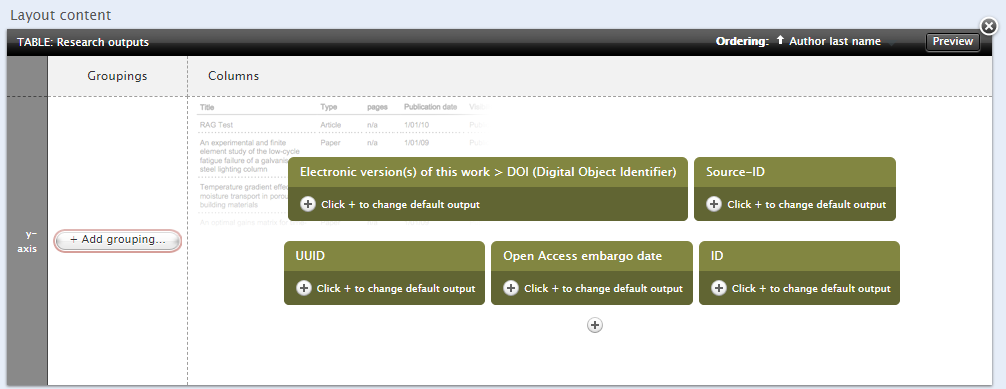
This report will pull all records from Pure that have been imported from PubMed, and will show the Pure ID/DOI/PMID/UUID and OA embargo date. The UUID will be used to generate a stable URL to the item page in the portal. Export the report as an Excel spreadsheet.
Step 2: Find out which Pure records with PMIDs also have PMCIDs
If a paper has a PMC ID then it will have an open access version in PubMed Central and the LinkOut won’t be interested in including that record. You can use the online PMCID – PMID – Manuscript ID – DOI Converter to find out if the items in the Pure report have PMC IDs:
https://www.ncbi.nlm.nih.gov/pmc/pmctopmid/
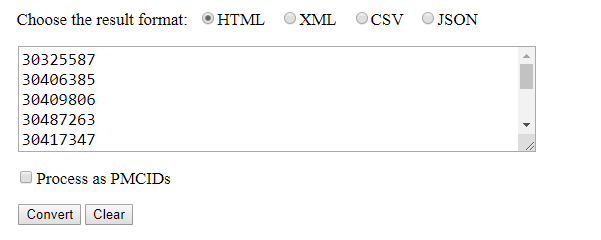
Cut/paste PMIDs into the box, select CSV result format and convert 100 records at a time. Any more will likely to produce an error.
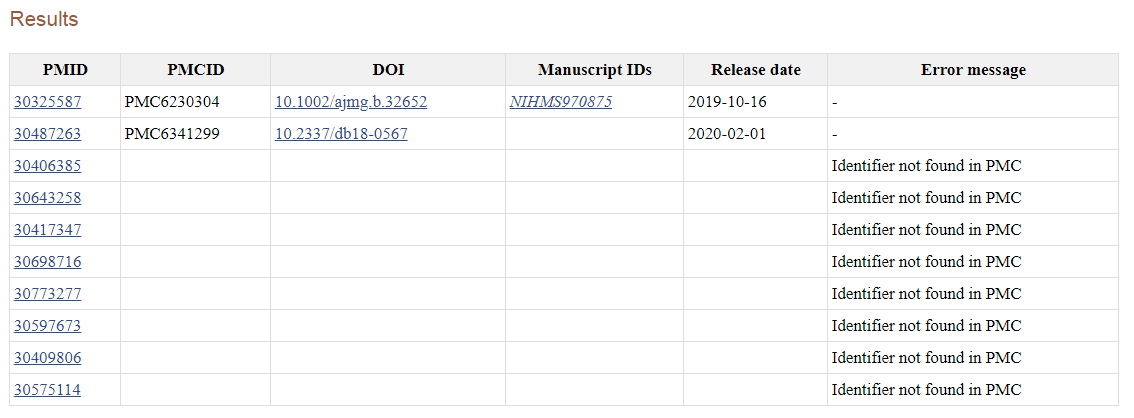
Ignoring the results with PMCIDs, cut/paste the remaining PMIDs (Identifier not found in PMC) into a new column in the Pure report spreadsheet.
Step 3: Identify the Pure records which can be included in PubMed LinkOut.
So far we have a list of records in Pure that have a PMID (which may or may not have PMCIDs), and a list of PMIDs that have been checked to make sure they don’t have PMC IDs. What we need to do now is merge the data. There are a number of different ways to do this in Excel, but I chose to use the conditional formatting function to highlight duplicate PMIDs in Pure that are on the ‘not in PMC list’ we created. Filtering by colour will then give you a list of records which can be included in the PubMed LinkOut programme. I chose to remove the items which are currently under an embargo which can be identified from the Open Access embargo date, and removed using a filter.
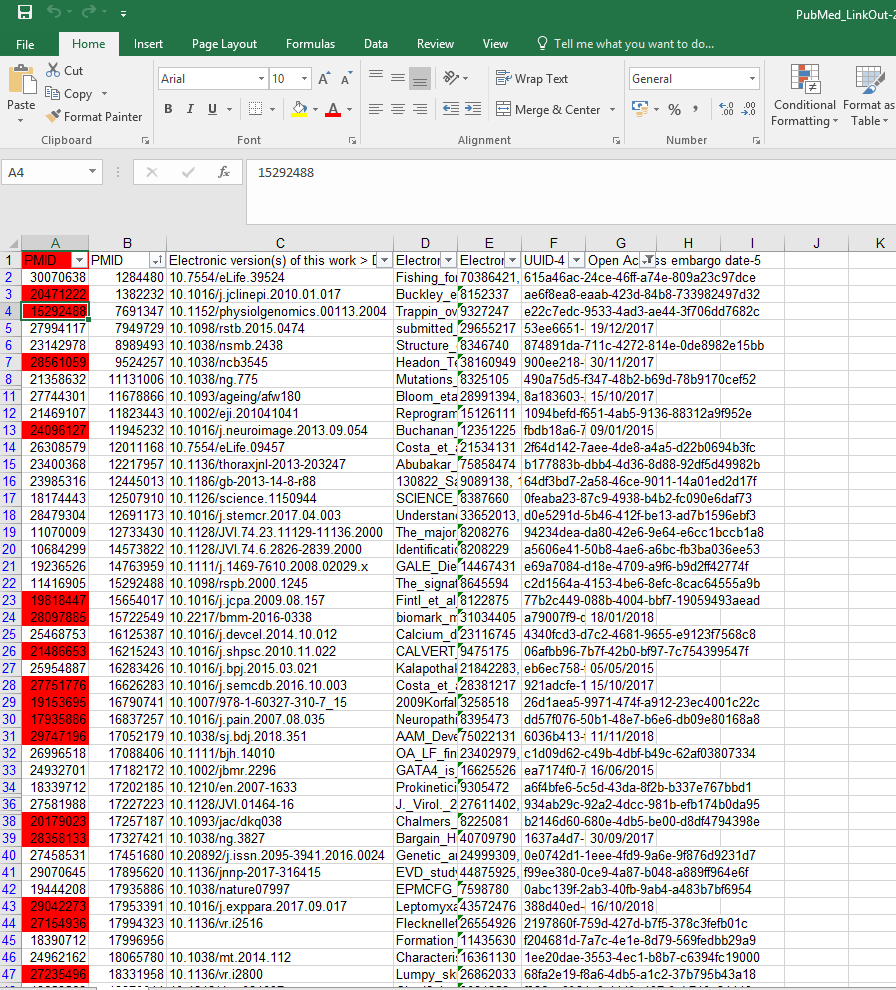
All that is remaining to do is to tidy up the records and add the stable URL. This can be done by taking the UUID-4 value from the Pure report and concatenating with the handle server ID for Pure, for example:
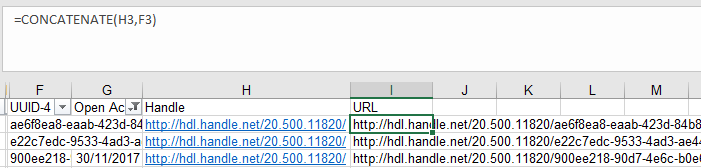
Handle + UUID-4 = URL , e.g:
http://hdl.handle.net/20.500.11820/e22c7edc-9533-4ad3-ae44-3f706dd7682c
Now you have a list of URLs of items in Pure that have PMIDs – but crucially not PMCIDs – which you can submit to the LinkOut Programme. You can download a printable PDF version of these instructions here:
Pure PubMed LinkOut instructions