We’ve recently heard from students and staff that they would love for some kind of indicator of how busy the Law Library is when it comes to finding a study space. But did you know we’ve already got this information on our website?
If you visit the Law Library Location & Contact page you will find a traffic light panel that will tell you exactly how busy the library is at any time, and this information refreshes every 5 minutes! This is based on anonymised data taken from the swipe entry gates to the library, so while it doesn’t give us a seat-by-seat count of which spaces are available it’s a pretty good indicator of busy periods.
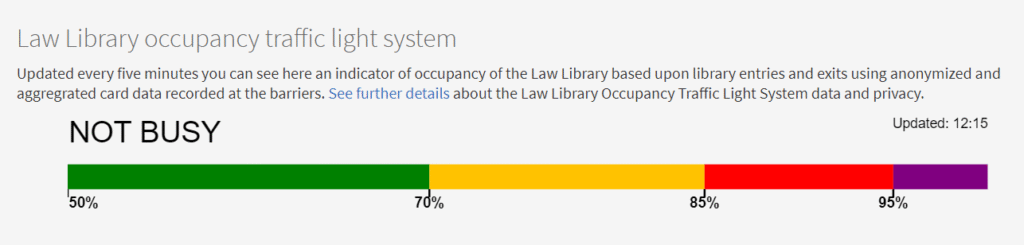
You’ll see above the colour coded lights that the bold text tells us that at 12.15 today the library is NOT BUSY. If you use your cursor to hover over the bar on the website a pop up text box will appear, which currently says “Library is at 20% of occupancy. You will find a choice of spaces in the library.”
If the library is full when you’re trying to visit you can check out the Study Spaces website for suggestions of where else you can go on central campus. You should also be aware that during the lead up to exams we make the MacLaren Stuart and Quad Teaching Rooms open for study. When these are available there will be large signs posted at the entrance to the library directing students to the available rooms.
NOTE: The traffic light sign is usually also displayed on the plasma screens next to the Helpdesk when you visit the Law Library, near the entrance to the Reserve section. At present this is not working properly but we are in the midst of getting it fixed, and will update when it is available again.
