Any views expressed within media held on this service are those of the contributors, should not be taken as approved or endorsed by the University, and do not necessarily reflect the views of the University in respect of any particular issue.

documentary filming and production

1. My Role and Vision

As the sole documentary creator for this project, I was independently responsible for every stage—from initial concept development and content planning to filming and editing.

My goal was not simply to “document” the process, but to present a complete and emotionally resonant journey—from the early ideation of our installation to its final realization—while authentically highlighting the efforts of each team member and capturing the audience’s real-time interaction with the work.

The documentary structure deliberately avoids a linear narrative. Instead, it revolves around three thematic pillars: project concept, team contributions, and audience engagement. Each section is carefully designed to balance information delivery with emotional rhythm, aiming to evoke a deeper viewer connection with the installation.

2. Documentary Structure Overview

Part 1: Project Concept & Creation Process

The first section introduces the inspiration and objectives behind our project through a narrated voiceover. It explains how we translated the Kübler-Ross model of the “Five Stages of Grief” into emotional, visual, and auditory forms, ultimately creating an interactive installation.

The visuals match this narration with real work footage, from our initial research and emotional analysis to the preparation and testing of the sound, visual, and technical modules. Through this material, I wanted the audience to not only understand our creative and technical paths but also feel the team’s focus, experimentation, and iterative process.

 Part 2: Team Member Interviews & Contributions

For the second section, I conducted concise yet in-depth interviews with each team member. They discussed their specific roles, challenges faced, problem-solving approaches, and personal reflections.

To enhance viewer understanding, each interview is seamlessly integrated with real footage of the members working—whether calibrating sensors, designing visuals, or assembling components. This pairing not only improves information clarity but also vividly portrays the team’s collaborative efforts and dedication.
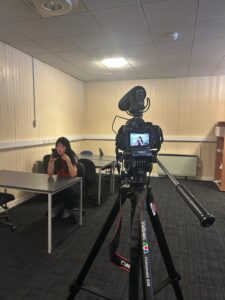
Part 3: Exhibition Day & Audience Interaction

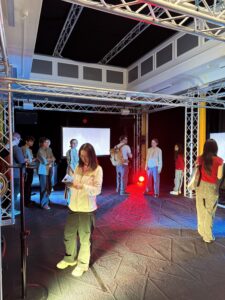
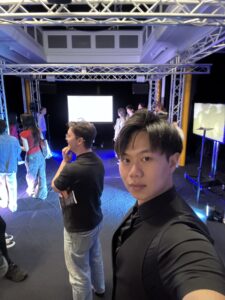
The final part captures the live exhibition, from setup to operation and real-time audience engagement. I filmed audience reactions—their surprise, curiosity, and feedback from peers and instructors alike.

Compared to the first two sections, this part adopts a more open and emotional visual rhythm. I preserved many moments of “body-emotion” interaction between visitors and the installation, ending the documentary on a natural, uplifting note that highlights the genuine resonance our work created.
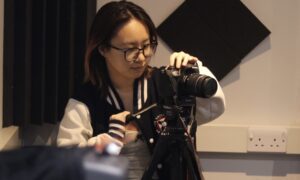
3. Filming Process & Real-World Challenges

Throughout the filming phase, I independently captured all video materials needed for the documentary. To ensure consistency in quality and style, I made weekly trips to the university’s equipment library, renting cameras and tripods as needed. I carefully selected lenses and gear based on the specific shooting tasks, striving to maximize visual outcomes within the limits of available resources.

Shooting Strategies & Camera Planning

Following the documentary’s three-act structure, I wrote a detailed editing script and pre-planned the shooting content and camera strategies:

  • During Production & Preparation:
    I used lenses with medium depth of field to authentically capture team members working on device operation, sensor calibration, and audiovisual testing over three weeks. To highlight fine details, I switched to macro lenses when necessary.

  • During Interviews:
    I used prime lenses with deep focus settings, ensuring the interviewee’s face was crisp while backgrounds remained soft and understated, creating an atmosphere of focus and calm. Lighting and composition were carefully adjusted for each interview to maintain a consistent, professional look.

  • During the Exhibition:
    I set up a stationary camera to shoot wide-angle footage, capturing the full spatial setup and operation of the installation. For dynamic audience interactions, I used handheld lightweight equipment, allowing me to move flexibly through the crowd and catch real-time reactions and expressions.
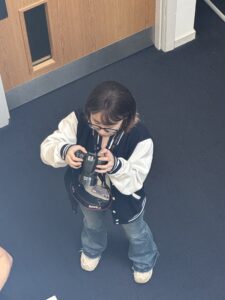
On-Site Challenges & Adaptive Solutions

Filming within the active work environment posed challenges such as time constraints, limited space, and difficulty coordinating repeat shots. I adopted the following strategies:

  • Quick Setup and Silent Filming:
    To avoid disrupting the team’s work, I adapted quickly and kept filming as unobtrusive as possible.

  • Interview Guidance and Emotional Engagement:
    I briefed interviewees beforehand to encourage natural, genuine responses.

  • Dynamic Shooting Adjustments on Exhibition Day:
    Given the noisy, crowded environment, I frequently shifted angles, used stabilization gear, and captured ambient sounds to maintain audio-visual quality.

  • Supplementary Detail Shots:
    I filmed close-ups of screens, device components, and the operation of Kinect sensors for later use as visual transitions during editing.

Additionally, I manually adjusted exposure and white balance on-site to ensure a unified, layered look across different shooting conditions.

4. Post-Production: Editing & Fine-Tuning

In the editing phase, I went beyond technical assembly—I curated the content structure, controlled the pacing, and refined the visual storytelling. Multiple key sections underwent repeated revisions to ensure smooth rhythm and emotional coherence.

 Editing Techniques & Highlights

  • Interview Editing:
    Many interviews included pauses, repeated phrases, or inconsistent speech rhythms. I used seamless editing techniques to splice together complete sentences while overlaying B-roll footage (members at work) to naturally hide cuts and enrich visual storytelling.

  • Precise Audio-Visual Synchronization:
    For narrated explanations, I matched every line of voiceover with exact visual counterparts. For instance, during the line “We use four ultrasonic sensors to control emotional transitions,” the footage cuts to a close-up of the sensors’ wiring and live feedback. Fine-tuning these alignments helped maintain clarity and controlled pacing.

  • Pacing and Dynamic Energy:
    While documenting exhibition setup, I fixed a camera to capture the team’s real-time workflow. I later accelerated this footage during editing to energize the rhythm, creating a vivid sense of efficient collaboration and adding a sense of time progression to the documentary opening.
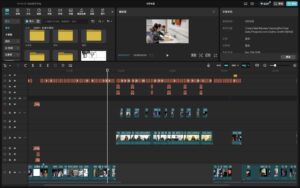
Key Challenges & Solutions

  • Massive Footage & Narrative Overload:
    The large volume and diversity of footage initially caused an overloaded rough cut. To solve this, I restructured the material into three clear categories: Process, Concepts, and Outcomes. I rebuilt the timeline at least three times until achieving logical clarity and natural flow.

  • Voiceover Script Refinement:
    Balancing technical accuracy and accessible storytelling was difficult. I wrote three versions of the script, repeatedly recorded and reviewed them, ultimately settling on a clear, professional, and engaging narration.

  • Authentic Sound Presentation:
    Following feedback from instructors, I removed background music in certain scenes to highlight the installation’s natural ambient sounds. I also included an independent segment showcasing our sound design achievements.

Final Reflection

The documentary’s creation process—marked by iterative revisions and frame-by-frame refinements—tested my patience and precision to the fullest. I never settled for mere completion; my aim was always to deliver a visual narrative that powerfully, honestly, and emotionally conveyed our team’s creativity and collaborative spirit.

Through this film, I hope viewers can not only understand our technical achievements but also feel the passion and emotion that brought our interactive installation to life.
sound design

Contributions and participation during the project’s progress-xiaole liu

1. Early Recording and Sound Library Construction

After defining the sound style and expressive goals for the five emotional stages, I moved on to developing the preliminary recording plan and took charge of collecting and initially organizing the sound materials.

This phase was not just about gathering sounds — it was a process of conceptual sound creation and design, centered around the project’s emotional framework.
The goal of this task was to build a comprehensive sound library that would provide a rich and diverse selection of sounds for other teammates handling the final sound design, significantly boosting their efficiency and creative flexibility.

Categorization and Recording Planning

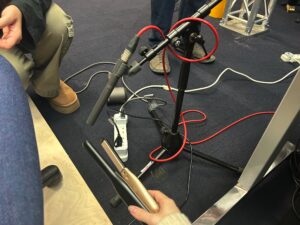
I first classified the five emotional stages and extracted their core sound characteristics. Combining my previous research and team discussions, I drafted dedicated recording lists and foley plans for each emotion. Here are a few examples:

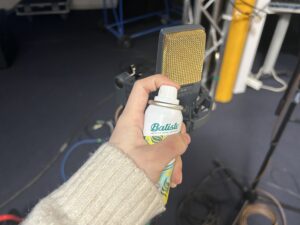
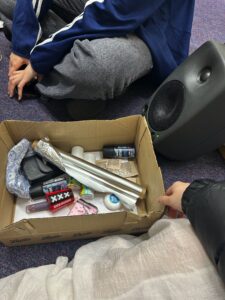
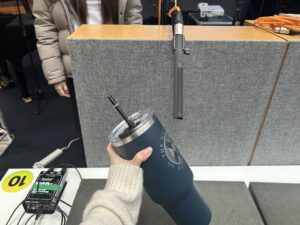
  • Anger: Focused on high-frequency, sharp, and explosive sounds. I prepared metal rods, glassware, chains, and recorded creative foley through collisions, friction, and dragging to capture tension and confrontation.

  • Denial: Aimed to evoke blurriness, disorientation, and undefined spatiality. I recorded blurred voices, fabric friction, and reversed water sounds to express psychological avoidance and confusion.

  • Bargaining: Simulated psychological tug-of-war and indecision. I used paper tearing, cyclic breaking syllables, and unstable rhythmic vibrations to create the texture of psychological uncertainty.

  • Depression: Used low-frequency, slow, continuous sounds to convey oppression. Recordings included deep echoes from buckets, ambient noise, and breathing sounds to create a closed, silent space.
  • Acceptance: Represented gentleness, release, and continuity. I used soft metal friction, wind chimes, bells, and faint melodic fragments to simulate the smooth transition of emotions.
All recordings were independently completed by me.
Each week, I rented professional recording equipment and secured sampling locations, striving to ensure high-quality and diversified materials. I also experimented with various techniques (different gestures, force variations, and medium changes) to capture more expressive raw sounds.

Post-Processing and Sound Design

After recording, I imported the raw audio into ProTools for detailed post-production. To tailor the materials to each emotional stage, I applied various acoustic and stylistic transformations, including:

  • Reverb: Simulating spatial extension to evoke impressions of echo, loneliness, vastness, or relief.

  • Pitch Shifting: Lowering pitch for heavier emotions or raising it to induce unease and tension.

  • EQ (Equalization): Enhancing or attenuating specific frequency bands to sharpen, deepen, clarify, or blur the sound textures.

  • Delay and Time Stretching: Extending audio length, creating echoes, and simulating auditory time suspension.

  • Filtering: Applying high-pass or low-pass filters to make sounds feel distant, muffled, or veiled.

  • Reverse and Reconstruction: Reversing and rearranging audio clips to break naturalness and create surreal psychological effects.

  • Compression: Controlling dynamic range differences to enhance the emotional cohesion and impact.

Processing Examples

  • Denial (Denial):
    When editing fabric friction sounds, I applied a low-pass filter to reduce high frequencies, making the sound blurrier. Then, I added slight reverb and reversed segments to enhance the feeling of spatial confusion and psychological escape.

  • Anger (Anger):
    For metal collision sounds, I pitch-shifted the recordings up by half an octave to sharpen the harshness, applied saturation to introduce distortion, and added light delay to create chaotic spatial echoes, enhancing the tension.

Through these techniques, I not only boosted the expressive power of the recordings but also made them highly adaptable for real-time triggering and transformation within the interactive system.

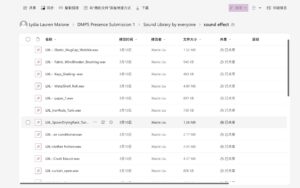
The outcome of this phase was a well-organized Foundational Emotional Sound Library, allowing teammates to quickly and efficiently select materials based on the emotional scene they were designing.

2. Sound Design for Specific Emotional Stages

After completing the foundational sound library and preliminary editing, I took further responsibility for building the complete sound design for three emotional stages: Bargaining, Depression, and Acceptance.

At this stage, the work was no longer simply about recording or editing sounds.
It became a systematic design practice — exploring how sound and emotion interact and express together.

I needed to not only imagine sound reactions that would match the visual animations but also design dynamic sound scenes triggered by various sensors, ensuring that all sound elements fit together harmoniously, immersing the audience in a powerful emotional atmosphere.
This was not just sound creation — it was a process of translating sound into emotional language.

My Workflow

  • Refining sound style definitions: For each emotional stage, I clarified the desired sound characteristics, rhythmic logic, and spatial expressions.

  • Targeted recording and secondary creation: Based on sensor trigger types, I re-recorded critical materials and selected the best-fitting fragments from the sound library for deep processing.

  • Sound construction in ProTools: I completed multitrack mixing, rhythm deconstruction, sound field design, and dynamic layering to ensure adjustability and stability within the system.

  • Organized sound assets by functionality: Grouped materials by “background ambiance,” “behavioral triggers,” and “emotional transition responses” for easy system integration.

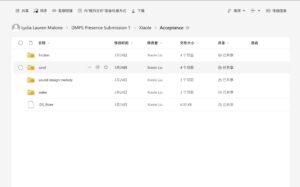
  • Established structured interactive sound libraries: Created clearly named and uniformly organized folders for each emotion, with usage notes (scenario, trigger method, dynamic range) to allow seamless integration by teammates working on Wwise, Unity, and Max/MSP.

Through this phase, I pushed the project from “sound materials” toward “systematic emotional sound expression,” ensuring cohesion, functionality, and artistic integrity within the interactive framework.


🎧 Sound Design Examples

Bargaining (Bargaining)

To express the inner wavering and repetitive struggle, I designed multiple loopable sound units simulating hesitant and anxious emotional flows.

Example 1: The struggle between tearing and re-coiling

  • Foley materials: Paper tearing, fabric crumpling, wood scraping

  • Design techniques:
    Cut tearing sounds into rapid fragments, time-stretch selected parts, overlay slight reversed audio and high-frequency filtering to simulate psychological “fracture and repetition.”
    Layered with background friction sounds to create a tactile tension.

  • Emotional intent: Express the constant push-and-pull between hope and denial.

Depression (Depression)

For this stage, I aimed to convey deep emotional downpour, loss, immersion, and self-isolation, avoiding strong rhythms to create a “slow-time” and “emotional stagnation” atmosphere.

Example 1: Damp, Oppressive Interior Space

  • Foley materials: Water echoing inside metal buckets, slow palm movements across wood flooring, low-frequency ambient noise

  • Design techniques:
    Pitch-down metal water echoes by about 5 semitones; add long-tail reverb and room simulation; overlay low-frequency brown noise to create pressure.
    Palm sliding sound filtered to preserve only the low-mid range, maintaining subtle motion tension.

Emotional intent: Build a psychological space that’s damp, heavy, and hard to escape, reflecting the chaotic silence of depression.

Acceptance (Acceptance)

As the most peaceful and open stage, the sound design for Acceptance needed to create a gentle, transparent, spatially flowing atmosphere — while maintaining emotional richness and avoiding flatness.

Example 1: Clear Ambiance of Wind Chimes and Metal Friction

  • Foley materials: Light metal taps, wind chimes, copper wire friction, glass resonances

  • Design techniques:
    Overlay wind chime sounds with fine metallic friction; EQ to emphasize the high-frequency clarity; set glass resonance as the background layer with long reverb; add subtle modulation to copper friction for liveliness.
    Control overall volume dynamics to maintain a slow, flowing texture.

Emotional intent: Create a “clear, peaceful, continuous but not hollow” emotional atmosphere, expressing release and inner stability.

Example 2: Fragmented Melodies and Shifting Harmonies

  • Foley materials: Finger-plucked music box, toy piano, breath sounds, small chime bells

  • Design techniques:
    Cut piano notes into fragments and reassemble into irregular melodic lines; add unstable synthetic harmonies and low-frequency fluctuations; convert breath sounds into airy resonances for delicate spatial textures.

Emotional intent: Express the idea that even under a calm surface, traces of emotional echoes persist.

These sounds were set to trigger dynamically based on audience proximity and movement, enhancing the feeling of flowing emotions across space.

Conclusion

By the end of this phase, all sound assets were meticulously categorized by emotional type, functionality, and acoustic features, ensuring that teammates could directly integrate them into the interactive system without further editing.

This work greatly improved the team’s sound integration efficiency while preserving the emotional consistency, controllability, and artistic completeness of the final installation experience.

Research for project

Project Overview

Name: Liu Xiaole
Project Title: Five Stages of Grief – Immersive Interactive Audiovisual Installation

THE DAY LEFT FIELD is an immersive interactive audiovisual installation inspired by Kübler-Ross’s model of the five stages of grief (Denial, Anger, Bargaining, Depression, Acceptance). Through the seamless integration of sound, visuals, and sensor systems, audiences interact with the installation in real-time within a 144-square-meter space, experiencing the flow and transformation of emotions across the environment.

The project team was divided into three main modules: Sound, Visual, and Engineering. My primary responsibilities were centered on the research and development of the sound system, building the sound library, and filming and editing the project documentary. My work spanned the entire process—from concept development to final presentation.

Initial Phase|Establishing the Theoretical and Practical Foundation for the Sound System

At the start of the project, how the sound system would express abstract emotional stages remained an open question. I actively participated in the initial brainstorming for the sound system design and took the initiative to undertake theoretical research on the relationship between sound and emotional perception, aiming to build a solid perceptual foundation for later creative work.

During this phase, I consulted a large volume of psychoacoustic studies on how sound influences the experience of negative emotions, reaching key insights such as:

Low-frequency, continuous sound waves often evoke feelings of oppression and heaviness;

High-frequency, sharp sound effects easily trigger tension or anger;

Noise or irregular rhythms are commonly used to simulate internal conflict and chaos.

These theories provided critical direction for the later sound design of emotional stages such as “Denial,” “Anger,” and “Depression.” For example, the “Depression” stage was constructed as a space filled with low frequencies and blurred echoes, while the “Anger” stage heavily utilized fractured rhythms and sudden, sharp sound effects.

At the same time, I researched and analyzed multiple cases related to interactive emotional installations, including:

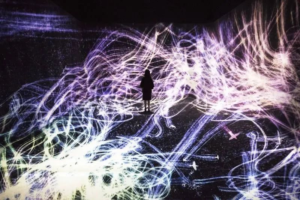
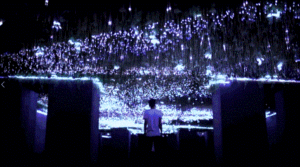
TeamLab’s interactive multi-channel art exhibitions

THE DAY LEFT FIELD’s immersive audiovisual projects

These cases not only inspired our technical strategies for linking sound and visuals but also pushed the team to reconsider how sound in a space could dynamically respond to audience behavior.

Building on this research, I worked with the team to establish an Emotion-to-Sound Mapping Chart that served as a consistent guide throughout the design process:

Emotional Stage Sound Characteristics
Denial Blurred, unstable, low-directionality ambient sounds
Anger Sudden, sharp, high-energy fractured rhythms
Bargaining Psychological tension created using nontraditional sound sources like paper, liquids, and water ripples
Depression Low-frequency, blurred, echo-rich spatial ambiance
Acceptance Gentle, progressive, spatially layered soundscapes

In addition, I continually proposed new ideas for sound expression, such as:

Using wind chimes or soft metallic sounds to convey the gentleness of “Acceptance”;

Introducing “silence” or extreme low-frequency elements at certain stages to create emotional contrast;

Exploring the idea of expressing presence through absence.

These discussions and reflections helped the team establish a clear and in-depth sound design methodology:

“Using psychological models as a framework, combined with the physical properties of sound and audience interaction mechanisms, to construct dynamic emotional soundscapes.”

Although this phase belonged to the early stage of the project, it was undoubtedly one of the periods where I had the deepest involvement and the strongest impact. It laid the theoretical foundation and directional alignment for all subsequent sound collection, editing, and system integration efforts.


Visitor Experience & Exhibition Reflection

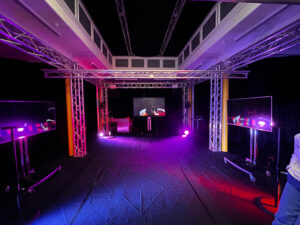
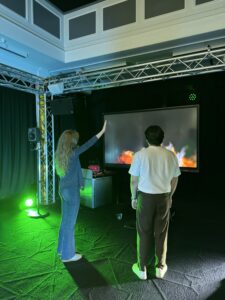
We wanted the space to feel open, so people could explore it in their own way without too many instructions. The sound of a slow, steady heartbeat played in the background and became the rhythm of the room. We placed stage lights on the floor, and later discovered they changed colour when they picked up vibrations. So, we kept them there, and they ended up reacting to the bass in the heartbeat sound, which made the space feel alive.

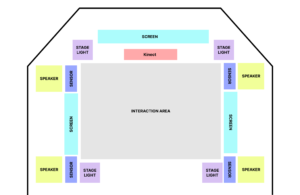
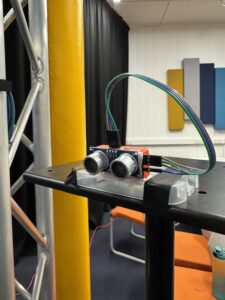
There were four sensors placed around the room. One Kinect in the front was taking visual input from the space. Three screens showed visuals that shifted in real time. The major shift happened when all four sensors were triggered at once. That meant people had to explore and figure out how to interact together. When it clicked, you could feel the energy shift  with sound and change in visual. It looked like everyone had unlocked something at the same time.

This was our proposed room plan:

Sensors

  • Kinect: Provides Visual input to process through the TouchDesigner effects
  • Distance Sensor: Lets visitors trigger visual changes, such as making on-screen flames grow when they move closer or shift to the next effect when triggered at the same time.

Electronics

  • Computer or system units: Runs the interactive software and connects to the sensors.
  • Speakers: Play a continuous heartbeat sound that sets the mood and drives interaction.
  • Cables and power: All necessary connections and adapters.
  • Mounting hardware: Used to position the Kinect and other components securely.

Displays and Lighting

  • Three screens: Positioned around the room to show responsive visuals that change based on visitor behaviour.
  • Stage lights: Originally designed to change with a tap, but we used them on the floor to respond to bass vibrations from the heartbeat sound.

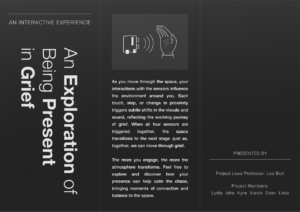
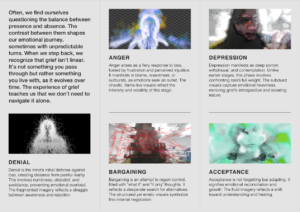
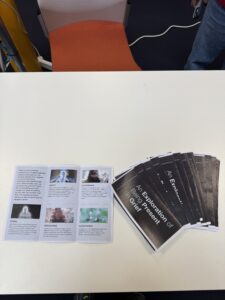
Designing the Brochure

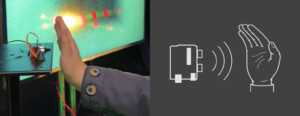
We put together a trifold brochure to help visitors interact with the space more easily. Since the sensor only responded when the hand was placed in a specific way, a lot of people were unsure how to engage with it at first. So we included a simple diagram in the brochure showing exactly how to position their hand for the interaction to work.

Reflections and Learnings

One of the biggest takeaways was the importance of clear communication in guiding the visitor experience. While we had hoped the sensory feedback would be intuitive, we quickly realised that many visitors needed a bit of direction to fully engage with the space. The diagram in the brochure was a simple but effective solution, as it helped demystify the interaction process.


Personal Blog – Week 11

Week 11 Preparation for presentation!!

Troubleshooting Unity:

Just one day before the presentation, we had a very intense debugging session in Studio 4. Originally, I was scheduled to finalize the Wwise mix with Evan, but instead, we had to reconfigure the entire monitor setup for quad output and, most importantly, investigate why Unity was not allowing the sound to play in the required format.

We were all thinking very hard on the problem:

Eventually, Jules and Leo discovered that it had been a known bug affecting all Mac computers for over ten years. The final solution was to create a Windows build and run it from Leo’s laptop. The test conducted prior to the presentation was successful, ensuring that all technical components were ready for use.

Final Wwise modifications:

Up until Week 9, our plan included buttons and other sensors triggering one-shot sound effects. However, after shifting to four reactive ambiences instead, many fully prepared sound effect containers in Wwise remained unused. Personally, I did not want to lose the time and effort invested in creating them, and I believed the final soundscape would be much richer if these sounds were included. Therefore, I decided to integrate them into the scenes where they were originally intended to be played.

All sound effect containers—whether random, sequence, or blend—were set to continuous loop playback rather than step trigger, allowing them to play consistently throughout each scene.

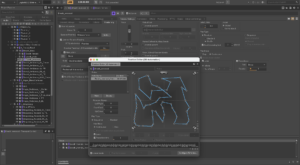
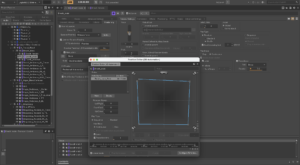
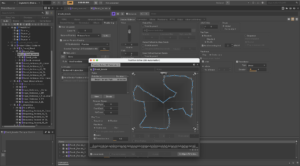
For example, the breath random containers (Female, Male, Reversed) were assigned different transition delay settings (with slight randomization), so that each container would trigger at a distinct periodic rate. Additionally, I implemented complex panning automation to move the sounds across all speaker directions, using varied transition timings and timeline configurations.

Or, the human voice sounds in Depression received more, shorter paths with longer timelines:

The first technique is better for larger amplitude, fast-changing movements, while the second one allowed me to have more control over the direction panning.

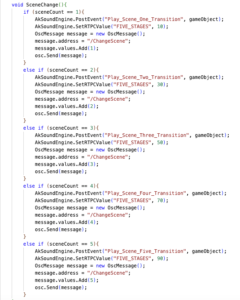
I also added 5 transition one-shot events to be called from Unity when the scene is changed:

We had enough time to test all components prior to the presentation, and I was also able to make last-minute mix adjustments in the Atrium, which greatly contributed to the overall balance of the soundscape.

The RTPC values controlling the distance–loudness relationship for the ambience proximity sensors were also modified to fade out at approximately 65 (on a scale of 0–100), instead of the previously used value of 30. This change allowed for a smoother fade over a longer distance range.

Reflection on the presentation:

I felt incredibly proud and happy when the lights, sound, and visuals finally came together. With more people on the sound team than on visuals, I felt a certain pressure for the audio to stand out. Even just hours before the presentation, I worried it wouldn’t feel rich enough or convey the intended emotions. But when everything was played together, I thought it turned out pretty amazing!! I’m quite pleased with the final mix, and adding those last-minute sound effects was definitely worth it – they added so much more meaning to the scenes. I particularly appreciated the use of ‘human’ sounds, like footsteps and breaths. Given more time, I would have expanded on those elements further.

Personally, one area I would still refine is the harmony between visuals and sound. We received the initial visual samples before beginning the audio design, but some were later changed, which led to slight mismatches – particularly noticeable in the third stage, Bargaining.

It was wonderful to see so many people attend and interact with the installation. Understandably, everyone I spoke to needed a brief introduction to the theme, as our interpretation of grief was quite abstract. Still, the feedback was overwhelmingly positive, and many were impressed by the interactive relationship between audio and visuals.

I learned a lot about teamwork during these months, especially how crucial it is to find everyone’s personal strengths. Despite starting out bit slow with assigning the roles, I think by the last 2-3 weeks we all really did feel focused on what we should do and how to contribute in maximum efficiency – and this clearly manifested in the success of the presentation day:))

I am also grateful to have learned so much about Unity and Wwise. In particular, I found it fascinating to explore Wwise in a context so different from its typical use in game sound design!! Furthermore, seeing Kyra and Isha’s incredible work in TouchDesigner definitely inspired me to learn using the software to create audio-visual content in the future.

Personal Blog – Week 10

Week 10: On Wednesday and Thursday: first testing in Atrium!

Testing Day 1: Troubleshooting

Firstly, Evan’s computer—which was intended to run the bounced Unity project and the Max patch—was not compatible with the local Fireface soundcard. As a result, we had to transfer all projects to my computer, install RME, and sync the Wwise session to the installed quad system. This significantly delayed our ability to test more hands-on sound settings. Fortunately, we were able to book the room for the following day as well.

Testing Day 2:

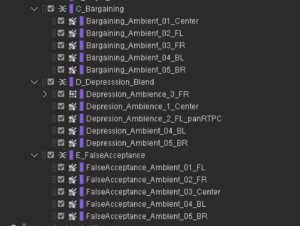
Once everything was finally set up and functioning, I was able to begin creating a more refined mix of the five ambiences in each stage, along with a “master mix” to ensure coherence among all five.
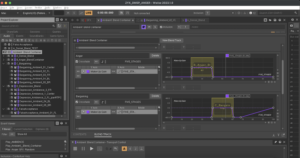
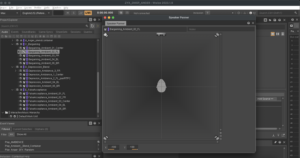
I utilized Wwise’s Soundcaster function, which greatly facilitated testing the maximum possible loudness (i.e., all ambiences at maximum volume per stage) and the dynamics between the consistent base ambience and the variable ones.
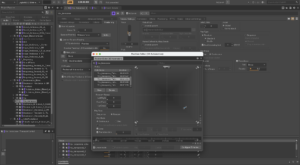
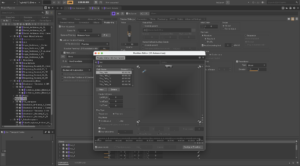
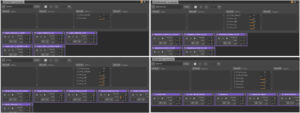
Below are several screenshots of the Soundcasters:


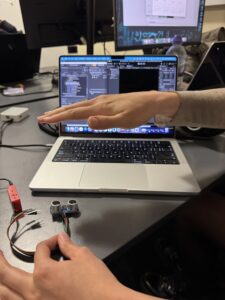
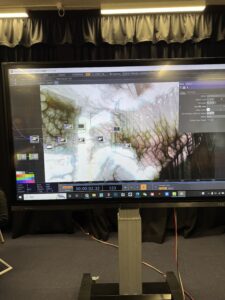
While the others were working on Touch Designer to visualise the fades between stages, we set up the sensors on the side, and successfully achieved:

  1. Controlling all 4 ambiences with the sensors individually
  2. Fading into the next scene when all 4 sensors are at maximum level

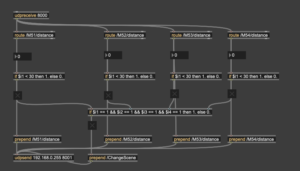
Here’s the Max patch for receiving the OSC from 4 sensors:

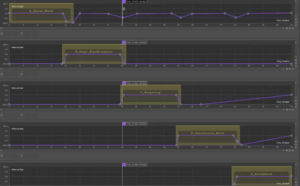
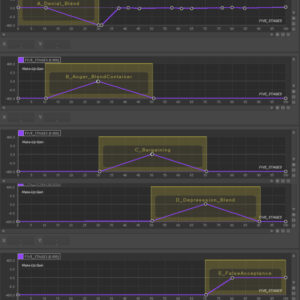
Since the data that controls which state is being played does not move too smoothly, I had to change the blend container fade lengths/shapes a bit, for a slower, smoother transition between the states.

Before:

After:

The individual Proxy RTPCs are currently configured to be at 0 dB when set to 0 (on a scale from 0–100), and are faded to -192 dB (the minimum value available in Wwise) at 30. This configuration is due to the sensor data remaining relatively stable within the 0–30 range; beyond that, it becomes increasingly erratic. This may result in a sudden “on-off” transition for the ambiences rather than a smooth fade-in. However, further testing is required to determine the optimal maximum value. In real-world terms, a sensor value of 30 corresponds to a distance of approximately 0.4 meters from the device.

The girls successfully resolved the issue with Touch Designer, allowing us to test all four sensors, along with the audio and visuals, together for the first time! And luckily, it was a huge success!! The ambiences were triggered and controlled as intended, the sensors influenced the visuals, and both sound and visuals transitioned smoothly between scenes when required.

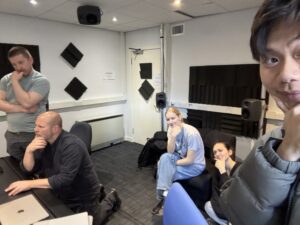
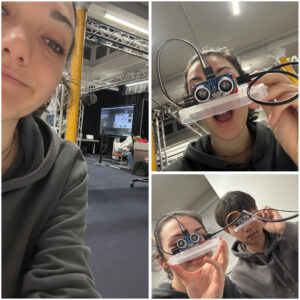
Here are a couple pictures of me, working super hard:))

During the test, the audio was running directly from the Wwise session; however, when we built the Unity project, the sound was played only in stereo. All output settings were correctly configured in both Wwise and Unity—the latter even indicated that the sound was being played in quad—but in practice, it was not.

As Alison House was closing, we had to conclude the test. Despite this bug we run into at the end, I am extremely happy that all other technical components worked!!

We have one full week to resolve the Unity issue, during which I also need to produce a final, improved sound mix and potentially add additional RTPC effects. As we are heading towards the final product, I’m very excited to see how it will all turn out!


Personal Blog-Sound Work-Week 10&11 And Project Critical Reflection

In the last two weeks, I finished all the sound work in the tenth week, so the main work in the last two weeks was to integrate all the work parts and test with other team members. We scheduled three tests, two in Atrium and one in Studio 4. We also found some problems in the Wwise project, for example, the sound playback distance was not set correctly, the attenuation distance was different, etc., but they were all solved smoothly in the end.

In the first test

We successfully connected four distance sensors. When participants put their palms close to the distance sensors, they can control the sound volume to attenuate as their palms move. However, when they are completely covered by their palms or other objects, the sound disappears completely. When all four distance sensors are covered for a few seconds, our emotions and vision will automatically jump to the next stage. In each stage, the four speakers will play the same ambience of that stage, and the four sensors also control different ambiences in four directions.

In the second test

Since my computer was not compatible with Red’s sound card, I spent a lot of time transferring the entire project to Lidia’s laptop. On the same day, I tested it on the speakers in the Atrium room, placed the ambiences in all four directions on the corresponding speakers, and connected the visual and sound parts.

Project Critical Reflection

I personally did half of the sound work in this project and encountered many difficult problems, such as how to record the original audio? How to make these original audios into suitable ambience? How to cooperate with other students in the project? But these questions were well answered on the day of the exhibition on April 2, 2025. As a sound design student, I gained very valuable experience in this project. I have mastered the two softwares Wwise and Unity proficiently and understood the working principles. I believe this will be of great help to my future work. If I have more time, I will improve the quality and relevance of all sounds, and add some transition sounds when the emotions are excessive, so that the audience’s auditory immersion and perception of emotions will be enhanced.

Personal Blog-Sound Work-Week 9

The five-stage sound work was basically completed in the ninth week. Lidia and I completed the integration of the two projects on Wwise, and with the help of Leo, I created a Unity project to test our sound part. This was a very important progress, which meant that our sound could work.

In Wwise, a blend container is set up to control the five stages of sound, and they are staged, with a value of 20 for each stage, and connected to the FIVE_STAGES RTPC.

On Wwise

At this week’s meeting, Leo suggested changing the design mode of one ambient sound and five sound effects on each speaker to setting a “Center sound” on four speakers at a certain stage, which is our Main ambience, and adding five Ambiences to the speakers in the four directions of FL, FR, BL, and BR to connect touch designer for interaction, and changing from triggering SFX with distance sensors to triggering Ambience. I think this is a very good suggestion, because for Ambience, it can better reflect the sense of distance and the weakening of sound, which makes our project more playable. In terms of the sound work, Lidia and I shared this work, and I was responsible for “Bargaining”, “Acceptance” and half of “Depression”.

This is one of the Bargaining Ambience

On Unity

We built a project file with four speakers to simulate the Atrium room in Alison house and used it to test our audio, which was successful. In the next two weeks, we will complete all the sound work and conduct live testing in the Atrium.


Personal Blog 8-9 weeks: Touchdesigner interaction effect with distance sensor

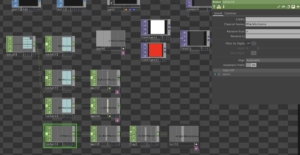
With the basic visuals in place, and after the previous concepts were finalized, we wanted to try to connect with the body and mood effects. Connect the distance sensor to TouchDesigner and use it to control the real-time changes in the screen.
Emotion itself is not a linear process, but rather iterative and fluctuating. The real-time feedback from the sensor can express this kind of emotional swings and uncertainties, and the different range and distance of each person’s contact can also reflect different effects. The viewer is not “watching” a stage, but interacting with it, changing with it. Their movements have a direct impact on the image and make the viewer more aware of their own emotional response, which is a form of immersive empathy.

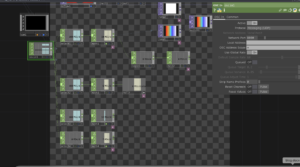
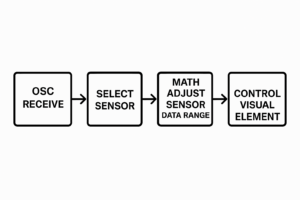
General workflow

1. OSC Receive
The system first receives external sensor data through the OSC protocol.

2.Select Sensor
Among multiple available sensor data streams, the system selects the specific sensor channel that needs to be processed.

3.Math Adjust Sensor Data Range
The raw sensor values are mathematically adjusted or remapped to fit the expected input range of the visual element. For example, mapping values from 0–100 to a range of 0–1.

4.Control Visual Element
Finally, the adjusted data is used to drive or control the behavior of a visual element—such as its color, brightness, size, or position—enabling real-time interaction or visual feedback.

The first stage: Denial

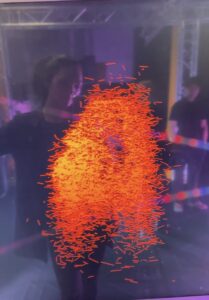
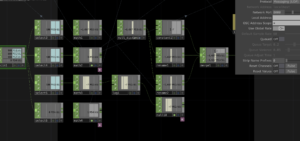
The main effects of the interaction between the denial stage and the sensor are: changing the color of the particles by approaching the sensor, the degree of expansion (shrinking and enlarging), and glowing.

Effect:

DENIAL-COLOR

DENIAL-EXPLORATION

DENIAL-DECENTRALISED

DENIAL-GLOW

The second stage: Anger

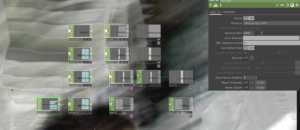
The main effects of the interaction between the ANGER stage and the sensor are: changing the colour, transparency, flame speed, flame size of the flame by approaching the sensor.

Effect:

ANGER-VOLUMETRIC

ANGER-COLOR

The third stage: Bargaining

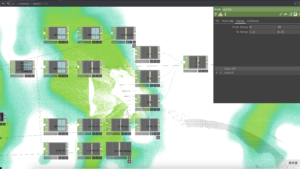
The main effects of the interaction with the sensor in the bargaining phase are: changing the colour of the line, the length of the line in the x-axis, the focus of the line, and the degree of distortion of the character by moving closer to the sensor.

Effect:

BARGAINING-COLOR

BARGAINING-FOCUS POINT

BARGAINING-DISTORTIONS

BARGAINING-LINE LENGTH

The fourth stage: Depression

The main effects of the interaction between the depression stage and the sensor are: changing the colour of the watercolour effect by moving closer to the sensor, the direction of the water flow, the greyscale of the effect, zooming in and out of the character.

Effect:

DEPRESSION-COLOR

DEPRESSION-ZOOM IN OR OUT

DEPRESSION-GREYSCALE

DEPRESSION-DIRECTION OF FLOW

The fifth stage: Acceptance

The main effects of the interaction with the sensor in the acceptance phase are: changing the grey scale of the particles, the degree of dispersion and aggregation, the degree of distortion, the saturation of the background space, by approaching the sensor.

Effect:

ACCEPTANCE-GREYSCALE

ACCEPTANCE-DISPERSION AND AGGREGATION

ACCEPTANCE-DISTORTION

ACCEPTANCE-SATURATION

Personal Blog: Final Integration with M5Sticks, OSC, and MAX

For the final phase of the project, I focused on refining and scaling our distance sensing setup. The goal was to clean up noisy sensor data, set a distance cap, connect everything to a shared network, and build a centralized system for routing and processing OSC messages in real time.

Hardware Refinement

I tested several M5StickC-Plus boards and HC-SR04 sensors, comparing consistency across units. Some sensors fluctuated too much or lost accuracy at mid-range distances. I ended up choosing the four most stable ones.

Each M5Stick was flashed with the same code, but I updated the OSC address string at the top so each sensor would send data to a different address:

String address = "/M55/distance";

Network Setup: Leo’s Router

Instead of using Joe’s mobile hotspot, I switched over to Leo’s router, which provided a more reliable connection. This was important for minimizing packet drops and keeping multiple sensors running smoothly.

const char *ssid = "LeoWiFi";
const char *password = "Presence";

The M5Sticks all send their messages to:

const IPAddress outIp(192, 168, 0, 255);
const unsigned int outPort = 8000;

Distance Measurement and Capping

The sensor code still uses the familiar trigPin/echoPin setup. After triggering and timing the ultrasonic pulse, I added a cap to prevent noisy long-range readings:

float cm = (duration * 0.034) / 2.0;

if (cm > MAX_DISTANCE) {
  cm = MAX_DISTANCE;
}

Averaging the Distance Values

To smooth out the data, I used a rolling average over the last 10 readings. Each new value is added to a buffer, and the average is recalculated every loop.

#define NUM_SAMPLES 10

float distanceBuffer[NUM_SAMPLES] = {0};

distanceBuffer[bufferIndex] = cm;
bufferIndex = (bufferIndex + 1) % NUM_SAMPLES;

float sum = 0.0;
for (int i = 0; i < NUM_SAMPLES; i++) {
  sum += distanceBuffer[i];
}

float avgDistance = sum / NUM_SAMPLES;

Normalization for OSC Output

The averaged distance is normalized to a 0–100% scale so it’s easier to use for modulating audio or visual parameters:

float normalizedDistance = (avgDistance / MAX_DISTANCE) * 100.0;

This gives us a value like “23.4” instead of “78 cm”—much easier to use directly in Unity or TouchDesigner.

Sending the OSC Message

Once the data is ready, the M5Stick sends it as an OSC message using the CNMAT OSC library:

OSCMessage msg(address.c_str());
msg.add(normalizedDistance);

udp.beginPacket(outIp, outPort);
msg.send(udp);
udp.endPacket();
msg.empty();

Centralized Processing in Max

Rather than having each sensor talk directly to Unity or TouchDesigner, we built a central Max patch to receive and clean all OSC data.

Here’s what the patch does:

  • Uses udpreceive to listen for all messages on port 8000 
  • Routes each message by OSC address (/M51/distance, /M52/distance, etc.) 
  • Compares each value to a threshold (e.g., < 30) using if objects 
  • Sends a 1 or 0 depending on whether someone is near that sensor 
  • If all sensors are triggered at once, it sends a /ChangeScene message to both Unity and TouchDesigner on port 8001 

This setup keeps the sensor logic modular and centralized—easy to debug, scale, and modify. We only need to change one patch to update the interaction logic for the entire system.

Final Testing

We tested everything together, and it worked: scene and audio changes were successfully triggered in Unity, responding to movement in front of the sensors. I also captured a video of the audio modulating based on proximity.

This system is now:

  • Scalable (thanks to Wi-Fi and OSC) 
  • Cleanly routed (through MAX) 
  • Responsive (with smoothed, normalized data) 

It’s exciting to see everything running reliably after so many small iterations.

css.php

Report this page

To report inappropriate content on this page, please use the form below. Upon receiving your report, we will be in touch as per the Take Down Policy of the service.

Please note that personal data collected through this form is used and stored for the purposes of processing this report and communication with you.

If you are unable to report a concern about content via this form please contact the Service Owner.

Please enter an email address you wish to be contacted on. Please describe the unacceptable content in sufficient detail to allow us to locate it, and why you consider it to be unacceptable.
By submitting this report, you accept that it is accurate and that fraudulent or nuisance complaints may result in action by the University.

  Cancel