Any views expressed within media held on this service are those of the contributors, should not be taken as approved or endorsed by the University, and do not necessarily reflect the views of the University in respect of any particular issue.
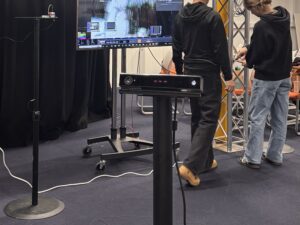
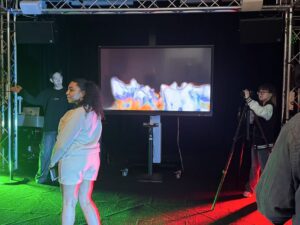
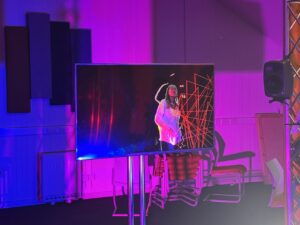
Prior to the exhibition we carried out three installation tests, on 3.26, 3.27 and 4.2. The visual test problems were mainly solved in the first and second tests, while the third one mainly solved the sound design problems and combined all the elements.
The first installation testing
During the first round of testing, several visual issues were identified:
1.Placement of the Kinect: Due to the limited detection range of the Kinect, it’s important to position it in a spot where it can capture all visitors entering the room. At the same time, the device should not obstruct the audience’s line of sight.
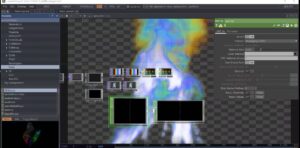
2. Adjusting the intensity of certain visual effects: Since the exhibition relies on real-time visuals, performance optimization is key. Take the flame effect in the Anger stage as an example—while a more intense flame burst enhances the emotional impact, it also risks causing system lag. During this test, I repeatedly fine-tuned the effect strength to strike a balance between visual impact and system performance.
The second installation testing
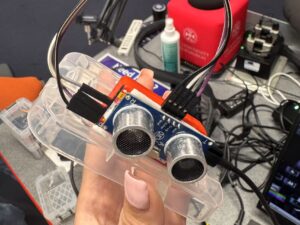
1. Since physical sensors are used, factors like lighting, air movement, and dust can interfere with the sensor’s data reception. This sometimes causes the visuals to change even when no one is near the sensor. To minimize this issue, I adjusted the input range within the Math CHOP to reduce sensitivity to such noise.
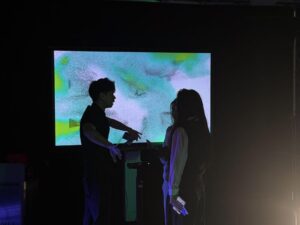
2.Some test effects were not visually obvious: when viewers approach the sensor, they do so with uneven body surfaces rather than a flat plane. If the resulting changes are too subtle, it can lead to disappointment during interaction. Therefore, during testing, I eliminated certain effects—such as changes in transparency—that didn’t provide strong enough visual feedback.
Exhibition Reflection:
Sensor placement: When visitors try to interact directly with the sensor, they may not appear in the visual output (screen) at the same time, which diminishes the overall experience and sense of immersion.
Clarity of the theme: During conversations with the audience, one visitor mentioned that they only understood the exhibition was about emotions after my explanation. This made me reflect on whether the emotional theme could be made clearer from the start. Possible solutions include incorporating interactive emotional quiz questions before entering the space, or placing more visually explicit emotional cues or posters at the entrance of the exhibition.
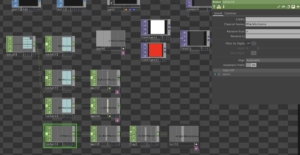
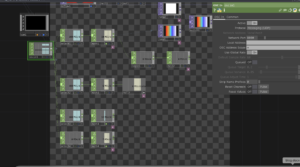
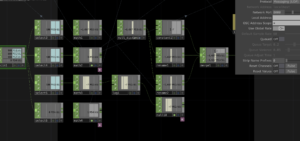
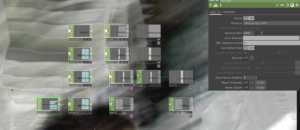
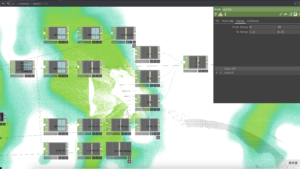
With the basic visuals in place, and after the previous concepts were finalized, we wanted to try to connect with the body and mood effects. Connect the distance sensor to TouchDesigner and use it to control the real-time changes in the screen.
Emotion itself is not a linear process, but rather iterative and fluctuating. The real-time feedback from the sensor can express this kind of emotional swings and uncertainties, and the different range and distance of each person’s contact can also reflect different effects. The viewer is not “watching” a stage, but interacting with it, changing with it. Their movements have a direct impact on the image and make the viewer more aware of their own emotional response, which is a form of immersive empathy.
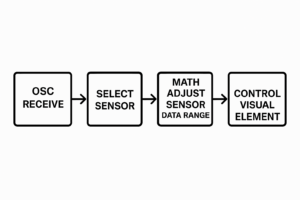
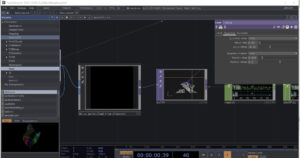
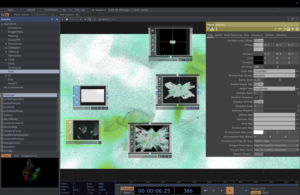
General workflow
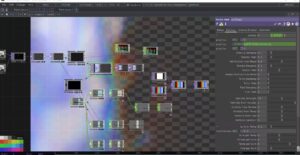
1. OSC Receive
The system first receives external sensor data through the OSC protocol.
2.Select Sensor
Among multiple available sensor data streams, the system selects the specific sensor channel that needs to be processed.
3.Math Adjust Sensor Data Range
The raw sensor values are mathematically adjusted or remapped to fit the expected input range of the visual element. For example, mapping values from 0–100 to a range of 0–1.
4.Control Visual Element
Finally, the adjusted data is used to drive or control the behavior of a visual element—such as its color, brightness, size, or position—enabling real-time interaction or visual feedback.
The first stage: Denial
The main effects of the interaction between the denial stage and the sensor are: changing the color of the particles by approaching the sensor, the degree of expansion (shrinking and enlarging), and glowing.
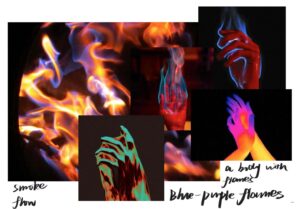
The main effects of the interaction between the ANGER stage and the sensor are: changing the colour, transparency, flame speed, flame size of the flame by approaching the sensor.
The main effects of the interaction with the sensor in the bargaining phase are: changing the colour of the line, the length of the line in the x-axis, the focus of the line, and the degree of distortion of the character by moving closer to the sensor.
The main effects of the interaction between the depression stage and the sensor are: changing the colour of the watercolour effect by moving closer to the sensor, the direction of the water flow, the greyscale of the effect, zooming in and out of the character.
The main effects of the interaction with the sensor in the acceptance phase are: changing the grey scale of the particles, the degree of dispersion and aggregation, the degree of distortion, the saturation of the background space, by approaching the sensor.
Denial is an individual’s first line of psychological defense in the face of significant loss or trauma. Core features of this emotion include:
Unwillingness to accept reality: the individual may subconsciously avoid or refuse to acknowledge painful facts.
Rational-emotional disconnect: The individual may be rationally aware of the facts, but emotionally unable to accept them, displaying a “this can’t be happening to me” state of psychological collapse.
Step 1 : Brainstorming
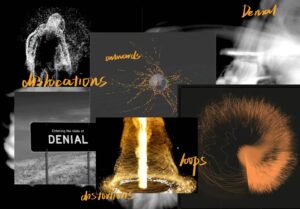
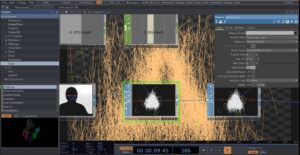
I don’t want to speak of the first stage of emotions acting calmly; denial is not a cold stillness, it is an intense collapse of the inner world, a high-speed chaos, an extreme self-defense. Beneath the seemingly calm surface, emotions have been in violent turmoil for the first time. The individual tries to suppress the sudden onslaught with reason, but the inner core is splitting, struggling between reality and illusion.
Step 2 : Touch Designer experimental stage
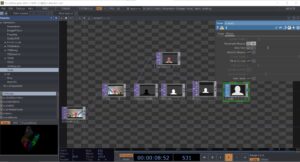
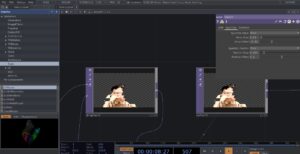
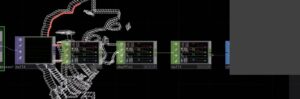
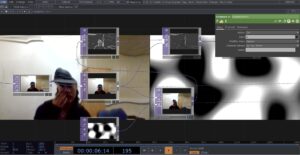
1. Character tracking and input
blur1 (for blurring)
track1 (for tracking character outlines)
Obtains information about the character’s silhouette from the camera and blurs it to reduce detail and enhance the softness of the particle effect.
PS: We are supposed to be using Kinect for tracking the characters, but due to the limited equipment on bookit, I can’t have kinect at all times, so the experimental phase was replaced with a computerized camera, which is also used for the emotions in the following phase, so I won’t go into that again
2. Particle Type
Render as point sprites
Render as Lines
Lines are more outwardly directional and sharp in space
2. Particle Time Inc
After testing, the frame rate of particles is more suitable at 0.01-0.02
The second stage: Anger
The stage of ANGER has been experimented with in submission 1 and decided to apply it in the final presentation, here is the link
The emotion of bargaining strikes me as vulnerable and humanizing. It’s not explosive like anger or heavy like depression, but rather a struggle between sanity and despair. Humans innately want to be in control of their lives, so when things get out of control, we desperately grasp at any possible hope, even if it’s illusory. Bargaining isn’t entirely negative, though.
I think it is in a way a transition, a way of letting go slowly. Though it is full of uncertainty, at least it proves that we are still searching for answers, still trying to make sense of the pain.
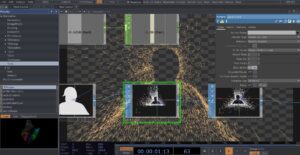
I wanted to use distortion, fragmentation, and data glitches to convey the sense of bargaining’s instability, struggle, and attempts to reconfigure reality, and these characteristics fit the psychological state of the bargaining stage – trying to control or change an irreversible reality that has begun to crumble or disintegrate.
Step 2 : Touch Designer experimental stage
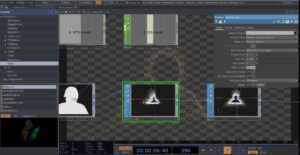
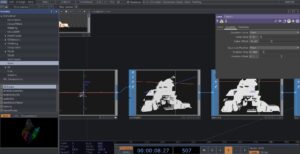
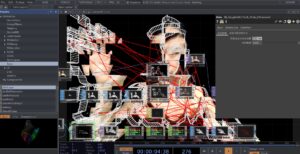
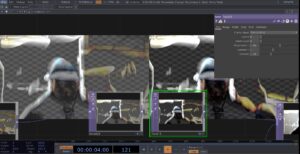
1. Displace
I tried using the Displace node to create image dislocation or distortion effects, representing the sense of instability in Bargaining.
2.Extrude
Instead of a flat rendering, I tried to use extrude in the TOP component to stretch the figure, through the 3D dimensionality of the image to make it look more sculptural and data-driven, making the image less thin
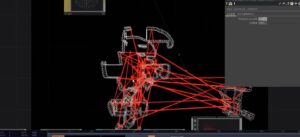
3.Creating Stretching Lines with a Point Cloud
Used a point cloud map plugin from artist Alexxxxxi
Use the chopto component to connect the points on the point cloud map in real time to form intersecting lines in space
The effect is not very good, it stays around the character wireframe and the visual effect is not very strong.
Later I made more lines in the frame by trying to manually increase the number of point clouds in the plugin.
The final effect.
The third stage: Depression
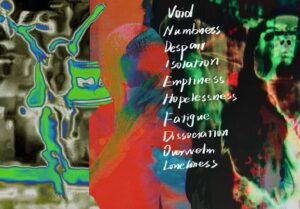
Depression in grief is like sinking into deep water and feeling like the upper world is out of reach. A silent sense of absence, a numbness that settles in your bones. Everything is in slow motion; it’s heavy, constant, and crushing. There is no resistance, no bargaining, only silent acceptance; nothing can undo what has happened. The world goes on, but you fall into a stillness that no one seems to notice.
Step 1 : Brainstorming
The thermal imaging effect looks great, with strong color shifts and blurring around the edges. The human figure is fragmented and loses its stable contours.
Step 2 : Touch Designer experimental stage
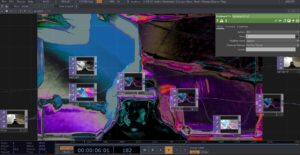
1. Noise&Displace
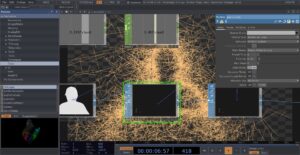
Try to use NOISE as a displacement map to distort the camera feed, creating a flowing effect.
2.Color contrast
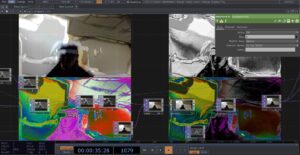
Use the Level element to adjust contrast and brightness to make the picture more three-dimensional or highlight certain colors. Try HSVADJ to adjust hue, saturation, and brightness. Adding false-color effects to the thermal imaging style makes it less in line with natural tones and more experimental.
3. Try adding different effects together
The fifth stage: acceptance
Acceptance feels like a gentle letting go after a long struggle, the first quiet, honest acknowledgement in the midst of heartbreak that, “Yes, this is really happening.” At this stage, the person stops trying to change the unchangeable reality, and stops asking “why me”, and starts to find the shape of life again in the remaining fragments.
Step 1 : Brainstorming
Step 2 : Touch Designer experimental stage
1.particle&dispalce
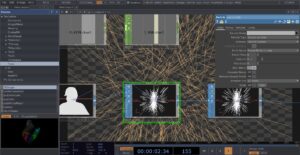
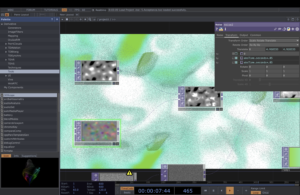
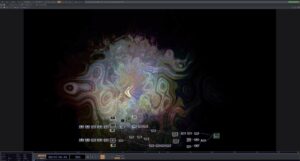
Initially, I just wanted to keep the image relatively calm while having a slight sense of ebb and flow, so I used noise. With the addition of color and dynamics, the image began to become fluid and unstable. Eventually a slight but constant disturbance was created by displace.
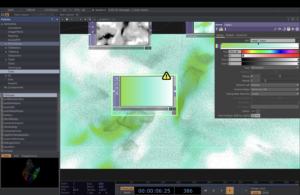
2.color : RAMP
I tried to do some color gradients using the ramp component, and chose different levels of green based on the brainstorming in the first session phase. Green is somewhere between calm and vibrant, like a slow repair process, and the combination of this color and the particle effect has the appearance of a state where the emotions are slowly calming down and then starting to breathe again.
3. Material:PHONG
I tried to add some soft reflections and warm texture to the material
We wanted to create an immersive VR museum tour experience that combines sight, sound, and interaction to allow visitors to explore the exhibits in a more intuitive and sensory way, breaking down the physical limitations of traditional museums. Incorporate interactive exhibits: 360° views of artifacts, even disassembling and zooming in to understand internal structures. Narrative design with sound: Dynamic ambient sound and spatialized audio are used to make the content of the exhibition not only visible, but also “heard”.
Rough Idea 2 :
We wanted to make an immersive urban wanderlust experience about Edinburgh, giving participants the freedom to explore the city from a first person perspective. Enhance their perception of the city space through real-time soundscapes, interactive visual elements and dynamic data. Take a guided tour with AR/VR: use AR glasses or your phone to see hidden stories and historical layers of the city. Sound roaming can be added: put on a headset and ambient sounds and AI narration will change depending on the location to enhance immersion. We want to let people experience the city in new ways, not just pass by it.
The Second meeting
The concept of VR and AR use was changed to audio-visual installation due to the lack of technical skills we have for implementation. Moreover, since the visuals were dominating in those project ideas and our group has more sound designers/ audio technicians, we wanted to create something which would be more suitable for our skills.
About First concept draft :
Adapting the 5 stages of grief to create an audio-visual multisensory experience. [https://en.wikipedia.org/wiki/Five_stages_of_grief]
Ideally, the project would use 5 separate and isolated rooms to present each emotion, [denial, anger, bargaining, depression, acceptance]. The emotions are presented in this order, but since the artwork is generative, the visitors can freely move to the next room anytime.
(version B: the visitors need to achieve/find/complete something to be able to progress to the next room)
Preferably the sound would be presented with multiple monitors (around the sides, and at random locations within the space), each equipped with a proximity sensor. Some monitors would play an ambience audio track providing the base of the mood, while the monitors equipped with sensors would trigger an impact, sfx, …
At the same time, these sensors would trigger visual effects, filters, and pre-sets, which would be added to the main visual
Main Visual:
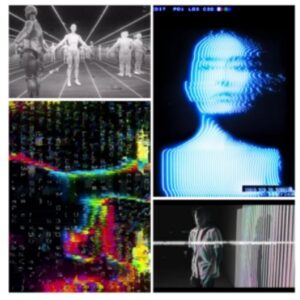
Media display with projectors/ screens, lights, brightening up the otherwise dark space. The image would evolve around the theme of humanoid characters, faces,.. It would be a mixture of real-time footage (perhaps heavily edited) taken from the exhibition rooms with cameras, plus additional digital characters/ drawings/effects … We are also considering using thermal cameras.
(reference project for visuals: Professor Jules’ ‘ARequiemforEdward Snowden’)
Questions for Leo:
– Is it possible to have 5 rooms next to each other which we can fully soundproof/isolate? (but they should still be quite connected to allow smooth transitions across the rooms) If not possible, we have alternative ideas for solutions: such as using headphones instead and create binaural mix
– How many speakers can we possibly get? If we are planning to build the installation across 5 rooms, we would need quite a lot (minimum 25?)
– How many sensors can we get/buy?
– For the visuals, projectors or screens would be better (in terms of quality and sense of immersion). Ideally we would love to do surround visuals, but that might require a lot more projectors
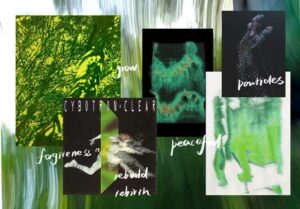
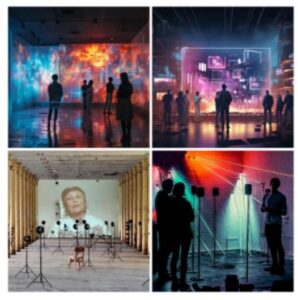
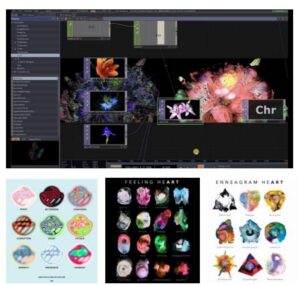
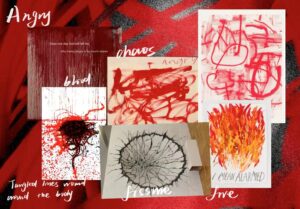
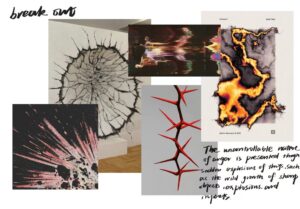
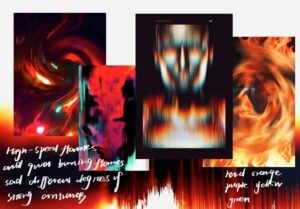
Quick mood board pictures for desired visuals/ setup:
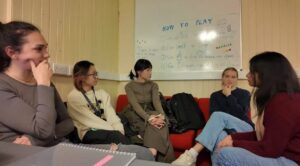
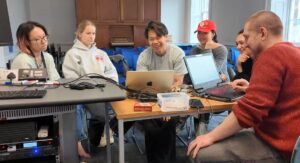
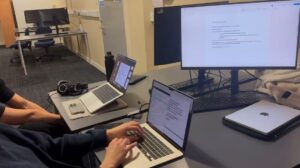
Meeting picture:
The Third meeting:
About Second concept draft:
Introduction
Emotions are intangible, and everyone defines them differently. For some, sadness flows like water, while for others, the feeling of flow brings joy. Since emotions are difficult to define, we chose not to restrict them but instead to create an emotional garden that can change infinitely, allowing everyone who enters to shape their own emotional garden through the control panel.
Inspiration
In modern society, emotional labor refers to individuals regulating their emotional performance in order to meet social expectations, especially in social and workplace Settings. Our daily facial expressions and emotional responses are often regulated to conform to external expectations, and behind this is often the suppression of personal emotions.
Goal
Reflect and discuss the phenomenon of emotional labor and its influence on individuals.
How to express thetheme
Emotion Garden planA
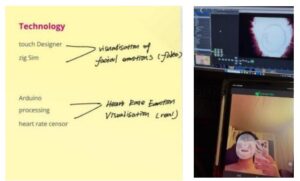
Using heart rate to monitor people’s real emotions and facial recognition to detect fake emotions on people’s faces, the greater the difference, the more withered the visualized plants, and the smaller the difference, the more robust the plants.
(Ps: Visualizing with plants is just an idea I have, not fully researched yet, maybe there is a better way to express it)
Emotion Garden plan B
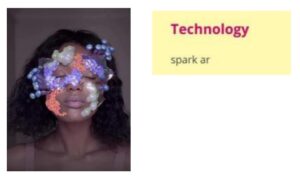
Through facial recognition plus AR in different emotions on the face to present different visual effects, so that people can “really” see the emotions and feel that.
(Ps: The idea was rejected because of the sensitivity of facial information)
The Presence workshop
Refined concept:
Due to the limitations of available equipment, we reduced the scale of the project into one room, to somehow express the 5 stages together. This proved to be a better solution anyways, since the 5 emotions are not separated with a straight line and one might experience more, or a mixture of several at the same time.
Therefore the new project summary is:
1 room – 5-8 speakers – visual projection. Creating an interactive space where the collective emotions and active presence (of the people in the room) are artistically expressed by audio-visual representation. This is generated by the visitors themselves, with the use of interactive devices around the room.
[Multiple sensors will be available to play with, which would trigger audio content, and would affect the visual presentation].
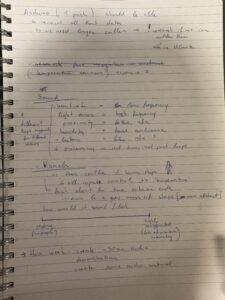
Sensors:
[Have to be compatible with ARDUINO]
Audio:
Heart rate sensor(s) = influences the low-frequency content
Light sensor(s) = influences the high-frequency content
Proximity sensor(s) = triggers random sound effects
Humidity sensor = influences the base, the ambience of the audio track (?) (it changes slower over time. The density of the crowd will influence the air)
(Temperature sensor = extra visual display (only if we can find one for a low price)) These sensors would individually have various value parameters assigned to them, therefore once a specific value is triggered, the system would employ real-time audio processing to modify the sound.
Visuals:
Perhaps it features a big mass of shape, and the data would control colours (like temperature in Thermal cameras), shapes, particles …
(We could also use MaxMSP jitter to manipulate video output with sound.
What will be the interactive visual system?
– How will the data be processed into abstract visual representation?
– Which parameters trigger what visual? – …?
For both audio and visual content, we have to think about the two extreme ends: How does it look/ sound with no people in the room [no interactions with sensors], and at full capacity [with many people interacting with the sensors]?
TO DO LIST:
Since the assignment is due next Thursday, we decided to divide the tasks up:
Kyra = visuals: basic design in Unity or Touch Designer Xiaole = time management, project planning& strategy
Evan = sound: at least 30 seconds of audio, ambience and/ or additional sound effects
Isha & Lydia = technical components: get OSC to work with Arduino, how to connect these systems triggering sound & visuals, what other tools we need,…
Lidia = writing the project introduction, concept, and aim. References to other similar artworks
Workshop picture:
Handwritten Notes:
By Lidia Huiber
The Fourth Meeting
At this meeting we finalized the final concept.
The project explores the theme of presence and grief through a multi-sensory audio-visual installation that presents the “five stages of grief” (denial, anger, negotiation, depression, acceptance). The five stages of grief (denial, anger, negotiation, depression, acceptance) are presented. The installation combines real-time image processing and digital design with chaotic, distorted visuals and a subdued soundscape that expresses the flow of emotions. Viewers interact with devices such as heart rate sensors, light sensors and knobs to experience a non-linear emotional journey from chaos to calm, revealing the randomness and complexity of grief. The project aims to engage the audience in reflecting on their own emotional state and that of those around them, encouraging deeper emotional connection and a focus on “authentic being”.
At the end of the day we had a detailed division of labor for the project.
We focus on the five stages of grief, exploring the “presence within sadness”, inviting the audience into a fully immersive experience of grief. At the same time, we pose a thought-provoking question: “How do you see yourself in it?” This encourages the audience to look inward and confront the grief they may have unconsciously ignored or suppressed.
Grief is an extremely universal emotion, yet we often choose to repress, overlook, or conceal it. Among the five stages, “anger” stands out as one of the most common and visually powerful emotional expressions. Therefore, I decided to start with this stage as the entry point for this exploration.
Anger is an intense, chaotic, and hard-to-control emotion. Smoke, with its shapeless and uncontrollable dynamic flow, perfectly aligns with the visual representation of anger. It can manifest as turbulent surges, sudden eruptions, or continuous diffusion. Each person enters this experience in their own way, and their emotional reactions are beyond our control. This sense of unpredictability is a defining characteristic of both flames and smoke.
Step 2: First Attempt
I experimented with TouchDesigner for visual presentation, as its dynamic adjustment capabilities allow for a more accurate representation of the diversity and fluidity of emotions.
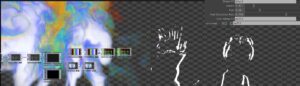
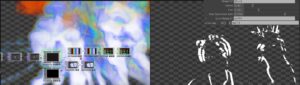
I primarily used the Nvidia Flow Emitter to visualize smoke. By adjusting parameters such as smoke, fuel correction rate, and fuel values, I was able to manipulate the volume of the smoke. The human silhouette gradually deconstructs into a constantly shifting cloud of smoke, retaining its original shape while embodying a sense of fluidity and transformation.
Step 3: Further Effect Enhancement
Adding multiple noise types for layering—could it enhance the complexity and visual appeal of the smoke effect?
Step 4: Real-Time Interaction Optimization and Hardware Output
1. Attempt to connect Kinect to capture 3D body data and enhance spatial perception.
2. Heart rate sensor: Dynamically adjust the intensity of the smoke effect based on the audience’s physiological data, reflecting emotional fluctuations.