With the basic visuals in place, and after the previous concepts were finalized, we wanted to try to connect with the body and mood effects. Connect the distance sensor to TouchDesigner and use it to control the real-time changes in the screen.
Emotion itself is not a linear process, but rather iterative and fluctuating. The real-time feedback from the sensor can express this kind of emotional swings and uncertainties, and the different range and distance of each person’s contact can also reflect different effects. The viewer is not “watching” a stage, but interacting with it, changing with it. Their movements have a direct impact on the image and make the viewer more aware of their own emotional response, which is a form of immersive empathy.
General workflow
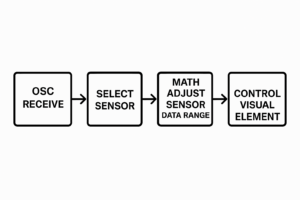
1. OSC Receive
The system first receives external sensor data through the OSC protocol.
2.Select Sensor
Among multiple available sensor data streams, the system selects the specific sensor channel that needs to be processed.
3.Math Adjust Sensor Data Range
The raw sensor values are mathematically adjusted or remapped to fit the expected input range of the visual element. For example, mapping values from 0–100 to a range of 0–1.
4.Control Visual Element
Finally, the adjusted data is used to drive or control the behavior of a visual element—such as its color, brightness, size, or position—enabling real-time interaction or visual feedback.
The first stage: Denial
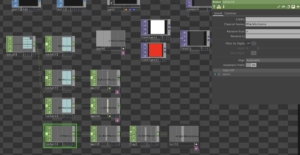
The main effects of the interaction between the denial stage and the sensor are: changing the color of the particles by approaching the sensor, the degree of expansion (shrinking and enlarging), and glowing.
Effect:
The second stage: Anger
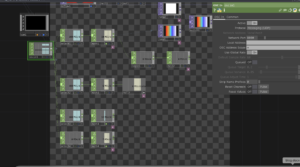
The main effects of the interaction between the ANGER stage and the sensor are: changing the colour, transparency, flame speed, flame size of the flame by approaching the sensor.
Effect:
The third stage: Bargaining
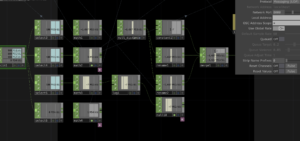
The main effects of the interaction with the sensor in the bargaining phase are: changing the colour of the line, the length of the line in the x-axis, the focus of the line, and the degree of distortion of the character by moving closer to the sensor.
Effect:
The fourth stage: Depression
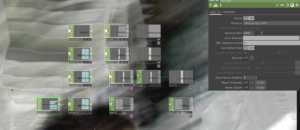
The main effects of the interaction between the depression stage and the sensor are: changing the colour of the watercolour effect by moving closer to the sensor, the direction of the water flow, the greyscale of the effect, zooming in and out of the character.
Effect:
The fifth stage: Acceptance
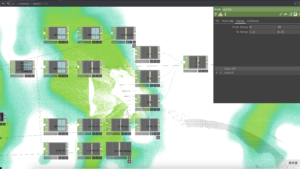
The main effects of the interaction with the sensor in the acceptance phase are: changing the grey scale of the particles, the degree of dispersion and aggregation, the degree of distortion, the saturation of the background space, by approaching the sensor.
Effect:
ACCEPTANCE-DISPERSION AND AGGREGATION
