Any views expressed within media held on this service are those of the contributors, should not be taken as approved or endorsed by the University, and do not necessarily reflect the views of the University in respect of any particular issue.

Technical Details of Multiplayer System

Since I am responsible for the multiplayer system part of the project MM&NN, this blog is about sharing some basic information and common techniques and logic about multiplayer system implementation.

Implementation

This section is detail about multiplayer system implementation in MM&NN. The scripts and functionalities related to the multiplayer system can be divided into two main parts:

  1. Core Multiplayer Features

These include synchronization between players (ensuring both game instances remain in sync across two computers), avoiding duplicated input across clients, creating and joining rooms. These core systems and scripts are provided by the Alteruna package. I directly implemented these by dragging the appropriate components into the scene or applying them to the relevant prefabs.

Multiplayer Manager: A network manager from Alteruna’s prefab script. Responsible for network connection between devices.
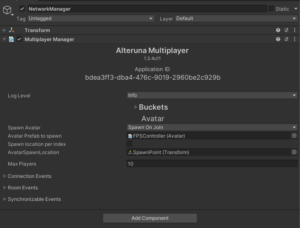
Multiplayer Manager

RoomMenu: A lobby-like menu from Alterunas’ prefab script for players to create, join and leave game rooms. This object is in the scene and can be customized depend on project’s needs.
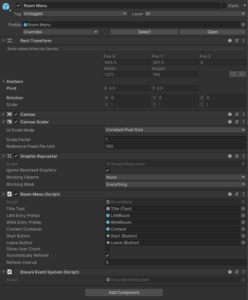
RoomMenu

Avatar: A script for Alteruna multiplayer system to locate the player prefab and spawn.
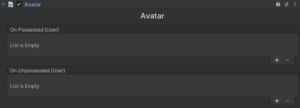
Avatar

Transform Synchronizable: A script to enable information synchronization between devices.
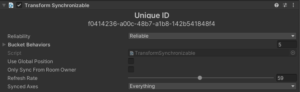
Transform Synchronisation
  1. Player-Specific Settings

This part is my customization to meet project’s needs mainly in First Person Controller prefab. The differentiation between host and client, as well as between “is me” and “not me,” plays a crucial role in separating character logic and visuals (camera) for MM and NN. I added identification logic within the First Person Controller script (see screenshots below).
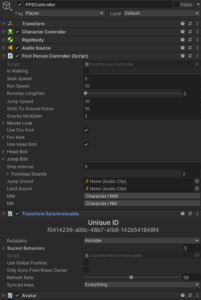
First Person Controller Prefab

First Person Controller Prefab Overview

All character models and post-processing settings are stored under the single prefab of first person controller. The multiplayer system “enable” or “disable” different elements depending on whether the current player is the host or client, and whether the character being controlled is “me” or “not me,” before spawning it in the game scene.

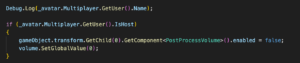
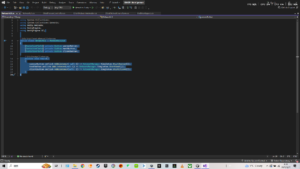
Below is an enabling/disabling logic using “if” within the script.
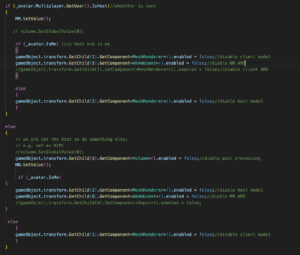
Big if Logic

This part is basically two small “if” of self-identification under one big “if” host and client identification. Because character MM and NN ‘s settings are activated based on player’s identity to the server, which is host and client. MM’s settings are bind with host while NN’s settings are bind with client. After clarifying player’s identity, program can allocate different character settings to different devices. However, that’s not enough. Two small “if” is responsible for identifying whether the player “is me” in order to enable the correct model to the right player. Without this layer, the player will have wrong model for the other partner player.

In terms of the game audio, since we are using Wwise implemented into Unity and there are two Ak Audio Listeners present in the same scene (one per player), I disabled the listener on the not “is me” player’s object to avoid audio conflicts. Besides, there are two different play events of ambient sound in the Wwise project for two characters, I have the GetChild() to enable/disable two events in the big “if” script.
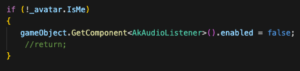
Audio Enable/Disable

With this setup, the basic individual character settings are successfully implemented.

Multiplayer in Two Perspectives
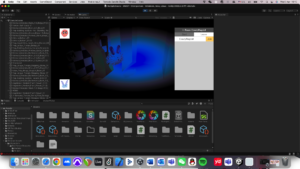
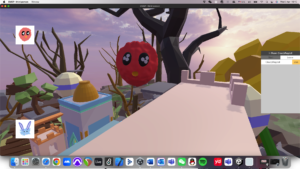
MM (Host) View
NN (Client) View

Basic Structure

During the research and hands on experience, I found a basic structure and rules for online multiplayer system implementation which works for both packages I have experienced:

  1. A manager which in charge of the network connection

Online multiplayer system needs scripts to let the device gets access to the sever / host in order to connect with other devices.

  1. A player prefab (avatar) in Asset for the system to spawn players

Player prefab has all the information of the player controller. When a new device comes in, it will spawn a new player to the scene.

  1. Synchronization scripts (transformation, animation …)

To get other players’ movement, location and other information precisely and lively, system need scripts to transform other player’s information to the device through network.

  1. Input collision avoiding script

A script to ensure the input commands from a device are only controlling the local player instead of all the players.

  1. Multiple listeners avoiding script

If the game is implemented with Wwise, it has to make sure the local device only has one listener.

Although there are a lot of methods for online multiplayer system, they all follow this basic structure in some way.

Multiplayer vs Single player

When implementing multiplayer into the project, it’s better to previously consider what content in the project may change when there is more than one player in the game scene.

Players:

Firstly, multiplayer system always needs a player prefab to spawn players. Besides, if the game has different settings to players, an extra player identification and functionalities switches have to be aligned with the player prefab. (Examples in implementation of MM&NN)

Audio:

As we introduce multiplayer system to the project, every player has a listener. However, a running game cannot hold more than one listener except special circumstances. We have to disable all other listener except the local one.

Game Objects:

Some game objects may include interactions with players which means they have to be synchronized in multiplayer system too.
Update on Multiplayer System_KYP

Alteruna

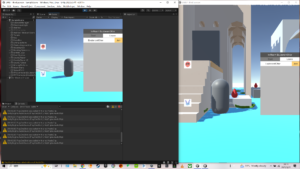
With the suggestion from Mr. Jules Rawlinson, I go through another Multiplayer package called Alteruna. It’s easy to implement into our group’s project and I ran it successfully.

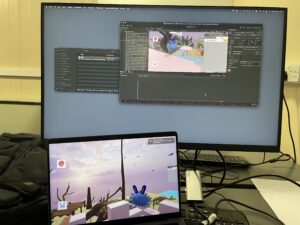
Two projects running in my computer in one game room

Just like Netcode for Game Objects, it spawns a player object from prefab when a new player enter the game. But I run Alteruna successfully so I moved my focus to it as frame for multiplayer system. The problem for me still is how to vary setting from two players.

Discussions

Plan

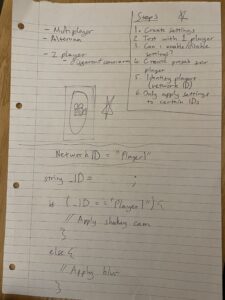
Later I had a meeting with Mr. Joe Hathway who gave me valuable advice on integration and game mechanism realisation. As we have successfully created settings of blurred camera in single player project and ran it, next step is figuring out how  to enable/disable these settings in multiplayer Prefab. Our plan is to find out a way to identify certain player by IDs(network ID). There are a complete document about Alteruna namespaces: https://alteruna.github.io/au-multiplayer-api-docs/html/G_Alteruna.htm

Fortunately, we found the one called UserID and GetID which may be used in our realisation of ID identify.

Structure and Progress Steps Draft by Joe

Realisation

Next day I had a meeting with Mr. Jules and we successfully implement both multiplayer and different camera settings through Alteruna in a test scene. Because there are only two players in our project, we use “IsHost” to identify whether the player is Host or not in order to identify certain player and enable / disable post processing volume added to the First Person Controller’s script in Prefab. https://alteruna.github.io/au-multiplayer-api-docs/html/P_Alteruna_User_IsHost.htm

GetUser + IsHost to identify host & client players

Thanks for Mr. Jules, this meeting helps me to decide using Alteruna as Multiplayer package instead of Netcode.

Implemetation

Finally, I implemented Alteruna multiplayer into our game project and it works well.

Testing project in one computer

But there are some problems happening.

  1. When playing through two computers, two players can only see each other’s flashing shape when they are moving. It works well when playing in one computer, may because of some network refresh settings.
  2. The players now have one module on their FPS controller. How to allocate different modules is the next step. My idea is enable / disable module added in FPS controller depends on the host and client identity.
  3. I haven’t add the post processing camera because our final project is modifying by other group  member to implement more mechanisms.
  4. More mechanisms may need to be synced in our project and I need to figure out how to do it through Alteruna.

Update in Multiplayer in Unity Project_KYP

Since our group members developed a game scene for our project. It’s time to implement multiplayer system into it. After last blog, I watched other two more tutorials but the first one needs a huge amount of scripting which I don’t have the fundamental knowledge for that. So I go with this one https://www.youtube.com/watch?v=2YQMJJINWpo&t=84s

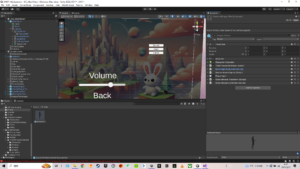
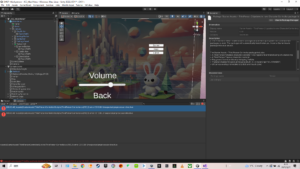
I followed the video and implemented everything into our Unity Project and added more buttons in Menu canvas for multiplayer options.

Prefab of multiplayer character
UI Buttions for Multiplayer

In this testing, there are two problems that lead to failed running of the game project

Starter Assets package missing dependencies: this problem directly leads to failed running. I tried to search for solution online https://discussions.unity.com/t/first-person-starters-input-system-doesnt-work-on-webgl/885155. But same solution didn’t work in my project.

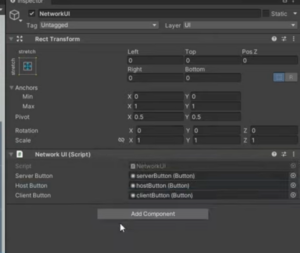
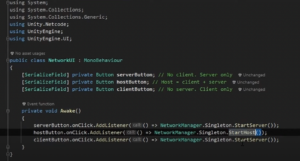
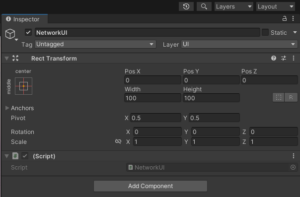
Another is NetworkUI scripting problem. I cannot connect my buttons to the script for some unknown reason. My script has a writing format unmatched with the tutorial (different colour and typing method in “call:”). I’ll ask for help in that too.

The tutorial’s NetworkUI
Tutorial’s NetworkUI script
My NetworkUI


My NetworkUI script

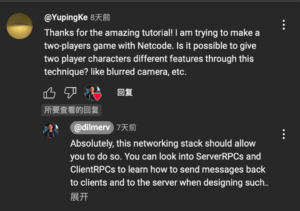
Beside, I asked a YouTuber about different features on players in multiplayer system to see which level is it to have different cameras and here is the answer.

From what I’ve learned recently, RPC setting for multiplayer is more advanced in scripting and system. I am concerning whether we have time to do that. After go into the project making process, my part changed from integration in Wwise and Unity into Multiplayer Implementation. Currently I am searching for help to some tutors who might be able to help in ECA and I am also learning more knowledge in multiplayer myself.

Testing Multiplayer in Unity_KYP

I’ve been doing some research on multiplayer in Unity and integrating multi-listener in it. There are mainly two separate ways to achieve multiplayer project in Unity – local multiplayer and online multiplayer. Based on the research I have been doing, local multiplayer project can only support split-screen in one device and online multiplayer can replicate parent model to multi individual clients through networking. Since our game will be displayed in two individual screens back to back and two audio output, online multiplayer can better fulfill our basic needs.

So I started my testing project with Unity official tutorial, only replacing the third-player controller with first-player controller.

The basic idea of online multiplayer through networking concepts of Unity is replicating player’s feature based on parent player setting by scripts in netcode. I made the FPS multiplayer test scene running well.

In case of further design and realization in multiplayer project, it may involves extra script in network transforming for every interactive component or animation.

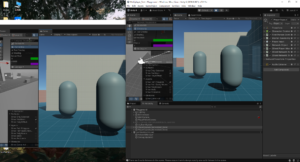
Two players’ windows running in Multiplayer Tools

There are three problems I am working on:

  1. Because I completely followed the tutorial, there’s no script about FPS camera replication. The FPS camera contains two components-cinemachine brain and player follow camera. How to replicate them to different players is my next step.
  2. For now, I don’t know how to give players’ characters different features (blurred camera, footsteps SFX, etc.) through netcode or other networking methods.
  3. An error occurred when I integrate Wwise into this test project. I am trying to solve this problem in order to test multiplayer listener.
css.php

Report this page

To report inappropriate content on this page, please use the form below. Upon receiving your report, we will be in touch as per the Take Down Policy of the service.

Please note that personal data collected through this form is used and stored for the purposes of processing this report and communication with you.

If you are unable to report a concern about content via this form please contact the Service Owner.

Please enter an email address you wish to be contacted on. Please describe the unacceptable content in sufficient detail to allow us to locate it, and why you consider it to be unacceptable.
By submitting this report, you accept that it is accurate and that fraudulent or nuisance complaints may result in action by the University.

  Cancel