https://uoe.sharepoint.com/:w:/s/DigitalMediaStudioProject2/ETZ1FLGIsfRJmIdhEEqU8esBK1kStT0j2-H2AGHroOpyDw?e=OLKt04
Author: Astrud
Sound Language Design
According to the language design, there are 7 vocalizations that the characters perform to communicate with each other: Pu?, Mu, Ka?, Ni!, Sha!, Luu?, Ba Ba!
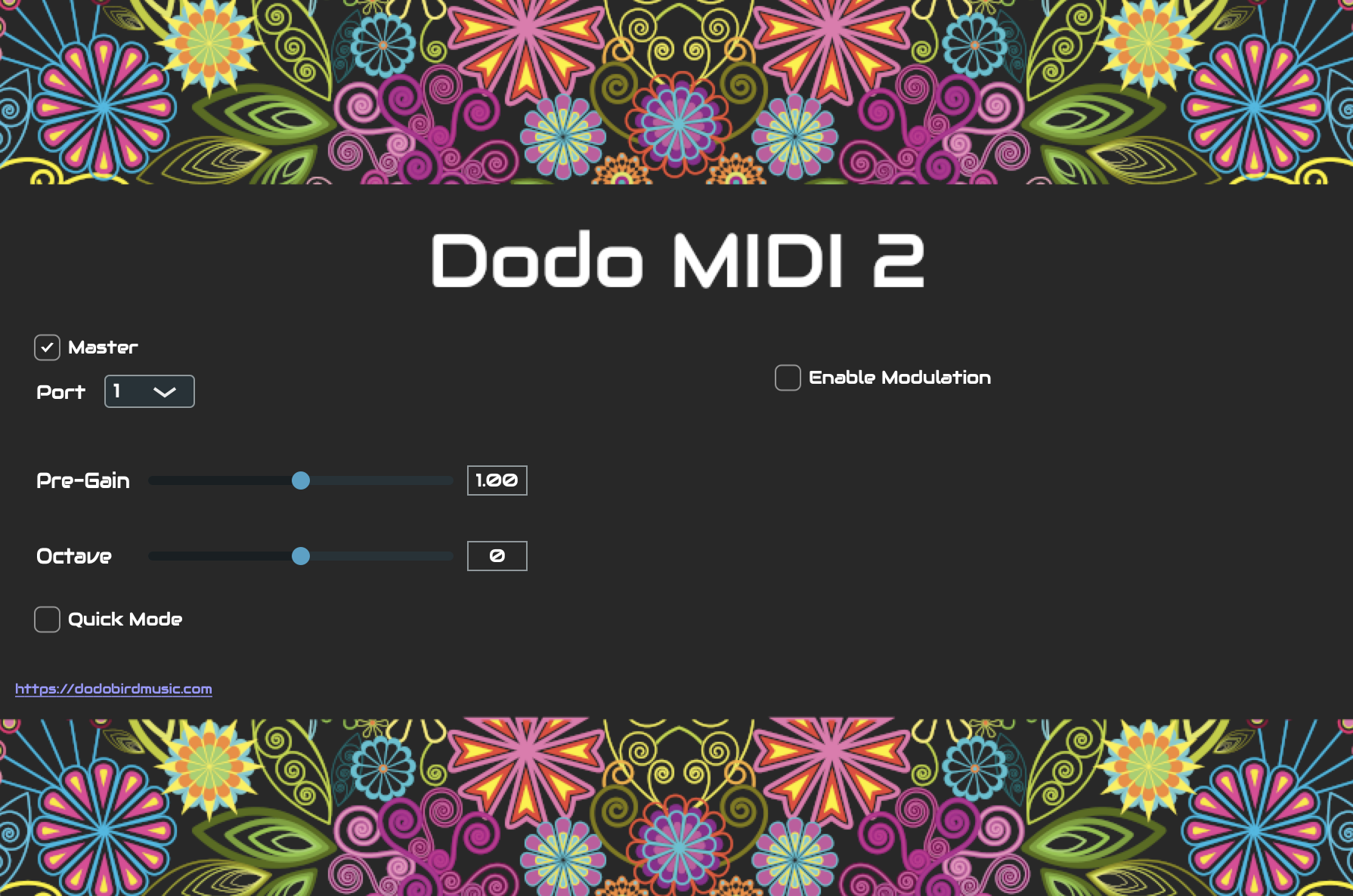
To sonically create this in a way that matched properly the creative concept of the game, I recorded my voice performing the language and then used a Plug-In that detects audio and allows me to use MIDI instruments to modify it.
Plug-In Configuration
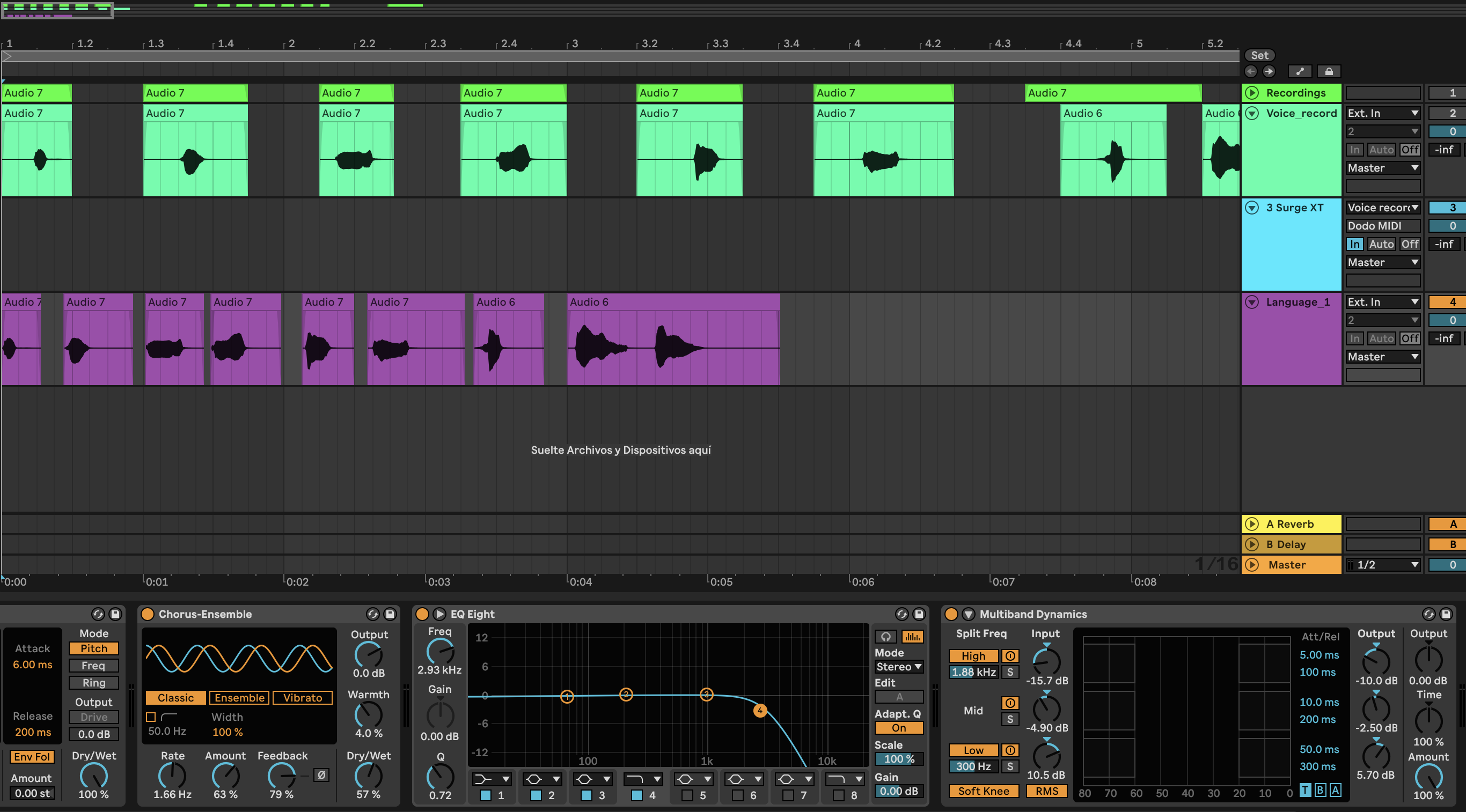
Two tracks are required: one audio track with the active plugin for recording the voice and the MIDI one receives the signal and transforms it to MIDI.
The MIDI track has as input the Voice recording which sends the signal through the Dodo MIDI Plug-In.
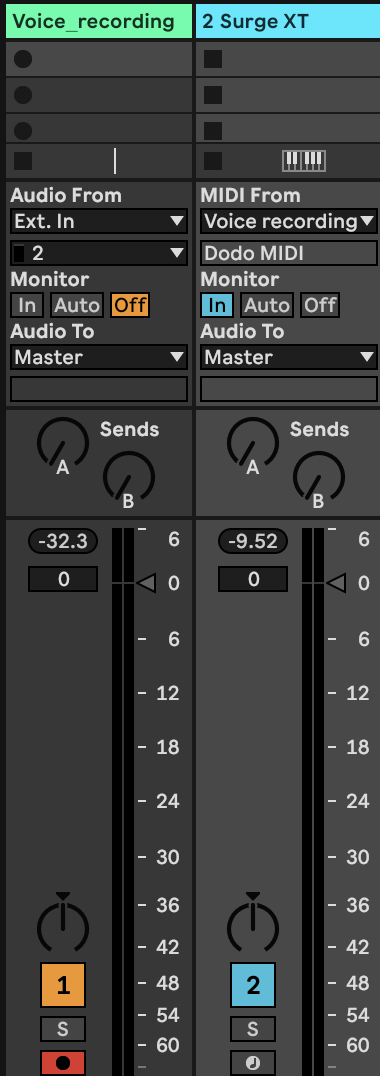
The Voice track must have Dodo active, but not the MIDI track.



Voice Timbre
It was important to choose an instrument or synthesizer that wouldn’t modify the pronunciation of the vocals, therefore I chose a synth which matched very well with the voice.
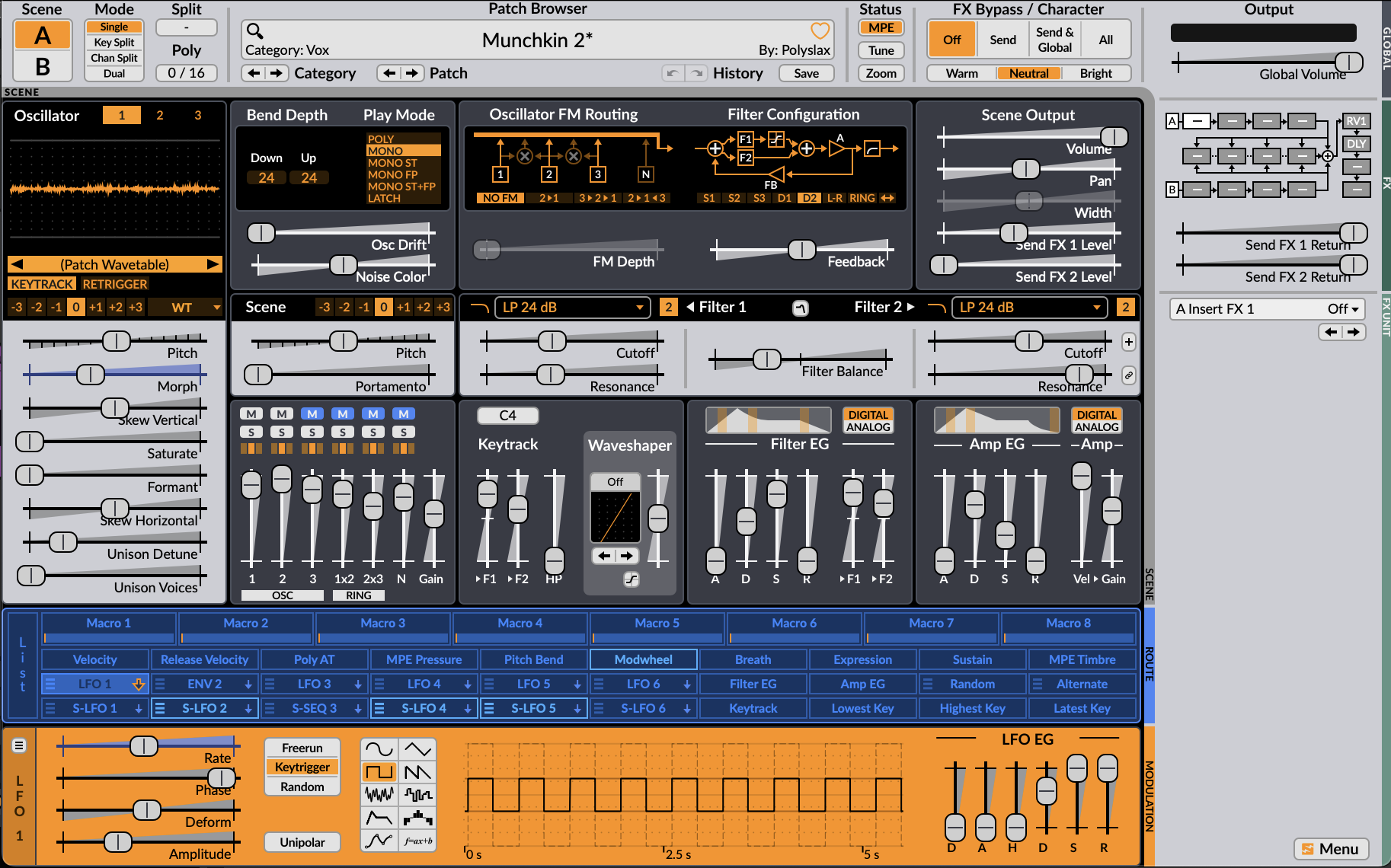
For the character NN, I had to add some extra effects for the “muffled” texture. A Chorus helped to add the unique perspective of the character, the EQ had a Low Pass Filter to reduce the perception of the vocals and the Multiband compressor reduced the main frequencies (high and medium) and increased the lower.
Finished designs
MM’s perspective
NN’s perspective
Ambience Recording
The game characters MM and NN are small creatures living in a garden, where the maze is also located and it becomes a fundamental place for them, therefore everything that’s going on in the outside is not as important as what is happening with their journey, but the ambience continues anyway.
Field recording
Different places were selected to capture the sounds of birds, wind and a little bit of human presence to create the perfect ambience of a garden.
Royal Botanic Garden
An important place for the recordings was the Edinburgh Botanic Garden. Every sound source that is usual in a garden was found there, like birds, leafs, wind, some squirrels and even a small waterfall.

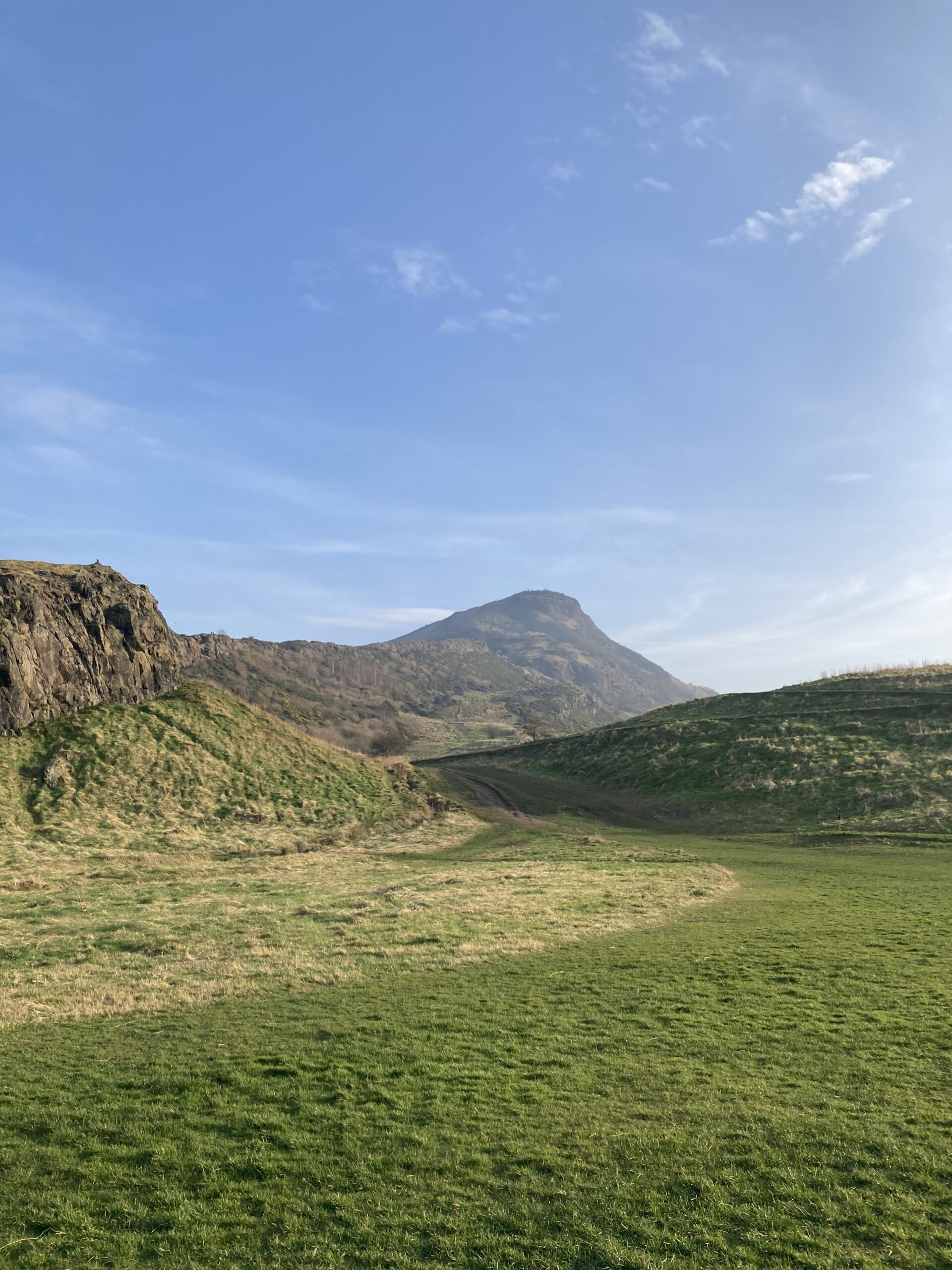
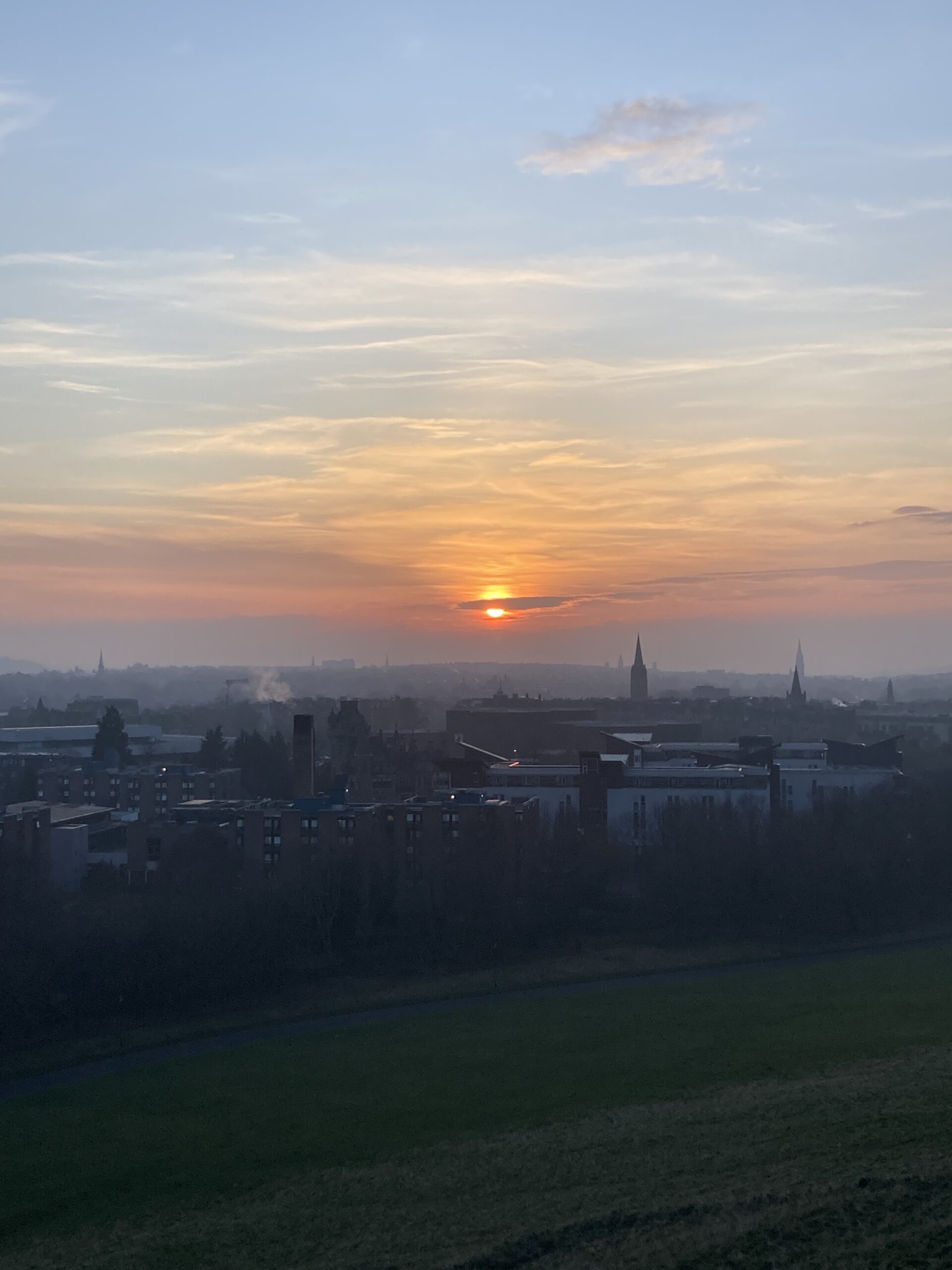
Holyrood Park
This park has a wide landscape that comes very useful for various field recordings, like wind, natural quiet ambiences between hills, ducks, seagulls, cars, people and more.
Local Gardens
Other small gardens were also recorded to capture a more private and quiet soundscape.
Main Menu Music Theme and UI sounds
Last week I created the first version of the music theme that will be played in the Main Menu of the game. The timbre and dynamic is related to the visual concept of the game which is based on Monument Valley, but with a mysterious purpose and cute looking characters.
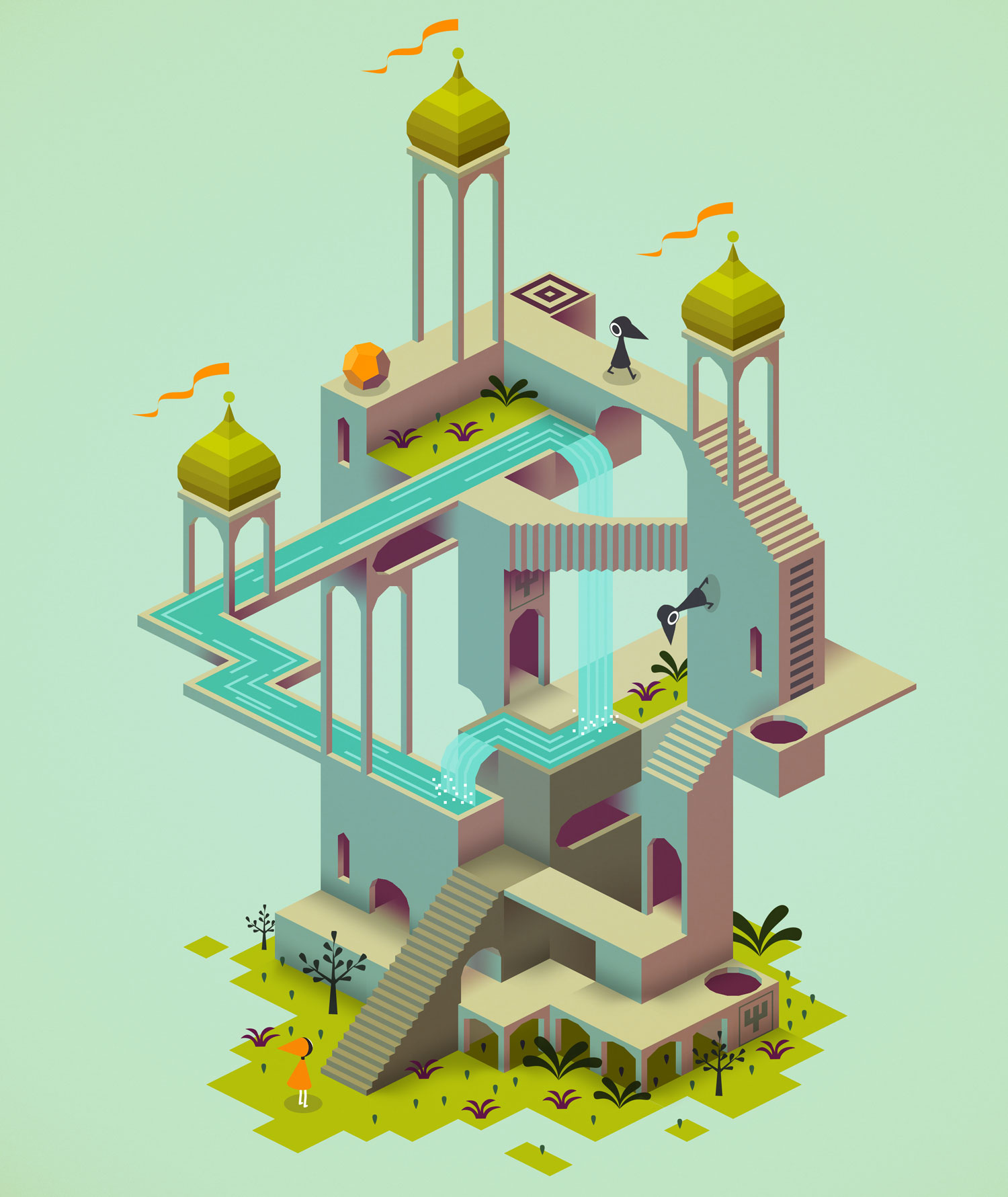
I played with the parameters of synthesizers to create a playful, but curious melody.
I also made a few User Interface sounds for when the players move the cursor over the Menu options and make their selection.
Bundle 1
Bundle 2
Camera control in Unity using MediaPipe
In order to create an in-game language to allow MM (player 1) who can hear, but sees blurry to communicate with NN (player 2) who can see, but hears muffled, I thought using a hand tracking system implemented in Unity could work.
MediaPipe Hands
Is a high-fidelity hand and finger tracking solution. It employs machine learning (ML) to infer 21 3D landmarks of a hand from just a single frame.
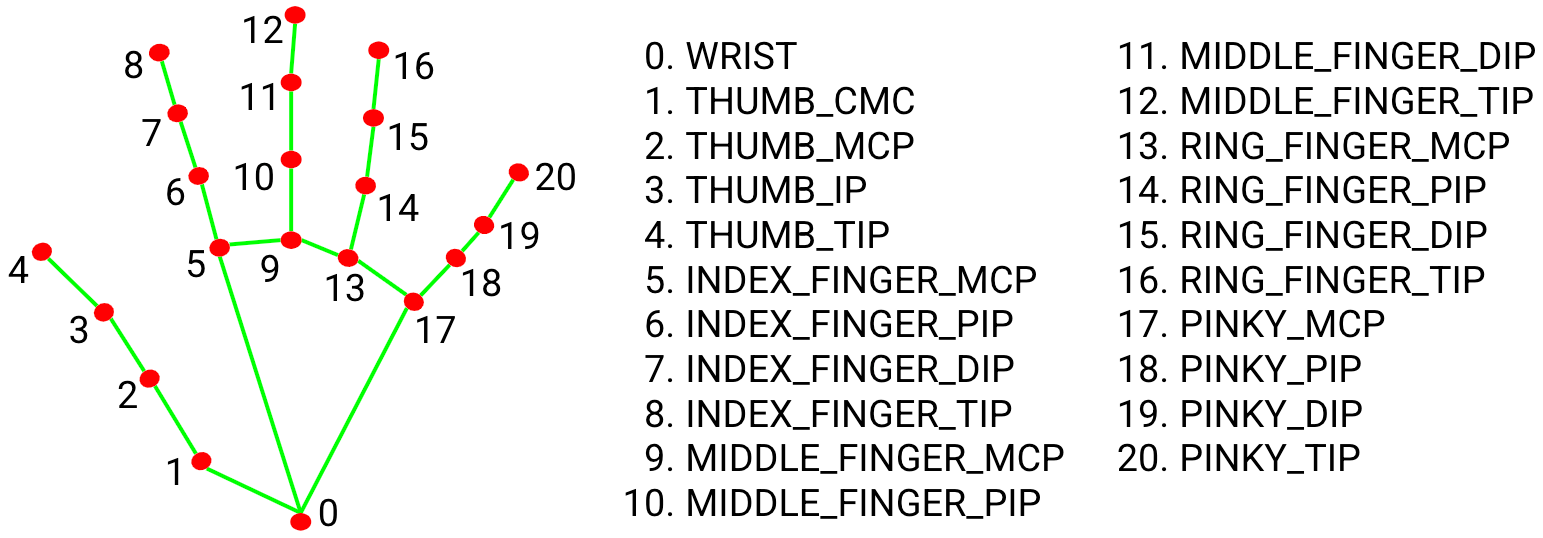
MediaPipe Hands utilizes an ML pipeline consisting of multiple models working together: A palm detection model that operates on the full image and returns an oriented hand bounding box. A hand landmark model that operates on the cropped image region defined by the palm detector and returns high-fidelity 3D hand keypoints.
Installing
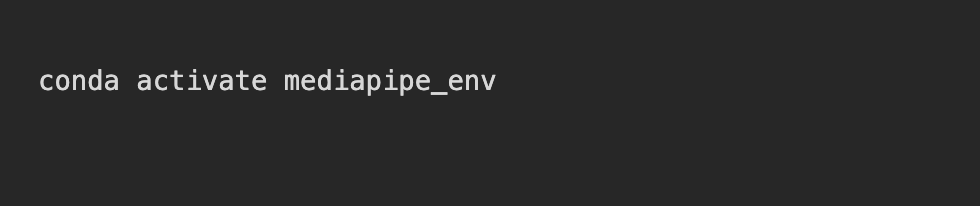
The recommended way to do it is by installing Python and pip: https://www.python.org/downloads/ . In some cases it might require the package manager Conda to be installed. In the terminal, OpenCV and Mediapipe need to be installed; this process may vary depending on the computers processor. For a Mac with M4, the next process carried on:



Configuration
The first step is to create a Python code for Hand gesture recognition and network communication using the MediaPipe library. This may vary depending on what is expected to do, but the one used in the first trial was this:
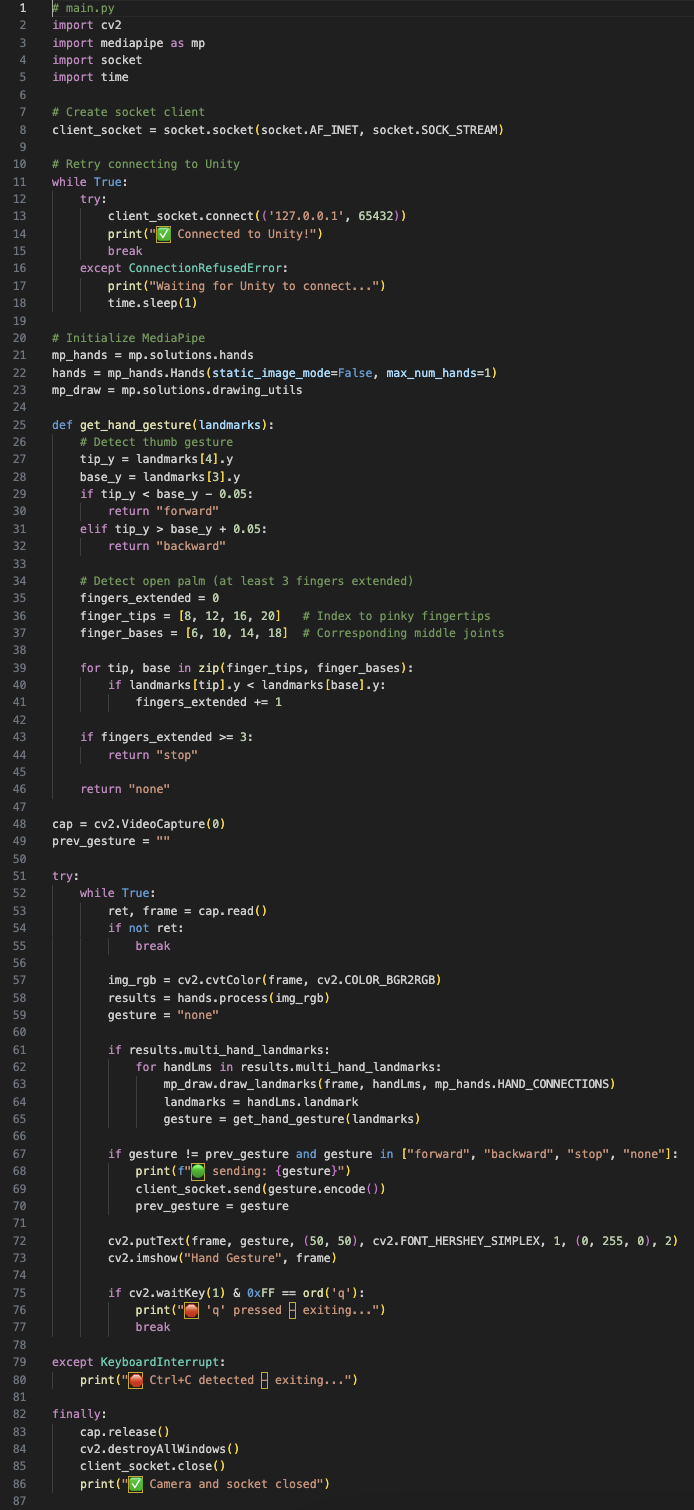
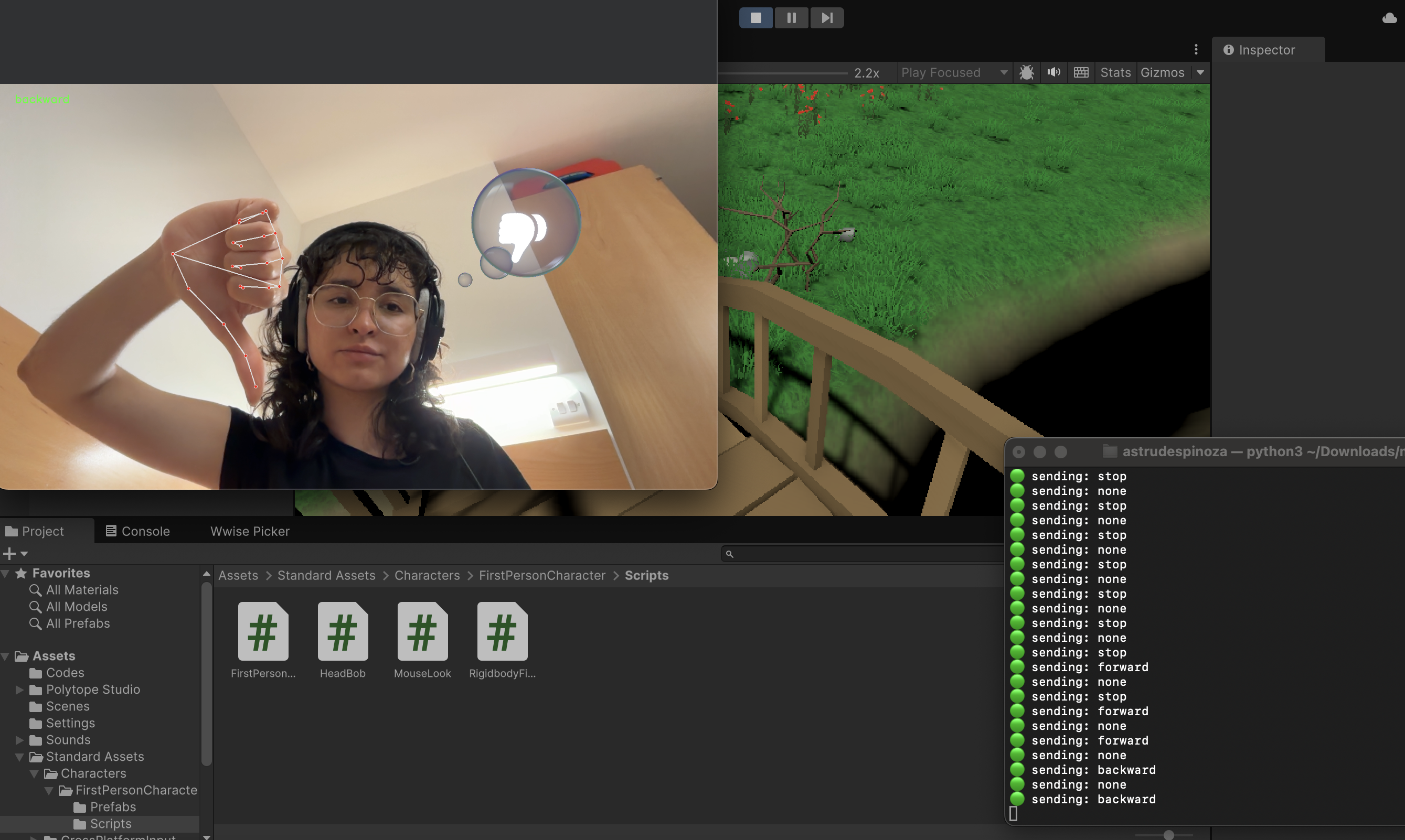
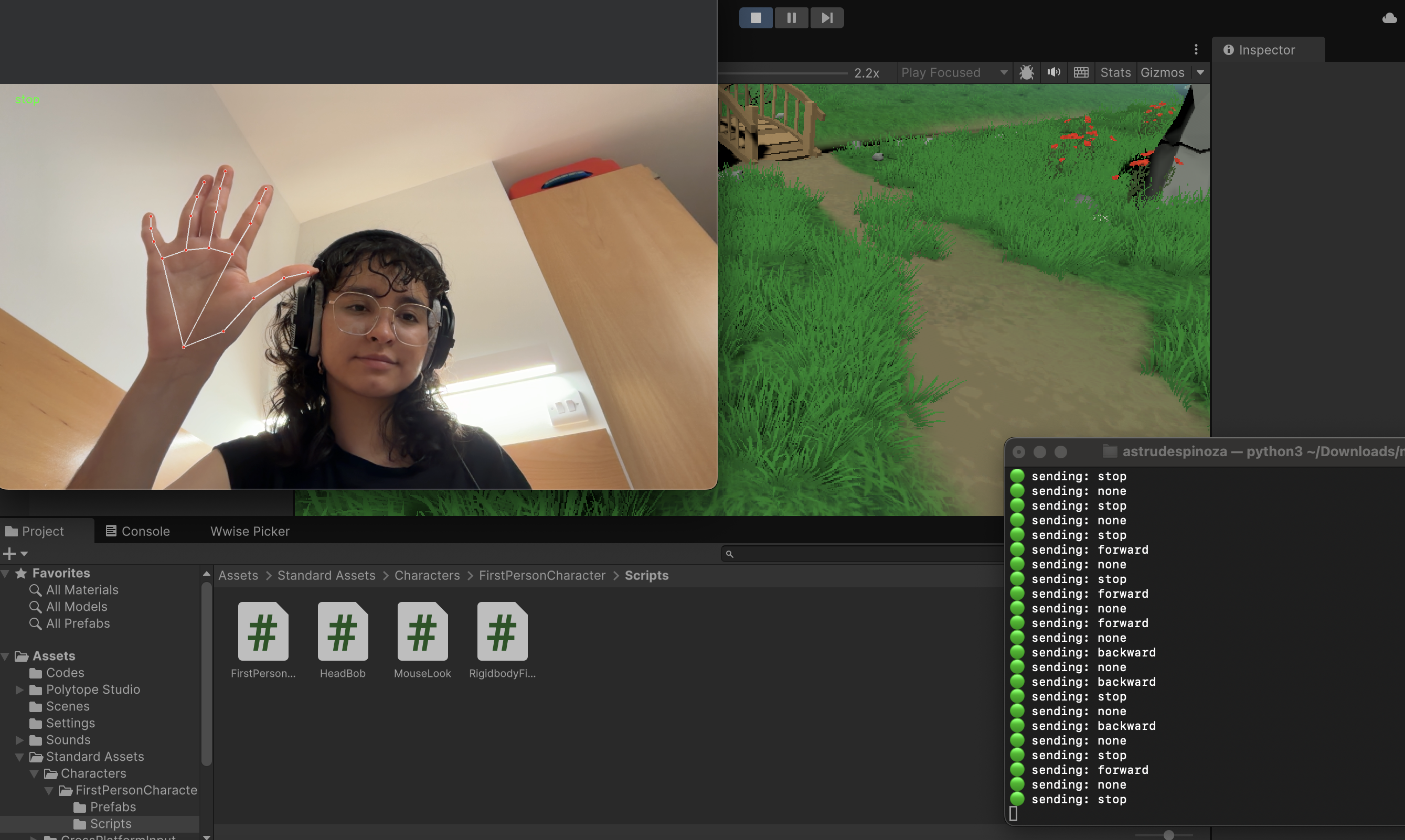
Where the hand landmarks (3, 4) represent the thumb finger and will move the player forward when the thumb is up and backward when it’s down. This code will also capture the video from the default camera, processes the hand landmarks and sends the data via socket, in this case, to Unity.
Unity connection
For the Unity implementation, we need to create C# sharp code that starts the socket server.
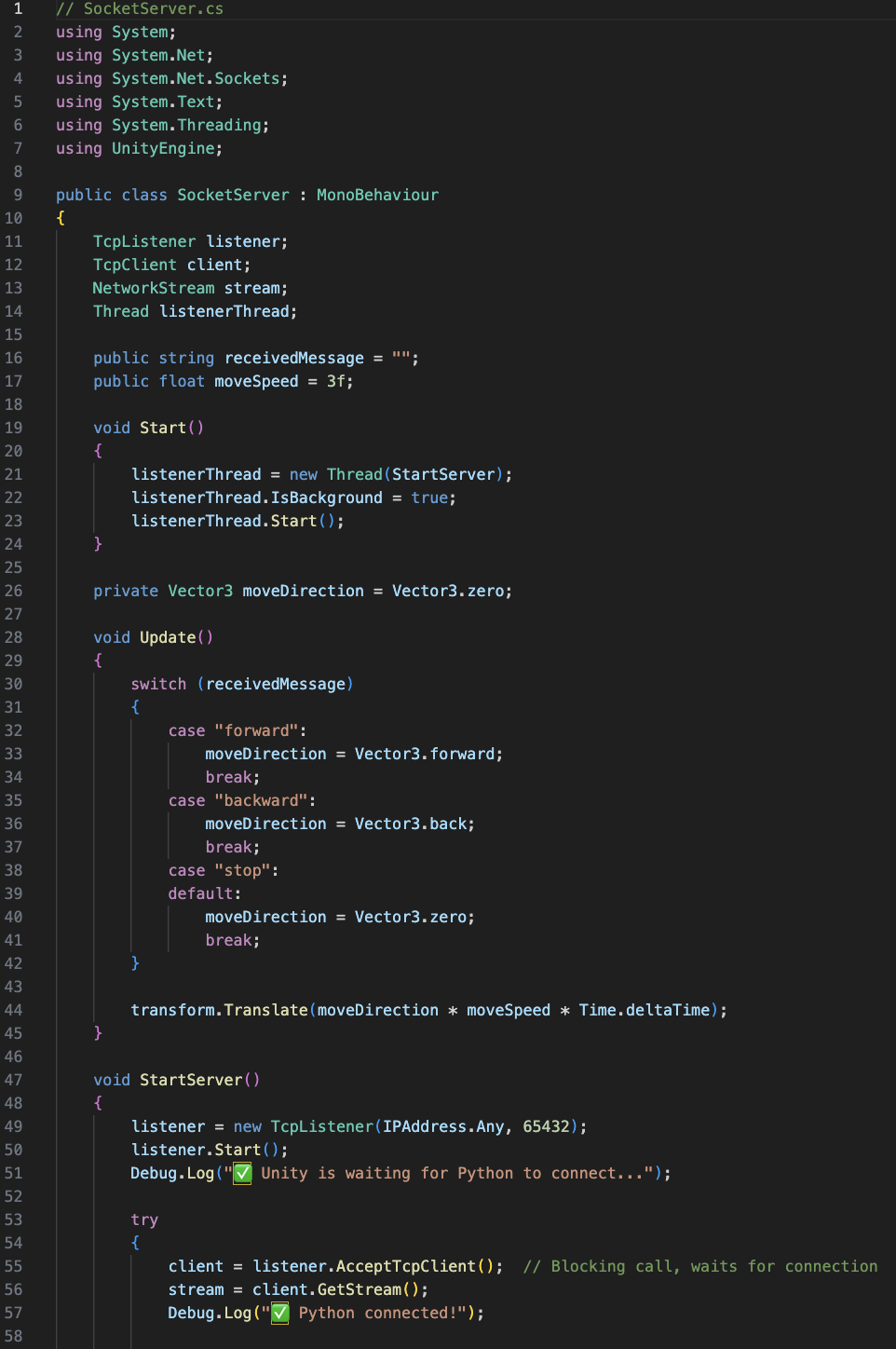
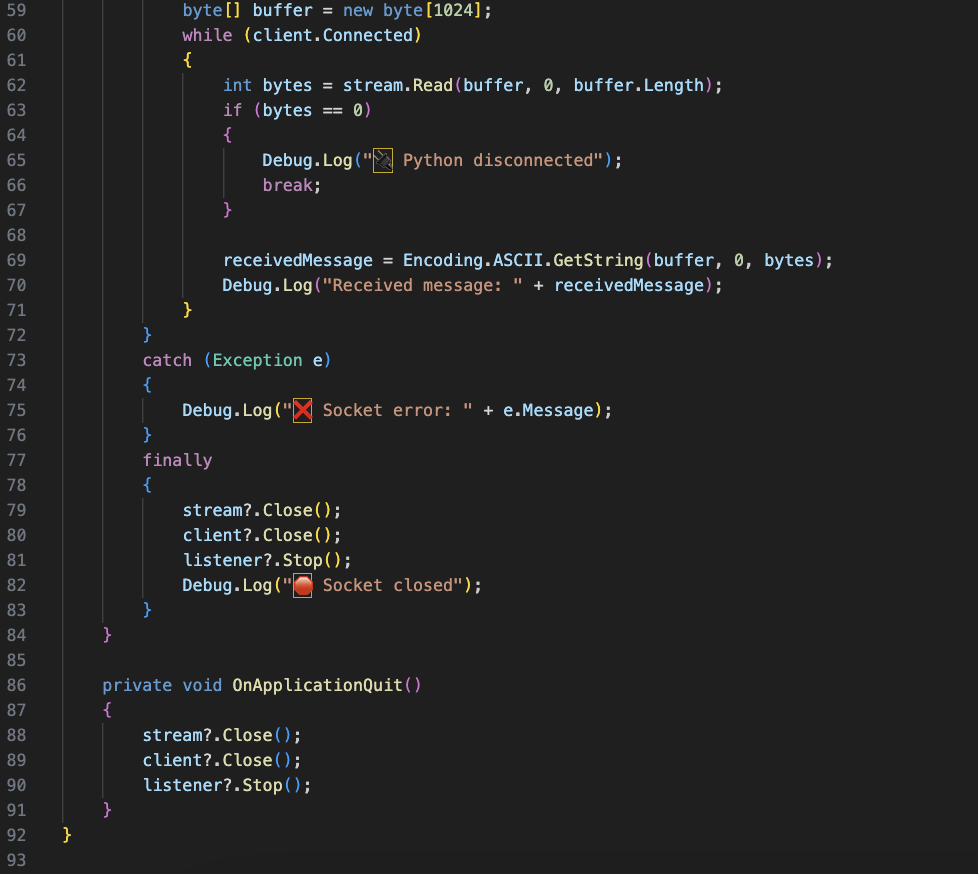
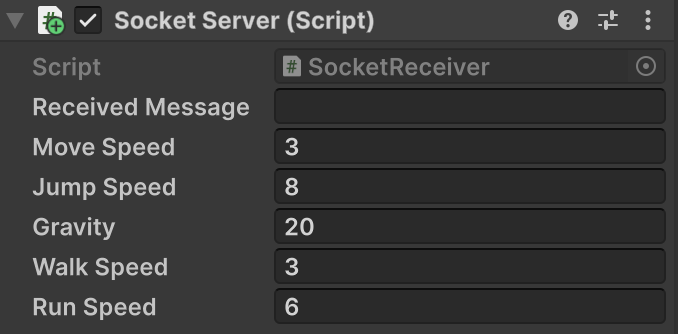
This script will be inserted into the First Person Controller inside the Unity environment. The script will need to be modified in case it doesn’t match or use the same variables as the First Person Controller script.
Running the Python file
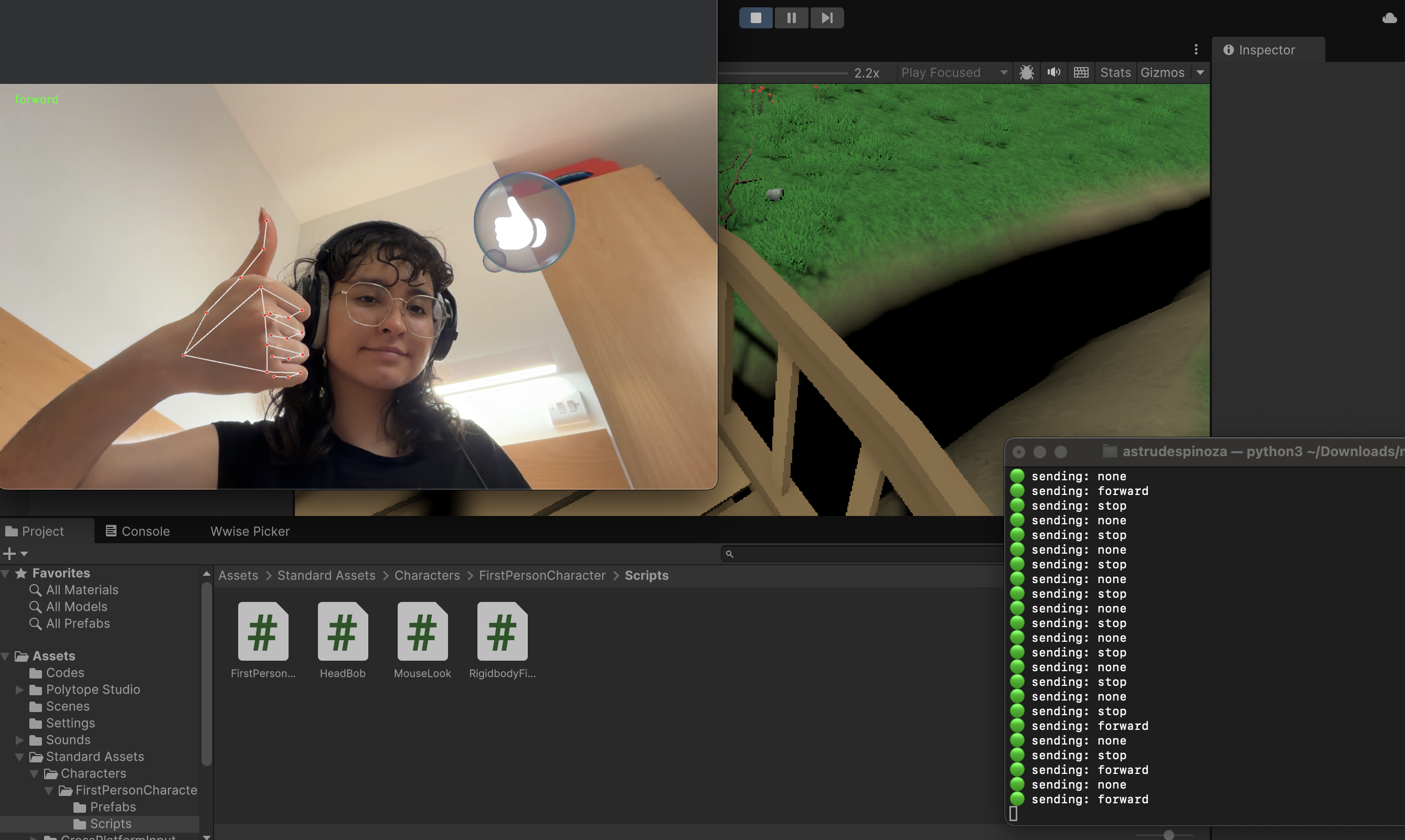
The Unity game must be running previously to running the py file. Once this is done, in the terminal type the corresponding path of the Python file.

Testing controls in Unity
Light in Unity
March 4th
During the workshop we checked the different types of light in Unity and how they can be implemented in our Unity Environment.
Point Lights
They send light out in all directions equally. The direction of light hitting a surface is the line from the point of contact back to the center of the light object. The intensity diminishes with distance from the light, reaching zero at a specified range.
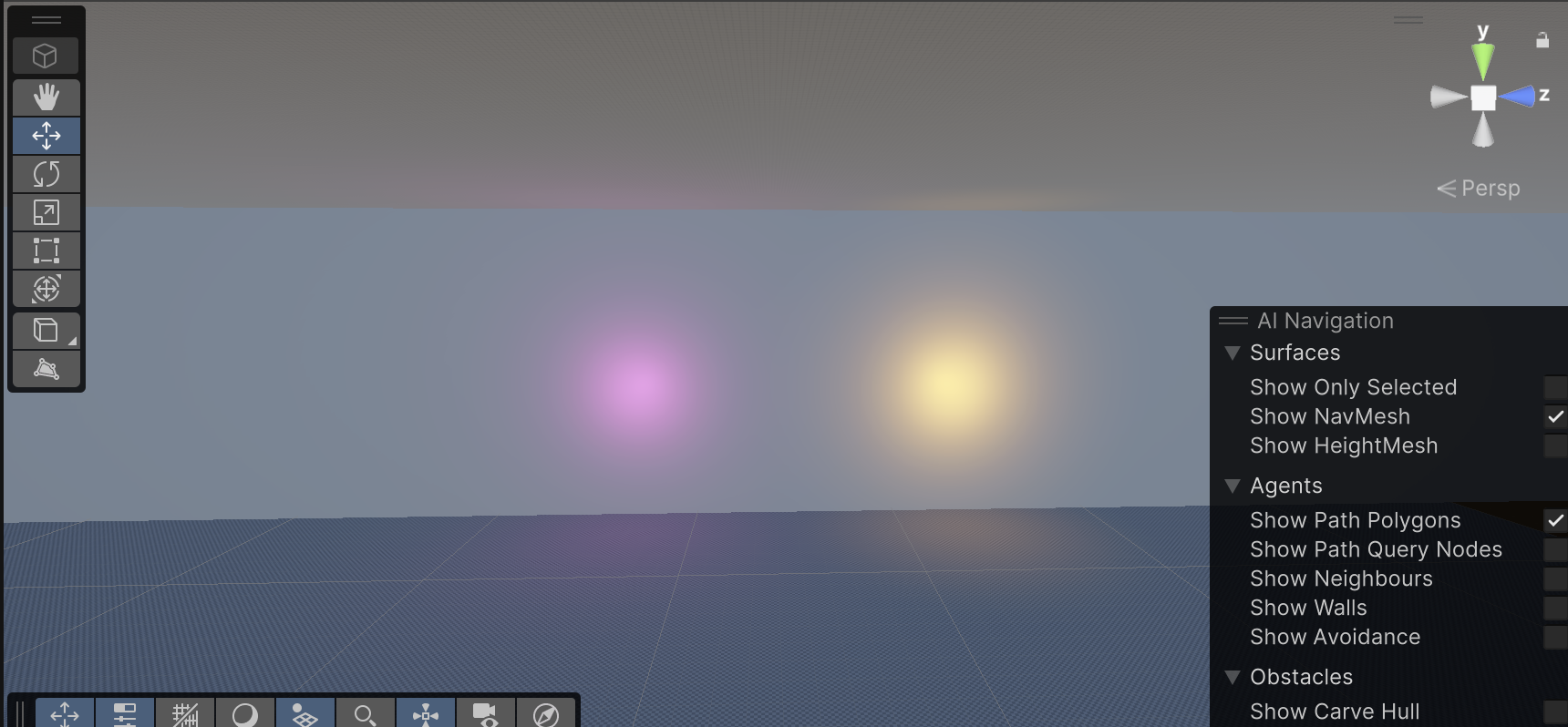
They are useful for simulating lamps and other local sources of light in a scene. They can also be used to make a spark or explosion illuminate its surroundings in a convincing way.
Spot Lights
Similar to Point Light in the aspect of a specified location and range over which the light falls off. However, a Spot Light is constrained to an angle, resulting in a cone-shaped region of illumination. The center of the cone points in the forward (Z) direction of the light object. Light also diminishes at the edges of a Spot Light’s cone. Widening the angle increases the width of the cone and with it increases the size of this fade, known as the ‘penumbra’
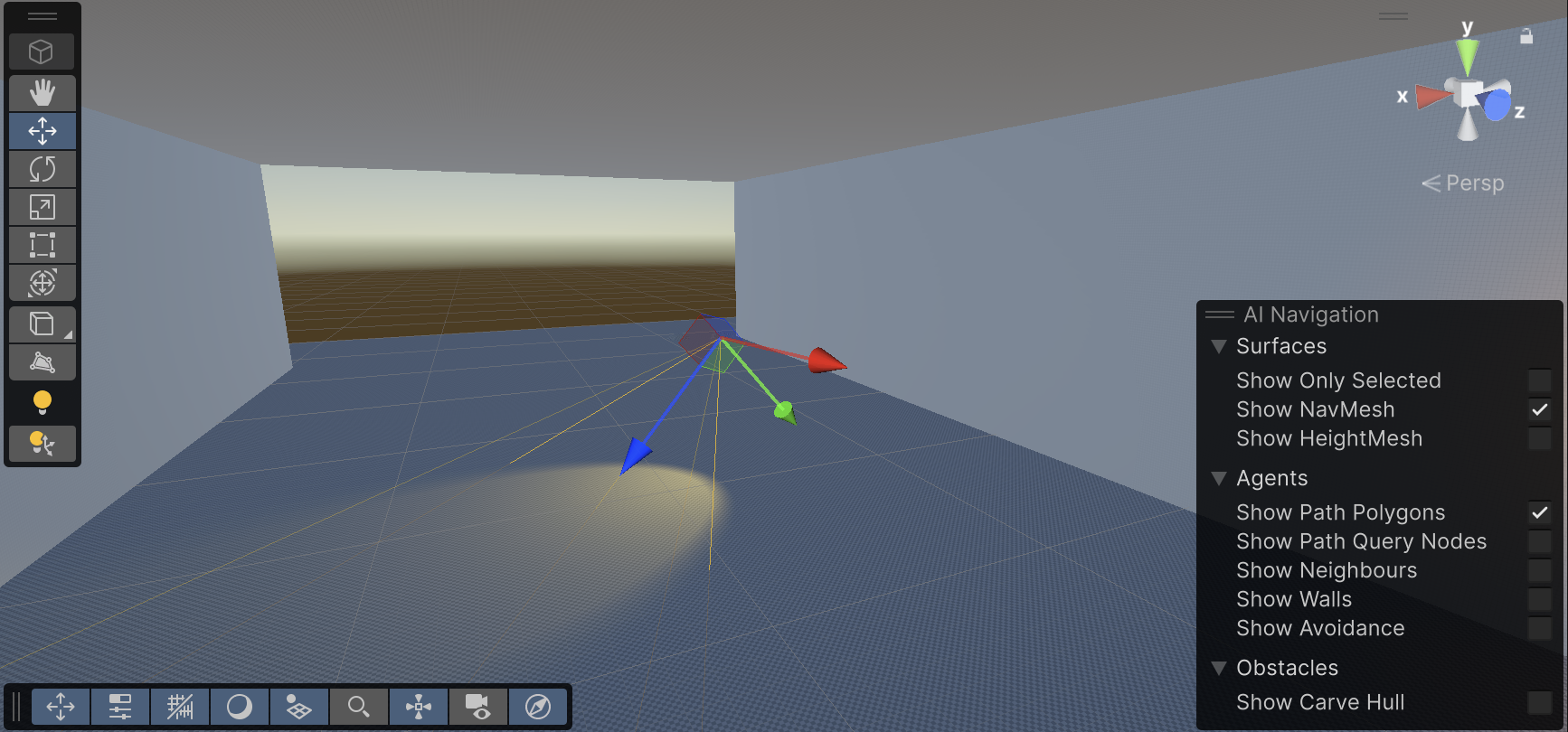
Spot lights are generally used for artificial light sources such as flashlights, car headlights and searchlights. With the direction controlled from a script or animation, a moving spot light will illuminate just a small area of the scene and create dramatic lighting effects
Directional Lights
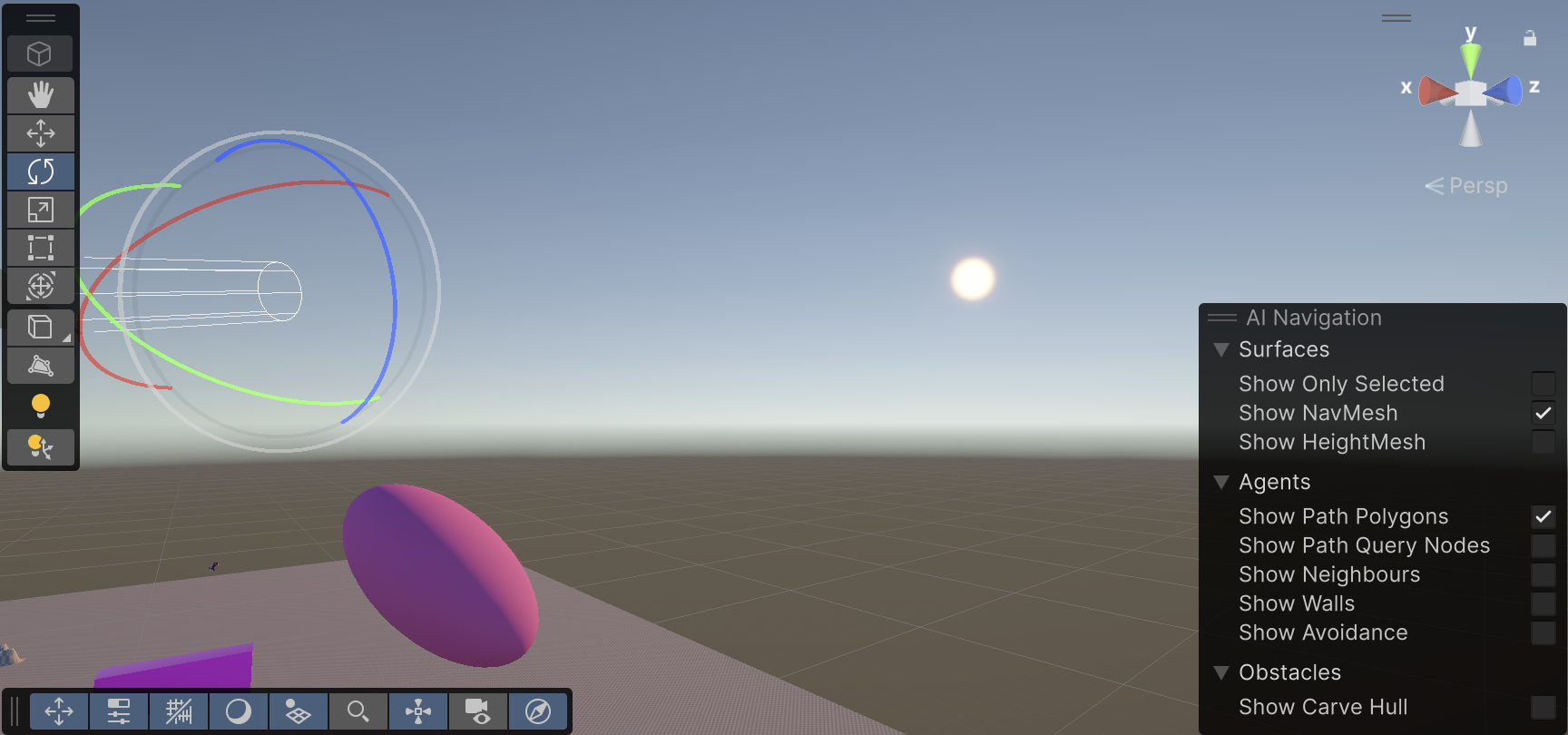
Directional Lights are useful for creating effects such as sunlight. Behaving in many ways like the sun, directional lights can be thought of as distant light sources which exist infinitely far away. A Directional Light doesn’t have any identifiable source position and so the light object can be placed anywhere in the scene. All objects in the scene are illuminated as if the light is always from the same direction. The distance of the light from the target object isn’t defined and so the light doesn’t diminish.
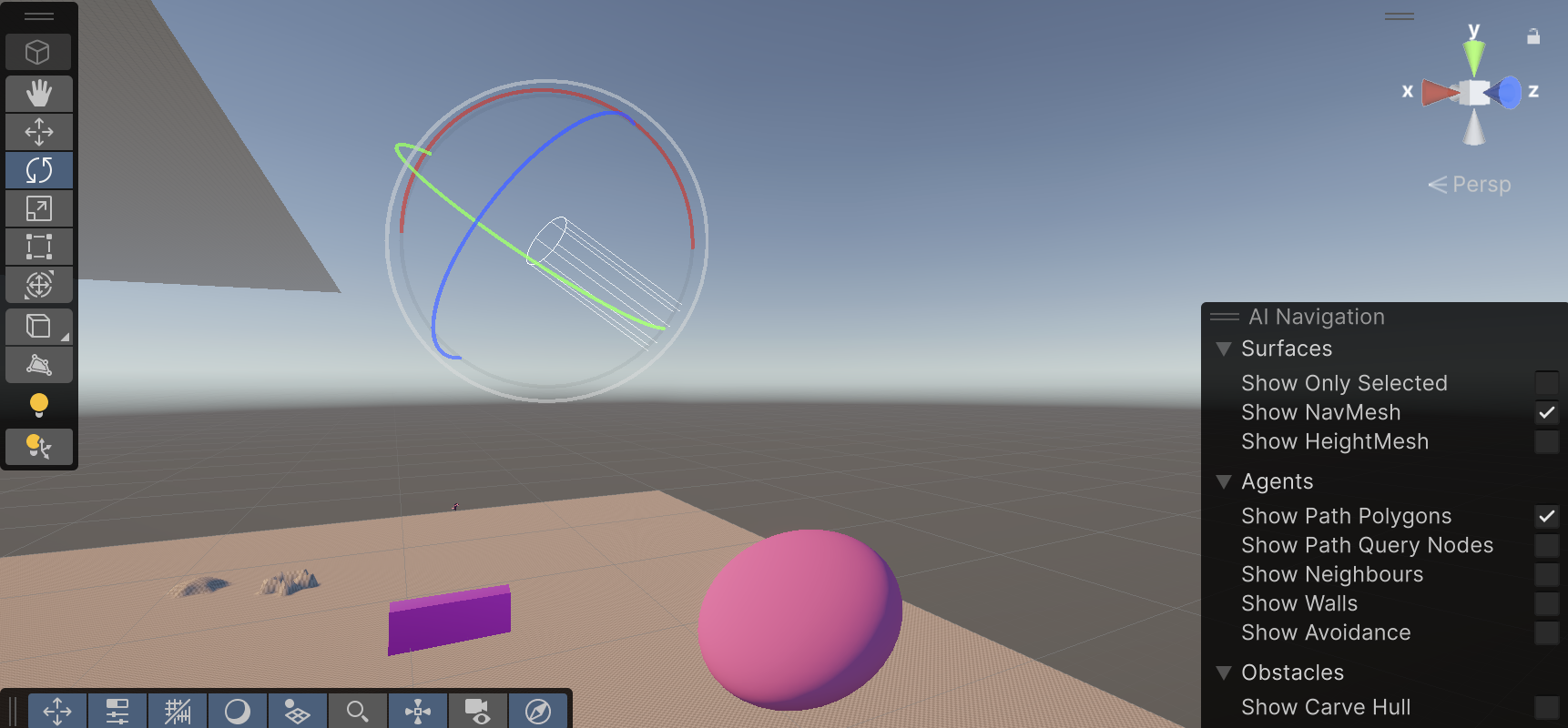
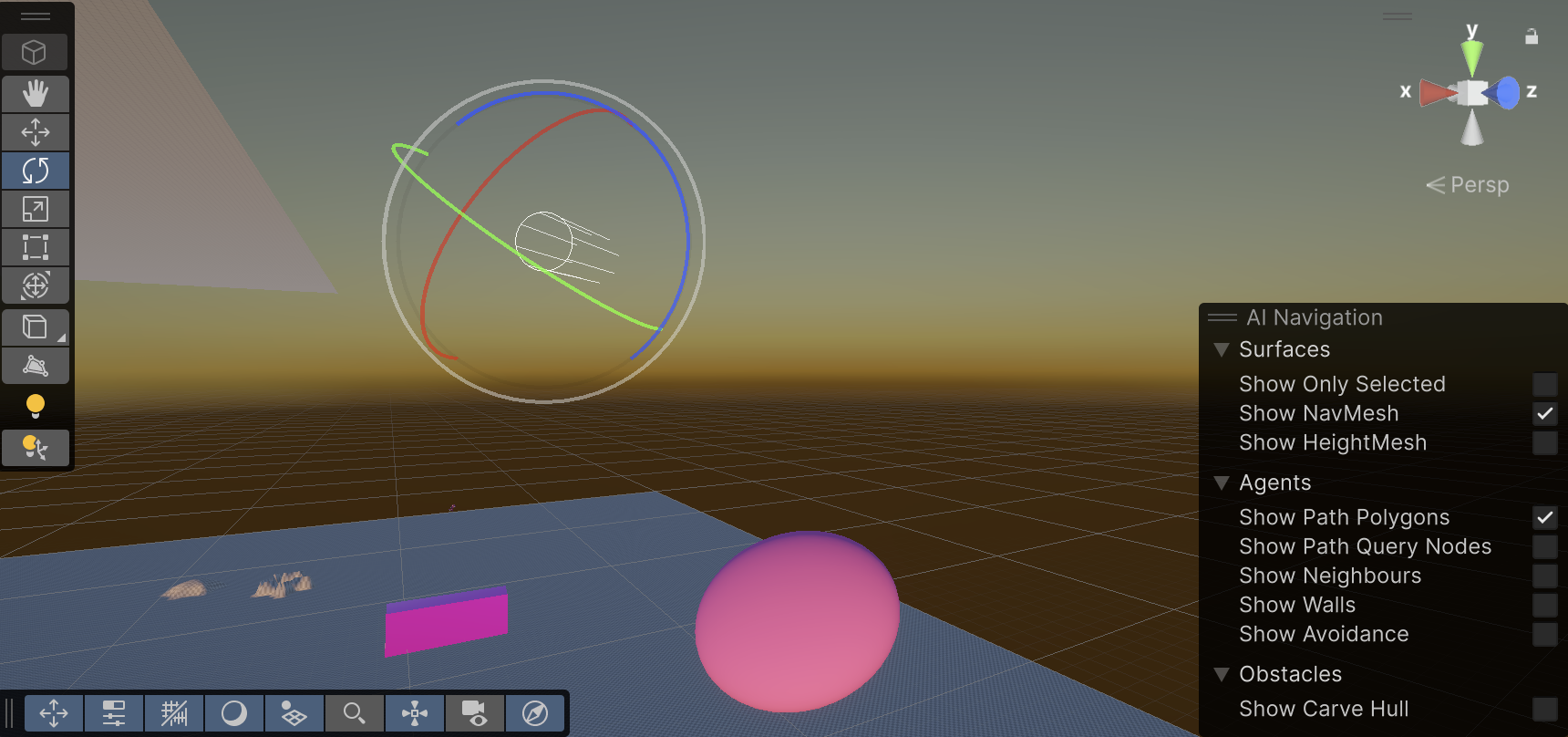
Directional lights represent large, distant sources that come from a position outside the range of the game world.
Area Lights
They can be defined by one of two shapes in space: a rectangle or a disc. An Area Light emits light from one side of that shape. The emitted light spreads uniformly in all directions across that shape’s surface area. The Range property determines the size of that shape.
Since an Area light illuminates an object from several different directions at once, the shading tends to be more soft and subtle than the other light types. It can be used to create a realistic street light or a bank of lights close to the player.
NN & MM brochure
Sound Design – Astrud
For the NN & MM game sound design, we contemplated to work on different sound elements that will be programmed on Wwise and then linked to the game interface in Unity. These elements are:
- Ambience
- Location-specific
- SFX
- NN’s vibrations signs
- Players feedback
- NPC sounds
- User Interface sounds
- Environment
- Music
- Adaptative music
- Interface/menu
- Dubbing
- Walas
- NN’s vocals
Sound Description
Ambience
The labyrinth will have different ambiences: day and night ambience, different weather changes and other location-specific ambience.
SFX
The bird character NN makes sounds for the rabbit, MM to hear. The vibrations and vocals will be processed in two different ways: NN can barely hear, so she will have a muffled perception of the sound, but MM will hear everything perfectly.
Each character will produce feedback sounds like steps, fur or feathers movement and interaction with objects or creatures.
The dangers in the way can be due to the environment or the creatures around them, this will make a determined sound that will be processed differently for the two perceptions.
As one of the characters approaches the correct path, the sound becomes clear and steady. When going in the wrong direction, the sound may gradually become distorted.
Music
Generative music will be created for different situations. When discovering new clues, a mysterious but gentle melody is added. When entering a dangerous area, music adds low, disturbing electronic sounds or ambient noise.
The main menu will have its own background music.
Dubbing
NN’s language, walas and creatures’ voices will be recorded and processed in post production to create fictional unique characters.
Reference
The way the environment sounds will be located is similar to the video game Minecraft, where the SFX can been programmed to create the effect of depth and orientation, which means, that the monsters and other objects can be heard nearer or further depending on the distance of the characters.
Pro Builder Workshop
In order to attend the need of building our own game world, professor Eleni introduced us to the package ProBuilder in Unity.
ProBuilder allows us to build, edit, and texture custom geometry in Unity. ProBuilder is very helpful with in-scene level design, prototyping, collision Meshes, and play-testing.