Any views expressed within media held on this service are those of the contributors, should not be taken as approved or endorsed by the University, and do not necessarily reflect the views of the University in respect of any particular issue.

About the design and trigger of game language system in unity__Chengcheng Jiang

Considering that this project is set up as a two-player co-operative puzzle game, where one of the players is visually impaired but has normal hearing, we believe that voice prompts will become one of the most crucial ways of information transfer between the two players.
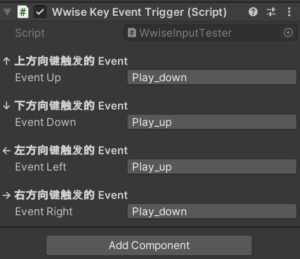
In order to meet this design requirement, I developed a voice triggering system script in Unity, so that the able-bodied players can press the up, down, left, right and right arrow keys of the keyboard to play the voice commands with different meanings (e.g., ‘forward, backward, right, left, right,’ ‘danger’, ‘need’, ‘need’, ‘need’, ‘need’, ‘need’, ‘need’, ‘need’). ’, ‘need help’, ‘find the exit’, etc.), and at the same time these voices have different emotional colours (e.g. nervousness, encouragement, confirmation, etc.), so that the messages are not only clear instructions, but also have a certain degree of emotional This makes the messages not only clear instructions, but also has a certain emotional impact, enhancing the sense of immersion and character immersion. Finally, after exporting the soundbank integration of wwise to unity, the game language system can be triggered in unity.

In the end, the system successfully realises the closed-loop interaction from key input → playing voice events → providing command prompts, and the visually impaired players can judge the environmental information through hearing, which further improves the depth of collaboration between players and the playability of the game.
Conception and Implementation of Unity Mechanisms and UI——Jingwen Deng

Over the past few weeks, the Unity team has discussed and planned the game’s narrative, gameplay, mechanisms, as well as the start and end game UI.

In the game, I have implemented mechanisms such as triggering elevator movement when the player interacts and requiring a key with the same sound as the door to unlock it. Additionally, I have created a simple version of the exit game UI. Below are my related videos and screenshots.

1.1 Elevator video

1.2 How the Elevator Mechanism is Implemented

I used a combination of object animation and scripting to make the elevator move when the player jumps onto it. The elevator follows the parameters set in the animation, moving to the designated position within the specified time.

1.2.1 Animation Part

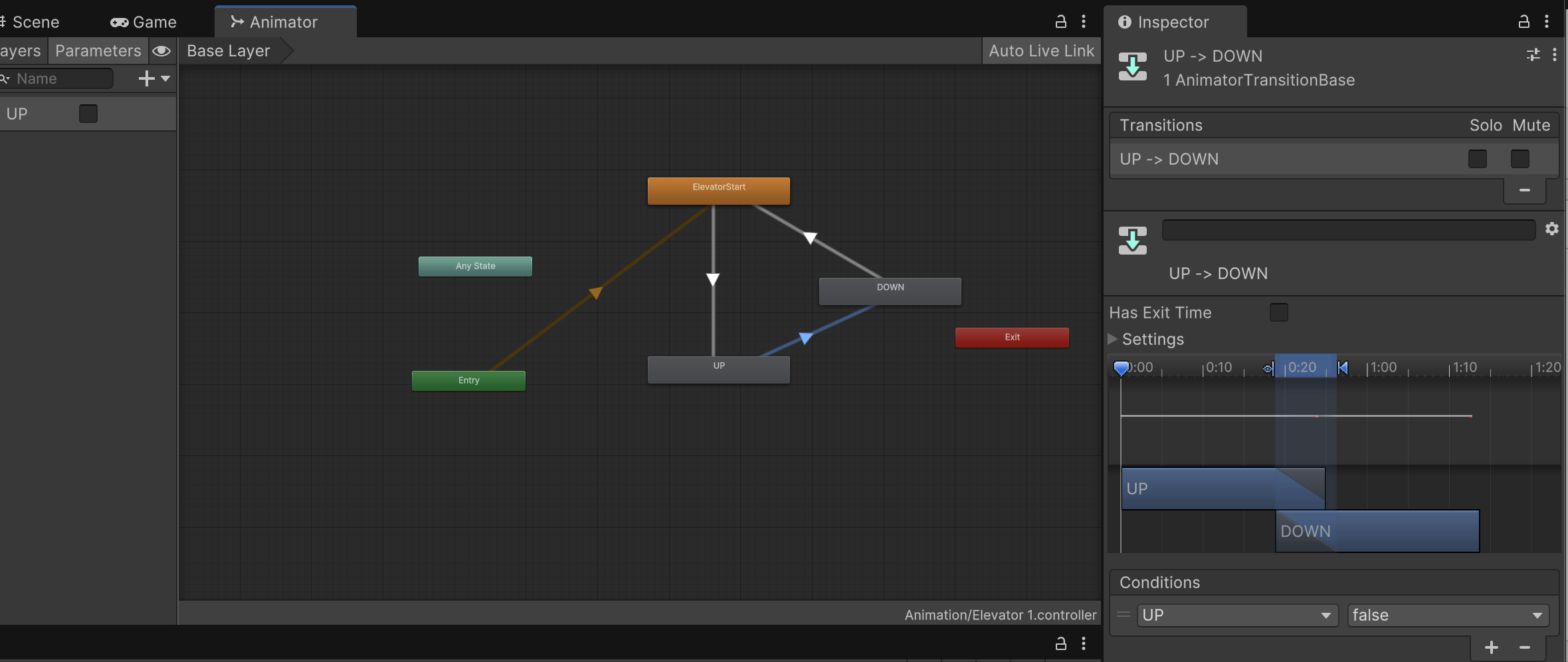
First, I created an Animator on the object that needs to move, allowing it to follow my designed movement. Then, I set up an Animator Controller to manage how the animations transition between each other.

Figure 1

Figure 1 shows a screenshot of the State Machine and Animator parameters in the Controller. However, not all specific parameters are fully displayed in this screenshot.

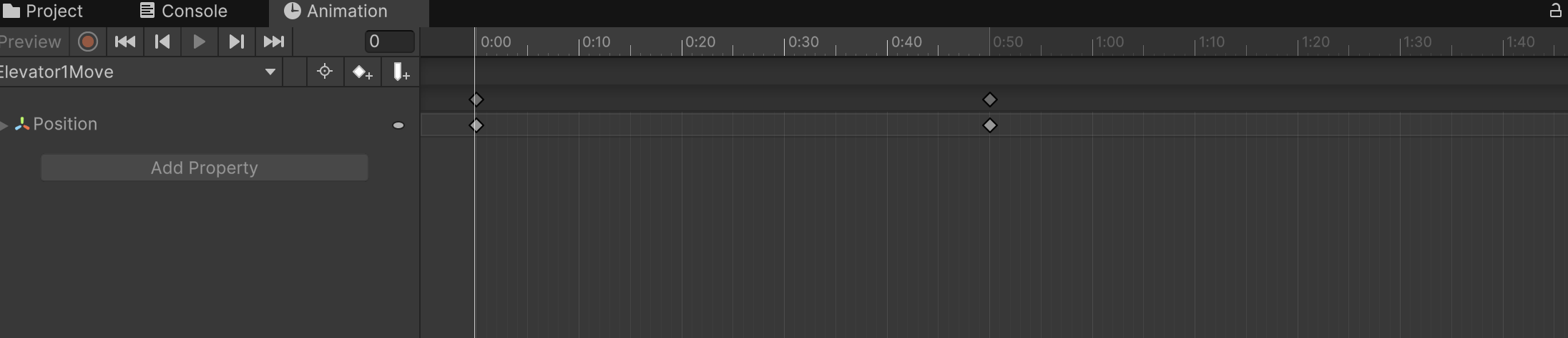
Figure 2

Image 2 shows the Animator I set up for the elevator, moving it from its original position to the designated position within 0.5 seconds.

1.2.2 scripts

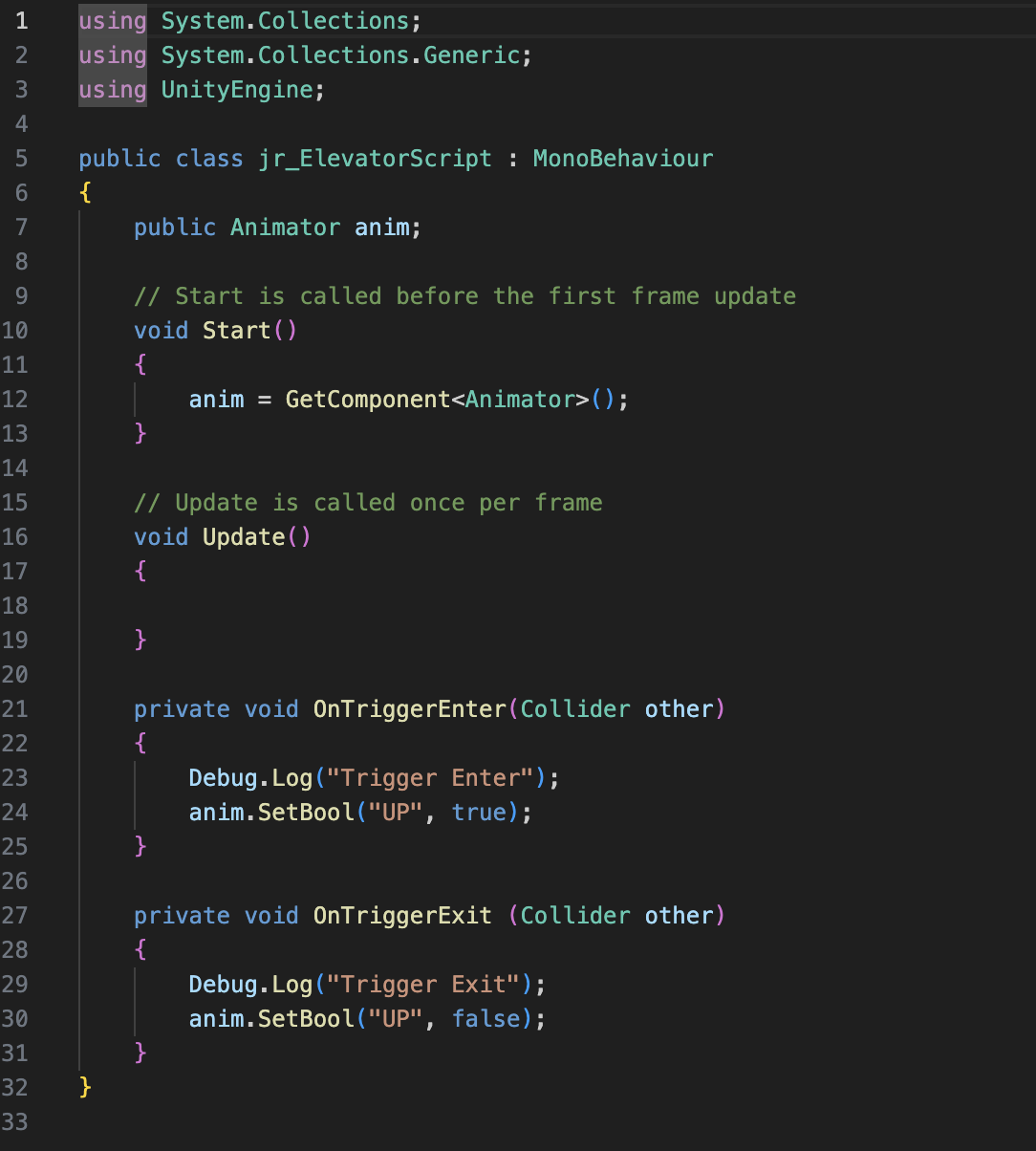
Figure 3

Image 3 was completed by referencing Jules’ game script.


2.1 Correct Key unlock door Video

2.2 How the Key Unlock door Mechanism is Implemented

In the design of the mechanism for unlocking the door with the correct key, the approach is similar to that of the elevator. The key difference is that each object requires a sound, which I implemented through scripting, allowing the necessary sound to be directly imported. The second difference is that I needed to add a Pickup Key script to the player controller, enabling the player to trigger the door to open after obtaining the correct key.

3.1 Exit Game UI Video

3.2 How Exit UI is Implemented

I initially designed a simple and clear exit game UI, allowing players to press the ESC key at any time to bring up options to either return to the game or exit. The Unity team discussed implementing different end-game screens based on the player’s ending. I will continue to follow up on this part of the UI design.

css.php

Report this page

To report inappropriate content on this page, please use the form below. Upon receiving your report, we will be in touch as per the Take Down Policy of the service.

Please note that personal data collected through this form is used and stored for the purposes of processing this report and communication with you.

If you are unable to report a concern about content via this form please contact the Service Owner.

Please enter an email address you wish to be contacted on. Please describe the unacceptable content in sufficient detail to allow us to locate it, and why you consider it to be unacceptable.
By submitting this report, you accept that it is accurate and that fraudulent or nuisance complaints may result in action by the University.

  Cancel