Over the past few weeks, the Unity team has discussed and planned the game’s narrative, gameplay, mechanisms, as well as the start and end game UI.
In the game, I have implemented mechanisms such as triggering elevator movement when the player interacts and requiring a key with the same sound as the door to unlock it. Additionally, I have created a simple version of the exit game UI. Below are my related videos and screenshots.
1.1 Elevator video
1.2 How the Elevator Mechanism is Implemented
I used a combination of object animation and scripting to make the elevator move when the player jumps onto it. The elevator follows the parameters set in the animation, moving to the designated position within the specified time.
1.2.1 Animation Part
First, I created an Animator on the object that needs to move, allowing it to follow my designed movement. Then, I set up an Animator Controller to manage how the animations transition between each other.
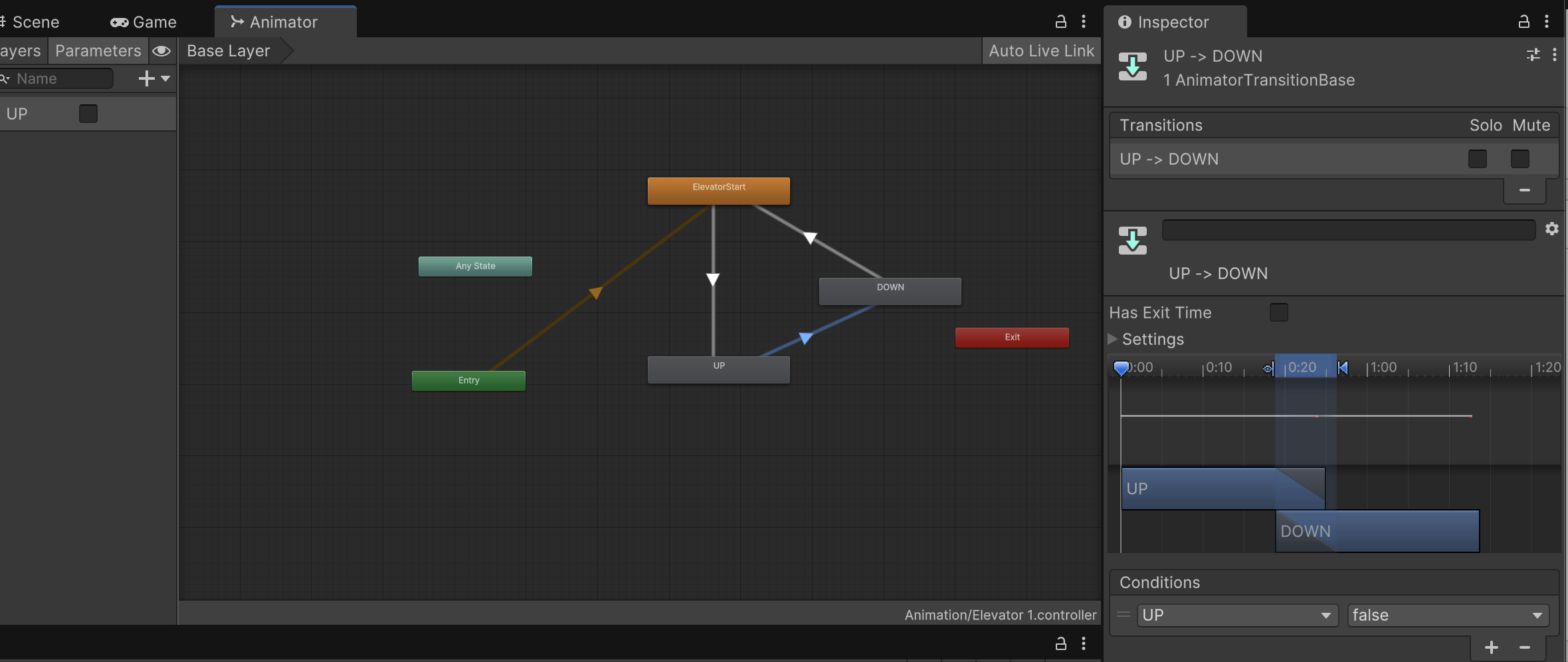
Figure 1
Figure 1 shows a screenshot of the State Machine and Animator parameters in the Controller. However, not all specific parameters are fully displayed in this screenshot.
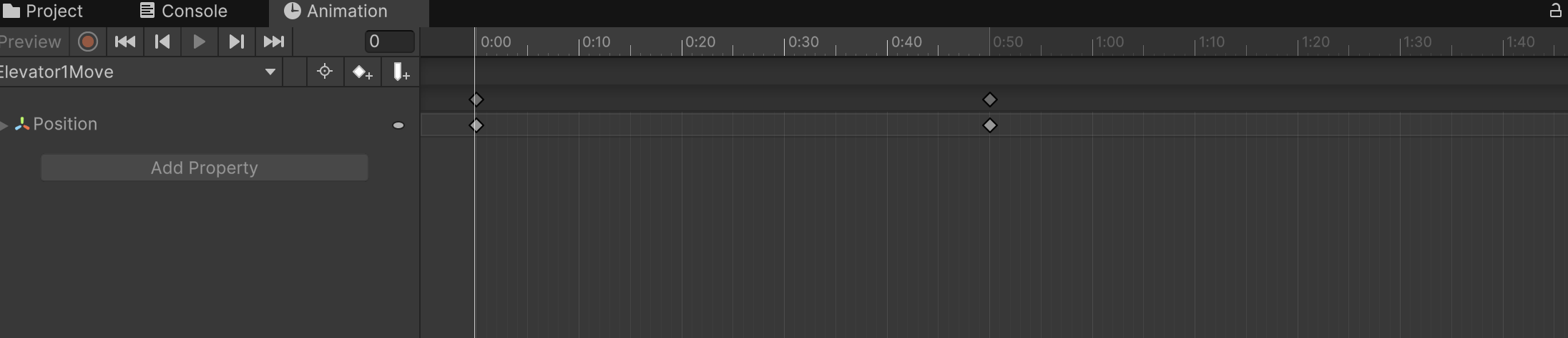
Figure 2
Image 2 shows the Animator I set up for the elevator, moving it from its original position to the designated position within 0.5 seconds.
1.2.2 scripts
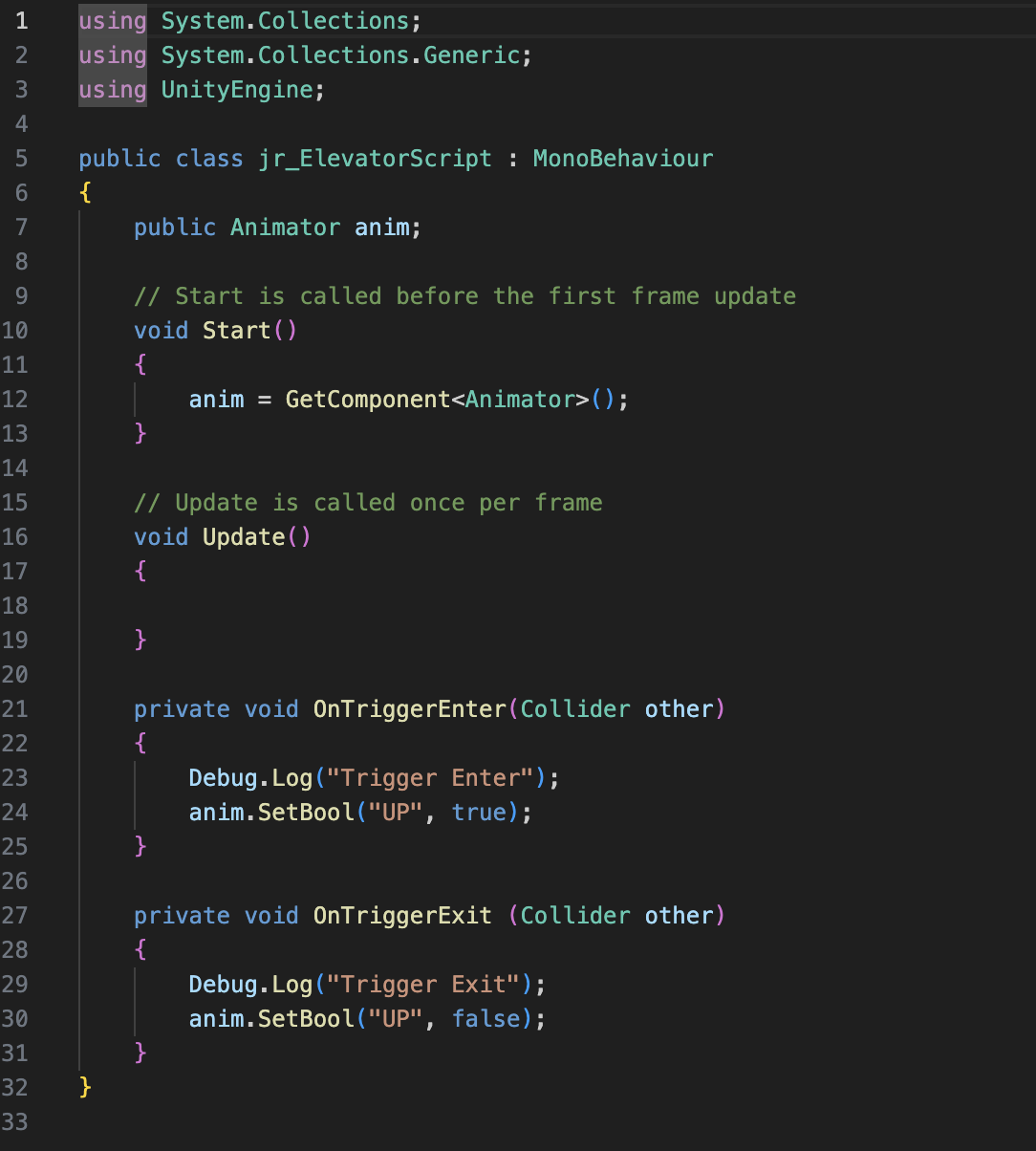
Figure 3
Image 3 was completed by referencing Jules’ game script.
2.1 Correct Key unlock door Video
2.2 How the Key Unlock door Mechanism is Implemented
In the design of the mechanism for unlocking the door with the correct key, the approach is similar to that of the elevator. The key difference is that each object requires a sound, which I implemented through scripting, allowing the necessary sound to be directly imported. The second difference is that I needed to add a Pickup Key script to the player controller, enabling the player to trigger the door to open after obtaining the correct key.
3.1 Exit Game UI Video
3.2 How Exit UI is Implemented
I initially designed a simple and clear exit game UI, allowing players to press the ESC key at any time to bring up options to either return to the game or exit. The Unity team discussed implementing different end-game screens based on the player’s ending. I will continue to follow up on this part of the UI design.