Any views expressed within media held on this service are those of the contributors, should not be taken as approved or endorsed by the University, and do not necessarily reflect the views of the University in respect of any particular issue.

MM&NN:From the initial game concept to the final implementation of gameplay mechanics

1.Game Concept

Game Title: Darkness
Genre: Adventure, Puzzle
Perspective: First-Person
Gameplay: Puzzle-solving, Survival
Number of Players: 1

Game Story:

In Darkness, the player takes on the role of a cat named Buster. At the start of the game, Buster finds itself trapped in a dark, misty maze, having lost its sight (or retained only minimal vision, able to see the fog and some nearby objects, but primarily relying on sound to complete tasks) and memory. The goal is to escape the dark mist. As the game progresses, the player follows sounds from different directions and gradually uncovers fragments of memory, eventually finding a way out of the mist.

Game Background:

Buster is a cat with special abilities. It has completed many tasks with a girl named Betty, guiding her to grow independent and courageous. In order to help Betty gain more courage, Buster sets up a series of dark, mist-filled challenges to test her. Buster temporarily erases Betty’s memory and swaps identities with her, allowing the player to complete the tasks from the cat’s perspective. Gradually, Betty regains her sense of identity and with Buster’s guidance, completes the challenges.

Gameplay Mechanics:

  • Auditory-driven: Due to the lack of vision, the game design emphasizes sound as the primary means of interaction. There is a small, limited visual interface in the game, but most of the world is shrouded in mist. Most of the interactions and information gathering rely on sound. The player will hear footsteps, environmental sounds, object collisions, and voices from other characters.
  • Stereo and Directional Sound: To enhance immersion, the game uses stereo and directional sound, allowing the player to accurately judge the position of their surroundings and objects. For example, the player can use the sound of footsteps in the distance to determine when enemies are approaching and hide, or follow sound cues to find hidden paths and items.
  • Fragment Collection Example: During exploration, when collecting fragments, there will be special auditory cues that appear intermittently.

Main Objective:

Collect the fragments, uncover your memories, and escape the mist.

Side Objectives:

Avoid footsteps and dangerous objects.

Reference game:

2.Worked with team members to formulate preliminary concepts for game mechanics and collect relevant reference links

Leap Motion is an advanced gesture control technology that allows users to interact with computers through hand movements. It captures hand and finger movements with extreme precision and responsiveness through a small sensor device.Leap Motion can be used in a wide range of applications such as virtual reality (VR), augmented reality (AR), gaming, design, healthcare, and more.

Leap Motion uses infrared sensors to capture hand movements. These sensors can accurately detect the position, speed, and trajectory of the fingers, and can even sense small changes in movement. Leap Motion analyzes this data to convert hand movements into computer-recognizable signals in real time, enabling gesture control.
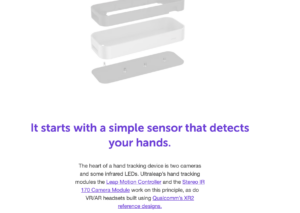


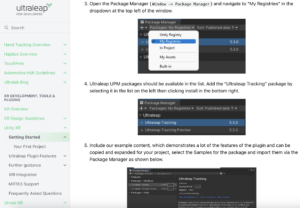
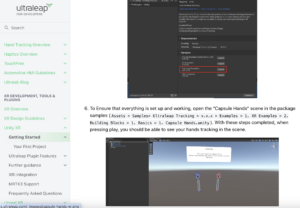
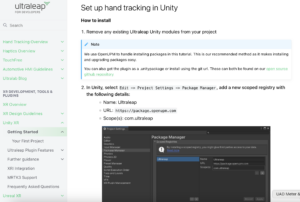
This is the official Leap motion tutorial for connecting to unity.

https://docs.ultraleap.com/xr-and-tabletop/xr/unity/getting-started/index.html
 

This is the official YouTube tutorial for Leap motion

https://www.youtube.com/user/LeapMotion


We also found the official Leap motion forums for technical queries

https://forums.leapmotion.com/latest


Specific examples of related games


An example of a similar implementation goal, such as using one gesture to control movement forward and a specific gesture to control the player’s jump.
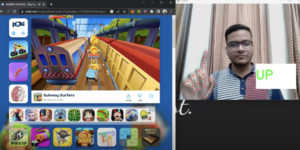


Tools preparation : Unity, Leap Motion
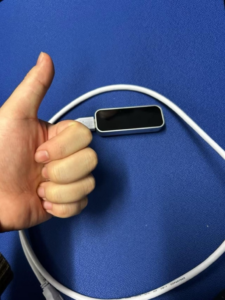
Everything is ready for testing!


3.Conception and Implementation of Unity Mechanisms and UI

Over the past few weeks, the Unity team has discussed and planned the game’s narrative, gameplay, mechanisms, as well as the start and end game UI.

In the game, I have implemented mechanisms such as triggering elevator movement when the player interacts and requiring a key with the same sound as the door to unlock it. Additionally, I have created a simple version of the exit game UI. Below are my related videos and screenshots.

3.1 Elevator video

3.2 How the Elevator Mechanism is Implemented

I used a combination of object animation and scripting to make the elevator move when the player jumps onto it. The elevator follows the parameters set in the animation, moving to the designated position within the specified time.

3.2.1 Animation Part

First, I created an Animator on the object that needs to move, allowing it to follow my designed movement. Then, I set up an Animator Controller to manage how the animations transition between each other.
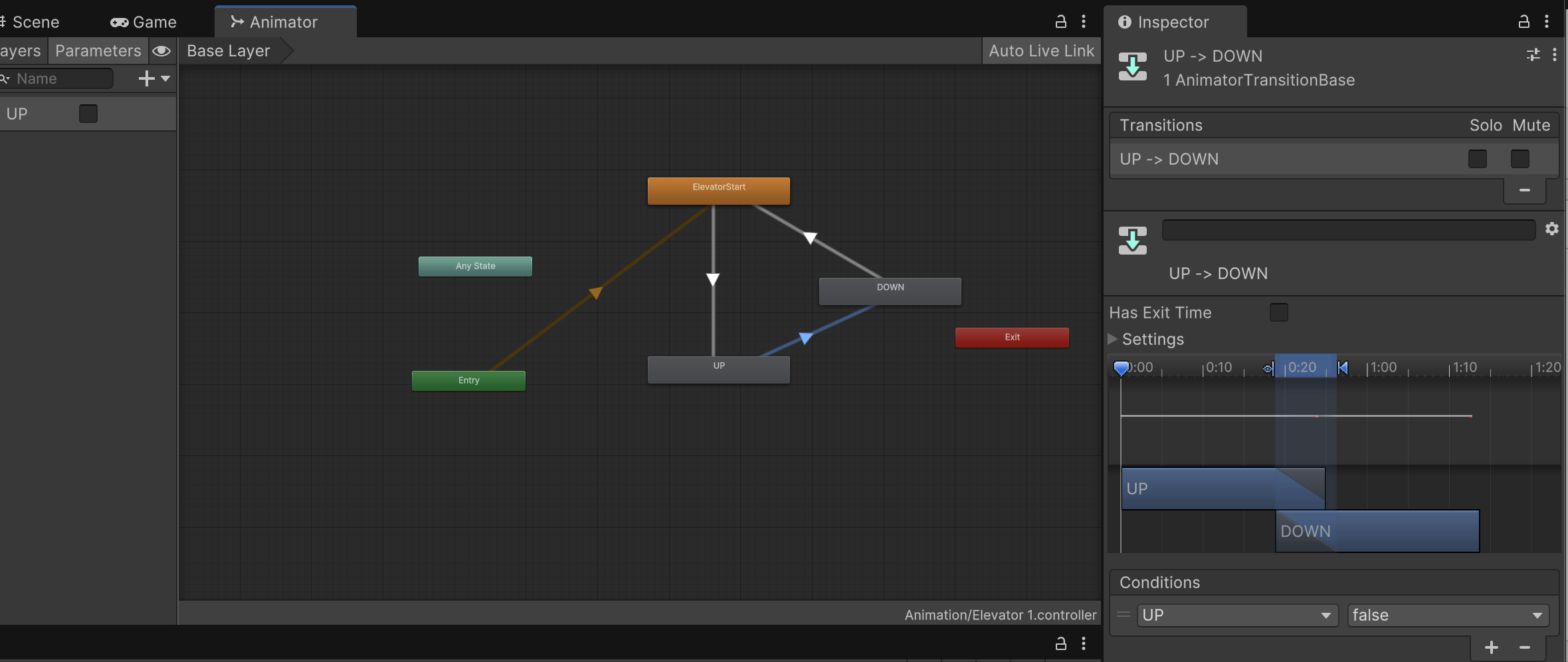
Figure 1

Figure 1 shows a screenshot of the State Machine and Animator parameters in the Controller. However, not all specific parameters are fully displayed in this screenshot.
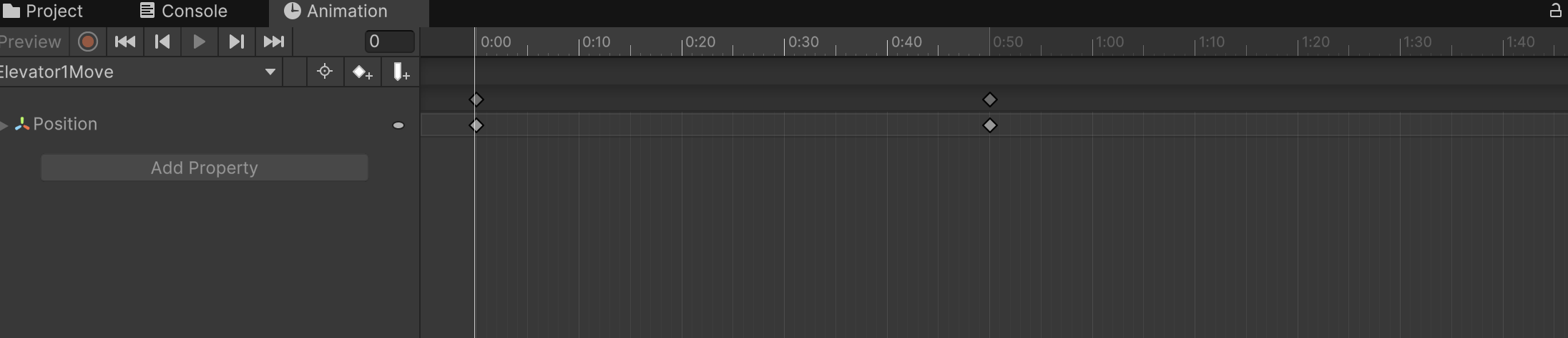
Figure 2

Image 2 shows the Animator I set up for the elevator, moving it from its original position to the designated position within 0.5 seconds.

3.2.2 scripts
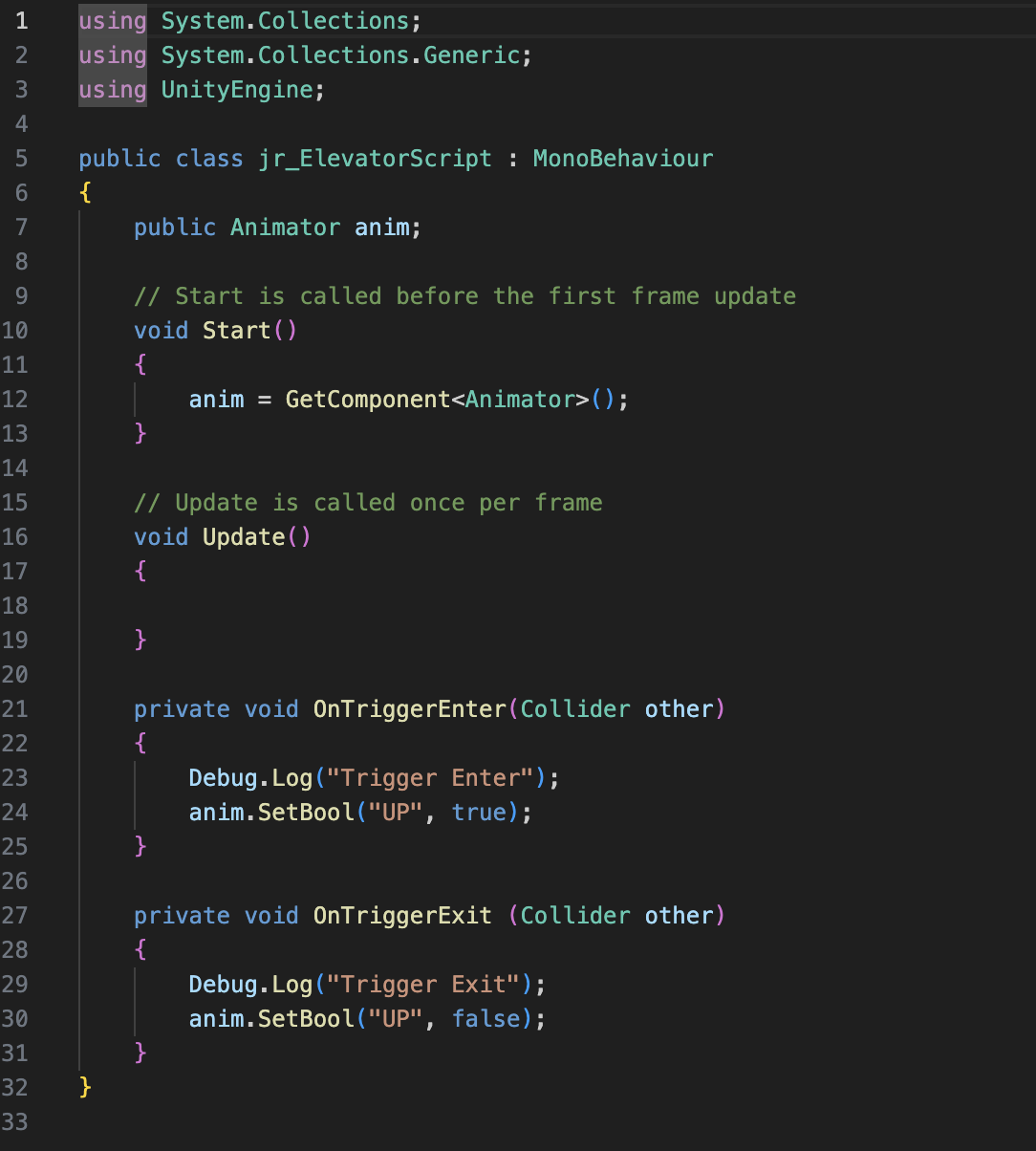
                               

Figure 3 Completed by referencing Jules’ game script


3.3 Correct Key unlock door Video

3.3.1 How the Key Unlock door Mechanism is Implemented

In the design of the mechanism for unlocking the door with the correct key, the approach is similar to that of the elevator. The key difference is that each object requires a sound, which I implemented through scripting, allowing the necessary sound to be directly imported. The second difference is that I needed to add a Pickup Key script to the player controller, enabling the player to trigger the door to open after obtaining the correct key.

3.4 Exit Game UI Video

3.4.1 How Exit UI is Implemented

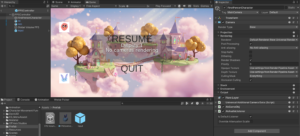
I initially designed a simple and clear exit game UI, allowing players to press the ESC key at any time to bring up options to either return to the game or exit. The Unity team discussed implementing different end-game screens based on the player’s ending. I will continue to follow up on this part of the UI design.
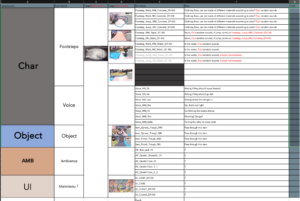
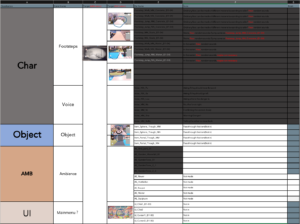
 

Sound Design Approach 

The core logic of our sound design is based on contrast. First, characters MM and NN hear different sounds. For example, the same sound may be much more blurred or unclear when heard by NN. Second, in the game, we designed true and false keys and doors. The real ones sound more harmonious, while the fake ones make players feel uneasy. However, we didn’t want the contrast between them to be too obvious or binary. Instead, we aimed for a kind of subtle consistency, where the differences are noticeable but not sharply divided. 


The core logic of our sound design is based on contrast. First, characters MM and NN hear different sounds. For example, the same sound may be much more muffled or unclear when heard by NN. Second, in the game, we designed true and false keys and doors. The real ones sound more harmonious, while the fake ones make players feel uneasy. However, we didn’t want the contrast between them to be too obvious or binary. Instead, we aimed for a kind of subtle consistency, where the differences are noticeable but not sharply divided. 


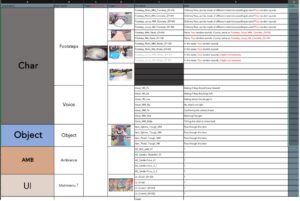
Before we began sound production, we made a detailed list of the sounds we needed, categorized according to character, object, ambient sounds (AMB), and UI. Based on this, we coordinated with the team member in charge of the Unity project to confirm what sounds needed to be added, removed, or modified. This ensured that our work was aligned and we could distribute the tasks clearly. 


For the character’s movements, we paid attention to the footsteps. Since the character model looks cute and playful, we recorded the sound of a toy duck as a base. Then we layered it with the sound of stones to represent the contact with the concrete-like and give a sense of weight. Because the game’s art style and story have a certain absurd or surreal quality — like how buildings from different cultures appear in one scene — we wanted the sounds to reflect this with some exaggeration. Therefore, using a synthesizer became an obvious choice. 


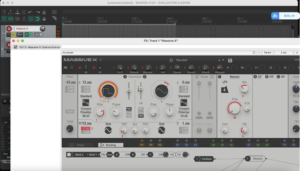
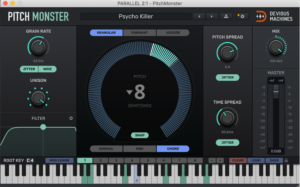
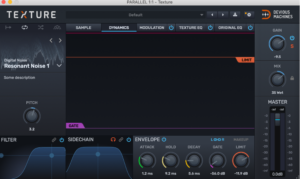
We used Massive X to process MIDI keyboard notes and create short pad tones. The real keys and doors sound calm and solid, while the fake ones are sharper and more uncomfortable. For NN’s version, we made the sounds more distorted and noisier. This was achieved by adding texture through noise and adjusting the details with the Pitch Monster plugin. These techniques allowed us to shape each character’s sonic perspective and match the game’s surreal tone. 


Sound Design: The Auditory Construction of a Dual World_yunqi Tang

在开始声音制作之前,我们列出了所需声音的详细清单,并按角色、物体、环境声音 (AMB) 和用户界面进行分类。

音效分类

声音设计

我们声音设计的核心逻辑基于对比。首先,MM 和 NN 两个角色会听到不同的声音。MM 角色的声音设计遵循真实逻辑,运用拟音技术模拟真实物体,例如脚步声、落水和水流声,以及环境音录制和合成器制作。NN 角色的音效则运用变形、模糊、失真等手段模拟“感知损失”,具体使用:FabFilter Pro-Q3 低通滤波营造失真感,Pitch Shifter 轻微改变音调,Valhalla Supermassive 营造虚幻感。每组声音都会先制作成清晰版本,再处理成模糊版本,并在不同的播放环境下对比听觉体验,确保情境差异的稳定性。

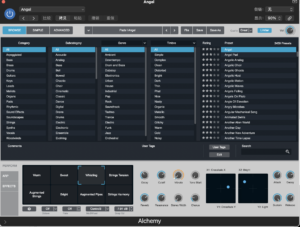
由于游戏的艺术风格和故事情节带有某种荒诞或超现实的特质,我们希望声音能够以某种夸张的方式体现这一点。因此,使用合成器是唯一的选择。我们使用 Massive X 处理 MIDI 键盘音符并产生短促的打击垫音。真实的琴键和门听起来平静而扎实,而虚假的琴键和门听起来则更加尖锐刺耳,令人不适。对于游戏场景中雕塑的声音设计,我选择了炼金术中天使的音色,并添加了混响,营造出一种神圣而空灵的声音氛围。

雕塑

音乐声音参考:

背景音乐设计

本项目中,背景音乐的设计旨在营造卡通、温暖且具有互动性的游戏氛围。我们构建了简洁的八小节循环,使音乐具有辨识度,并易于在游戏场景中自然衔接。乐器部分则采用电子钢琴、钟声合成器等轻盈的音色,营造轻松愉悦的听觉体验。同时,音乐与角色状态或场景变化(例如接近雕塑或切换角色)动态联动,实现“音乐与互动”的融合表达。

音乐声音参考:


Wwise动态系统集成 

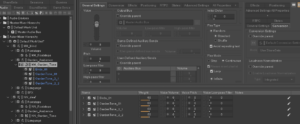
1. Switch Group:区分NN和MM的听觉状态,控制声音版本的切换。 

2. RTPC:控制音量/滤波器/混响参数,实现角色听觉状态的动态变化。 

3.随机容器:避免音效重复,增强沉浸感(例如脚步声、物体碰撞声)。 

4.触发器:绑定事件声音与交互行为,推动音频响应逻辑。 

5. 定位:MM正常立体声/NN降频至窄声场+中央混响

随机容器

切换组

问题与解决方案 

在声音设计过程中,我们发现过度滤波或破坏性失真会导致重要的声音细节丢失,而音效之间过于明显的区分又会破坏聆听体验。因此,我们采用了一种多层方案,不再仅仅基于一个插件,而是将多个插件轻盈地叠加在一起。 

在将 Wwise 接入游戏引擎的过程中,我们遇到了事件不触发、RTPC 无响应、3D 音频定位异常等问题。通过仔细排查 Wwise 与引擎之间的通信路径,确保 SoundBank 生成和加载正确,并调试 RTPC 参数传递,最终实现了声音与交互逻辑的无缝衔接。未来,我们计划通过自动化测试和事件日志记录,进一步优化声音触发的准确性和效率。 

通过打造两套不同的音效,NN 和 MM 在同一个游戏场景中获得完全不同的声音信息,营造出良好的听觉差异感。通过 Wwise 系统中的 RTPC、Switch、Random Container 等模块,我们实现了强大的声音逻辑联动,提升用户的游戏体验。 

  未来工作方向 

  1. 引入人物语音对话,记录人物的语言和交流声音,并根据人物的身份处理不同的清晰度或语调。
  2. 拓展声音谜题的机制,利用频率识别、节奏模仿等设计听觉谜题。
  3. 多人在线语音空间处理,若未来支持在线语音,可根据角色所在位置、状态实时进行语音变化及定位。

概括

通过创建两套不同的音效,我们可以让NN和MM在同一个游戏场景中获得完全不同的声音信息,营造出良好的听觉差异感。通过Wwise系统中的RTPC、Switch、Random Container等模块,我们可以实现强大的声音逻辑联动,提升用户的游戏体验。

Dev Blog | Building a Dreamscape: Environmental Redesign in MM&NN_FanLin

As the story creator of MM&NN, I’ve always believed that the world around the player should not merely serve as a backdrop—it should feel like part of the narrative, as alive and emotional as the characters themselves.

This week, I focused on redesigning the game’s environmental atmosphere to further blur the line between reality and dream, illusion and memory.

Painting the Sky: From Void to Dream

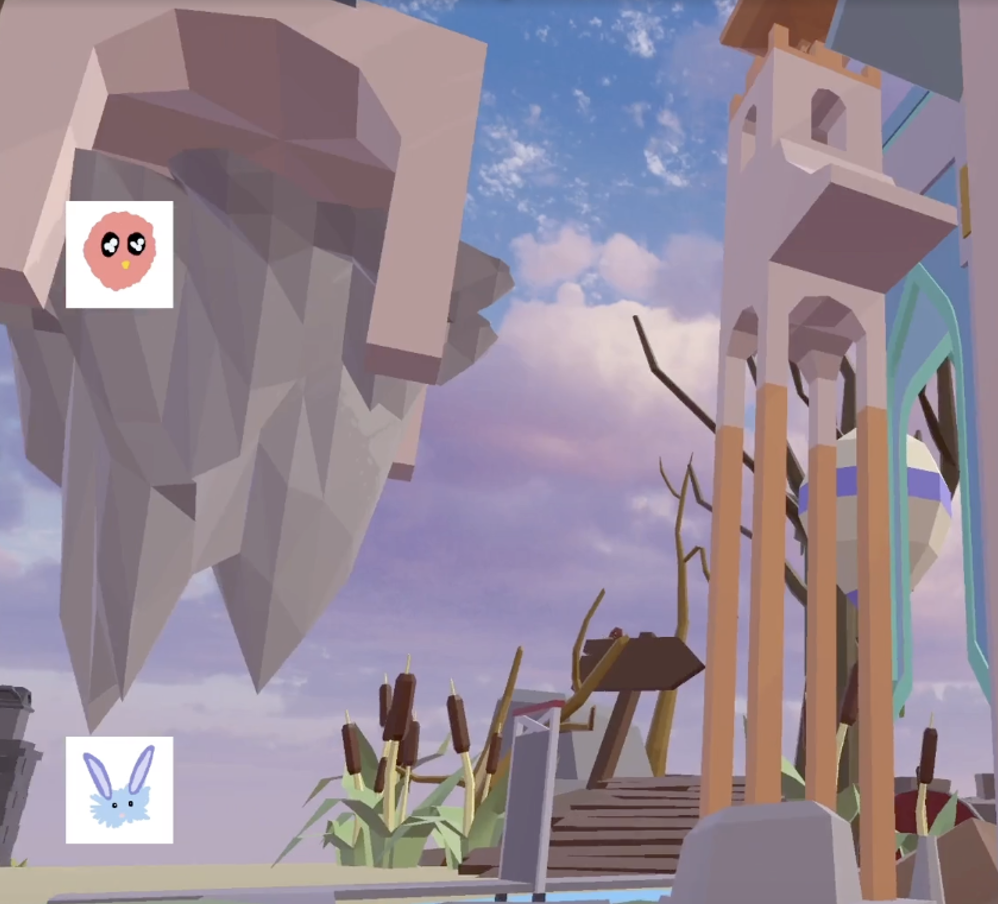
One of the most impactful changes was a complete replacement of the default skybox. I chose a soft, pink-toned sky, gently glowing with romantic hues—meant to suggest warmth, distance, and a kind of surreal comfort. This subtle shift changes the mood of the entire world: the maze no longer floats in a void; it now floats in a dream.

The pink sky, while beautiful, also feels slightly melancholic—mirroring the emotional tone of MM&NN, where beauty is often tinged with uncertainty.


Bringing Nature to the Edge of the Unknown

To support the narrative that MM and NN live inside a garden-like dream world, I expanded the natural environment both inside and outside the maze. While the maze itself is architectural and puzzle-like, I wanted to soften its edges and build a deeper feeling of immersion.

Newly added environmental details include:

  • Soft clouds drifting near the boundaries of the world
  • Scattered wildflowers breaking through cracks in the paths
  • Moss-covered stones that gently frame key turning points
  • A distant horizon of trees and floating earth, suggesting a world that continues beyond the player’s view

These are more than decorative—they are narrative cues. They suggest that this world has grown, not been built—that it once was alive, or still might be.

Figure 1. Modified Skybox Design

A Maze That’s Worth Wandering

The maze in MM&NN has always been about more than just finding the key. It’s about what you see, what you hear, what you feel while searching. That’s why I’ve put special attention into ensuring that both the inside and the outside of the maze offer something worth lingering for.

Whether you’re walking across floating lotus leaves, standing at the base of a blue tower, or pausing just outside a locked door, I want the player to feel like they are surrounded by a soft, surreal peace—a world that wants to be remembered.


Final Thoughts

With every environmental update, my goal is to make MM&NN feel more like a living dream—a place where exploration is not just a mechanical task, but a gentle experience of beauty, mystery, and reflection.

Players may come for the puzzles.
But I hope they stay for the dream.


Exploration of multiplayer game system__Chengcheng Jiang

I have tried to build an online system based on Unity Netcode for GameObjects (NGO) + Unity Relay / Lobby with the following flow:
– Player A creates a room → generates and displays the room code.
– Player B enters the code → connects to the same game room.
– After successful connection, the game starts.

In practice, the following difficulties were encountered:
– The controller generation logic needs to be adjusted, and the first-person controller cannot be placed in advance.
– After the host creates a room and generates a code in the console, the slave cannot enter the game after entering the code.

Despite this lack of success, I was able to gain a deeper understanding of Unity’s multiplayer networking framework through this process. In the end, our group used Alteruna Multiplayer SDK to successfully implement the online function and solve the technical obstacles.

Technical Details of Multiplayer System

Since I am responsible for the multiplayer system part of the project MM&NN, this blog is about sharing some basic information and common techniques and logic about multiplayer system implementation.

Implementation

This section is detail about multiplayer system implementation in MM&NN. The scripts and functionalities related to the multiplayer system can be divided into two main parts:

  1. Core Multiplayer Features

These include synchronization between players (ensuring both game instances remain in sync across two computers), avoiding duplicated input across clients, creating and joining rooms. These core systems and scripts are provided by the Alteruna package. I directly implemented these by dragging the appropriate components into the scene or applying them to the relevant prefabs.

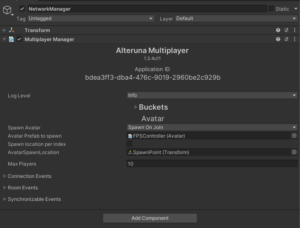
Multiplayer Manager: A network manager from Alteruna’s prefab script. Responsible for network connection between devices.

Multiplayer Manager

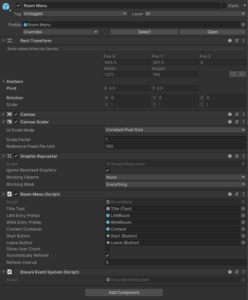
RoomMenu: A lobby-like menu from Alterunas’ prefab script for players to create, join and leave game rooms. This object is in the scene and can be customized depend on project’s needs.

RoomMenu

Avatar: A script for Alteruna multiplayer system to locate the player prefab and spawn.

Avatar

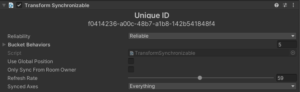
Transform Synchronizable: A script to enable information synchronization between devices.

Transform Synchronisation
  1. Player-Specific Settings

This part is my customization to meet project’s needs mainly in First Person Controller prefab. The differentiation between host and client, as well as between “is me” and “not me,” plays a crucial role in separating character logic and visuals (camera) for MM and NN. I added identification logic within the First Person Controller script (see screenshots below).

First Person Controller Prefab

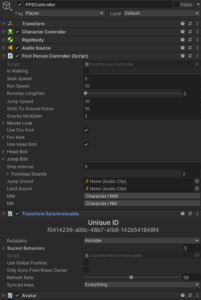
First Person Controller Prefab Overview

All character models and post-processing settings are stored under the single prefab of first person controller. The multiplayer system “enable” or “disable” different elements depending on whether the current player is the host or client, and whether the character being controlled is “me” or “not me,” before spawning it in the game scene.

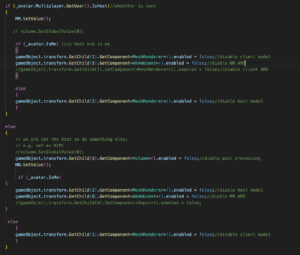
Below is an enabling/disabling logic using “if” within the script.

Big if Logic

This part is basically two small “if” of self-identification under one big “if” host and client identification. Because character MM and NN ‘s settings are activated based on player’s identity to the server, which is host and client. MM’s settings are bind with host while NN’s settings are bind with client. After clarifying player’s identity, program can allocate different character settings to different devices. However, that’s not enough. Two small “if” is responsible for identifying whether the player “is me” in order to enable the correct model to the right player. Without this layer, the player will have wrong model for the other partner player.

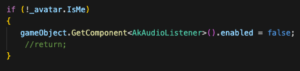
In terms of the game audio, since we are using Wwise implemented into Unity and there are two Ak Audio Listeners present in the same scene (one per player), I disabled the listener on the not “is me” player’s object to avoid audio conflicts. Besides, there are two different play events of ambient sound in the Wwise project for two characters, I have the GetChild() to enable/disable two events in the big “if” script.

Audio Enable/Disable

With this setup, the basic individual character settings are successfully implemented.

Multiplayer in Two Perspectives

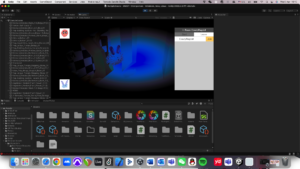
MM (Host) View
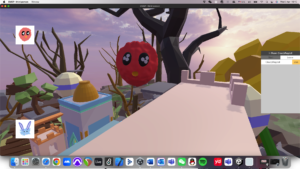
NN (Client) View

Basic Structure

During the research and hands on experience, I found a basic structure and rules for online multiplayer system implementation which works for both packages I have experienced:

  1. A manager which in charge of the network connection

Online multiplayer system needs scripts to let the device gets access to the sever / host in order to connect with other devices.

  1. A player prefab (avatar) in Asset for the system to spawn players

Player prefab has all the information of the player controller. When a new device comes in, it will spawn a new player to the scene.

  1. Synchronization scripts (transformation, animation …)

To get other players’ movement, location and other information precisely and lively, system need scripts to transform other player’s information to the device through network.

  1. Input collision avoiding script

A script to ensure the input commands from a device are only controlling the local player instead of all the players.

  1. Multiple listeners avoiding script

If the game is implemented with Wwise, it has to make sure the local device only has one listener.

Although there are a lot of methods for online multiplayer system, they all follow this basic structure in some way.

Multiplayer vs Single player

When implementing multiplayer into the project, it’s better to previously consider what content in the project may change when there is more than one player in the game scene.

Players:

Firstly, multiplayer system always needs a player prefab to spawn players. Besides, if the game has different settings to players, an extra player identification and functionalities switches have to be aligned with the player prefab. (Examples in implementation of MM&NN)

Audio:

As we introduce multiplayer system to the project, every player has a listener. However, a running game cannot hold more than one listener except special circumstances. We have to disable all other listener except the local one.

Game Objects:

Some game objects may include interactions with players which means they have to be synchronized in multiplayer system too.

Final Post Processing Summary

Post Processing

Introduction

The purpose of post-processing in the MM&NN project is to create a unique visual experience for the character MM, who sees the world through a blurred and color-shifted perspective, distinct from the normal view of NN. Because post-processing in Unity can provide an aesthetic style to the game by adding filters to the camera, its functionality aligns with our objectives on character MM’s visual. This effect is enabled when the player is the MM, and disabled for the NN, as technical detailed in the Multiplayer System section.

Implementation

I made a mistake when implementing this functionality for the first time, which is directly adding Post-processing Layer and Post-processing Volume under the camera object. Since the project is built using Unity’s Universal Render Pipeline (URP), post-processing cannot be applied directly to the camera using the traditional Post-processing Layer and Volume components. Instead, it must follow the URP approach, which involves two key components:

  • Volume Profile: A data asset that defines post-processing effects and their parameters.
  • Global Volume: A component that applies the selected Volume Profile across the scene globally.
First Person Controller Prefab setting

These two components are integrated into the First Person Controller prefab. To simplify enabling and disabling the effect through scripting, the Global Volume is placed as a child under the FPS Controller object, allowing easy access via GetChild() in the First Person Controller script.

The Volume Profile used here is called “FPS Volume Profile”, which contains:

  • Vignette: Adds a soft blur around the edges of the camera view. Intensity controls how much the effect applies to the camera. Smoothness blurred the effect’s edge. These two effects create a blurred and limited visual for the player.
  • Color Curves: Applies a blue color tone to match MM’s unique visual perception. In the Color Curves settings, I used the Hue vs Saturation curve to increase the saturation of the blue and purple areas, while lowering the saturation of the green area. This made the blue in the scene more intense and harsher, creating an unsettling atmosphere.
Profile settings and final outcome

The “Global Volume FPS” object uses the “FPS Volume Profile” and applies it globally when MM is the active player. Finally, MM character’s player will have a different aesthetic style from NN character’s player, building players’ difference to increase gameplay.

Sound Language Design

According to the language design, there are 7 vocalizations that the characters perform to communicate with each other: Pu?, Mu, Ka?, Ni!, Sha!, Luu?, Ba Ba!

To sonically create this in a way that matched properly the creative concept of the game, I recorded my voice performing the language and then used a Plug-In that detects audio and allows me to use MIDI instruments to modify it.

Plug-In Configuration

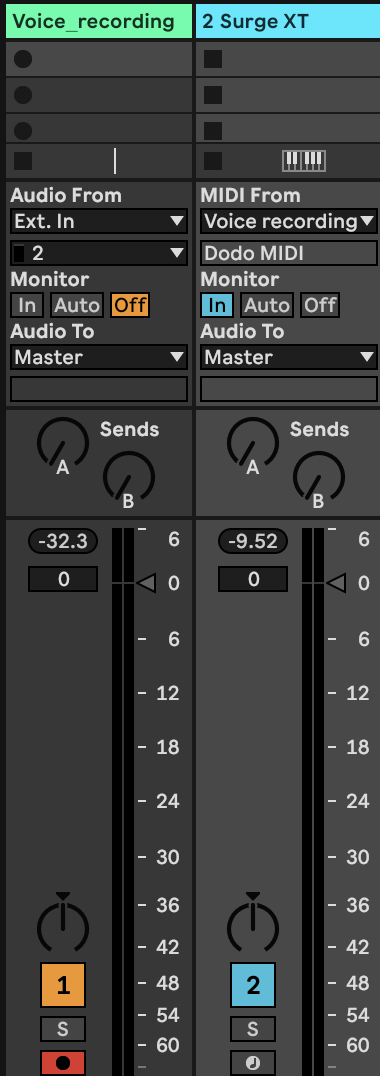
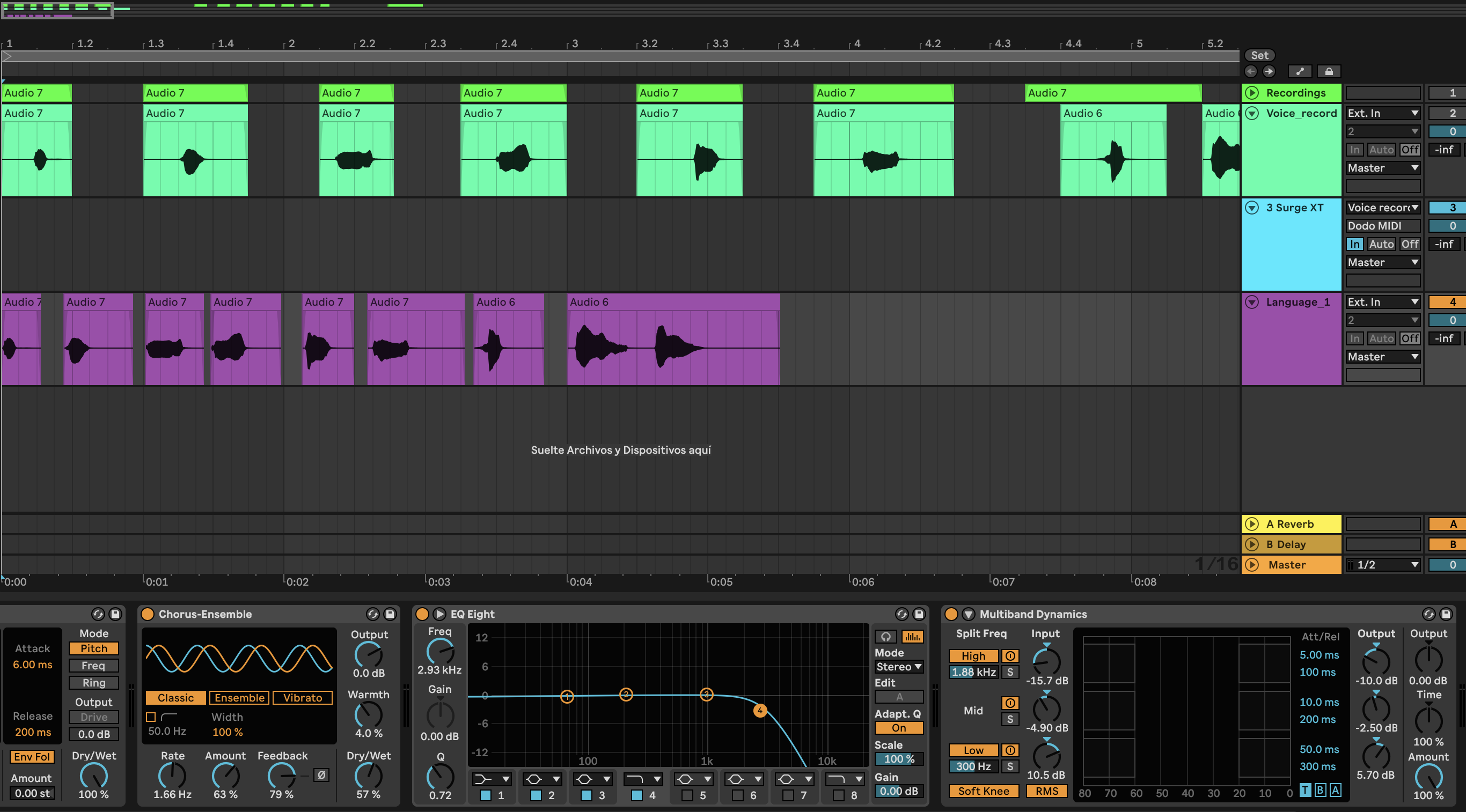
Two tracks are required: one audio track with the active plugin for recording the voice and the MIDI one receives the signal and transforms it to MIDI.

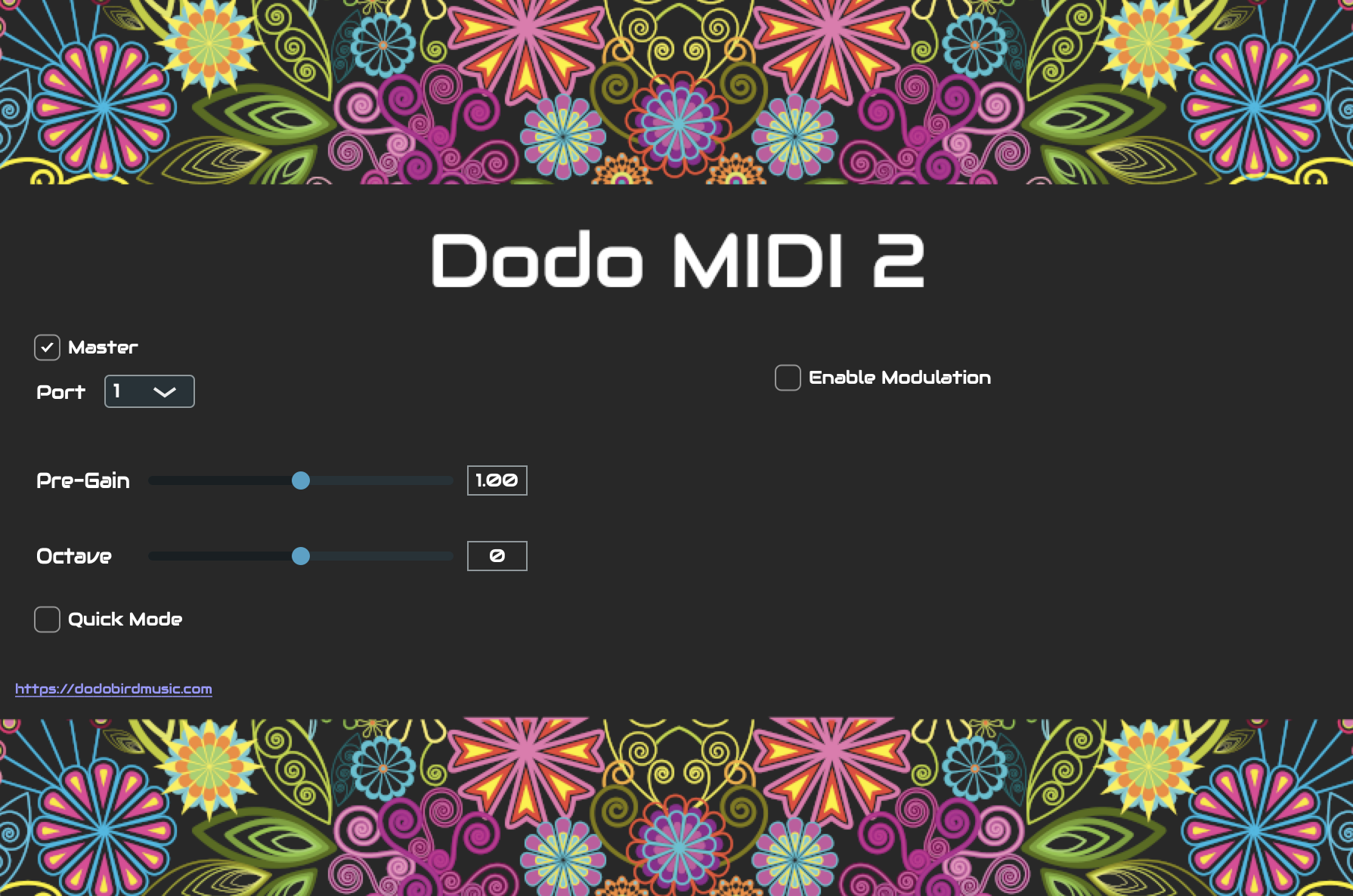
The MIDI track has as input the Voice recording which sends the signal through the Dodo MIDI Plug-In.

Audio and MIDI tracks

The Voice track must have Dodo active, but not the MIDI track.

Dodo MIDI for Voice Recording track
Voice track insert
MIDI track inserts
Dodo MIDI for MIDI track

Voice Timbre

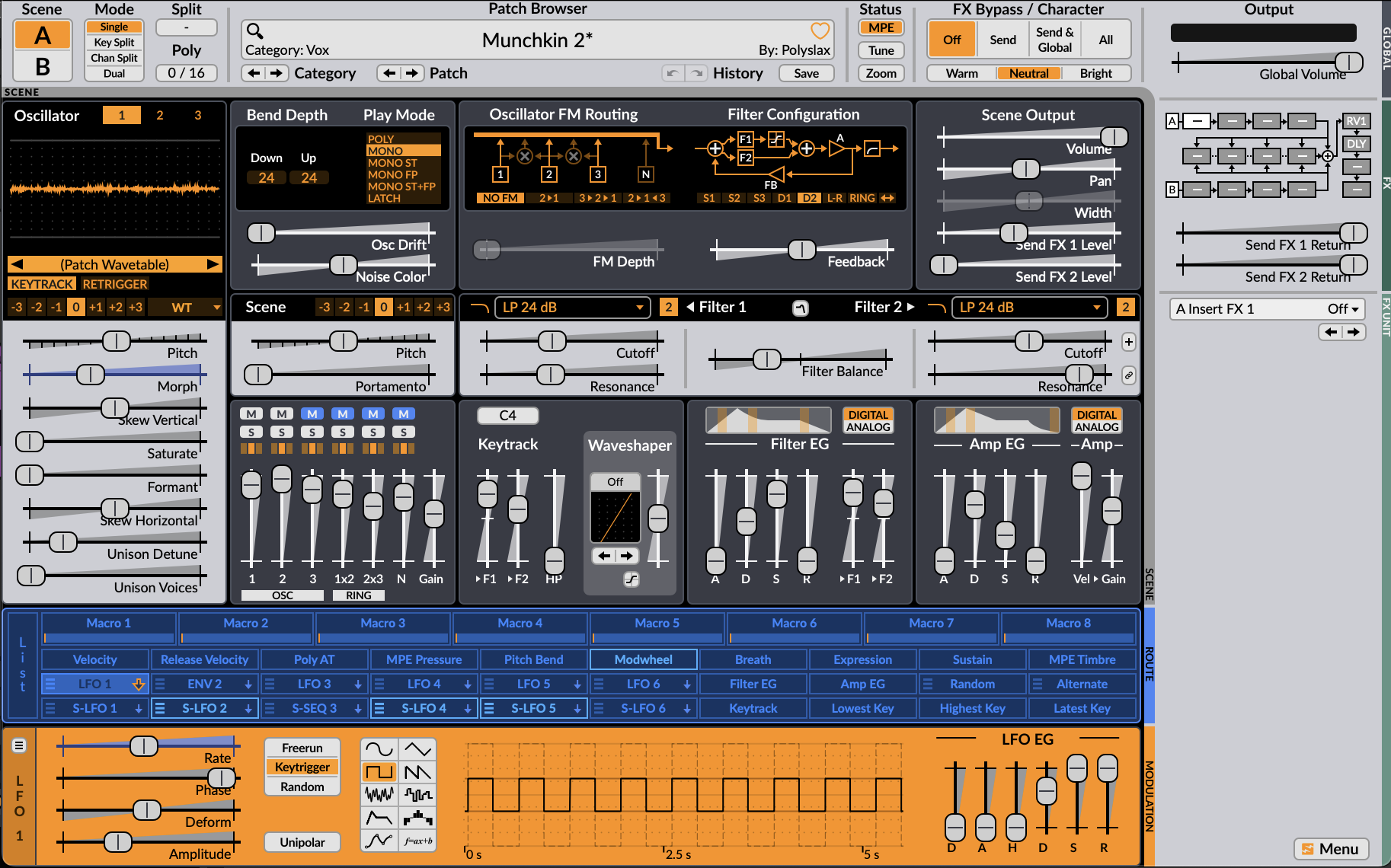
It was important to choose an instrument or synthesizer that wouldn’t modify the pronunciation of the vocals, therefore I chose a synth which matched very well with the voice.

Surge XT

For the character NN, I had to add some extra effects for the “muffled” texture. A Chorus helped to add the unique perspective of the character, the EQ  had a Low Pass Filter to reduce the perception of the vocals and the Multiband compressor reduced the main frequencies (high and medium) and increased the lower.

NN perception effects

Finished designs

MM’s perspective

NN’s perspective

css.php

Report this page

To report inappropriate content on this page, please use the form below. Upon receiving your report, we will be in touch as per the Take Down Policy of the service.

Please note that personal data collected through this form is used and stored for the purposes of processing this report and communication with you.

If you are unable to report a concern about content via this form please contact the Service Owner.

Please enter an email address you wish to be contacted on. Please describe the unacceptable content in sufficient detail to allow us to locate it, and why you consider it to be unacceptable.
By submitting this report, you accept that it is accurate and that fraudulent or nuisance complaints may result in action by the University.

  Cancel