In order to create an in-game language to allow MM (player 1) who can hear, but sees blurry to communicate with NN (player 2) who can see, but hears muffled, I thought using a hand tracking system implemented in Unity could work.
MediaPipe Hands
Is a high-fidelity hand and finger tracking solution. It employs machine learning (ML) to infer 21 3D landmarks of a hand from just a single frame.
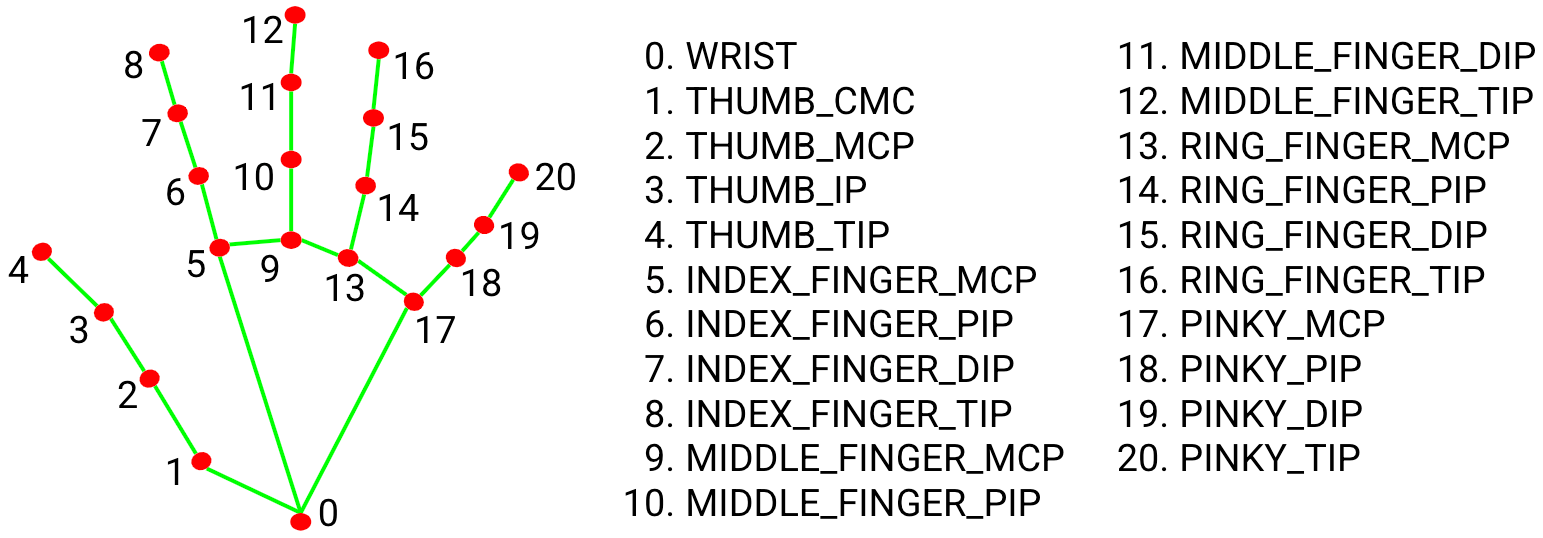
MediaPipe Hands utilizes an ML pipeline consisting of multiple models working together: A palm detection model that operates on the full image and returns an oriented hand bounding box. A hand landmark model that operates on the cropped image region defined by the palm detector and returns high-fidelity 3D hand keypoints.
Installing
The recommended way to do it is by installing Python and pip: https://www.python.org/downloads/ . In some cases it might require the package manager Conda to be installed. In the terminal, OpenCV and Mediapipe need to be installed; this process may vary depending on the computers processor. For a Mac with M4, the next process carried on:

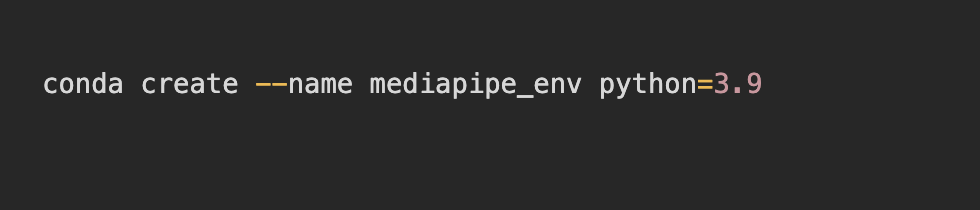
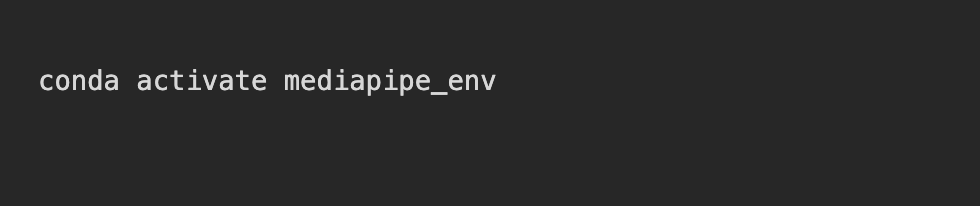

Configuration
The first step is to create a Python code for Hand gesture recognition and network communication using the MediaPipe library. This may vary depending on what is expected to do, but the one used in the first trial was this:
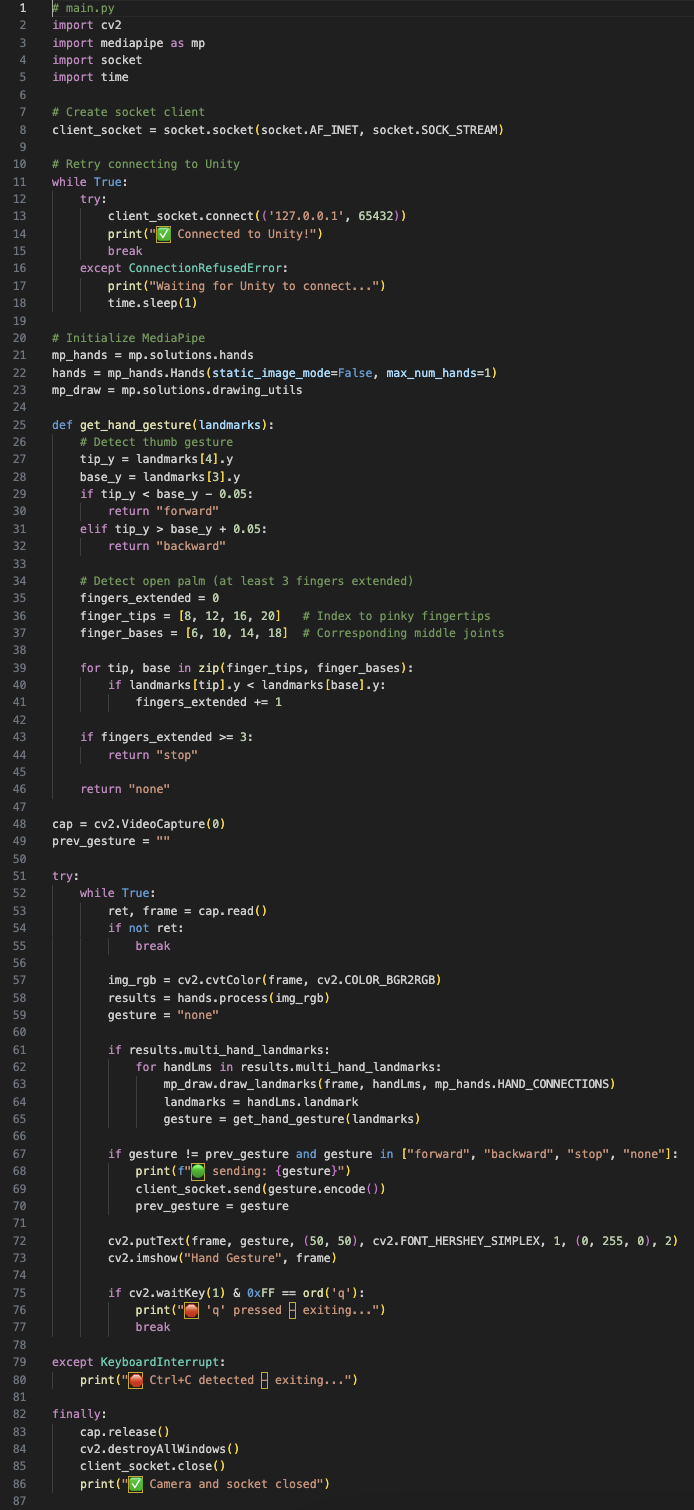
Where the hand landmarks (3, 4) represent the thumb finger and will move the player forward when the thumb is up and backward when it’s down. This code will also capture the video from the default camera, processes the hand landmarks and sends the data via socket, in this case, to Unity.
Unity connection
For the Unity implementation, we need to create C# sharp code that starts the socket server.
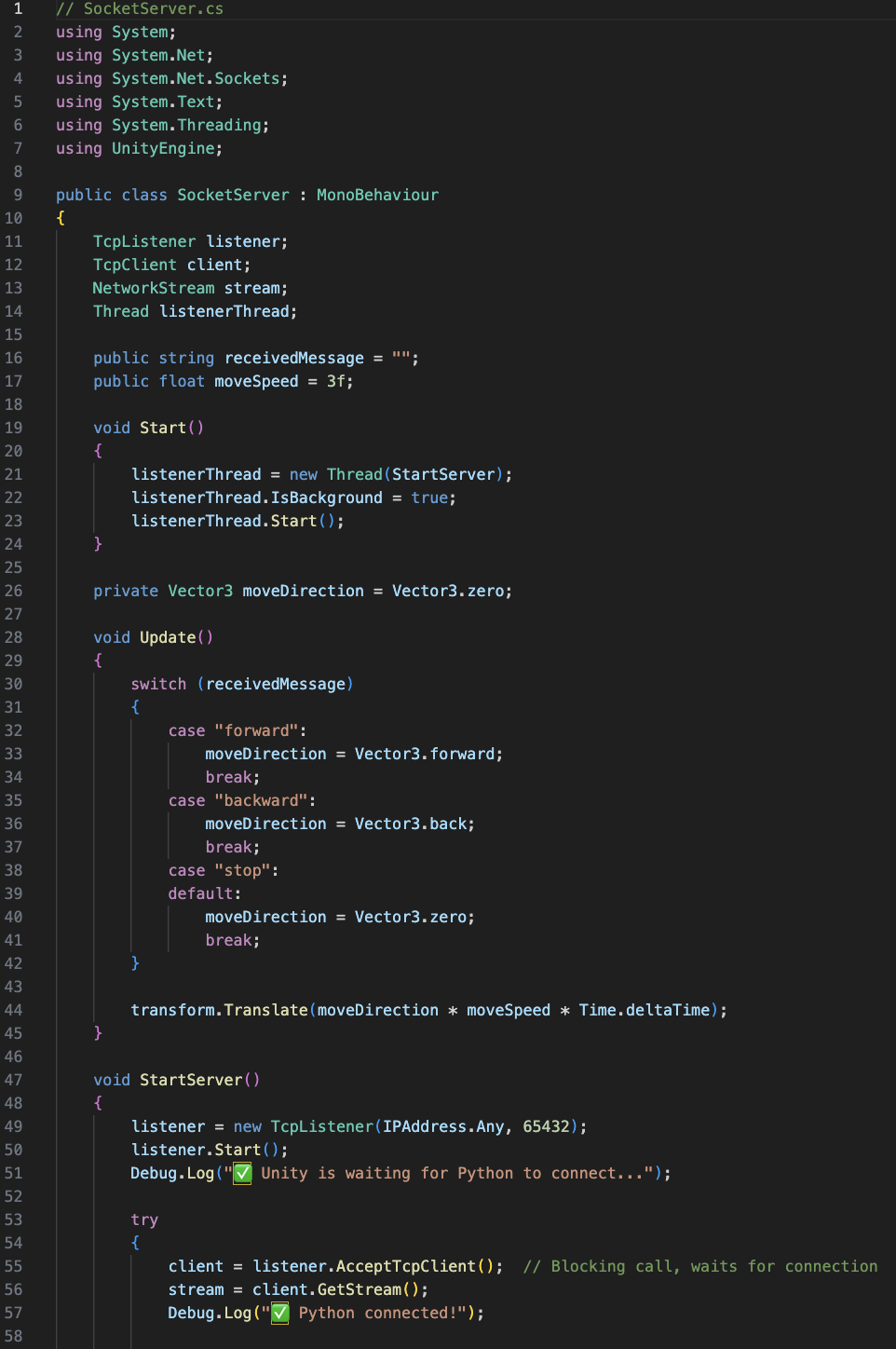
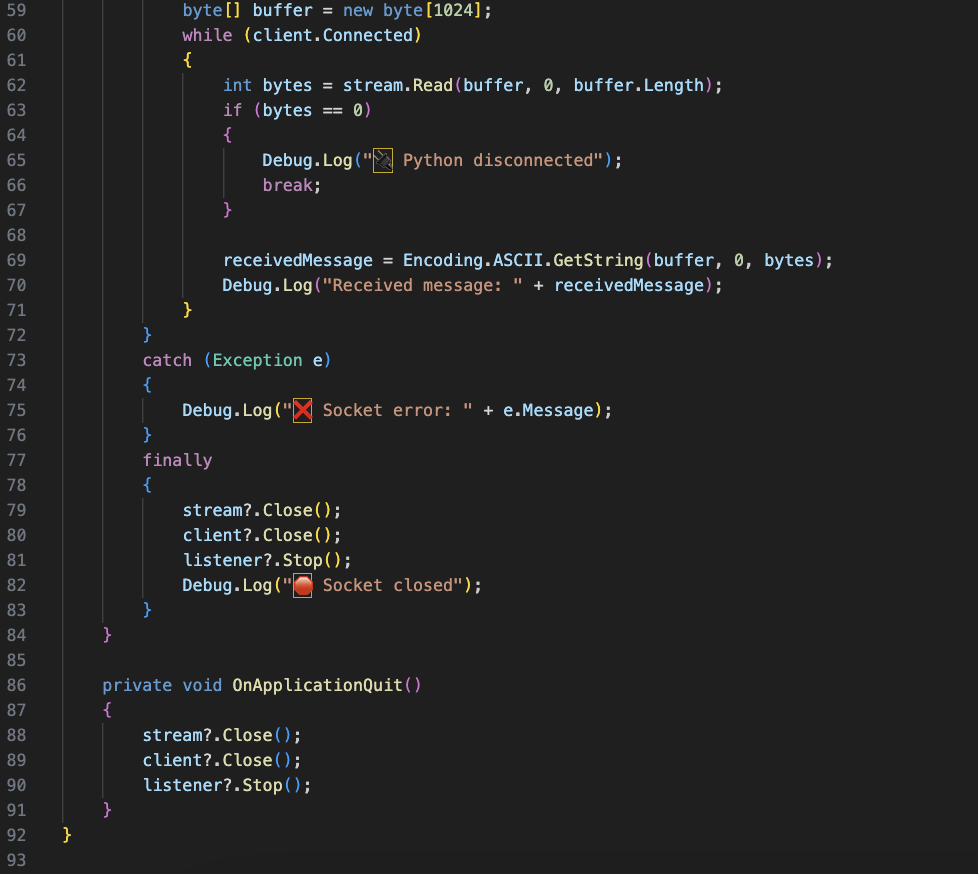
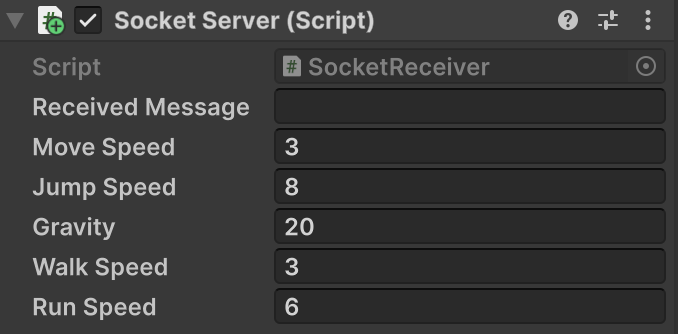
This script will be inserted into the First Person Controller inside the Unity environment. The script will need to be modified in case it doesn’t match or use the same variables as the First Person Controller script.
Running the Python file
The Unity game must be running previously to running the py file. Once this is done, in the terminal type the corresponding path of the Python file.

Testing controls in Unity
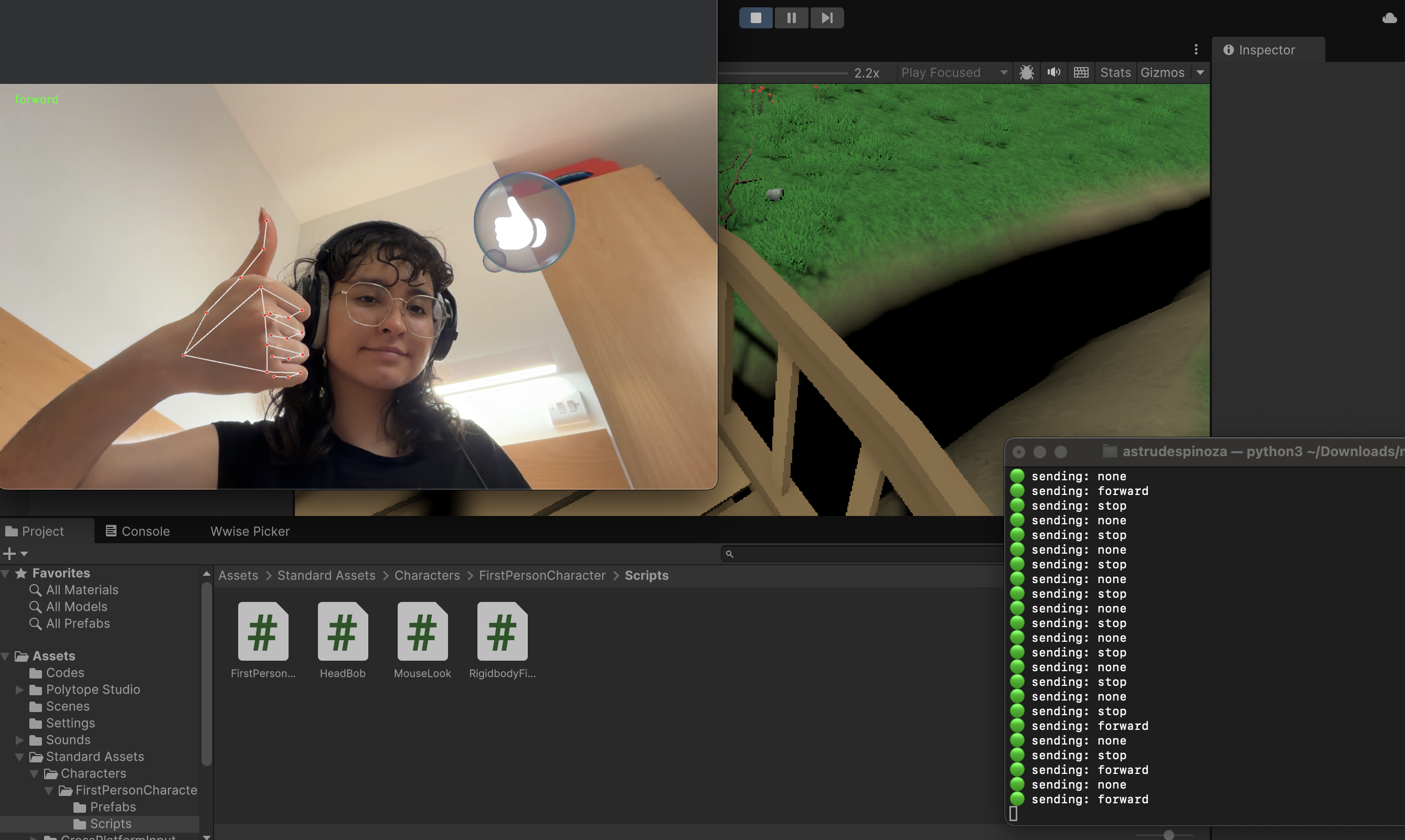
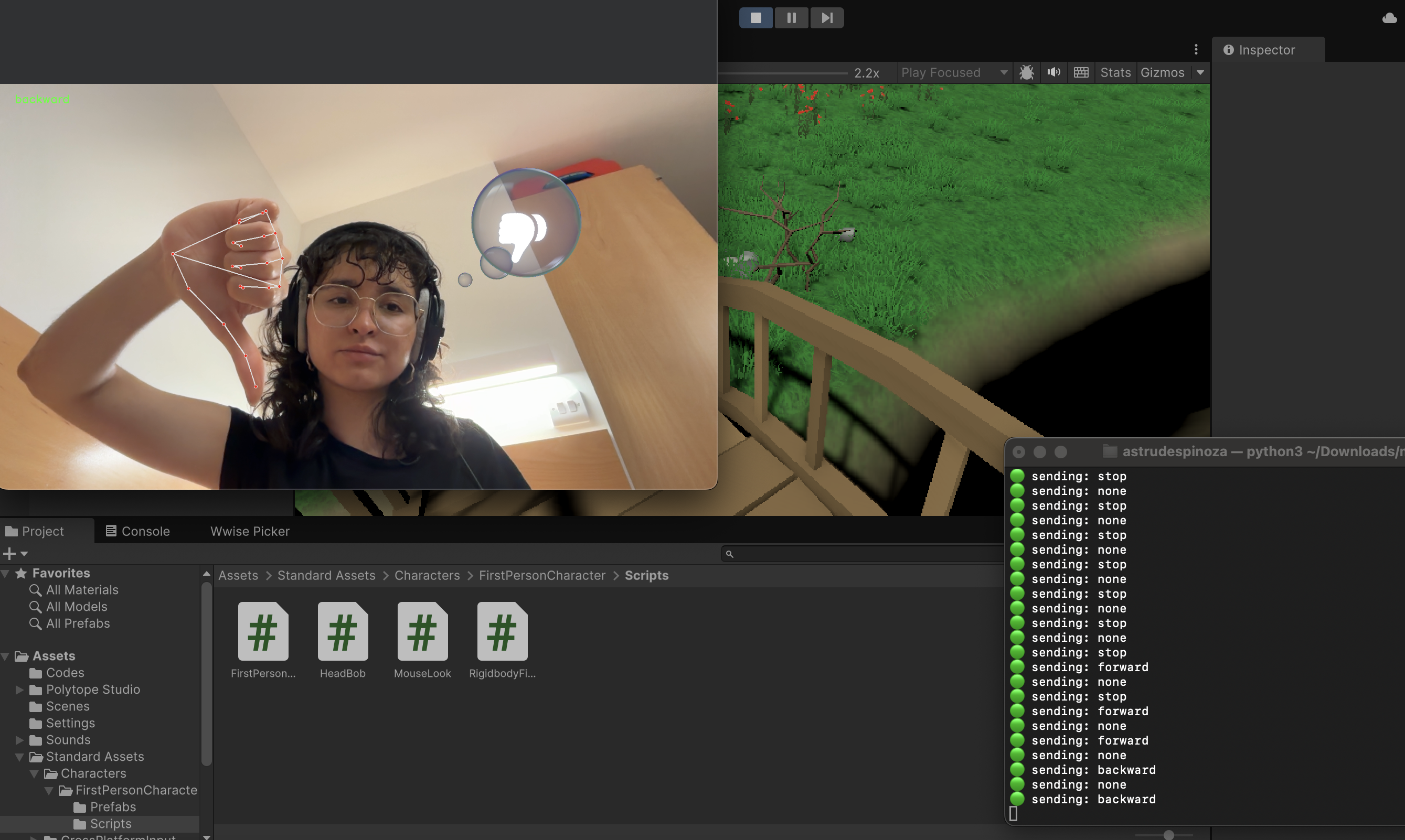
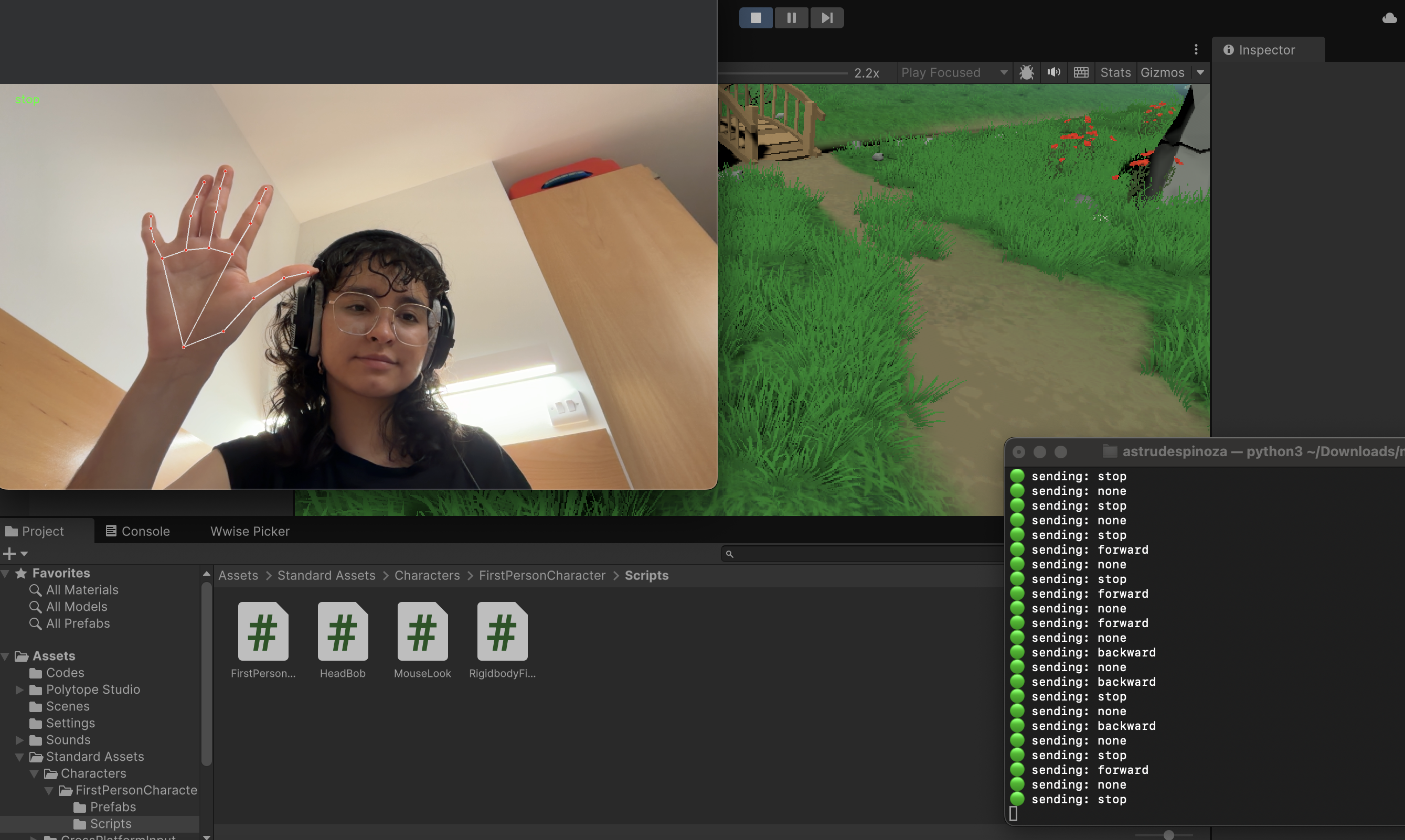
(Open CV-Mediapipe installation)