Any views expressed within media held on this service are those of the contributors, should not be taken as approved or endorsed by the University, and do not necessarily reflect the views of the University in respect of any particular issue.

Designing the game start screen and scene switching in Unity__Chengcheng Jiang

This week I designed and implemented the game’s start menu, which contains the Play, Setting, and Quiz buttons, and basically builds the game’s main navigation structure. At the same time, I reserved a channel to interface with the Wwise audio middleware, so as to easily integrate sound effects and music content.
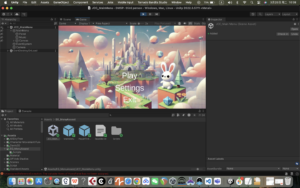
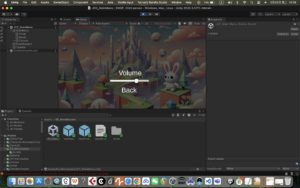
In terms of functionality, I implemented the jump logic between each button and the corresponding scene through script control to ensure that the player can enter the main scene smoothly after clicking Play, which lays the foundation for the complete game flow.


Leave a Reply

css.php

Report this page

To report inappropriate content on this page, please use the form below. Upon receiving your report, we will be in touch as per the Take Down Policy of the service.

Please note that personal data collected through this form is used and stored for the purposes of processing this report and communication with you.

If you are unable to report a concern about content via this form please contact the Service Owner.

Please enter an email address you wish to be contacted on. Please describe the unacceptable content in sufficient detail to allow us to locate it, and why you consider it to be unacceptable.
By submitting this report, you accept that it is accurate and that fraudulent or nuisance complaints may result in action by the University.

  Cancel