Any views expressed within media held on this service are those of the contributors, should not be taken as approved or endorsed by the University, and do not necessarily reflect the views of the University in respect of any particular issue.

Sound adjustments for the improved version of the game.

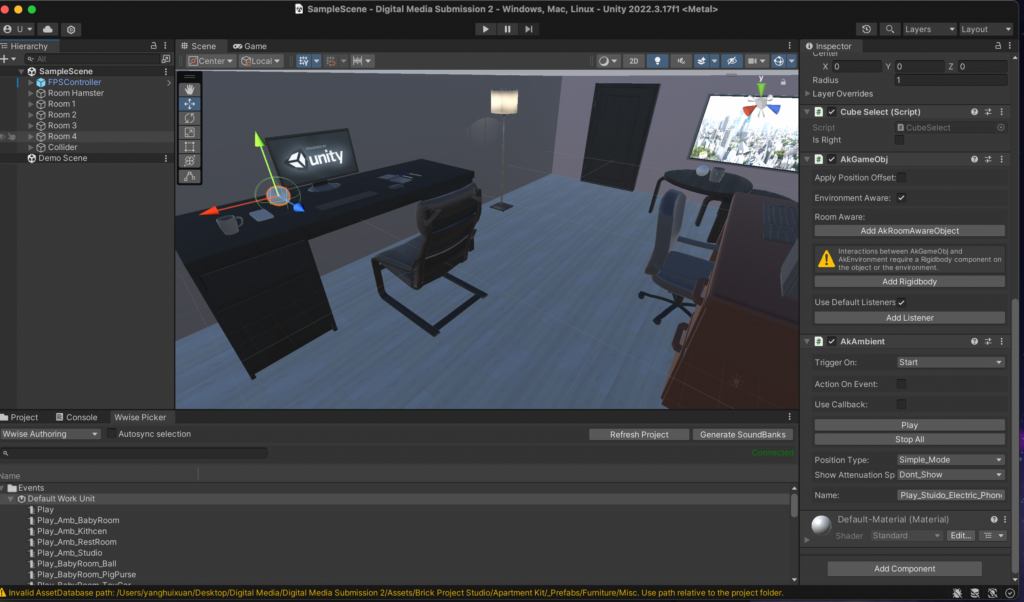
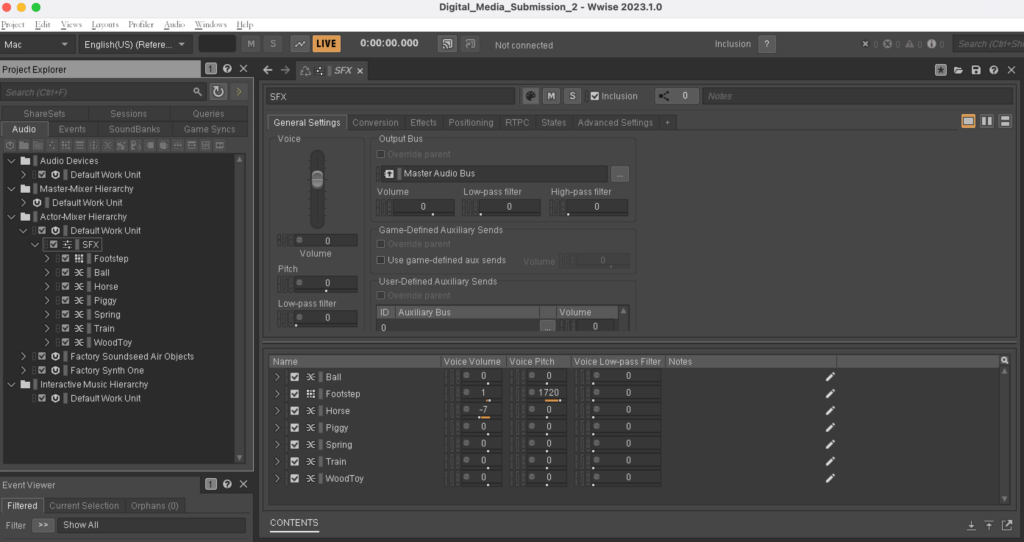
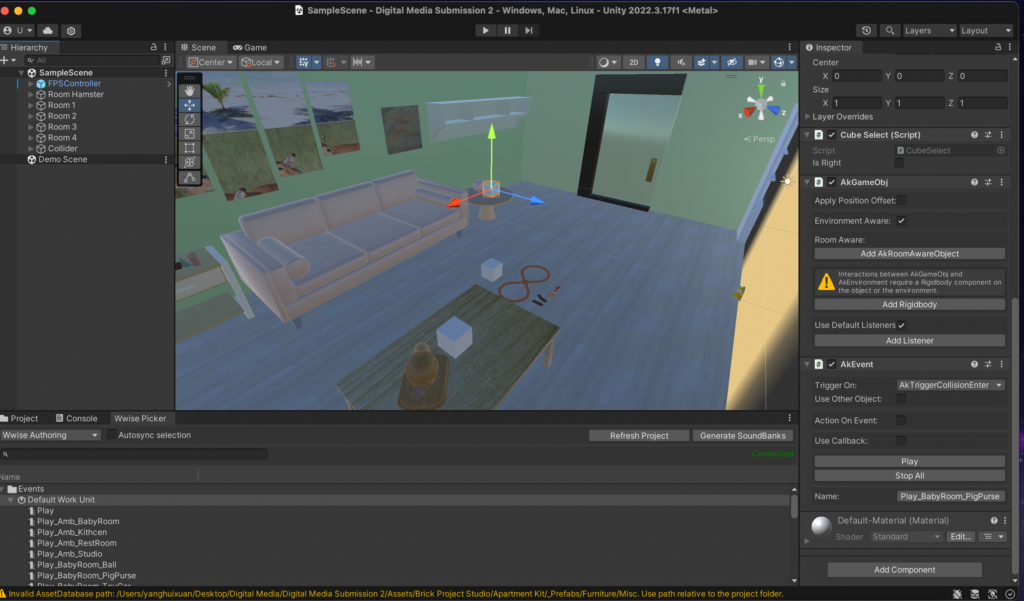
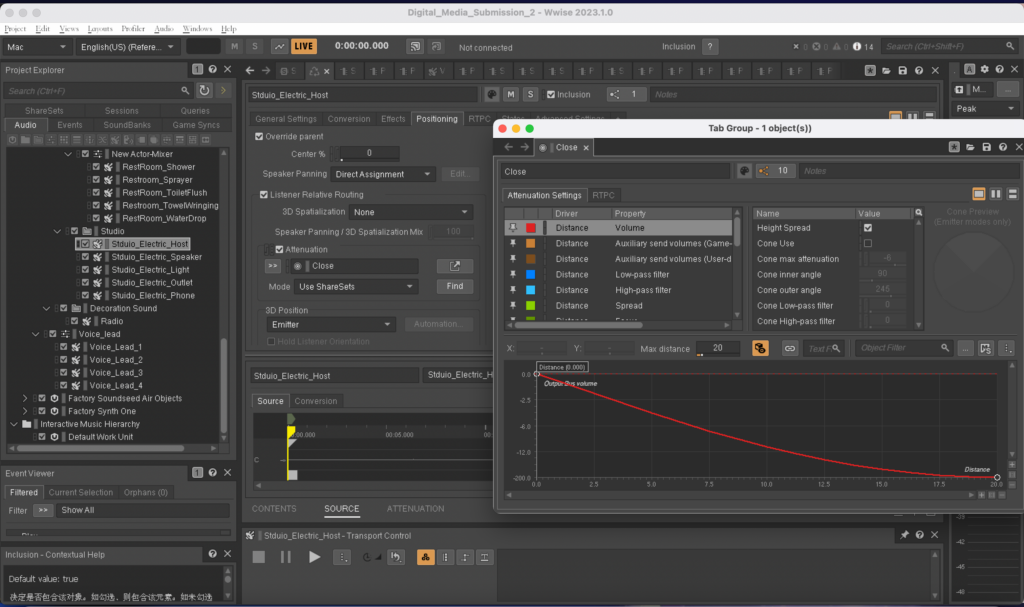
  • 1. We want to make the game difficulty of each level upgraded and the gameplay different. Therefore, the first two levels make a sound when it collides with an object, and the last two levels make a sound when it is close, and the closer the distance, the louder the sound.  As shown in the figures, AK Event and AK Ambient are used respectively. Before using this method, I wanted to expand the object’s sound range, so I chose to turn up the object’s collider and use AK Ambient at the same time. However, through various attempts, I found that when Wwise and Unity are well connected, the object cannot make any sound. After research, it was found that the “Position” in Wwise should be changed, and then the AK Ambient should be changed to “Start”. The above goal can be achieved without relying on the collider size. 
  • 2. Add hamster sounds to the project.

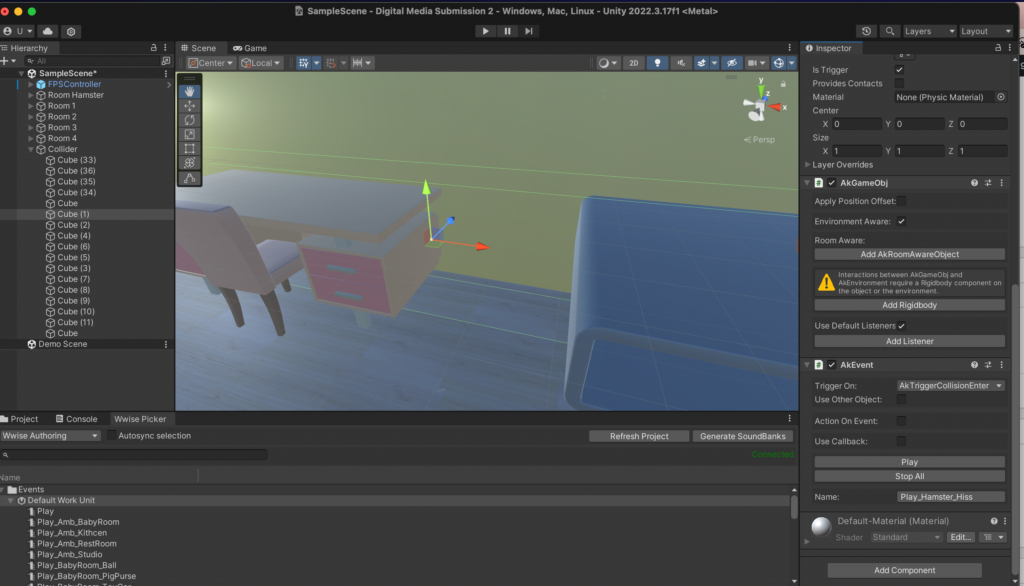
Appropriately adding the sound of hamsters while the player is walking can make the player more immersive. I thought about how to add some random hamster sounds more simply, so I chose to make some invisible cubes scattered everywhere and add random sounds to them. But if I do this, I need to consider the route the player takes. There are many uncertain factors and it is also very cumbersome. Then I thought of making four invisible cubes near the four walls. From the player’s perspective, when the hamster hits the wall (or furniture), it will make a sound. It will also be more lively.
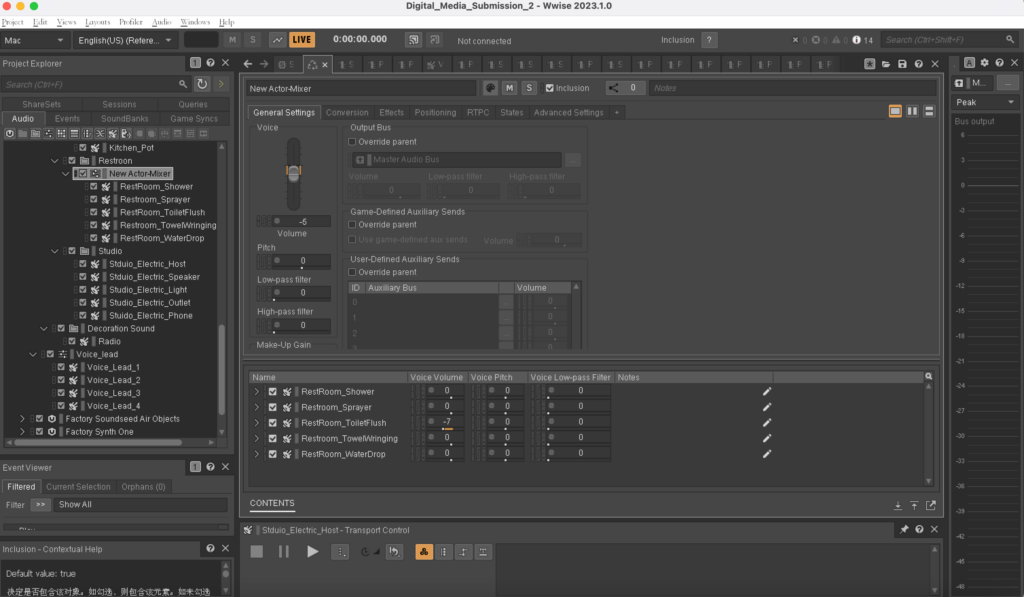
  • 3.  The sound levels of several objects in the bathroom and studio room were uneven. I adjusted the levels of each object to be more balanced so that no one object would be heard to be too loud. Add an appropriate amount of reverberation in the bathroom and radio sound in the kitchen to distinguish the different environments and textures of each space.
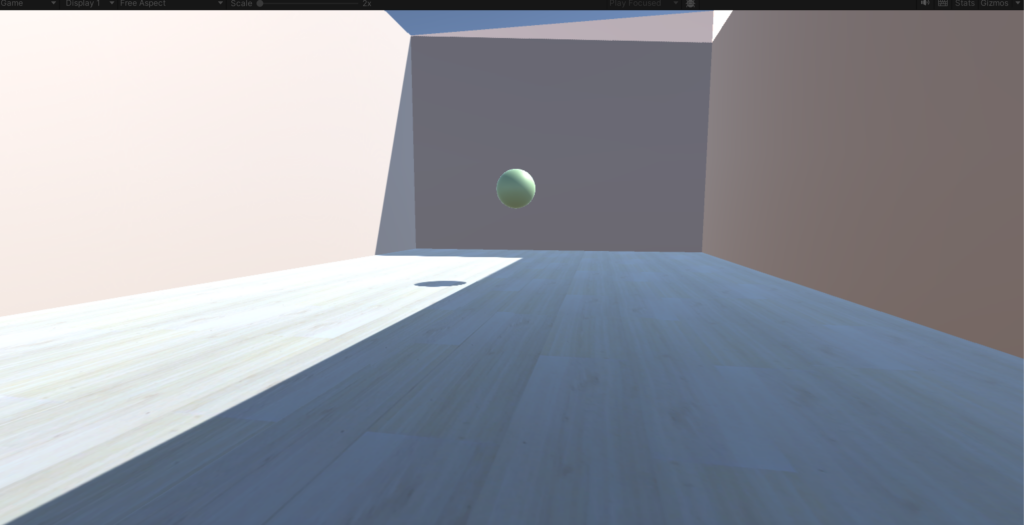
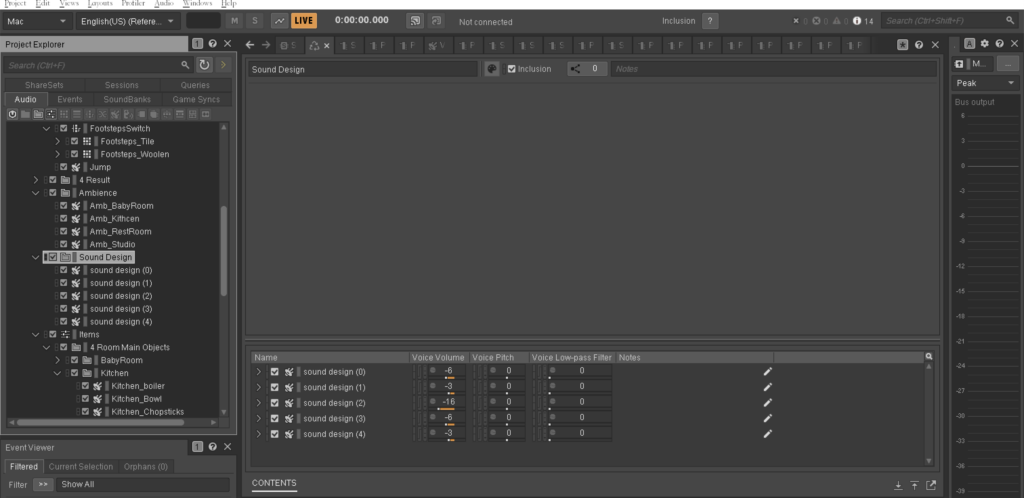
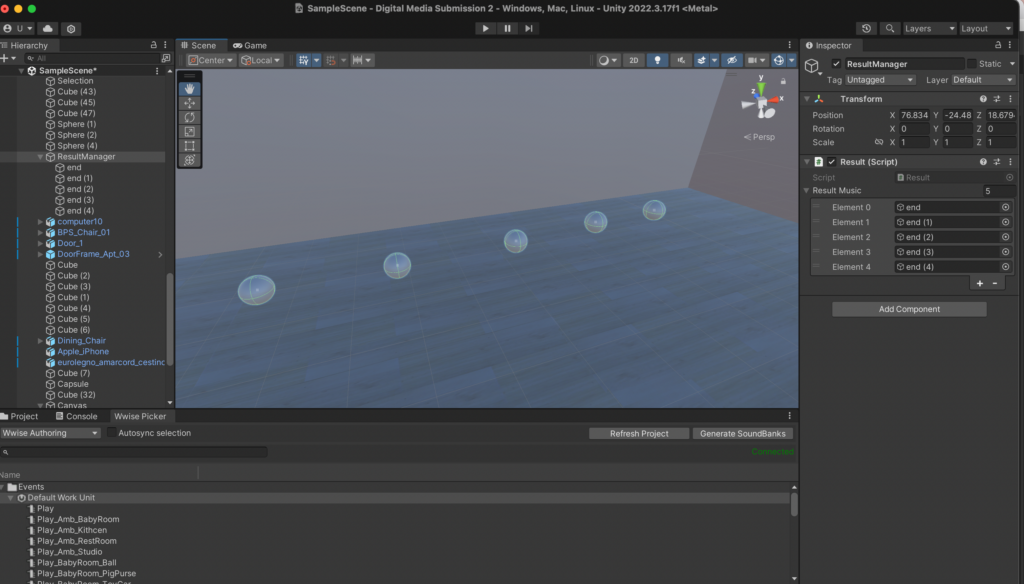
  • 4. Complete the ending sound design. There are now five endings, which are 0, 1, 2, 3 and 4 correct objects. Each sound design is different, but all are very interesting and creative. Place the 5 ending sounds on the 5 spheres in the last hamster room. When the player plays through it once, a unique sphere will appear based on the correct number he chooses. The player can get a piece of sound design audio by touching that sphere.
  • 5. Add ambient sounds that match the scenes in four rooms.
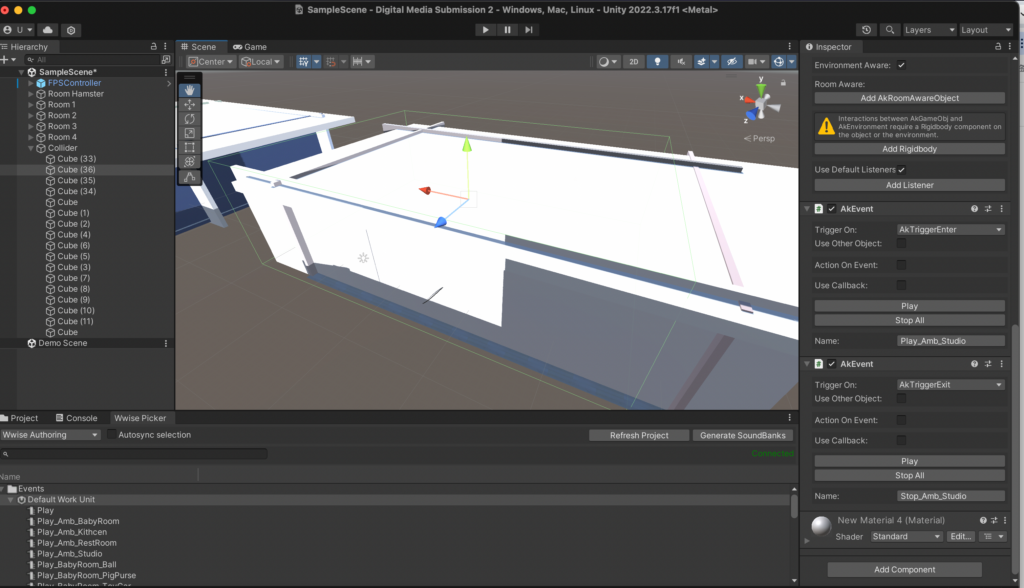
    I’m having a problem adding ambient sounds. The method I use is to use a large cube to cover the entire room and then make it invisible. Add AKEvent’s AKTriggerEnter and AKTriggerExit functions to the cube to start and end ambient sounds. However, after using this method, the ambient sound can be played in the room, but it cannot be stopped when leaving the room. Then we used the AKState function, but it still couldn’t solve our problem. Later, after a long period of trying, I finally discovered the problem. This is because the gameplay of our game is to teleport to the next room when the player touches the door. It may be because the player is teleported to the next room without completely passing the edge of the invisible cube, so the stop function cannot be used. I put some distance between the cube and the door and tried again. The ambient sound can be played and stopped normally.
  • 6. Add jumping and footsteps sounds. This is achieved by changing the first-person controller code. Use different footsteps sounds on different floor textures.


  • 7. Add guidance voice.

At the beginning of the game, play “Hi hamster here, let’s collect some interesting sounds for your own sound design. Touch this sphere and listen carefully”.

When entering the toy room, play “Remember the sound you just heard. Touch the object and listen. Now select the only object that sounds most similar to you. If you’ve made your choice, just walk out the door to the next room”.

Play “In this room, you only need to be close to the object to hear it” in the bathroom room.

Play” This is the end about your sound design, go ahead to touch and listen”. Play after a few seconds “If you want to restart the game just press the escape”.
 

Improvements to the sound section of the game after Hamster Hearing’s demo day

Wwise section/sound section:
1) The sound part in the bathroom should have reverb, so that it is in line with reality, and will be improved later.

2) According to the hamster’s natural habit of travelling at night, all the scenes are set at night, the ambient sound at night is relatively quiet, add the ambient sound at a later stage to create a sense of real atmosphere.

(3) The lack of voice guidance or text prompts leads to players not understanding the game through the mechanism, and will be added later prompts or prompts text.

(4) The main character hamster lacks other sound effects except footsteps, and some hamster sounds can be added later to increase the playability.

(Above is a hamster call that our group imitated earlier using a human voice.)

(5) In addition to the main items in the room sound effects, the lack of other unrelated to the passage of the content of the sound, but can create an atmosphere, the follow-up can be added to the decorative sounds, such as the radio playing music to create an atmosphere.

Liyuan Wang

Presentation day to draw problems and improvements.

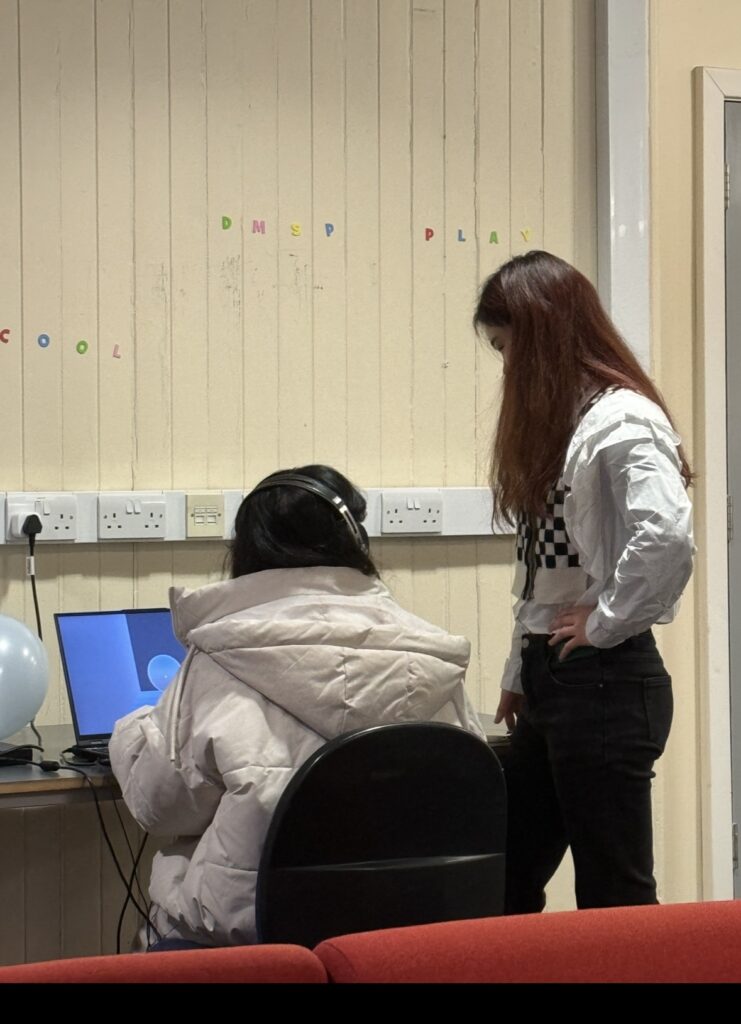
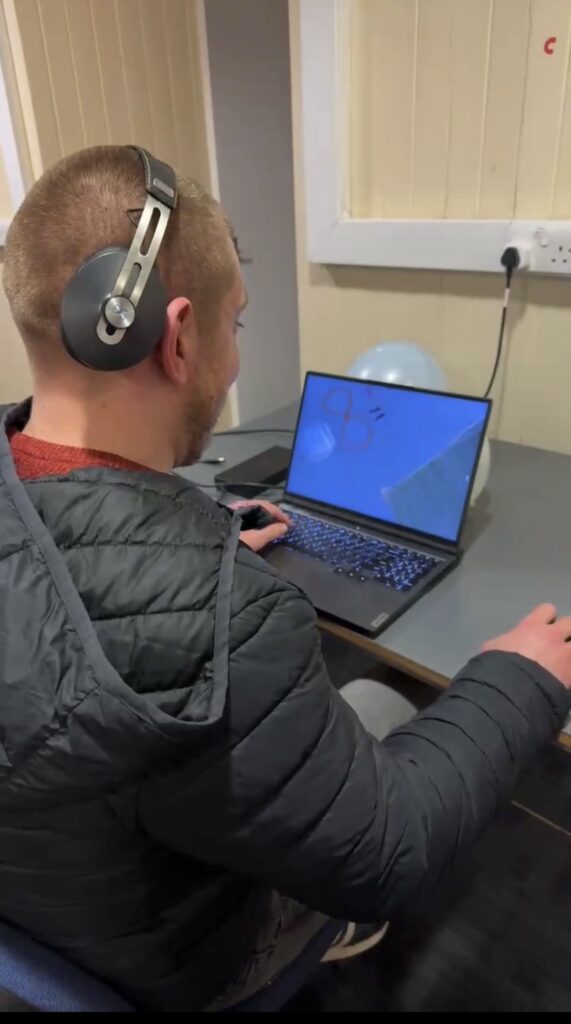
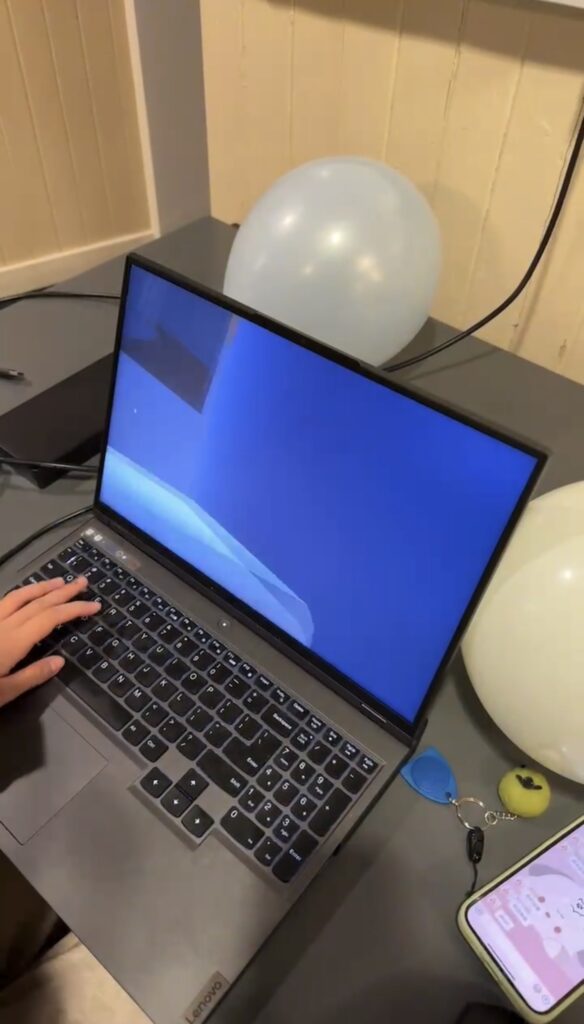
After the group presentation stage, many teachers and classmates tried to play our game, and we received a lot of recognition, and they also put forward some opinions.

I collected a few people’s thoughts on our game.

One person said that the game is more interesting, and the fourth level is the most challenging and difficult because the current sounds themselves are similar and each sound is relatively long. When several sounds are superimposed together, it will be difficult to identify which sound is the target sound. This was actually our original intention when designing this game. Our goal was to make each level more difficult than the last. However, after players reminded us, we also found that this method has problems, because it will cause the sound to be too noisy, unpleasant to listen to, and lose the meaning of “fun”.

Another person said that the player perspective in our game is relatively low, and other objects in the room are relatively large. It is difficult to see items placed on the table and is inconvenient to jump on. The way we modify this is to reduce the gravity of the First-Person Controller so that the player can jump higher when jumping.

By observing the player’s status, we also discovered several problems ourselves. For example, when playing games, there will be problems with poorly made models. I have tried my best to solve these problems during the subsequent project improvement process.

In terms of accuracy, some players who major in sound design do not have as high an accuracy rate as other professional players. This may be because the target sounds we selected for each level were processed. Students majoring in sound design are more sensitive to sound changes, so they may clearly hear the difference before and after sound processing. Therefore, when selecting items, there may be no similar sounds to choose from. This requires players to compare carefully and not be fooled by processed sounds.

Preparation of the presentation

Regarding the exhibition of our game, we design and consider from the following directions in order to show our game better.

1.Space design

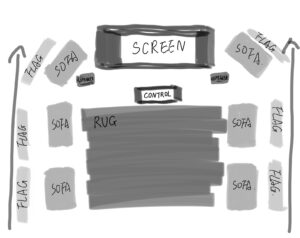
Regarding the space design of the exhibition, we chose to use the sound lab space to display our game, because the sound lab is a symmetrical space, and we can use a large monitor to connect to the host computer to display the game screen. But because we don’t need to use the whole sound lab space to display our games, we plan to rent a pair of stereos from the school and place them at the two ends of the monitors to play relaxing music to bring out the atmosphere of the whole venue. The sofas in the room will be arranged in two rows for gamers to take their seats. One player at a time. Black Flag and C Stand were rented from the school to build a roof to mimic the feeling of a hamster’s burrow. At the end, place clean blankets between the two rows of sofas to mimic the softness of a hamster’s bedroom floor. Below is a diagram of the layout of the design.

2. Game poster and logo design

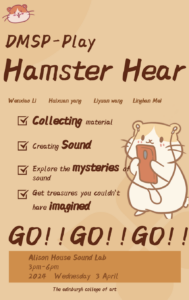
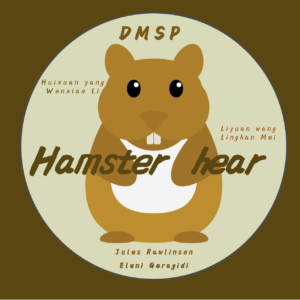
I designed posters to promote the game and to make people remember it. The overall colour of the poster is the hamster’s colour, yellow. It contains a brief description of the game’s purpose and zooms in on the main key words so that people can get a direct idea of what the game is about. The logo was also designed to be memorable.

Final version of the poster
                 

First draft of logo


Final version of logo

3. Game content concretisation

We endeavoured to complete a complete gameplay process, which would include the construction of four different themed rooms and the recording and processing of selected sounds for each of the four rooms, as well as the sound design for the correct composition of the results. Give the player a complete game experience flow.

Sound recording of vocalised objects

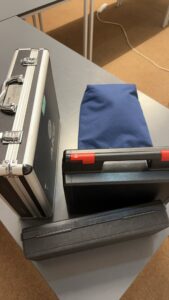
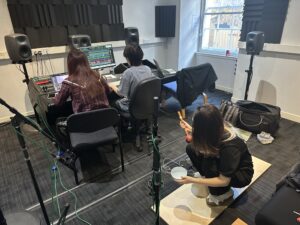
We need to stylistically compartmentalise the sounds in each room so that we can facilitate the sound design once we have finished recording the sound of the items. For the recording equipment we used Sennheiser MKH30 and Nwumann KM184.


During the recording process we had no access to a variety of toys made of the same material, so we used a lot of objects made of the same material to mimic the sound of the toys. For example, the sound of a spring bouncing up and down, I used the plastic film of a make-up box to vibrate and record a similar sound with better sound quality. For the sound of the sand hammer shaking, we chose to record the sound of the rice colliding in the shaking box instead.

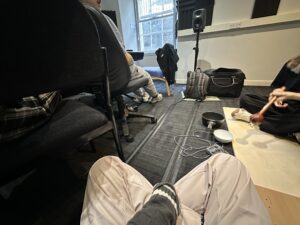
What really took time to experiment with was the sound of the hamster’s footsteps. We were going to record four different sets of footsteps, so that we could apply them to the hamster’s walk in the game. Considering that most of the time the hamster’s nails rub on the ground when walking, we used both the fingertips and the included fingernails, and at different speeds, to walk on a solid board to mimic the hamster’s walking sounds.

After this recording we have completed the first and second rooms, and we will soon complete the third room with various water sounds.

About the foley part

After a couple of weeks of Unity model building, we started Foley based on the sounds in the game.We’ll be focusing mainly on the sounds about the hamster’s footsteps, as well as specific sounds in each room.

Foley list:

1) Hamster walking sound (Wooden floor, Tile)

2) Hamster mouth or nose sound (Wooden floor, Tile)

3) Trojan horse

4) Spring head

5) Toy train (toy car)

6) Sand hammer

7) Pot

8) Bowl

9) Wooden chopsticks banging

10) Toy duck

11) toy dog

12) Shower sound

13) Toilet flushing

14) Faucet dripping

15) Water basin

16) Current sounds (expected to be recorded using an electro magnetic microphone): computer mainframe, computer speakers, desk lamp, small fridge, plugs.

Unity and Wwise Project in the first stage.

After submission 1, our team started to officially work on our Unity and Wwise projects.

  • According to the previous arrangement, the theme of our first game room is the toy room. We determined the specific colors of the room and found models of various furniture and toys. Then determined the toy can correspond to the sound.


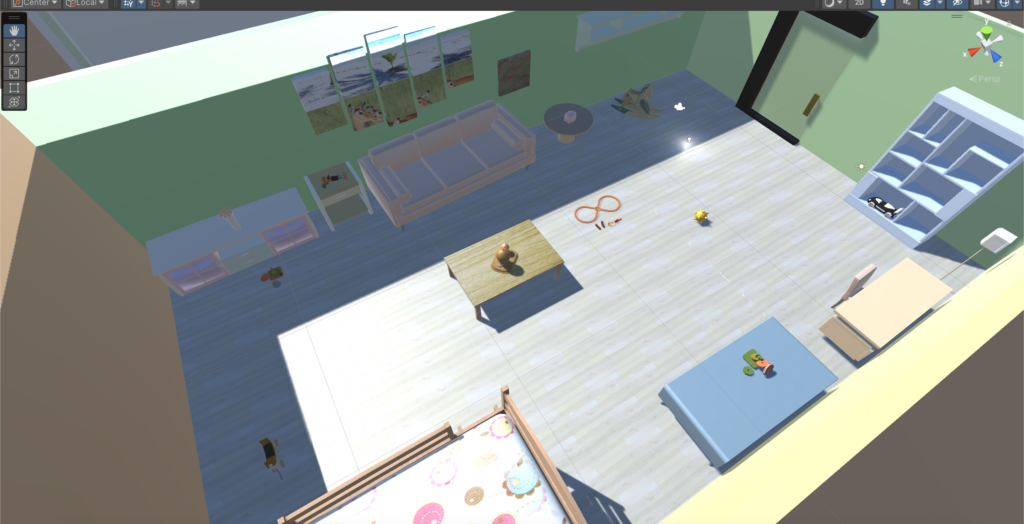
  • Try to connect Wwise and Unity to let the unity project make sounds. But there were some problems when it came to making the sounds of footsteps and various toys. But the happy thing is that we solved this problem after two days, successfully realized our idea, and initially built the toy room. As shown below.

  • We began to improve the game steps, such as requiring an empty room before each game room and giving players some sound and language prompts to let them know the specific gameplay of our game. Wait until the player is ready before teleporting to the next game room. Through Teleport’s script, the transmission between the blank room and the toy room is completed. As shown below.

  • We chose the key sound of the toy room to be the sound of coins clinking in the coin jar. Once the player selects the key sound, they can teleport through the room’s door to the next empty room. There will be object in the empty room that trigger going to the next room.


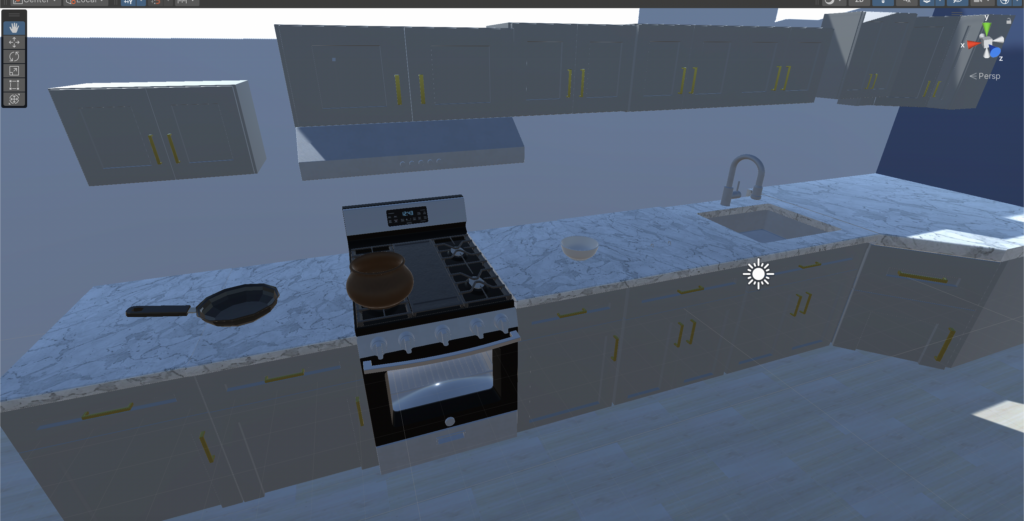
  • The theme of the second game room is the kitchen, and the structure of the room is still being gradually improved. As shown below.

When our project progressed to this point, there was a problem that troubled us, which was how to let players choose items. We tried the “Selection” script in many ways, but various problems always appeared.

We have tried a lot on this issue. Finally, we found that selection can only be used on simple single objects like cubes and cannot be used on items containing multiple sub-objects.

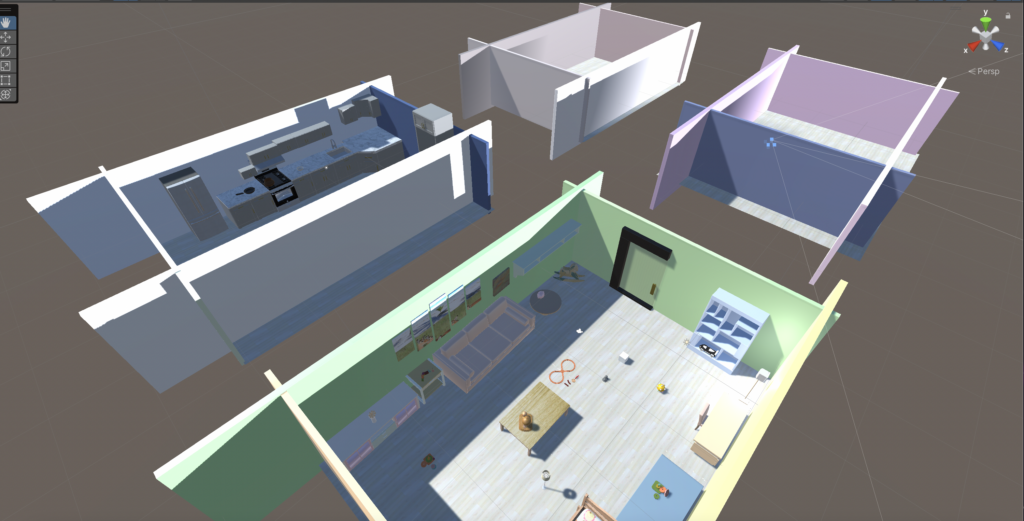
  • After much thought and discussion, we decided to reduce the size of the room. Because our main character is a hamster, the previous room was too big from the player’s perspective. Making each room smaller will allow the target object and other confusing items to be more concentrated.


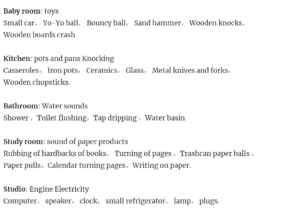
  • We have four playrooms in total, the first is the toy room, the second is the kitchen, the third is the bathroom, and the fourth is the study room. We identified the main colors in the four rooms as green, blue, purple and brown. and confirmed the target sound for each room. The next step is to go into the recording studio and record all the sounds needed in the game.

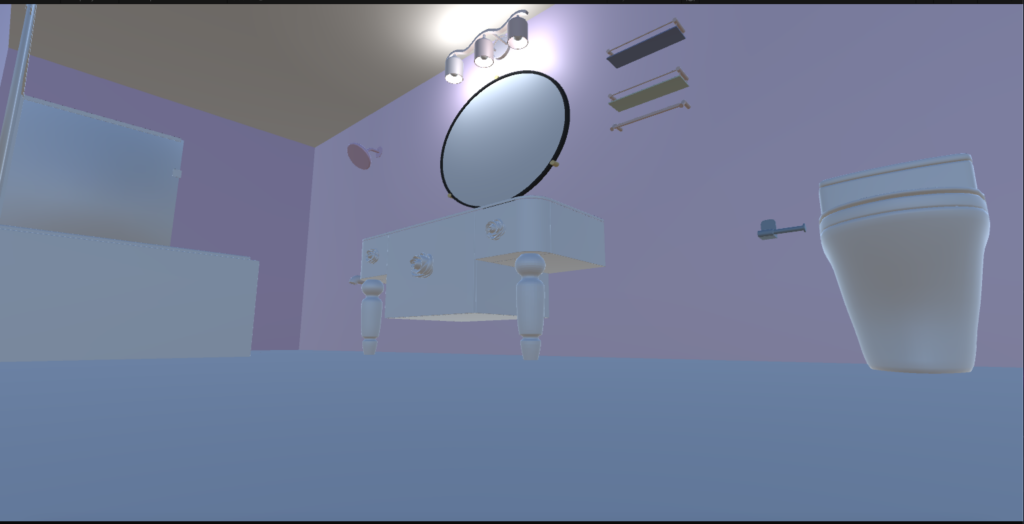
  • The theme of the third game room is the bathroom, and the structure of the room is still being gradually improved. As shown below. I started to add a roof to the room, because these rooms are supposed to be a relatively closed space. Then I put some light in the room to prevent it from getting too dark to see where things are. However, the lights I have added at this stage are still not enough to illuminate the whole room, and more light sources will be added later.

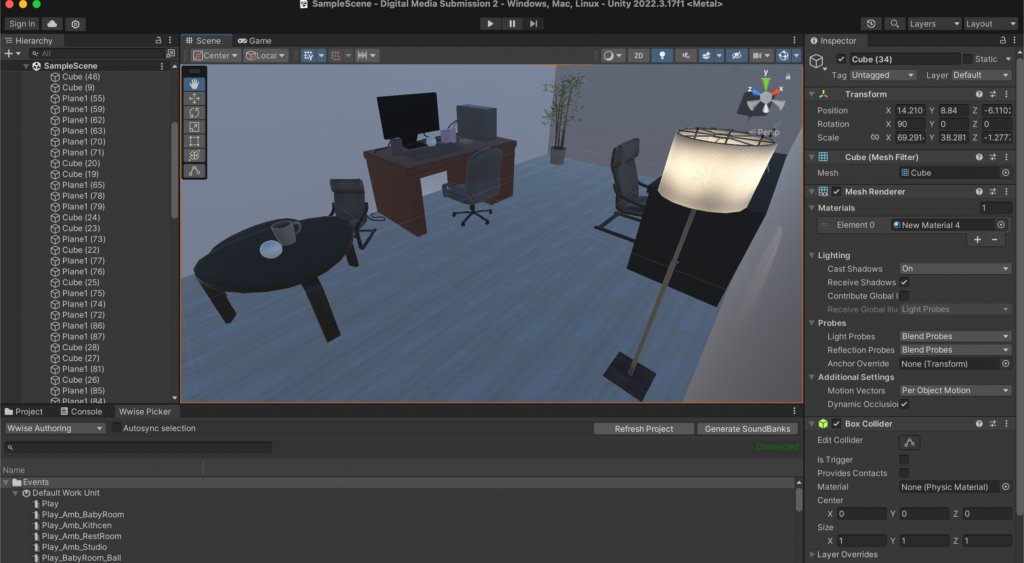
  • The fourth room is the studio, which is mainly brown. There are some computers, mobile phones, consoles, lights and other electronic equipment in it, so the sound of current is regarded as the main sound in this room. The picture below is the appearance of the studio room.

  • At this point, the architecture in unity is basically completed. The four rooms and the hamster room all have the most basic appearance.


To-do list and Project game title

To-do list

  1. Design the first view – hamster sounds: walking, running and other possible sounds, such as picking up or putting down objects, selecting objects, moving to the next level, etc.
  2. Set up the basic gameplay in unity, such as moving the hamster, selecting objects.
  3. Determine the rooms for the different levels.
  4. Determine the room style and corresponding object sounds for different levels. For example, kitchen, baby room, study room, etc. The possible objects and the corresponding sound elements.
  5. Find palettes or textures that are each different in style but have a unity overall.
  6. Envision the concepts and themes of the final sound design and how the different endings and collectible elements will be realized. Do research and references.
  7. The definition of the style of the voice-over, as well as the writing, recording and editing of the lines.
  8. mini-game design.
  9. the setting of higher levels of difficulty.


Project Game Title

After a thorough proposal and discussion, my group and I decided to set the name of the game to Hamster Hear, where Hear is both a verb and the name we gave the hamster.

This name not only has a double meaning but also captures the core gameplay and features of the game very well. Firstly, as a verb, “Hear” points directly to the game’s reliance on sound to recognise and select objects, highlighting the importance of hearing in the gameplay experience. Secondly, the use of “Hear” as the hamster’s name adds a sense of personalisation and intimacy, making it potentially easier for players to remember and love the character.

In addition, the name is concise, easy to remember, and easy to understand, which makes it easy to attract players. It effectively conveys the main idea of the game, while also being fun and creative, which may help it stand out from other games. Overall, we all agree that this is a very appropriate and attractive name for the game.

css.php

Report this page

To report inappropriate content on this page, please use the form below. Upon receiving your report, we will be in touch as per the Take Down Policy of the service.

Please note that personal data collected through this form is used and stored for the purposes of processing this report and communication with you.

If you are unable to report a concern about content via this form please contact the Service Owner.

Please enter an email address you wish to be contacted on. Please describe the unacceptable content in sufficient detail to allow us to locate it, and why you consider it to be unacceptable.
By submitting this report, you accept that it is accurate and that fraudulent or nuisance complaints may result in action by the University.

  Cancel