Any views expressed within media held on this service are those of the contributors, should not be taken as approved or endorsed by the University, and do not necessarily reflect the views of the University in respect of any particular issue.
The link below is a video of the gameplay demonstration that I posted in Teams. This is what the sound design looks like when the player selects all the correct objects. It serves as a reminder to players.
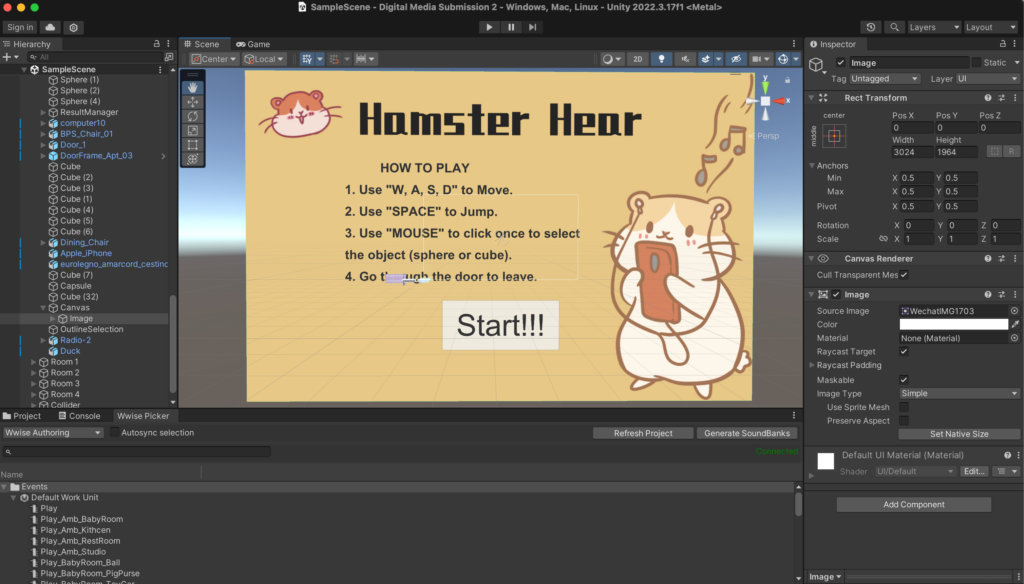
This cover has two functions. First, the painting style is very cute and healing, which attracts people to play the game. Second, it can write down the operation methods of the game so that players can have a clearer understanding of how to play the game.
Here’s how to play the game:
Use “W, A, S, D” to Move.
Use “SPACE” to Jump.
Use “MOUSE” to click once to select the object (sphere or cube).
Go through the door to leave.
After players read the operation guide on the cover, they can enter the game by clicking the “Start” button below. At this time, there will be a voice to guide the player to enter the subsequent room by colliding the sphere.
2. Solved the problem of not obvious changes before and after selecting objects.
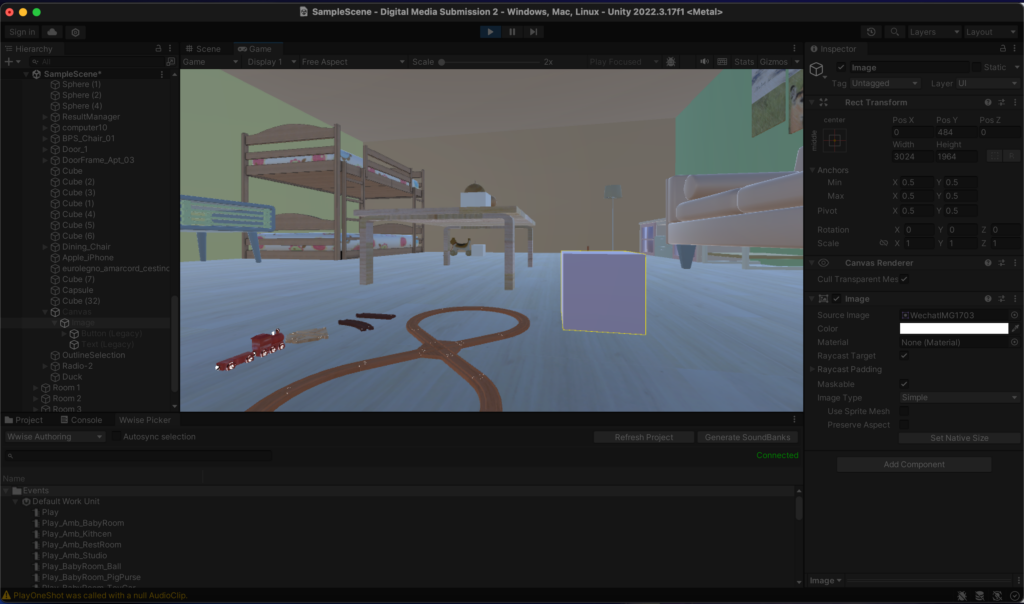
In the game project during the performance, the object before selection is white and the object after selection is light blue. Since each room is closed, the light in the room is not very bright, so the colors before and after the selection look similar. This gives many players the illusion that the selection has not been successful, and they will click on the object many times to confirm. However, this may result in an even number of clicks, and the system will not count the object as successfully selected. So I made adjustments when perfecting the project, as shown in the picture. The upper picture is the color when the mouse is placed on the object, and the lower picture is what the object looks like after the mouse is clicked. So when the edge of the object turns purple, that means the object is successfully selected. In this case, players can see clearly.
3. Use simple cubes and spheres instead of complex models.
When we first set up the game, in order to make the game look better, we originally thought of using complex models to make the sounds themselves. This will allow players to feel the source of the sound more intuitively. For example, if the player encounters a toy horse, there will be a sound made by the toy horse, which may be more vivid. But when the player needs to select an object, the complex model cannot change the color, and the game cannot proceed. We tried the same operation on a simple cube and found that the problem was not with the “Selection” script. So in the end we chose to place simple cubes and spheres next to the model and let them replace sound generation and selection.
There are what the game project finally looks like.
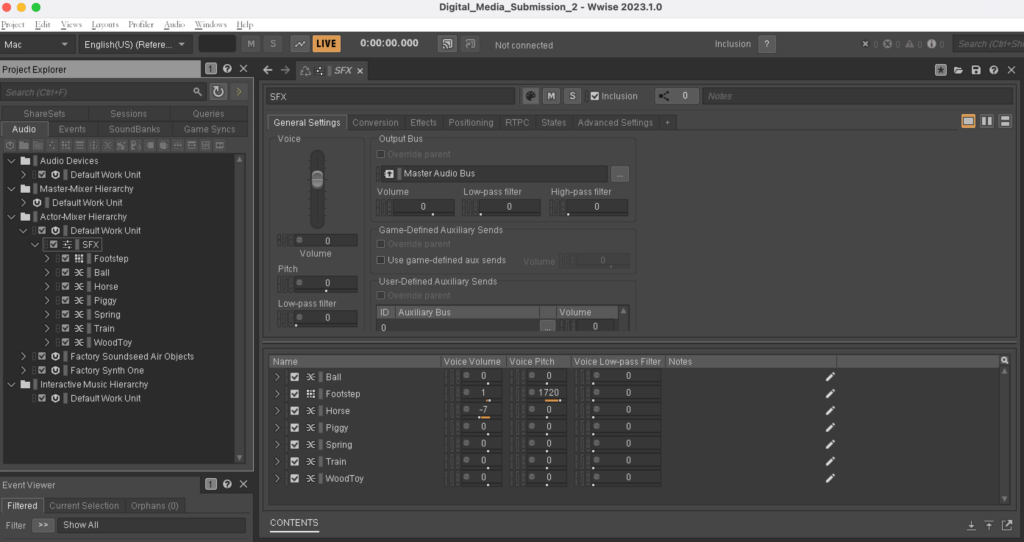
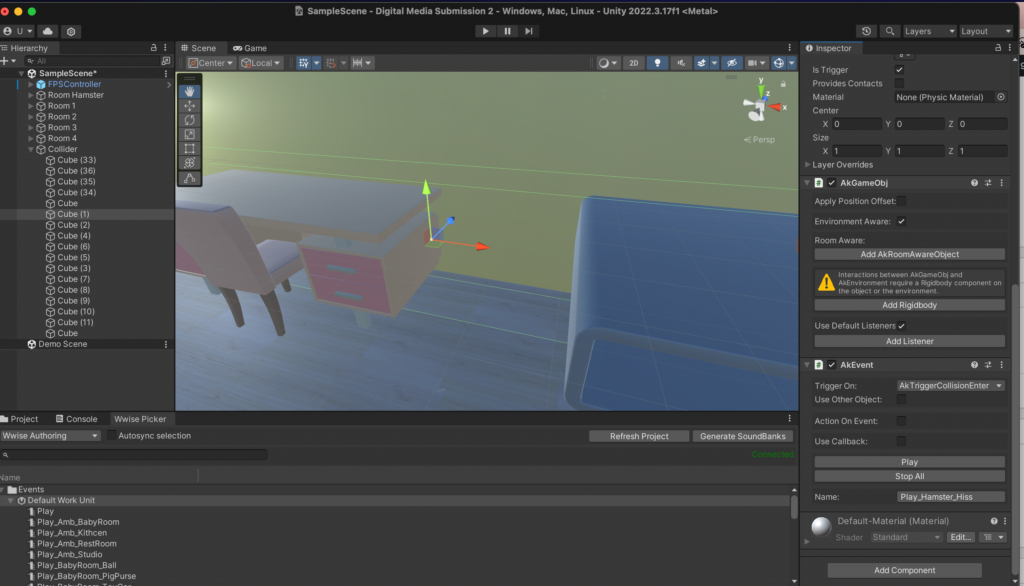
1. We want to make the game difficulty of each level upgraded and the gameplay different. Therefore, the first two levels make a sound when it collides with an object, and the last two levels make a sound when it is close, and the closer the distance, the louder the sound. As shown in the figures, AK Event and AK Ambient are used respectively. Before using this method, I wanted to expand the object’s sound range, so I chose to turn up the object’s collider and use AK Ambient at the same time. However, through various attempts, I found that when Wwise and Unity are well connected, the object cannot make any sound. After research, it was found that the “Position” in Wwise should be changed, and then the AK Ambient should be changed to “Start”. The above goal can be achieved without relying on the collider size. 
2. Add hamster sounds to the project.
Appropriately adding the sound of hamsters while the player is walking can make the player more immersive. I thought about how to add some random hamster sounds more simply, so I chose to make some invisible cubes scattered everywhere and add random sounds to them. But if I do this, I need to consider the route the player takes. There are many uncertain factors and it is also very cumbersome. Then I thought of making four invisible cubes near the four walls. From the player’s perspective, when the hamster hits the wall (or furniture), it will make a sound. It will also be more lively.
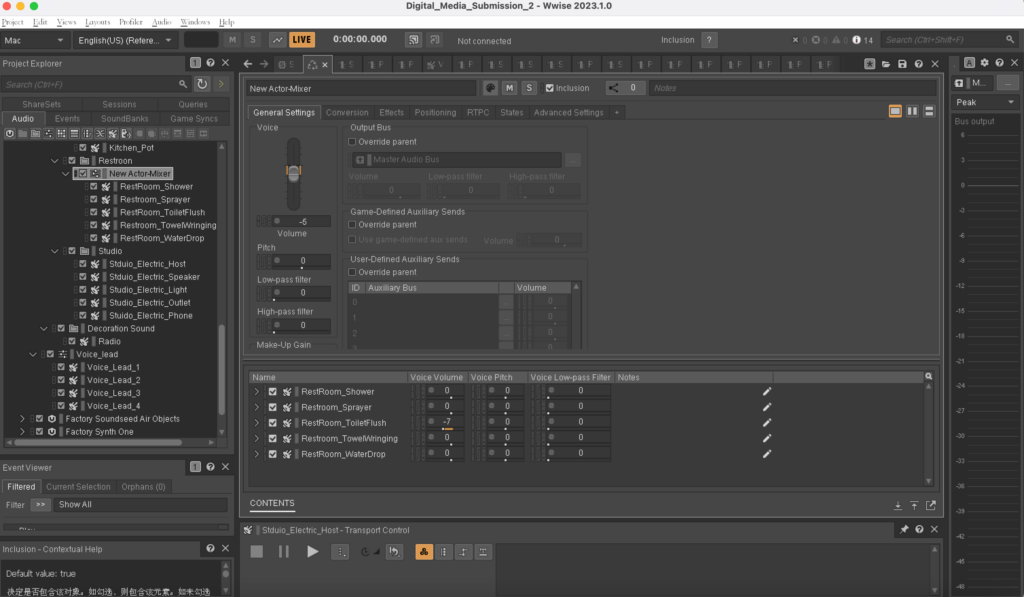
3. The sound levels of several objects in the bathroom and studio room were uneven. I adjusted the levels of each object to be more balanced so that no one object would be heard to be too loud. Add an appropriate amount of reverberation in the bathroom and radio sound in the kitchen to distinguish the different environments and textures of each space.
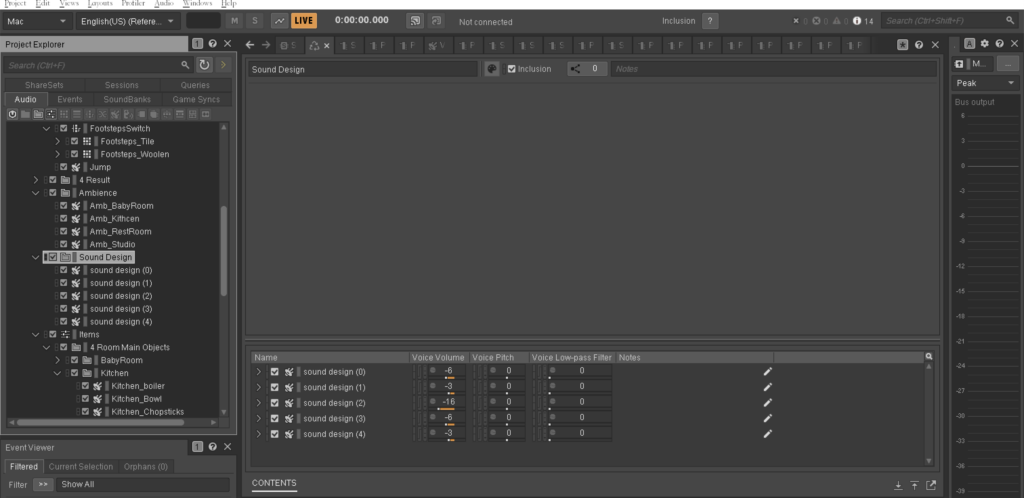
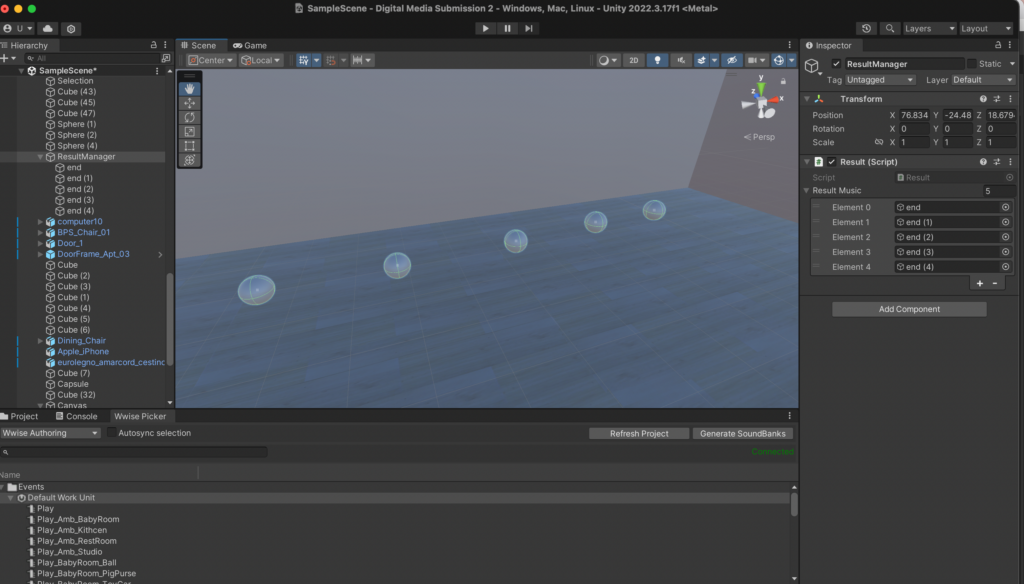
4. Complete the ending sound design. There are now five endings, which are 0, 1, 2, 3 and 4 correct objects. Each sound design is different, but all are very interesting and creative. Place the 5 ending sounds on the 5 spheres in the last hamster room. When the player plays through it once, a unique sphere will appear based on the correct number he chooses. The player can get a piece of sound design audio by touching that sphere.
5. Add ambient sounds that match the scenes in four rooms.
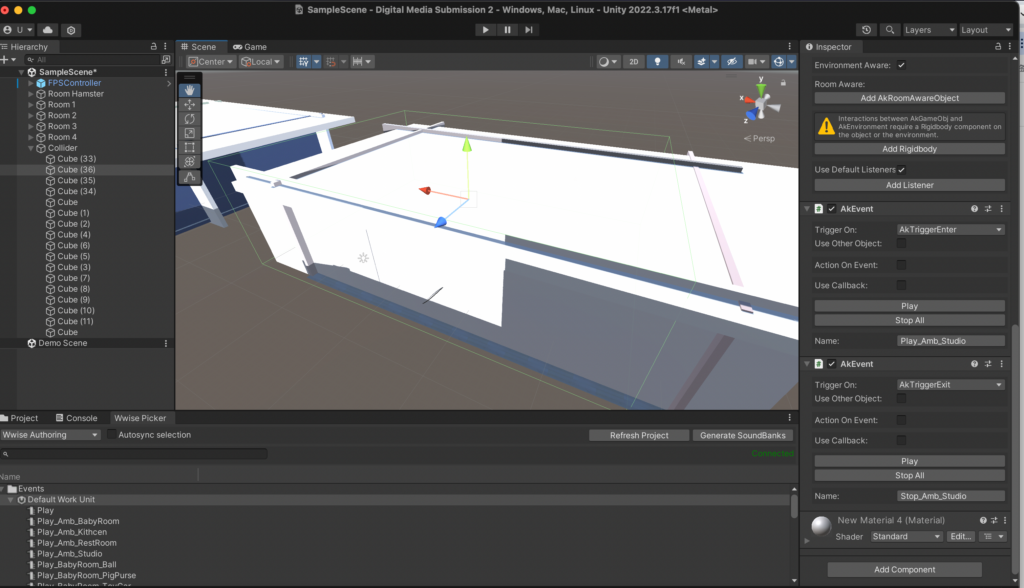
I’m having a problem adding ambient sounds. The method I use is to use a large cube to cover the entire room and then make it invisible. Add AKEvent’s AKTriggerEnter and AKTriggerExit functions to the cube to start and end ambient sounds. However, after using this method, the ambient sound can be played in the room, but it cannot be stopped when leaving the room. Then we used the AKState function, but it still couldn’t solve our problem. Later, after a long period of trying, I finally discovered the problem. This is because the gameplay of our game is to teleport to the next room when the player touches the door. It may be because the player is teleported to the next room without completely passing the edge of the invisible cube, so the stop function cannot be used. I put some distance between the cube and the door and tried again. The ambient sound can be played and stopped normally.
6. Add jumping and footsteps sounds. This is achieved by changing the first-person controller code. Use different footsteps sounds on different floor textures.
7. Add guidance voice.
At the beginning of the game, play “Hi hamster here, let’s collect some interesting sounds for your own sound design. Touch this sphere and listen carefully”.
When entering the toy room, play “Remember the sound you just heard. Touch the object and listen. Now select the only object that sounds most similar to you. If you’ve made your choice, just walk out the door to the next room”.
Play “In this room, you only need to be close to the object to hear it” in the bathroom room.
Play” This is the end about your sound design, go ahead to touch and listen”. Play after a few seconds “If you want to restart the game just press the escape”.
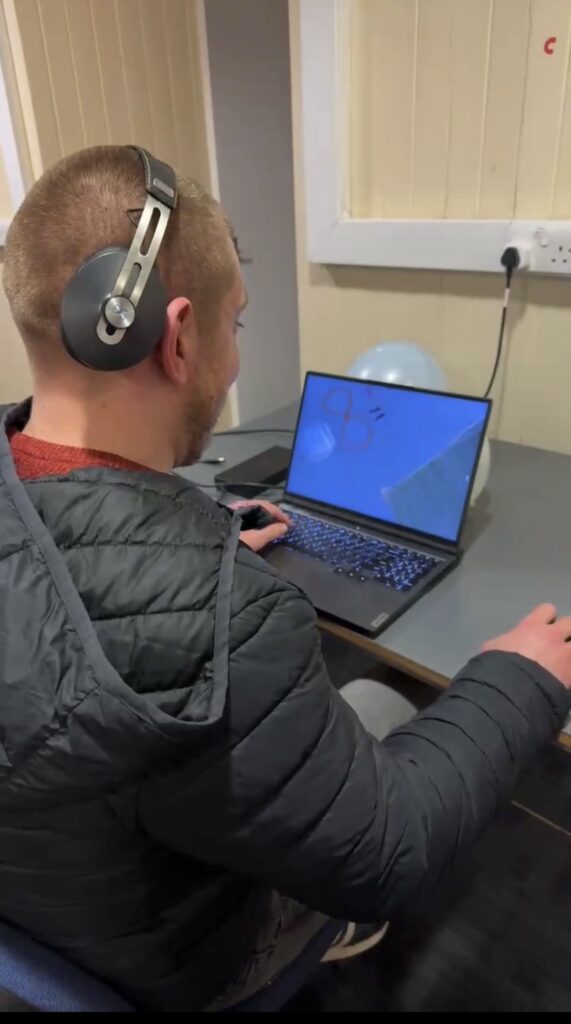
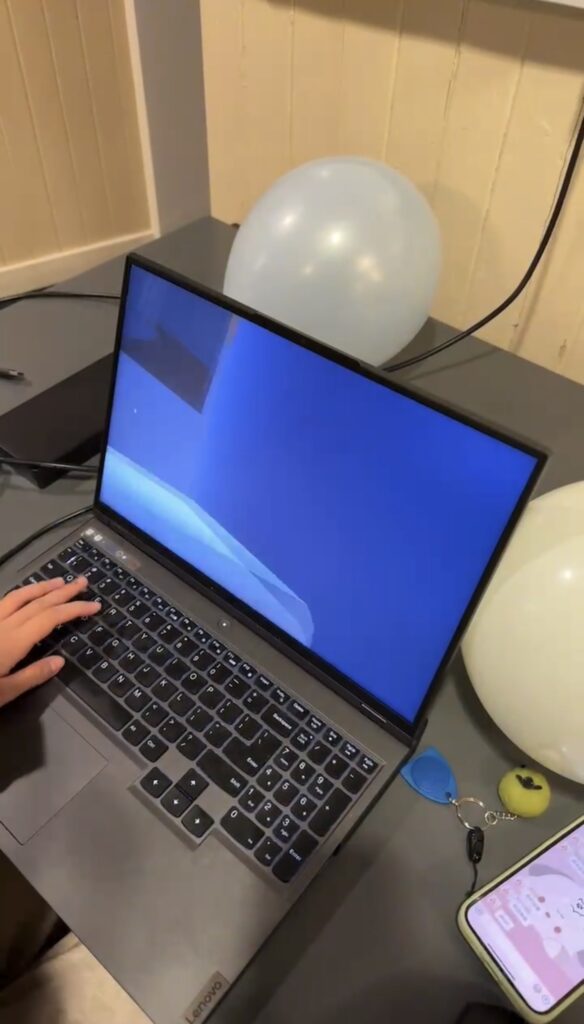
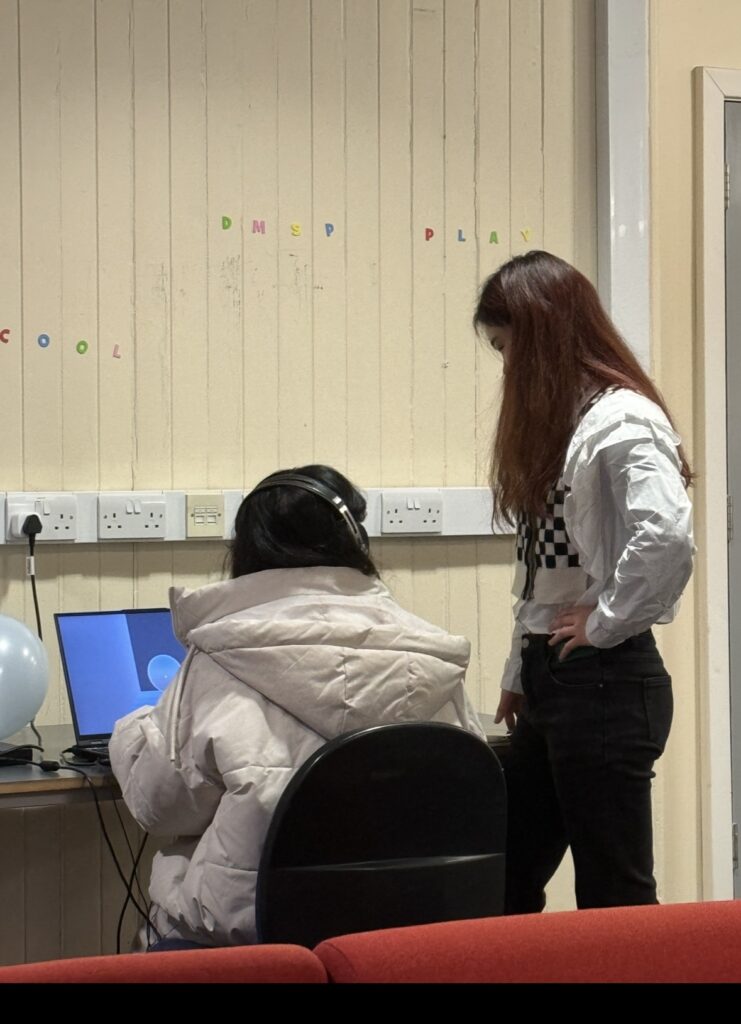
After the group presentation stage, many teachers and classmates tried to play our game, and we received a lot of recognition, and they also put forward some opinions.
I collected a few people’s thoughts on our game.
One person said that the game is more interesting, and the fourth level is the most challenging and difficult because the current sounds themselves are similar and each sound is relatively long. When several sounds are superimposed together, it will be difficult to identify which sound is the target sound. This was actually our original intention when designing this game. Our goal was to make each level more difficult than the last. However, after players reminded us, we also found that this method has problems, because it will cause the sound to be too noisy, unpleasant to listen to, and lose the meaning of “fun”.
Another person said that the player perspective in our game is relatively low, and other objects in the room are relatively large. It is difficult to see items placed on the table and is inconvenient to jump on. The way we modify this is to reduce the gravity of the First-Person Controller so that the player can jump higher when jumping.
By observing the player’s status, we also discovered several problems ourselves. For example, when playing games, there will be problems with poorly made models. I have tried my best to solve these problems during the subsequent project improvement process.
In terms of accuracy, some players who major in sound design do not have as high an accuracy rate as other professional players. This may be because the target sounds we selected for each level were processed. Students majoring in sound design are more sensitive to sound changes, so they may clearly hear the difference before and after sound processing. Therefore, when selecting items, there may be no similar sounds to choose from. This requires players to compare carefully and not be fooled by processed sounds.
After submission 1, our team started to officially work on our Unity and Wwise projects.
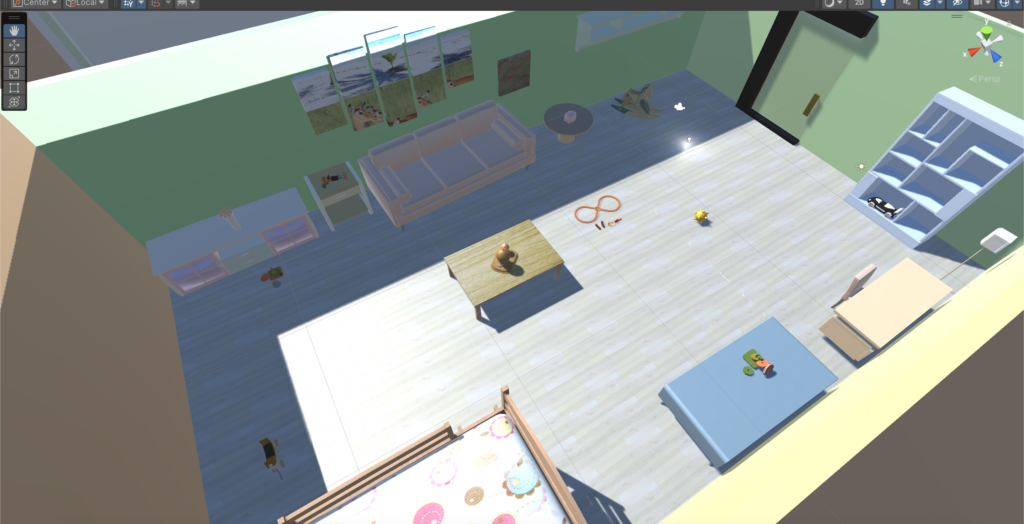
According to the previous arrangement, the theme of our first game room is the toy room. We determined the specific colors of the room and found models of various furniture and toys. Then determined the toy can correspond to the sound.
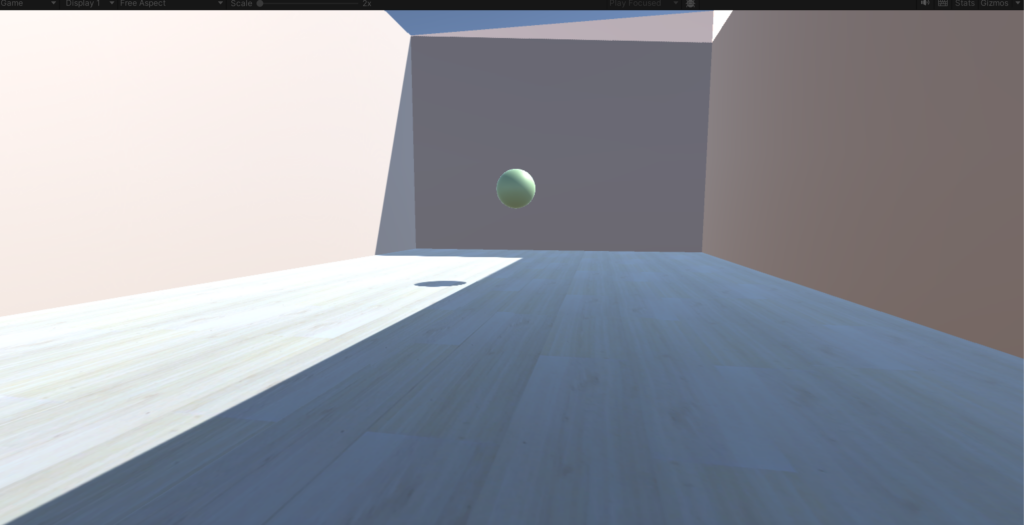
Try to connect Wwise and Unity to let the unity project make sounds. But there were some problems when it came to making the sounds of footsteps and various toys. But the happy thing is that we solved this problem after two days, successfully realized our idea, and initially built the toy room. As shown below.
We began to improve the game steps, such as requiring an empty room before each game room and giving players some sound and language prompts to let them know the specific gameplay of our game. Wait until the player is ready before teleporting to the next game room. Through Teleport’s script, the transmission between the blank room and the toy room is completed. As shown below.
We chose the key sound of the toy room to be the sound of coins clinking in the coin jar. Once the player selects the key sound, they can teleport through the room’s door to the next empty room. There will be object in the empty room that trigger going to the next room.
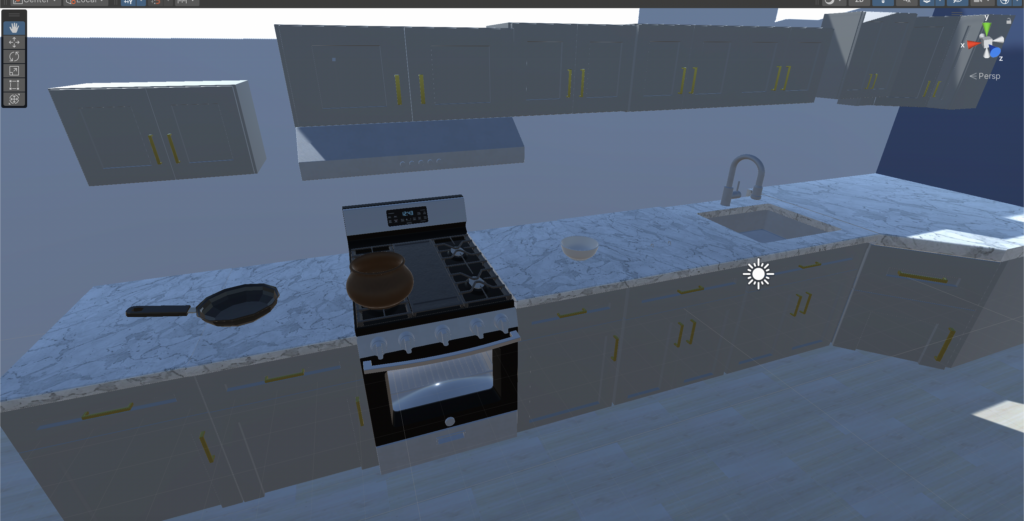
The theme of the second game room is the kitchen, and the structure of the room is still being gradually improved. As shown below.
When our project progressed to this point, there was a problem that troubled us, which was how to let players choose items. We tried the “Selection” script in many ways, but various problems always appeared.
We have tried a lot on this issue. Finally, we found that selection can only be used on simple single objects like cubes and cannot be used on items containing multiple sub-objects.
After much thought and discussion, we decided to reduce the size of the room. Because our main character is a hamster, the previous room was too big from the player’s perspective. Making each room smaller will allow the target object and other confusing items to be more concentrated.
We have four playrooms in total, the first is the toy room, the second is the kitchen, the third is the bathroom, and the fourth is the study room. We identified the main colors in the four rooms as green, blue, purple and brown. and confirmed the target sound for each room. The next step is to go into the recording studio and record all the sounds needed in the game.
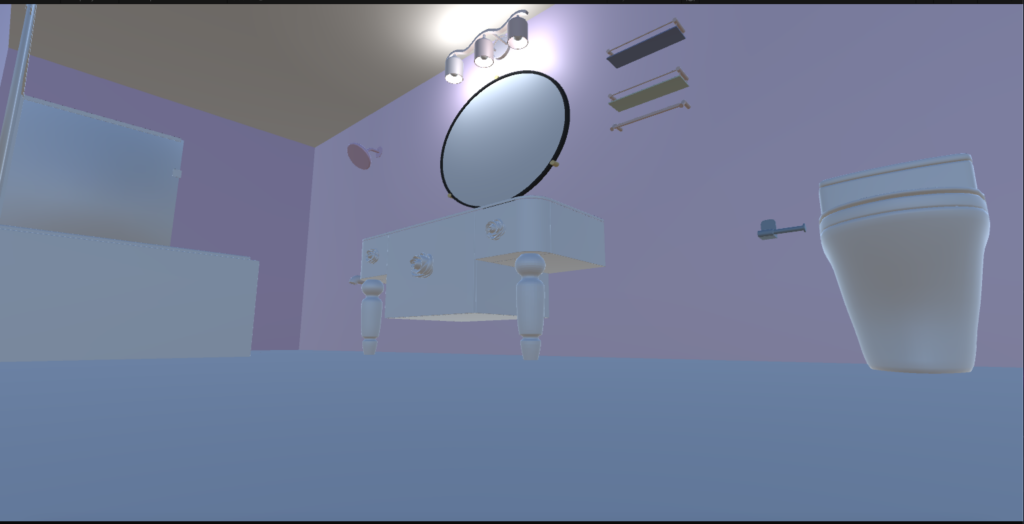
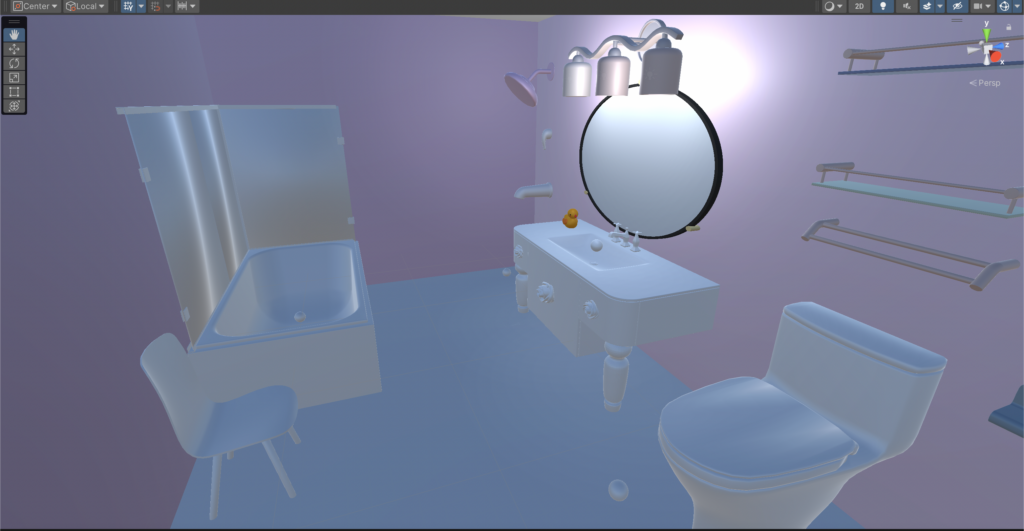
The theme of the third game room is the bathroom, and the structure of the room is still being gradually improved. As shown below. I started to add a roof to the room, because these rooms are supposed to be a relatively closed space. Then I put some light in the room to prevent it from getting too dark to see where things are. However, the lights I have added at this stage are still not enough to illuminate the whole room, and more light sources will be added later.
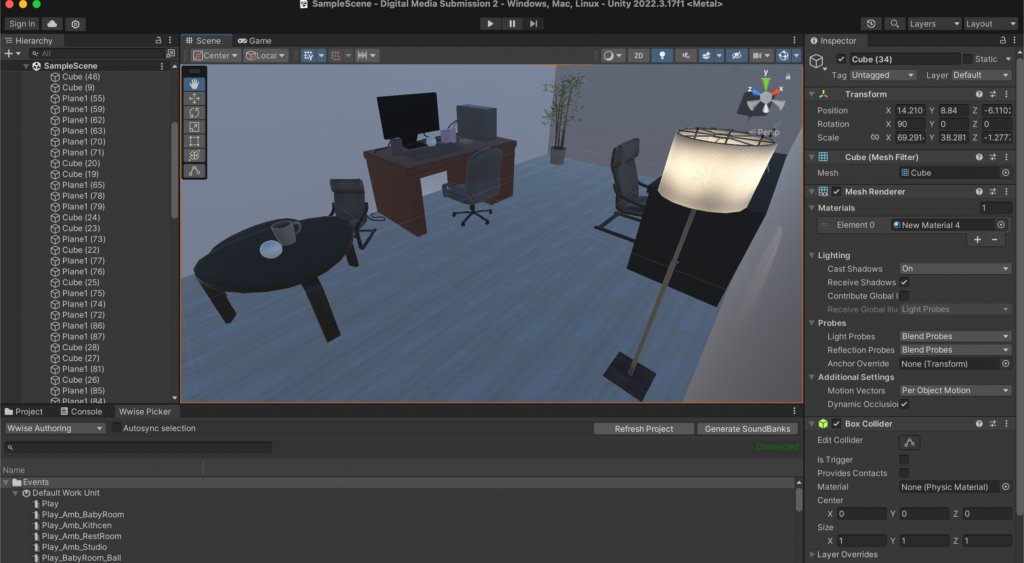
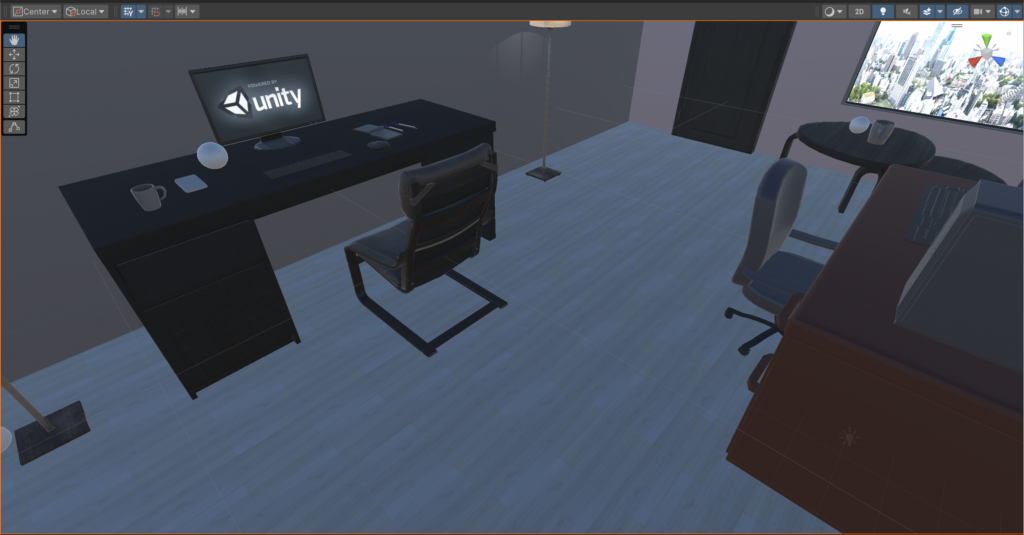
The fourth room is the studio, which is mainly brown. There are some computers, mobile phones, consoles, lights and other electronic equipment in it, so the sound of current is regarded as the main sound in this room. The picture below is the appearance of the studio room.
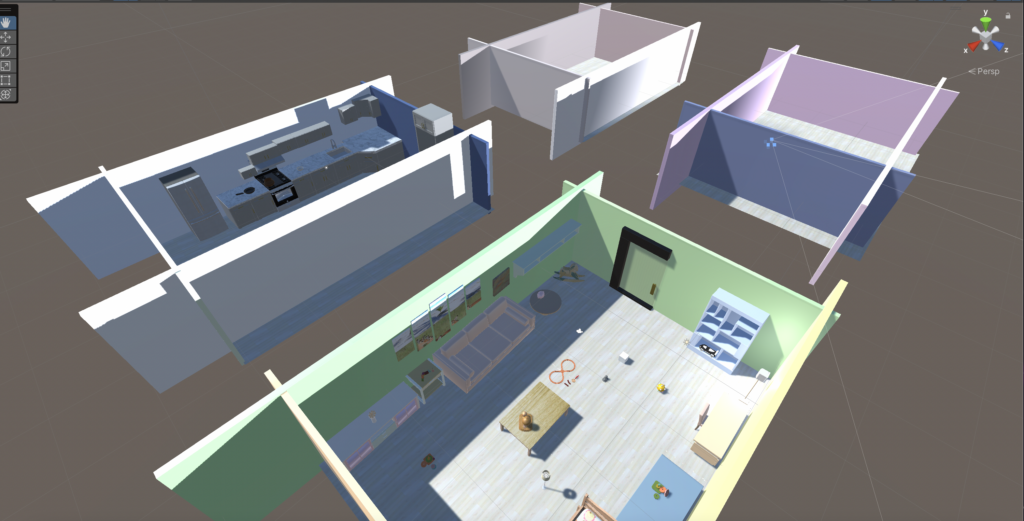
At this point, the architecture in unity is basically completed. The four rooms and the hamster room all have the most basic appearance.
Most of the games currently on the market are graphics-based, supplemented by sound. Most of the games I want to make need to be audio-based, with the graphics becoming assistive, so it’s a whole new experience. Through this game, people who like to play games can have the opportunity to try the auditory experience, hoping to attract more people to pay attention to the sound industry in games.
Game type: Healing first-person perspective game.
Our game may have a healing style, it may be a cartoon style, it may be colorful. Our purpose in designing this game is to allow players to experience the relaxation and warmth of the game in addition to their busy lives.
First attempt at modeling with Unity:
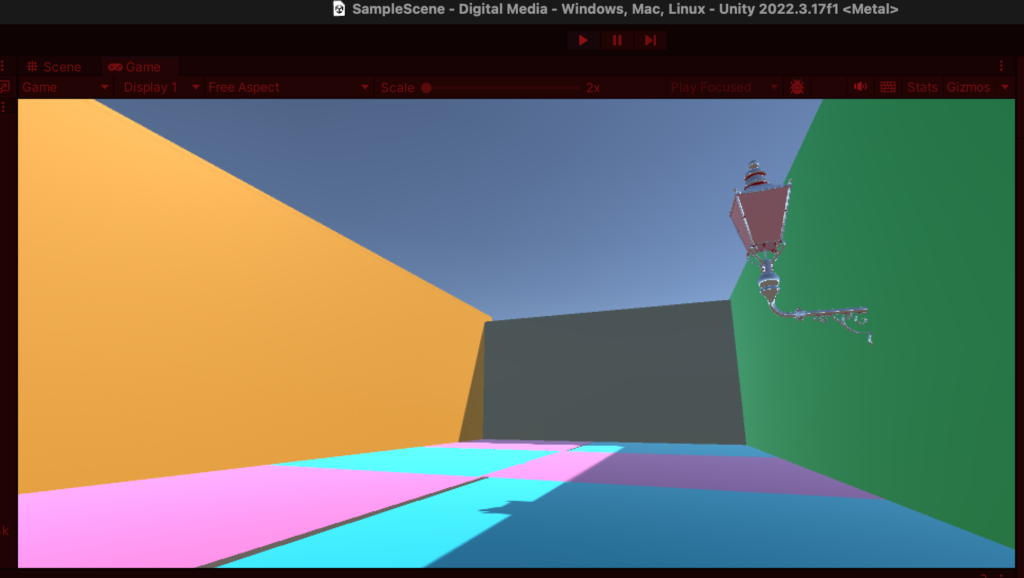
Since the game is in first-person perspective, I first created a first-person character controller. After the establishment is completed, a room need to be created, because our games all take place in the room.
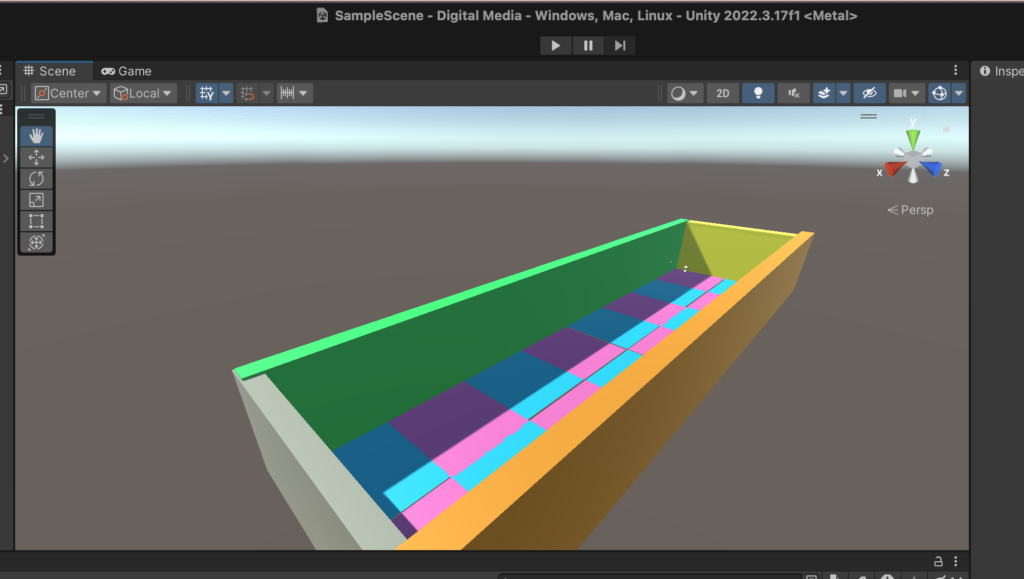
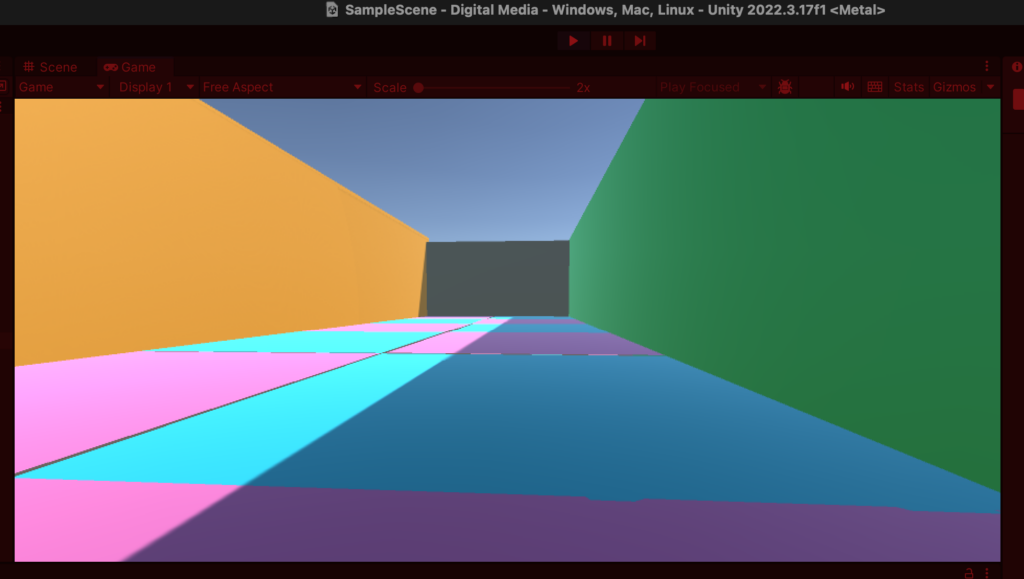
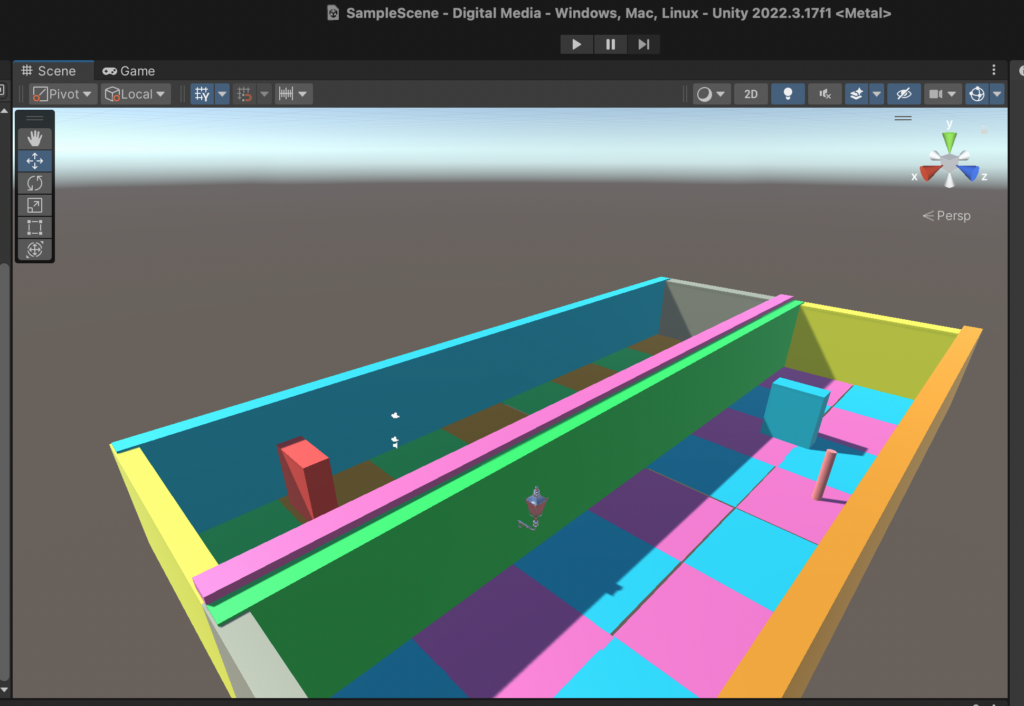
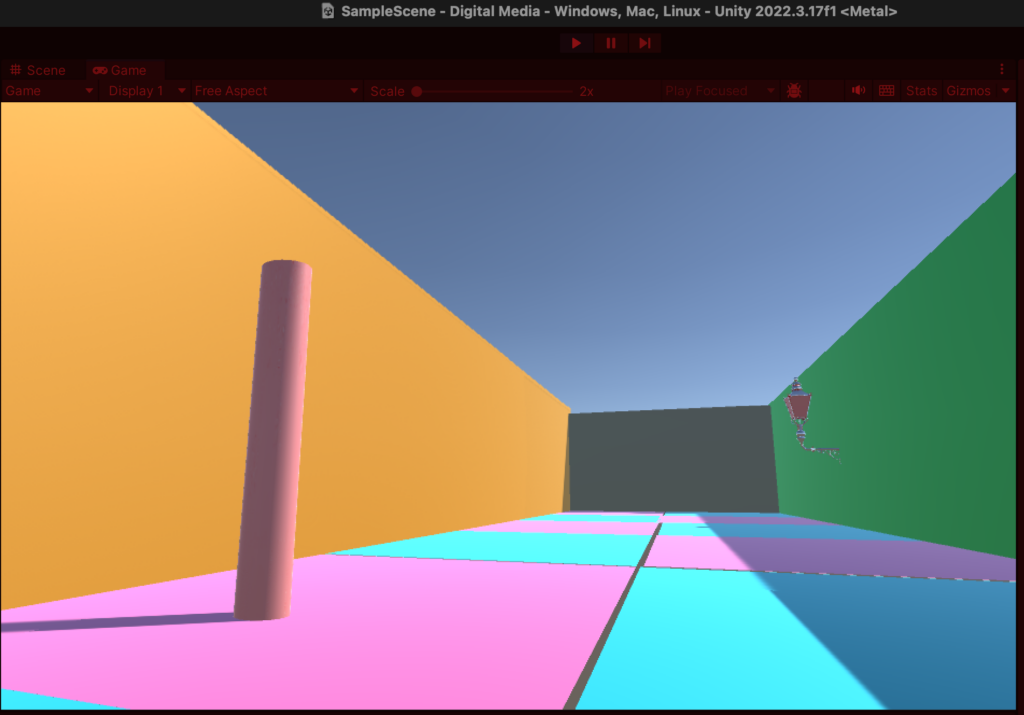
Because I need to make players feel a sense of healing, I used many different colors on the floor and walls to make players feel that the game is visually very relaxing and attract players to continue exploring. Below is the first room I built in Unity.
In my room, I use a variety of color splicing to enrich the color of the scene. I can also use textures to increase the quality of the scene and make it appear more realistic. As shown below.
Our game is to search for items in the room. Every time the players approach an item, it will make a different sound. After collecting a few items, they can enter the next part. (Detailed game effects and gameplay will be clearly explained by other students in our group.) So next I need to find some models of items to place in the room to provide some sound trigger points for the players. As shown below.
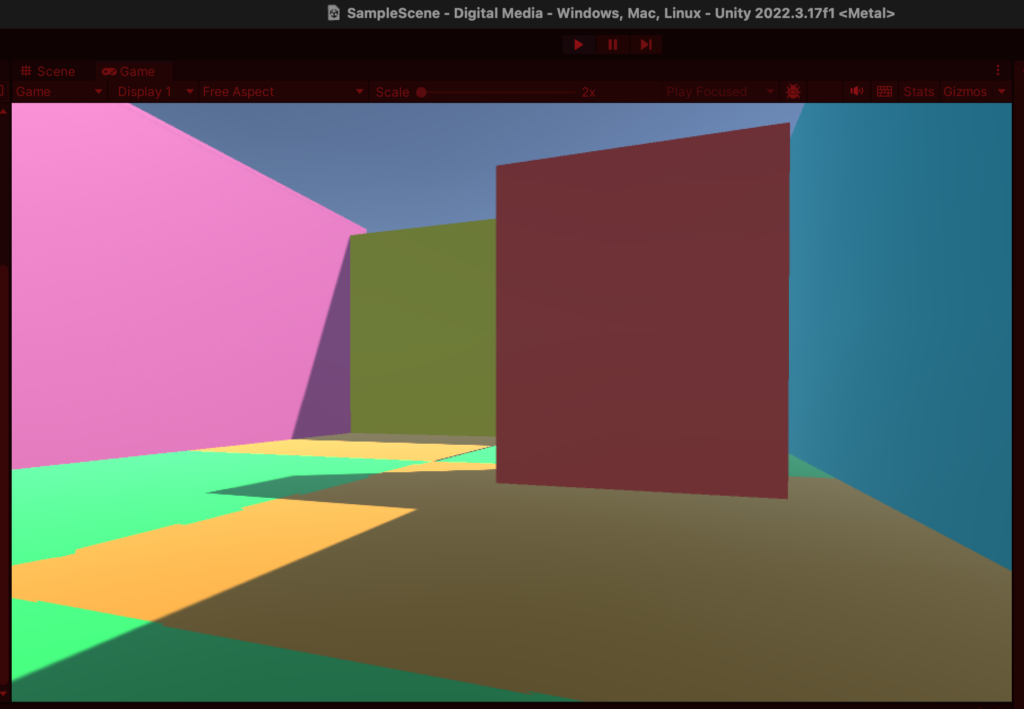
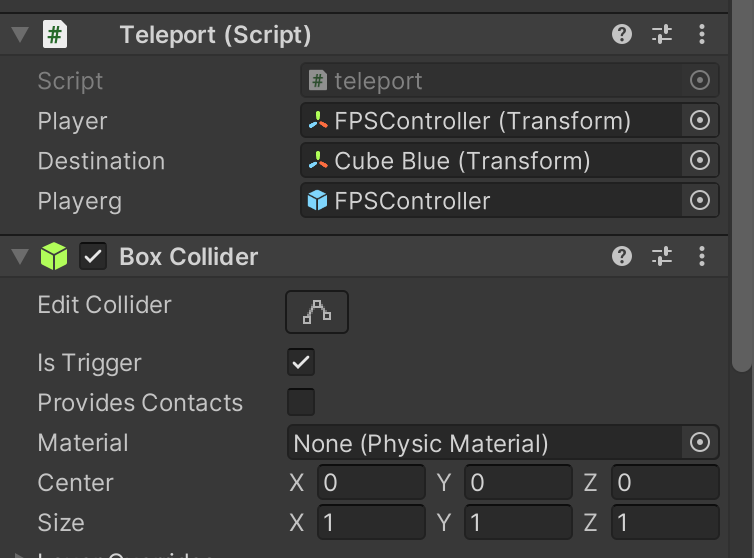
After I set up a room, I was thinking about how to get players into the next room. Because there is no connection between the two rooms. Maybe use the “Is Trigger” function in the “Box Collider”. This function allows the player to be teleported to another specified item when passing this item. This enables the transportation between the two rooms. As shown below.
When passing the red cube, the “teleport” function can be triggered to transport the player to another room.
Different scene styles and themes can be set in different rooms, and the difficulty factor is gradually increased. For example, the number of items to be found increases, the environment becomes dark, etc. We strive to make players feel that every level has something innovative.
We are both students of sound design, and I have little exposure to the field of visual production. Since this is my first time trying to model with Unity, there will be many technical problems, and the details are not very accurate, but I will continue to study hard and strive to provide a more perfect visual effect when I submit the assignment next time.
After the game modeling is completed, it needs to be produced using Wwise. The current project has not yet combined vision and sound, but we will think about the specific sound of each item and create a good sound design work.
Finally, I want to talk about the background music of the game. I think I should choose music with a slower rhythm and long lines. Because when playing games, the player’s focus is not mainly on the music, but on the sound effects, so we should pay more attention to the sound design. But if there is no music at all, the game will become very boring and not vivid, so I hope to choose some relaxing background sounds.
For example, the second song “Nature Sounds” in the link below. It sounds like being in nature, which makes people feel very relaxed. Or the song “Relaxing Guitar”, I think it is also very suitable for our game, it sounds like it has a soothing rhythm and a nice main melody. Coupled with the scene of a room of the same style, it may be very playful.
Most of the games currently on the market are based on graphics and supplemented by sound. The game I wanted to complete needed to be mostly audio-based, so it was a completely new experience. Through this game, people who have adapted to vision can have an opportunity to try the auditory experience, hoping to attract more people to the audio industry.
Target group:
My current idea is to make a game that is friendly to people with low vision, but the audience is everyone. The game will primarily use audio guidance rather than visuals to convey game information.
Specific ideas:
When I was searching for information, I discovered the game named “Ear Hockey”. This game requires players to pass through auditory perception, so it will give players who are usually used to using graphics to pass a new gaming experience.
The game uses 3D spatial audio technology, and players can identify the position of the ball by listening with headphones. This inspired me, so my idea was an escape room game with directions guided by sound.
Here are my specific ideas: The setting is a dark room with a constant sound of water dripping at the exit of the room. After putting on the headphones, the player can hear the specific location of the water droplets and walk in the direction of the sound of the water. The error messages will sound if you hit a wall or encounter a roadblock, which will give us a lot of room for sound design.
As the player gets closer to the exit, the water sound will also change, possibly becoming louder or higher in frequency, which will give the player a sense of urgency. The game is successful when the exit is successfully found. The game map will become more and more difficult with each level passed, requiring players to pay more careful attention to the sound part.
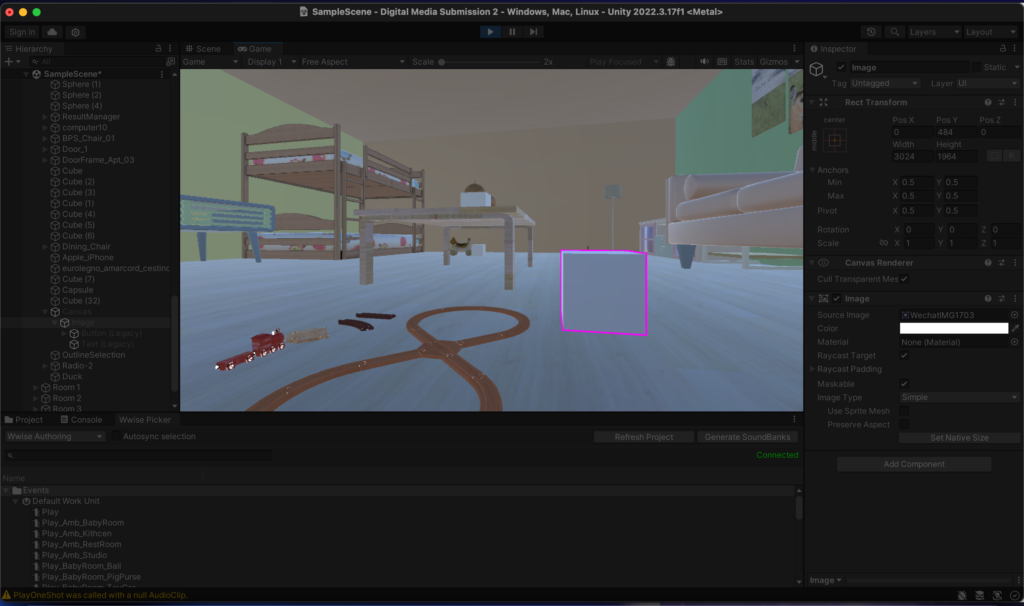
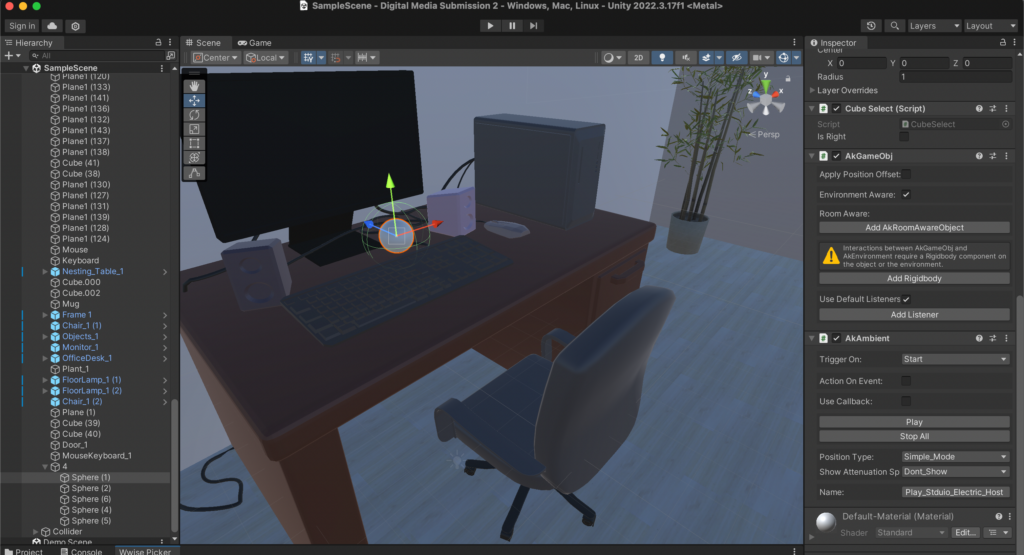
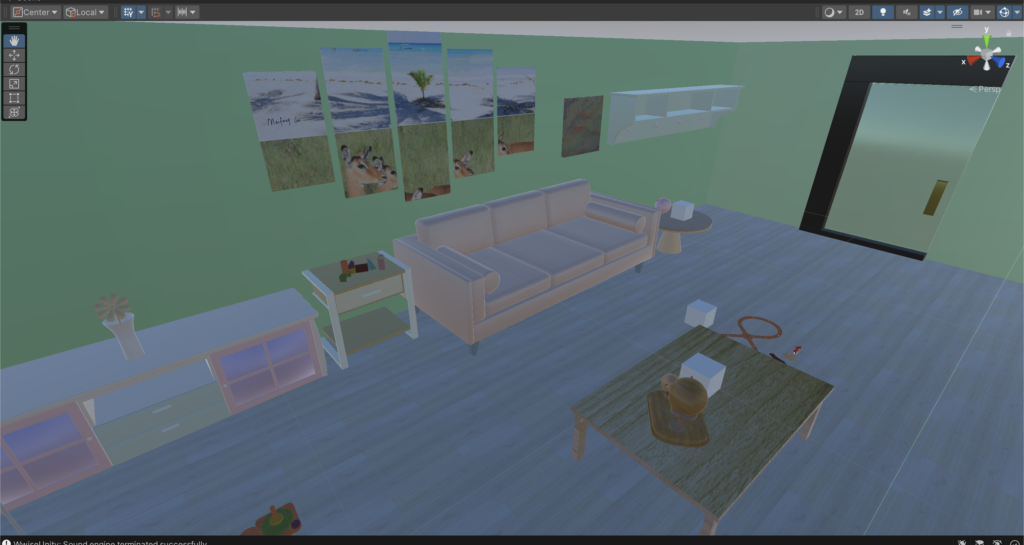
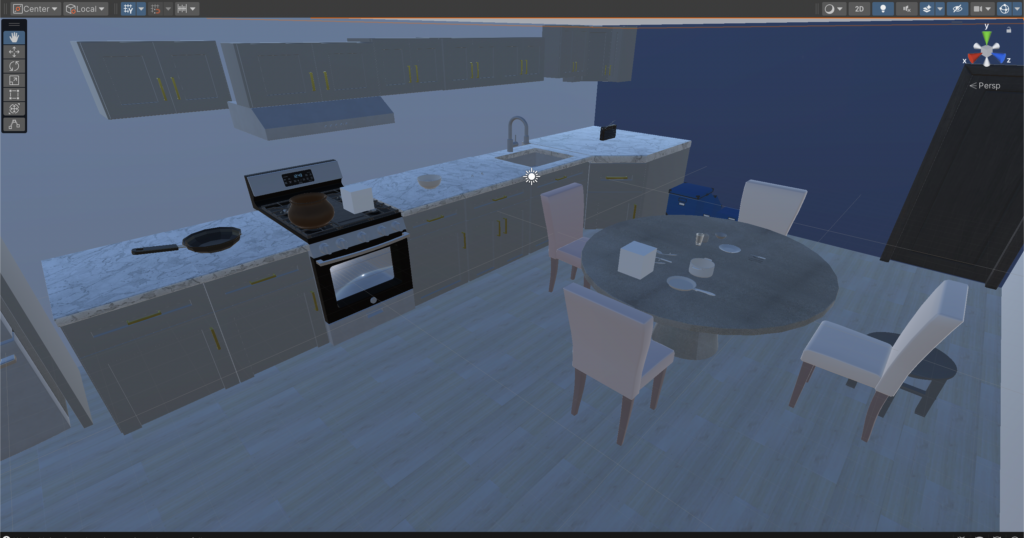
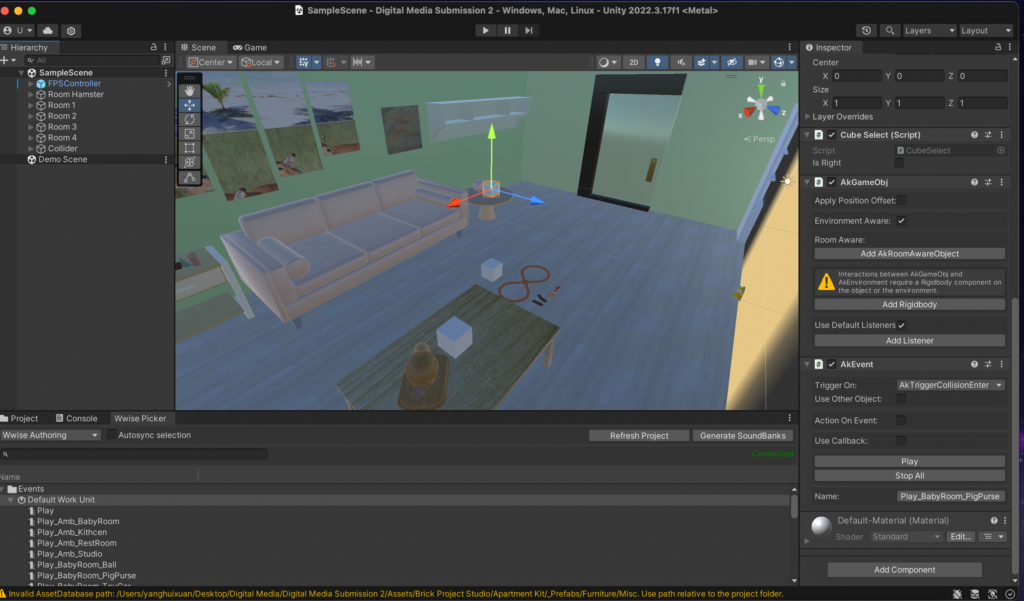
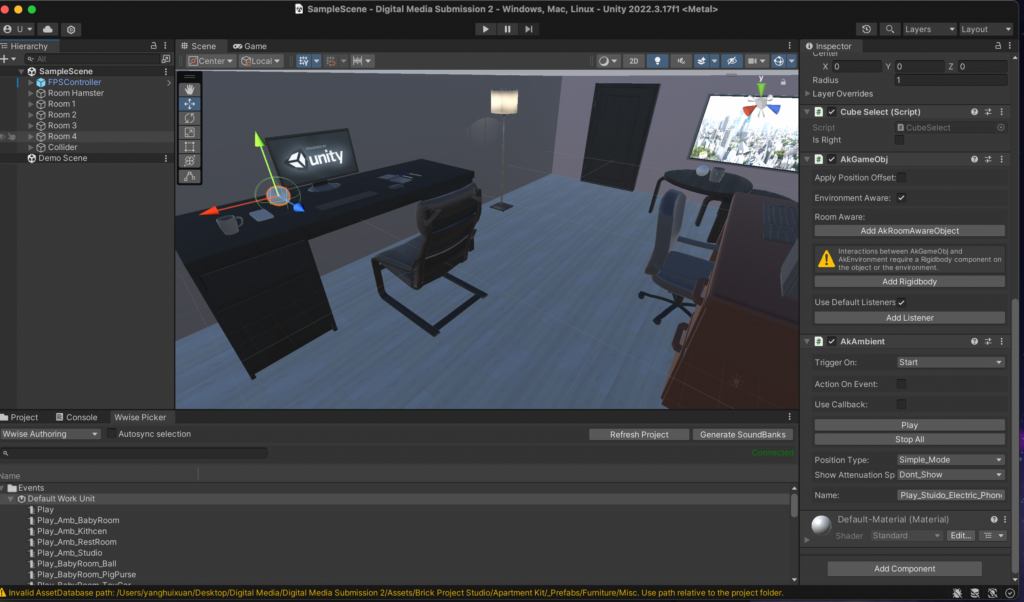 As shown in the figures, AK Event and AK Ambient are used respectively. Before using this method, I wanted to expand the object’s sound range, so I chose to turn up the object’s collider and use AK Ambient at the same time. However, through various attempts, I found that when Wwise and Unity are well connected, the object cannot make any sound. After research, it was found that the “Position” in Wwise should be changed, and then the AK Ambient should be changed to “Start”. The above goal can be achieved without relying on the collider size. 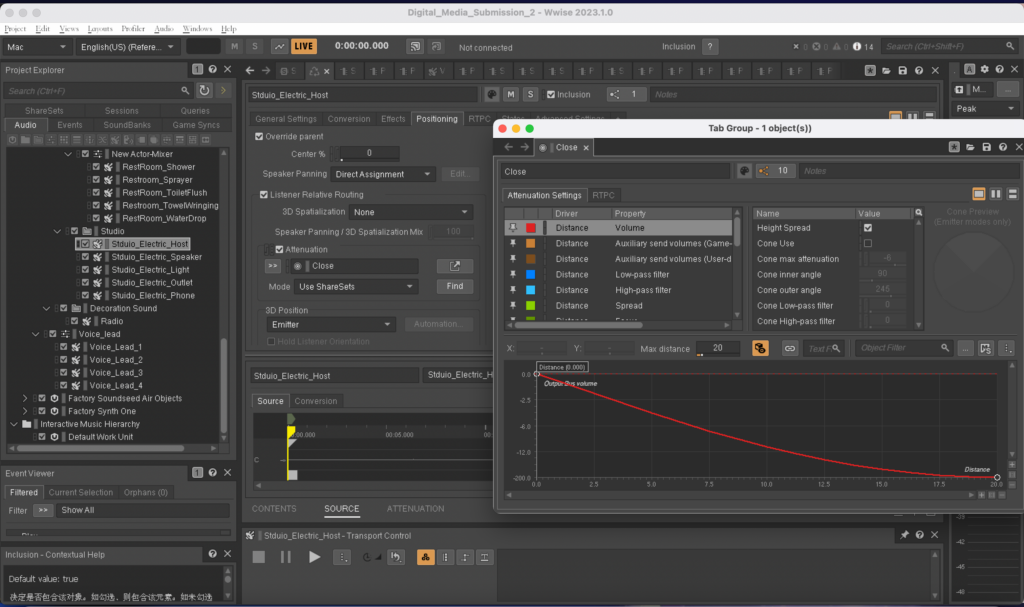
 3. The sound levels of several objects in the bathroom and studio room were uneven. I adjusted the levels of each object to be more balanced so that no one object would be heard to be too loud. Add an appropriate amount of reverberation in the bathroom and radio sound in the kitchen to distinguish the different environments and textures of each space.