Any views expressed within media held on this service are those of the contributors, should not be taken as approved or endorsed by the University, and do not necessarily reflect the views of the University in respect of any particular issue.

Hamster Hear Game Sound Final Build Solution

For this game sound build, we designed four rooms with a total of 20 key passage sound factors and five endings with different sound designs, as well as other sounds that embellish the rooms and ambient sounds.

All the sounds we recorded in the studio and me at home.

In Studio:

Example of my recording process at home:

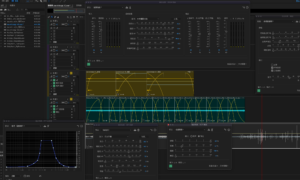
All recorded sound involves a lot of editing, whether it’s in the studio or at home or in the past when I’ve recorded my own sounds, it all goes through the iZopote Rx for audio noise reduction, then into Pro Tools for editing and processing with EQ, and then finally into Wwise for integration and processing.

  • Hamster Footsteps

The footsteps were recorded on two different materials – wooden floor and tile floor, each with six different tones and walking patterns to achieve a different sense of hearing and increase the vividness of the game.
During the recording process, we struggled with what objects to use to simulate the hamster’s footsteps, and finally found that the touch of a finger and the sound of a finger best matched the hamster’s soft, small-contact paws.

  • Hamster Calls

To add to the player’s interest in controlling the hamster, I recorded a series of hamster calls using a human voice and set them to play randomly when the hamster hit the wall in each room.

Hamster jumping sounds

In the game modelling build, the optional sound elements in each room are required for the player to jump to higher platforms in order to hear them, and we used bouncy plastic to simulate the jumping sound.

    • Key sound elements in each room

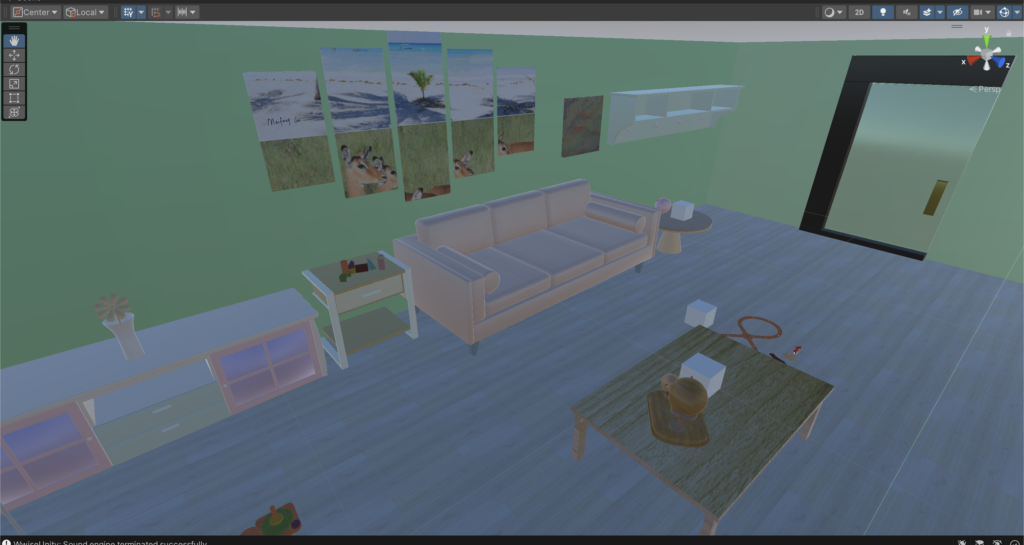
    Baby Room

    1. Pig Purse
    2. Toy Car
    3. Toy Dog
    4. Sprung
    5. Wooden Horse         Correct sound:Toy Car

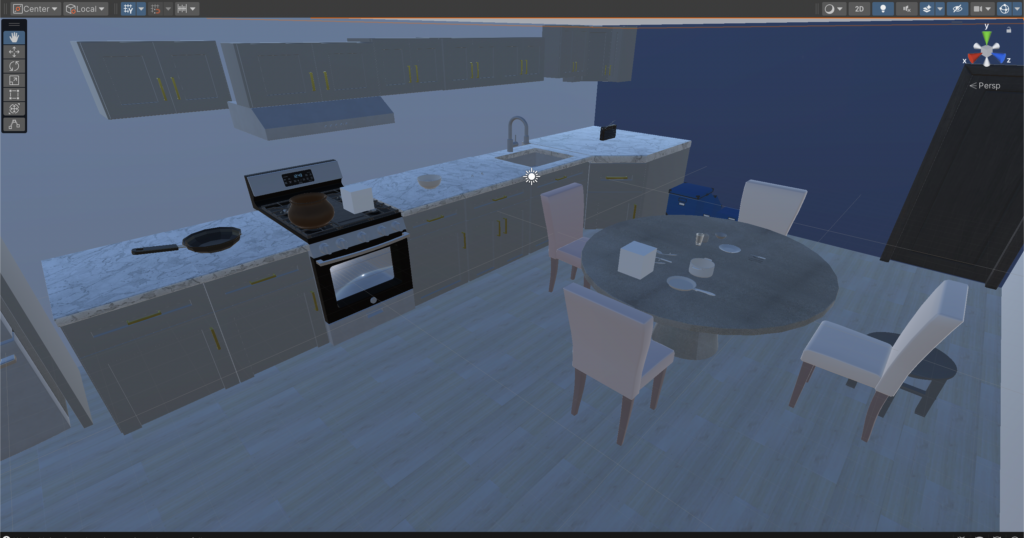
    Kitchen

    1. Boiler
    2. Bowl
    3. Chopsticks
    4. Fork
    5. Pot                                  Correct sound:Bowl

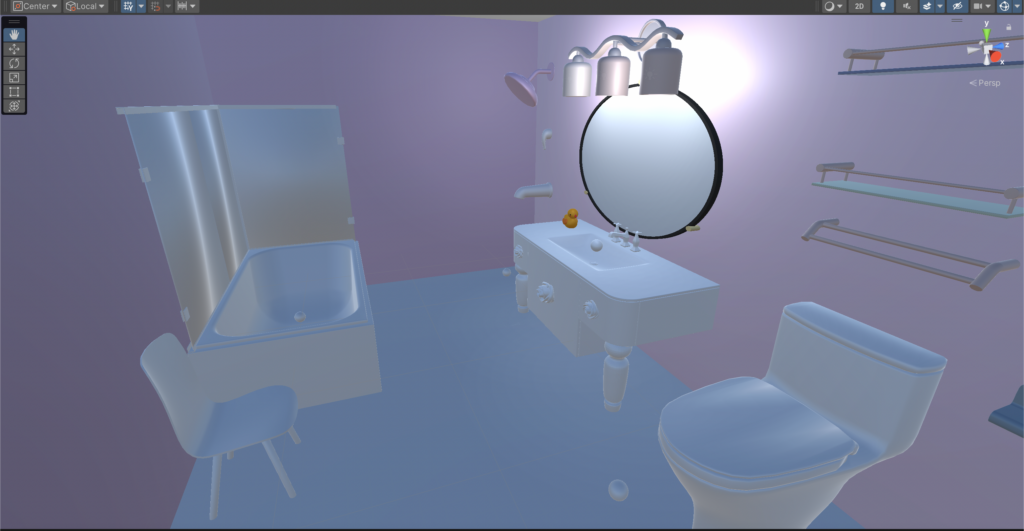
    Restroom

    1. Shower
    2. Sprayer
    3. Toilet Flush
    4. Towel Wringing
    5. Water Dropping        Correct sound:Shower

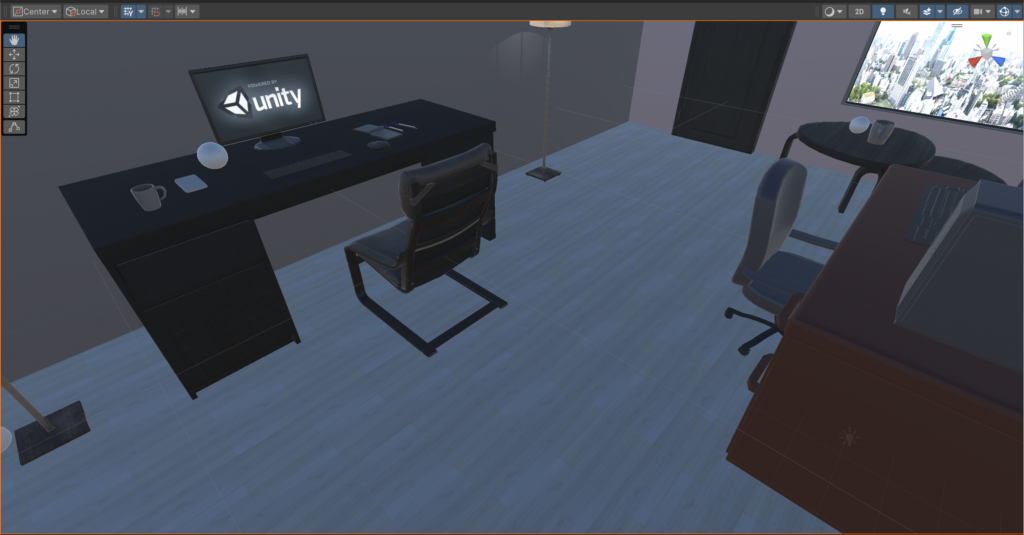
    Studio

    1. Host
    2. Speaker
    3. Light
    4. Outlet
    5. Phone                           Correct sound:Light
    • Ambient Sound and Decoration Sound

  • Decorative sounds

In Kitchen, I set up a radio that automatically triggers a sound to play when the player enters the room, and for the sounds inside I used two uncopyrighted sounds: weather forecast and Music. these two sounds were made to look like worn out radios playing in order to create ambience. The reason for using these two sounds is to have a professional weather announcer announcing the weather, and a background music to simulate the fading in and out of the music on the radio.
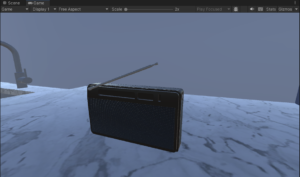
 

(Screenshots of the radio in the game)

Copyright Source:

Weather forecast:Dave’s Weather Forecast by Beetlemuse — https://freesound.org/s/620358/ — License: Creative Commons 0

Music:💐 Positive Instrumental Rock Music (For Videos) – “Every Day 80’s” by Wayne John Bradley 🇦🇺

brand:Breaking Copyright

address:https://www.youtube.com/watch?v=C4Ko5BBk3W4

  • Sound building in Wwise

1.Building sounds for each sound room object

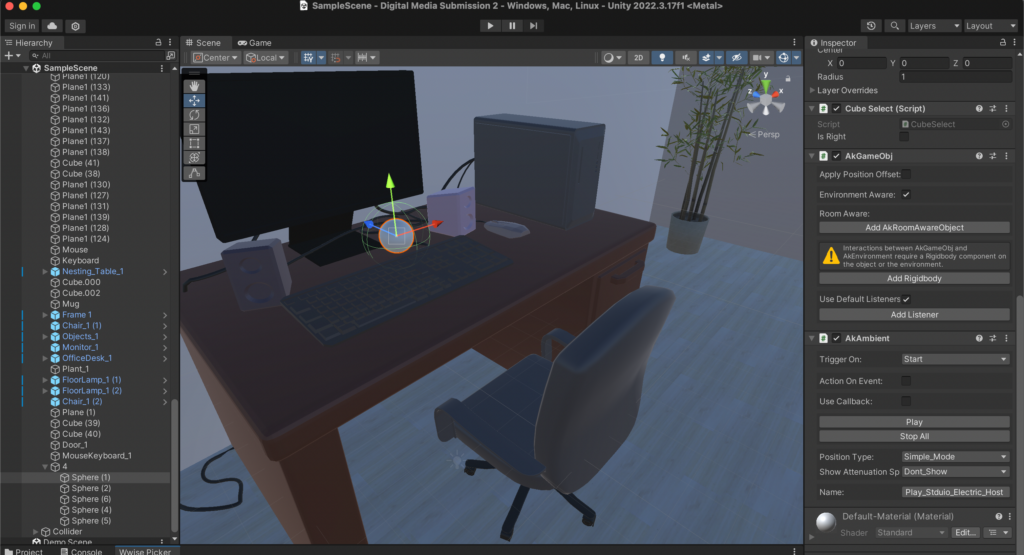
In addition to placing each sound in an event in Wwise, the sound elements are placed in a component in Unity.
In the third room, the Restroom, an Auxiliary Bus was added to Wwise to control the reverb in the Restroom, adding reverb to all the sound elements in the room to change the style of the room.

At the same time, from the third room onwards, the sounding method of all the objects changed from touching by the player-controlled hamster to proximity sounding (close to big and far away from small), which made it more difficult to play the game. Attenuation was used in Wwise to adjust the decay curve.
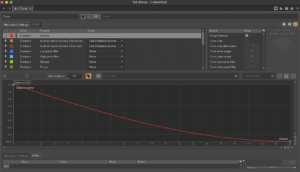
2. Ambient sound build

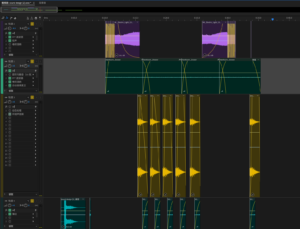
We placed the four audio for the ambient sound in Wwise and used in Unity by covering the entire room with a large cube and then making it invisible. Add AKTriggerEnter and AKTriggerExit from AKEvent to the cube to start and end the ambient sounds.
Room for Future Advancement

Due to time and effort constraints, there are still some goals and areas in our game that we expected to achieve but ultimately didn’t and that deserve more additions and improvements, such as:


  1. More levels, difficulty settings, and ending branches.


In the original concept, we set up five rooms, and even if the player chooses the same number of objects incorrectly (e.g. the same three points are scored, choosing incorrectly in the first room versus choosing incorrectly in the third room) this will also lead to different endings. At the end of the entire game, there will be higher difficulty levels unlocked. This will make the whole game more complex, but also more interesting, playable, and collectible.


  1. More detailed sound design


We’ve added a variety of sounds for the hamster, such as a cute cartoon-style jumping sound, squawking sounds when it hits the wall, and different footsteps on the wooden floor and bathroom tiles in different rooms. However, because of the level setup, the player needs to control the hamster to jump around on different furniture. We think that if we had more time, we would have made the hamster’s sounds more detailed, such as different footsteps when stepping on each different kind of material, as well as different chirping sounds when hitting different objects.


  1. Richer graphics


So far, our level rooms have been relatively complete, but the hamster’s room is still empty and monotonous before the start of each level, this is because we have not been able to find suitable object assets to decorate the hamster’s room. We may do this in the future by collecting objects that the hamsters might like to hoard in their rooms.


  1. Smoother playing process


In the process of using AI voice, we still think that monotonous tone can’t replace real voiceover, and we may try to find a more suitable tone instead. For selecting objects, the reason we let players choose simple cubes and spheres, in the beginning, is because we found that our selection script doesn’t work for complex object models. We’ll continue to figure out how to solve this problem.


  1. Mini-game


We were very enthusiastic about inserting mini-games into the game from the very beginning, but we didn’t go too far into this area for the sake of completeness in the process of making the game. However, we still haven’t given up on the idea of inserting some “accidents” that would allow players to trigger some special mechanisms to activate the mini-game during gameplay.

Design the final sound design that the player will get

Design the final sound design that the player will get
In the current version of the game we have five different endings – all correct, one wrong, two wrong, three wrong and no correct. I start each sound design with a scenario, or a simple storyline, so that I have a clear goal in mind when designing the sound, and it’s easier for the listener to visualise what’s going on when they hear it, and it adds a bit of interest to the 20 seconds or so of sound design.


1.The first sound design is a version with all the right sounds, the sound materials used are: the sliding sound of the car, the spinning sound of the bowl, the sound of the water in the shower and the electric current sound of the lamp.
My idea for the first sound design was a man walking through the sand and mist as if he was searching for something, and then when he finally touched what he was searching for, his life was consumed and the object fell out of his hand and rolled away and disappeared permanently into the sand and wind. The sound of the water in the shower and the electric current of the lamp are the background sounds of this sound design, with echoes and reverberation superimposed after the use of an FFT filter. The sound of the bowl spinning after removing the bottom noise removes the high frequency audio as the main line in the entire sound design continuing to the end of the audio, the skidding of the cart appears as a coda and foreshadowing of the main line in the audio.


2.The second sound design is a version of the wrong one. The sound materials used are the gliding sound of the cart, the friction of the chopsticks, the sound of the water in the shower and the electric current of the lamp.
The scene and simple storyline I gave the second sound design was. A flower in the desert, a particularly precious flower that has been around for a particularly long time so it has its own perceptions and thoughts as well as extreme vitality. It intermittently senses a particularly large creature approaching it, so its heart beats more and more strongly, and eventually the creature just skims over its head and walks away. The sound of the heart beating is the main sound that guides the storyline, and is created by the sound of chopsticks being rubbed together, with the part of the wood hitting being chosen, and then convolution reverb and echo being used to create the illusion of looping.


3.The third sound design is a version of the wrong two. The sound materials used were the impact of coins in a coin purse, the friction of chopsticks, the sound of water in a shower and the electric current of a table lamp.
The action and scene I constructed for the third sound design was a man in a light rain with a glowing lightsaber slashing at a non-existent enemy, a lightsaber that disappears if not used correctly, disappearing every time it is about to hit the enemy. With one failed attack after another, the sword never exerts the great power it originally contained, and at the end it accidentally unleashes a force that defeats the enemy outright. The shower and current sounds remain ambient and ambient throughout the sound design. The sound of coins crashing gains an electronic sound with convolution reverb and pitch alteration, mimicking a digital sound and adding a different sense of material to this sound design.


4.The fourth sound design is a version of the wrong three. The sound materials used were the impact of coins in a coin purse, the friction of chopsticks, the sound of water in a shower and the current sound of a stereo.
The scenario I constructed for the fourth sound design was a person driving through an intersection on a foggy morning, the car’s headlights could be swept side to side to illuminate the road ahead, the road was wet and the air was humid, and because of the fog you couldn’t see anything, you had to grope your way through it while moving forward slowly. Because I wanted to have a sense of space to explore left and right, I carefully adjusted the audio direction to create a simulation of the action.


5.The fifth sound design is that there is no one correct version. The sound materials used were the sound of coins in a coin purse, the sound of chopsticks rubbing together, the sound of water dripping from a tap, and the sound of an electric current in a stereo.
The significance I give to the fifth sound design is a warning, because the player doesn’t get any of them right, and doesn’t get a very complete sound design with a storyline or scene setting. So a harmonic flanger and a convolution reverb were used to make the current sound of the stereo sound like the reverb of a police siren. An FFT filter was used to soften the high frequencies of all the currents to make them less harsh.

Selecting and processing the audio for the correct answer in the game

One of the roles I held in the group is to select the sounds that determine the correct sound answers for the game and to do initial simple manipulation of these sounds to increase the difficulty of the choices in the game. We had four rooms in total and the themes are children’s room, kitchen, bathroom and studio. The sounds I chose were the sliding of a toy car, the spinning of a bowl, the running of a shower and the sound of electricity from a lamp. (Since the current sound itself is very difficult to distinguish, there is no need to increase the difficulty of the game any further and the last room’s sound is not treated.)

  1. The sliding sound of the toy car is very different from the other items in the first room, such as the bouncing sound of the bouncing ball and the shaking sound of the change jar, so I intercepted some of the sounds of the wheels and added filters and convolution reverb to their sounds to get the correct sound for the first level.

2. The sound of the bowl turning will be slightly similar to the sliding sound of the pot in the second room, so I didn’t use too many effects to change the original sound as I did in the first room, and again, I intercepted a part of the turning sound and added reverb.

3. Since the third room was a bathroom, our idea for the bathroom was to have all the objects that made the water sound at different strengths or made of different materials. The sound of running water from the shower, dripping water from the tap, flushing water from the toilet, and the sound of water being squeezed out of a damp fabric. So only the frequency and intensity are different, and in dealing with that I try to confuse the original correct frequency of the water sound and lengthen the original sound.

4. The fourth room correct sound in the choice, chose the electric current emitted by the table lamp because, the most regular, and will not have too much harsh murmur, it is easy to go as the final sound design of the background sound padding.

DMSP final project file.

The following link is the work of our group that I posted on Onedrive. It contains the final projects of Wwise and Unity, and the exported game (Mac).

DMSP_Play_Submission2

The links below are the final files for Wwise and Unity that I posted in Teams.

DSMP_Wwise_Submission2.zip

DMSP_Unity_Submission2.zip

The link below is the packaged game (Mac) I posted in Teams. You can download it directly to experience the game.

Play_HamsterHear.zip

The link below is a video of the gameplay demonstration that I posted in Teams. This is what the sound design looks like when the player selects all the correct objects. It serves as a reminder to players.

Play_GameplayDemo.zip


Other resource references(AI voice and Unity Scripts)

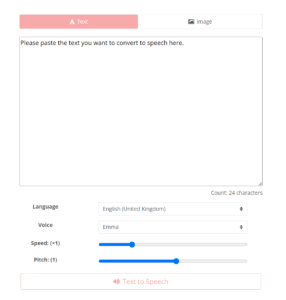
We wanted to add voice guidance to the game, but since no one uses English as a first language, we were worried that substandard pronunciation and the lack of subtitle prompts would cause problems for players instead. Combined with not being happy with our own tones, we finally decided to write the text and then use AI voices to complete this design.
The tool we used was the tone Emma from this site.

https://ondoku3.com/en/

Once the player starts the game, the voice guidance will play and prompt the player according to the player’s progress in the game.


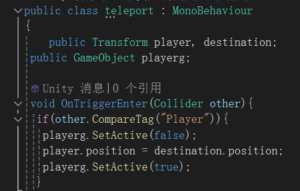
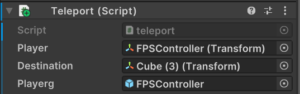
In our game, each level is a separate room. Therefore a teleportation mechanism was needed to send the player to the next room after completing the action. We chose to use the teleport script introduced to us by our tutor Eleni.

https://www.youtube.com/watch?v=2IDrPmGf7Mg

This script allows the player to instantly displace to another object when colliding with one.


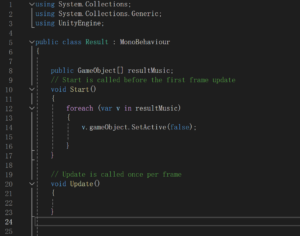
Use result script to get different endings

As we envisioned it, we would not tell the player during the playing whether their selection of objects was correct or not, but rather when the player enters the ending room, the corresponding ending sound design would be played according to the number of correct objects selected by the player. With a lot of study and help from our tutor and friends, this is how we implemented this logic:

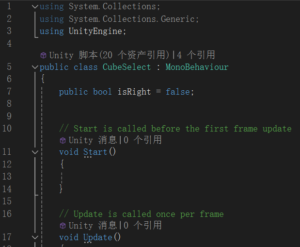
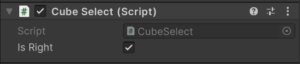
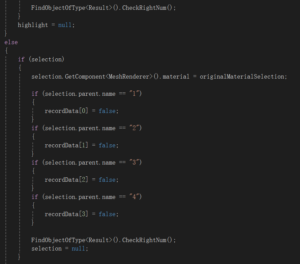
  1. mark all selectable objects into correct and incorrect.

With this script, we only need to tick off the correct objects.


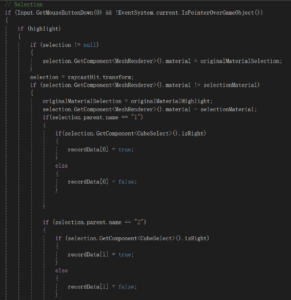
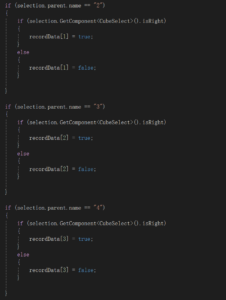
  1. Calculate the score after the player completes the selection. For each correct object selected, the recorded data is increased by 1. This step is refined directly in the selection script.


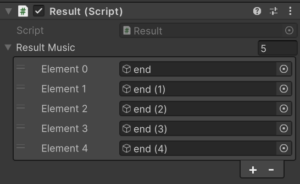
3. Based on the player’s total score, five carrier objects that play the ending sound design are set up, corresponding to scores 0 ~ 5. In this result script, only the object corresponding to that score will be visible, the other four will be hidden. Drag the corresponding object into the box can simply complete the setting.


So when the player finally enters the ending room, they will only see the corresponding sphere and hear one of the sound designs.


Select and outline the object

In our game, the core gameplay is that the player needs to select the corresponding object according to the sound. Therefore, how to make the player complete the action of selecting an object is an important part of the game’s logic.


We adopted the basic structure of the script selection introduced in this video by asking tutors, discussing, searching, and learning.

https://www.youtube.com/watch?v=A0Kd6lnBNRE


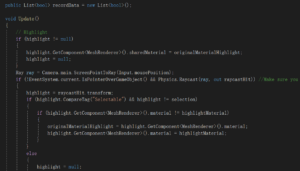
It can distinguish different objects by the tag selectable. When the player clicks on a selectable object, the color of that object changes according to the set material.  (the original cube is white)


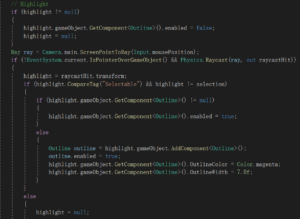
However, in actual running, we found some problems with this script. For example, it gets laggier as the game runs; the color change is not obvious in dim light, which is easy to confuse the player; when the player is too close to the object or the collider of the object is too big, the object will become difficult to select. We’ve tried a lot of solutions to this problem and finally used the script outline selection introduced in this video to complement and improve it.

https://www.youtube.com/watch?v=qYnAkMGbgwo

This script helps the player highlight its edges to act as a hint when selecting an object, and the final run is ideal.

Unity project further improved.

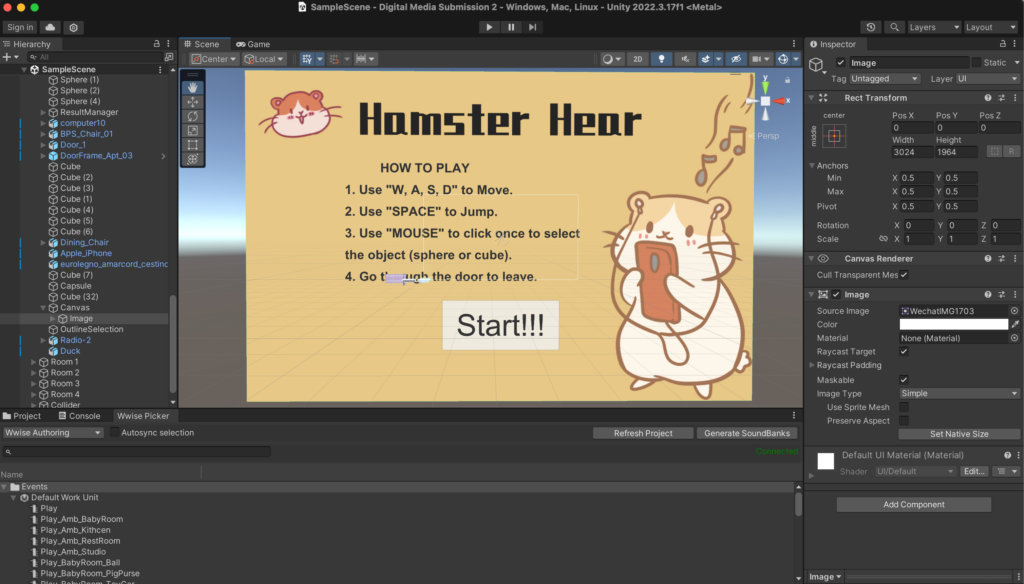
  • 1. Create a cover for the game.

This cover has two functions. First, the painting style is very cute and healing, which attracts people to play the game. Second, it can write down the operation methods of the game so that players can have a clearer understanding of how to play the game.

Here’s how to play the game:
Use “W, A, S, D” to Move.
Use “SPACE” to Jump.
Use “MOUSE” to click once to select the object (sphere or cube).
Go through the door to leave.

After players read the operation guide on the cover, they can enter the game by clicking the “Start” button below. At this time, there will be a voice to guide the player to enter the subsequent room by colliding the sphere.

  • 2. Solved the problem of not obvious changes before and after selecting objects.

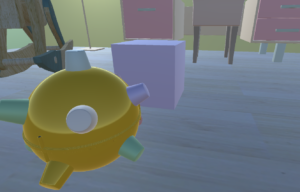
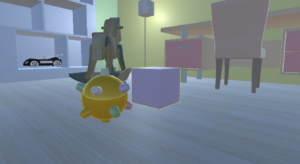
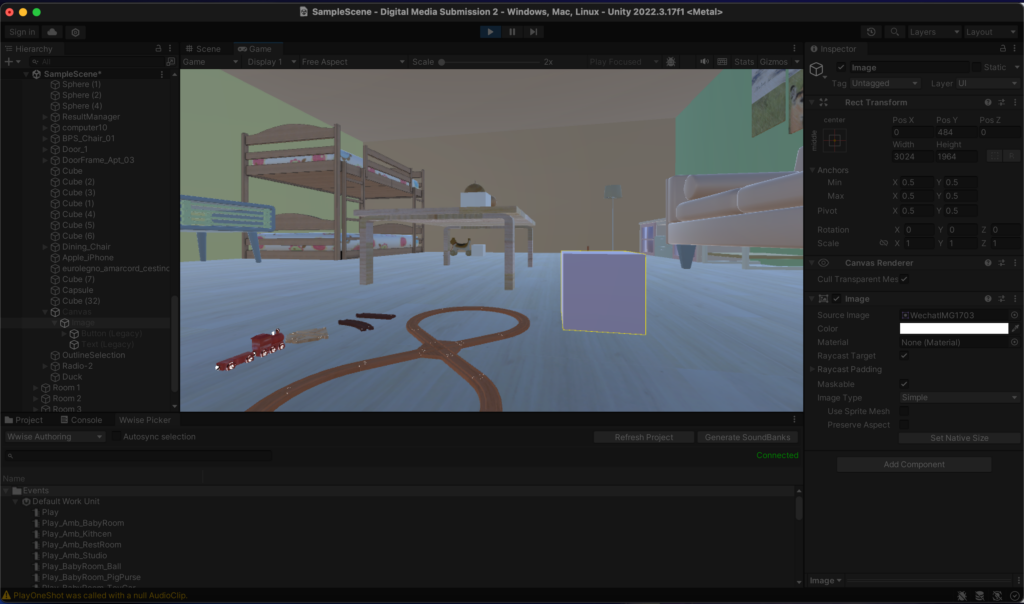
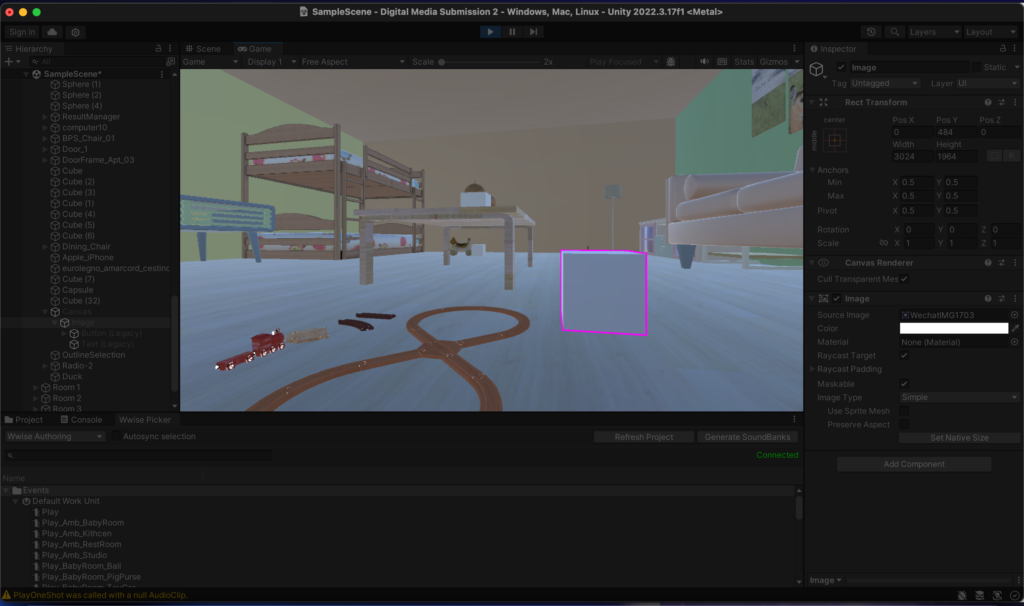
In the game project during the performance, the object before selection is white and the object after selection is light blue. Since each room is closed, the light in the room is not very bright, so the colors before and after the selection look similar. This gives many players the illusion that the selection has not been successful, and they will click on the object many times to confirm. However, this may result in an even number of clicks, and the system will not count the object as successfully selected. So I made adjustments when perfecting the project, as shown in the picture. The upper picture is the color when the mouse is placed on the object, and the lower picture is what the object looks like after the mouse is clicked. So when the edge of the object turns purple, that means the object is successfully selected. In this case, players can see clearly.

  • 3.  Use simple cubes and spheres instead of complex models.

When we first set up the game, in order to make the game look better, we originally thought of using complex models to make the sounds themselves. This will allow players to feel the source of the sound more intuitively. For example, if the player encounters a toy horse, there will be a sound made by the toy horse, which may be more vivid. But when the player needs to select an object, the complex model cannot change the color, and the game cannot proceed. We tried the same operation on a simple cube and found that the problem was not with the “Selection” script. So in the end we chose to place simple cubes and spheres next to the model and let them replace sound generation and selection.

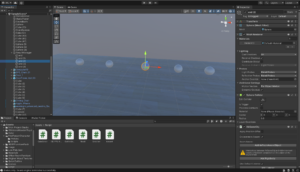
  • There are what the game project finally looks like.

css.php

Report this page

To report inappropriate content on this page, please use the form below. Upon receiving your report, we will be in touch as per the Take Down Policy of the service.

Please note that personal data collected through this form is used and stored for the purposes of processing this report and communication with you.

If you are unable to report a concern about content via this form please contact the Service Owner.

Please enter an email address you wish to be contacted on. Please describe the unacceptable content in sufficient detail to allow us to locate it, and why you consider it to be unacceptable.
By submitting this report, you accept that it is accurate and that fraudulent or nuisance complaints may result in action by the University.

  Cancel