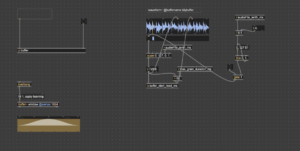
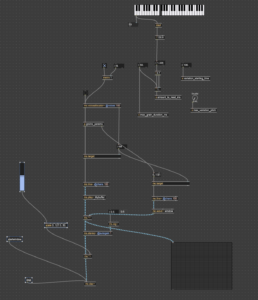
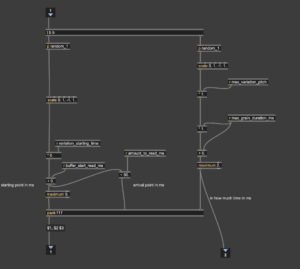
For this project, I wanted to create a sound environment that feels alive — something that responds to the presence and actions of people around it. Instead of just playing back fixed audio, I built a system in Max/MSP that allows sound to shift, react, and evolve based on how the audience interacts with it.
The idea was to make the installation sensitive — to motion, to voice, to touch. I used a combination of tools: a webcam to detect movement, microphones to pick up sound, and an Xbox controller for direct user input. All of these signals get translated into audio changes in real time, either directly in Max or by sending data to Logic Pro for further processing via plugins.
In this blog, I’ll break down how each part of the Max patch works — from motion-controlled volume to microphone-triggered delay effects — and how everything ties together into a responsive, performative sound system.
Motion-Triggered Volume Control with Max/MSP
One of the interactive elements in my sound design setup uses the laptop’s built-in camera to detect motion and map it to volume changes in real-time.
Here’s how it works:
I use the Vizzie GRABBR module to grab the webcam feed, then convert the image into grayscale with jit.rgb2luma. After that, a series of jit.matrix, cv.jit.ravg, and jit.op objects help me calculate the amount of difference between frames — basically, how much motion is happening in the frame.
If there’s a significant amount of movement (like someone walking past or waving), the system treats it as “someone is actively engaging with the installation.” This triggers a volume increase, adding presence and intensity to the sound.
On the left side of the patch, I use jit.3m to extract brightness values and feed them into a scaled line and ctlout, which eventually controls the volume either in Logic (via MIDI mapping) or directly in Max.
This approach helps create a responsive environment: when nobody is around, the sound remains quiet or minimal. When someone steps in front of the piece, the sound blooms and becomes more immersive — like the installation is aware of being watched.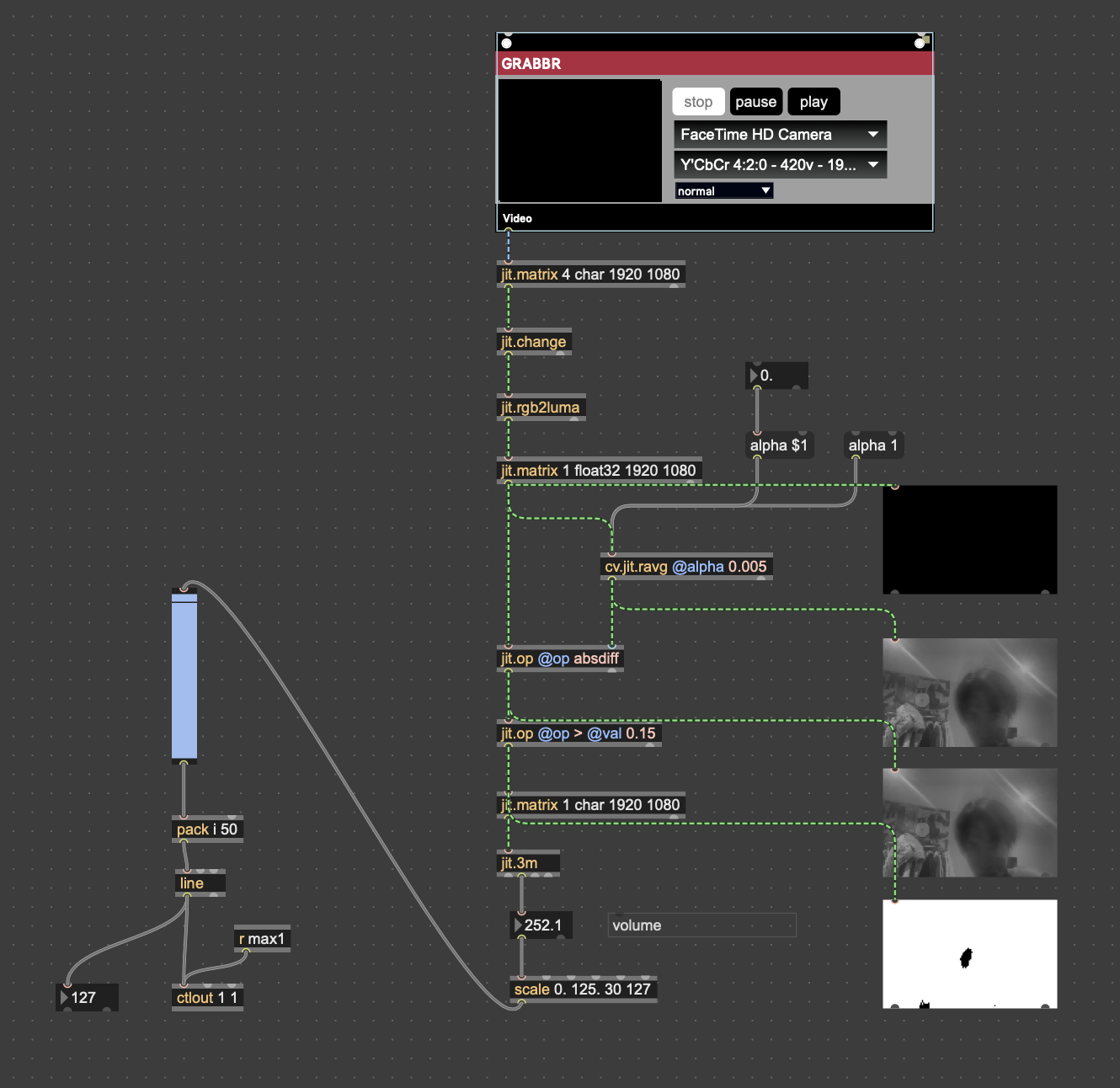
Microphone-Based Interaction: Controlling Delay with Voice
Another layer of interaction I built into this system is based on live audio input. I used a microphone to track volume (amplitude), and mapped that directly to the wet/dry mix of a delay effect.
The idea is simple: the louder the audience is — whether they clap, speak, or make noise — the more delay they’ll hear in the sound output. This turns the delay effect into something responsive and expressive, encouraging people to interact with their voices.
Technically, I used the peakamp~ object in Max to monitor real-time input levels. The signal is processed through a few math and scaling operations to smooth it out and make sure it’s in a good range (0–60 in my case). This final value is sent via ctlout as a MIDI CC message to Logic Pro, where I mapped it to control the mix knob of a delay plugin using Logic’s Learn mode.
So now, the echo reacts to the room. Quiet? The sound stays dry and clean. But when the space gets loud, delay kicks in and the texture thickens.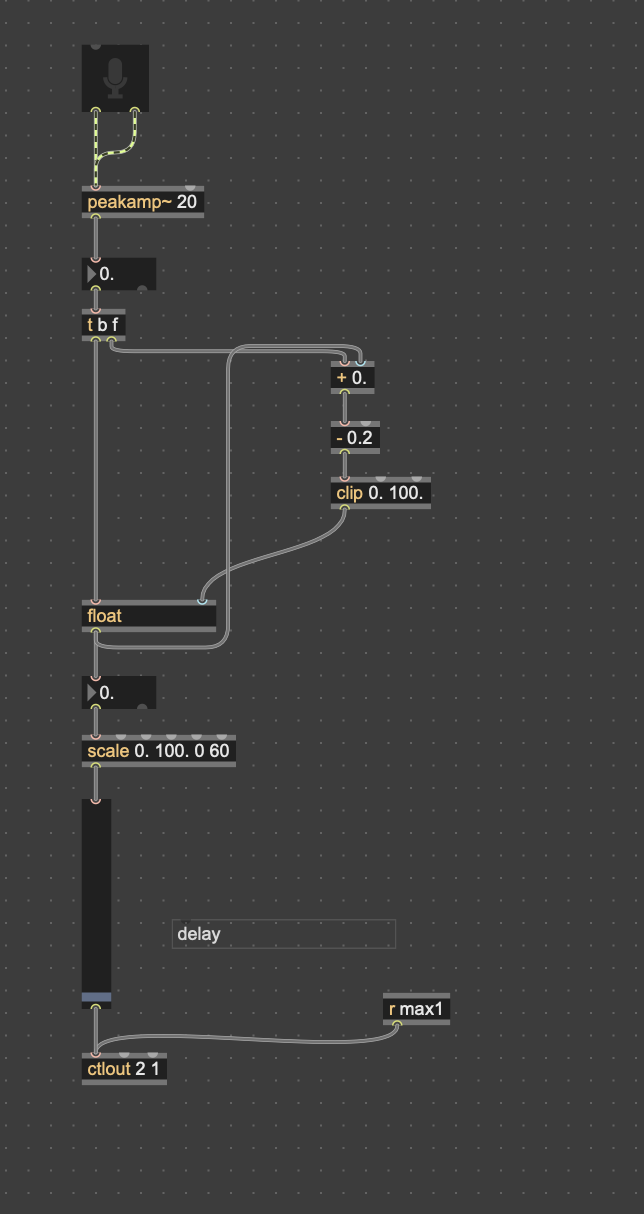
Real-Time FX Control with Xbox Controller
To make the sound feel more tactile and performative, I mapped parts of the Xbox controller to control effect parameters in real time. This gives me a more physical way to interact with the audio — like an expressive instrument.
Specifically:
-
Left Shoulder (lt) controls the reverb mix (Valhalla in Logic).
-
Right Shoulder (rt) controls the PitchMonster dry/wet mix.
-
Left joystick X-axis (lx) is used to pan the sound left and right.
These values are received in Max as controller input, scaled to the 0–127 MIDI CC range using scale, and smoothed with line before being sent to Logic via ctlout. In Logic, I used MIDI Learn to bind each MIDI CC to the corresponding plugin parameter.
The result is a fluid, responsive FX control system. I can use the controller like a mixer: turning up reverb for space, adjusting pitch effects on the fly, and moving sounds around in the stereo field.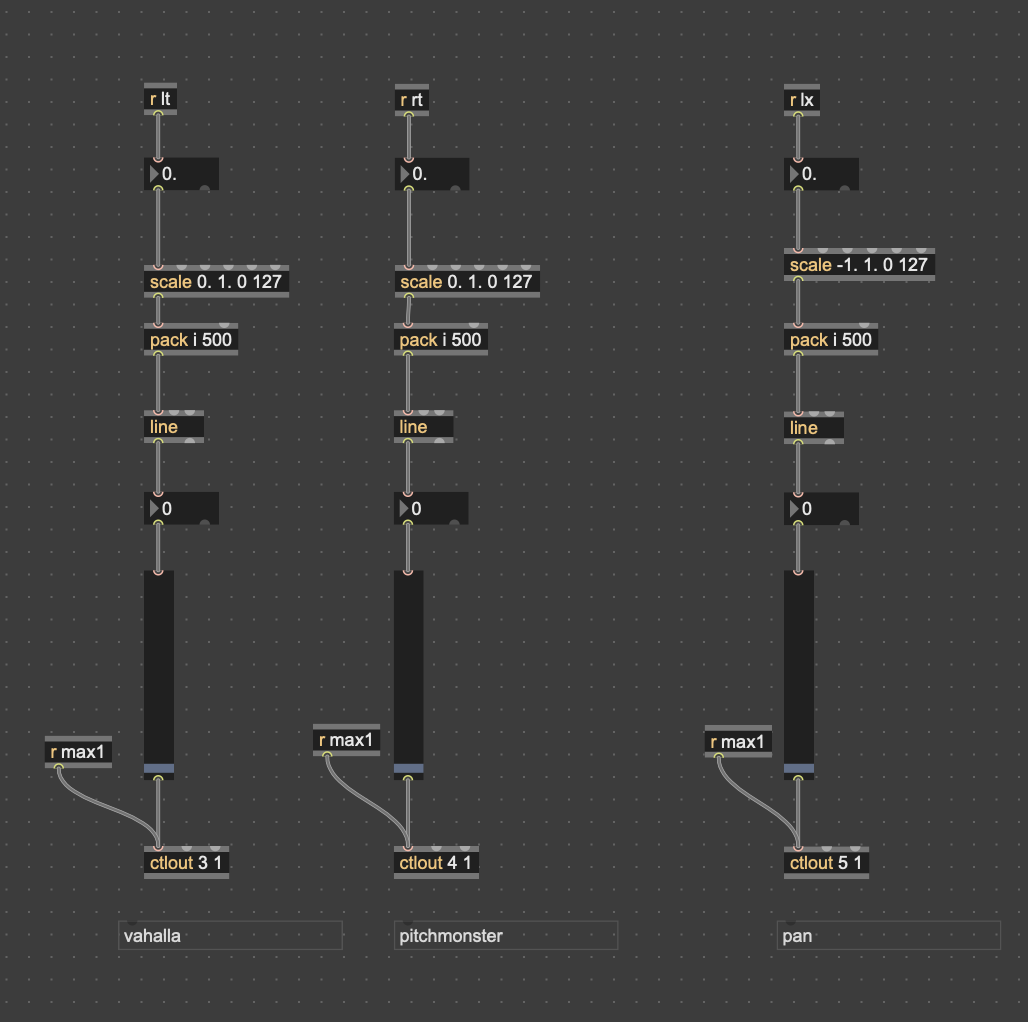
Layered Soundtracks for Time-Based Narrative
To support the conceptual framing of past, present, and future, I created three long ambient soundtracks that loop in the background — one for each time layer. These tracks serve as the atmospheric foundation of the piece.
In Max, I used three sfplay~ objects loaded with .wav files representing the past, present, and future soundscapes. I mapped the triggers to the Xbox controller as follows:
-
Left Trigger (lt): plays the past track
-
Right Trigger (rt): plays the future track
-
Misc (Menu/Back) Button: plays the present track
-
Start Button: stops all three tracks
Each of these is routed to the same stereo output and can be layered, looped, or faded in and out depending on how the controller is played. This gives the audience performative agency over the timeline — they can “travel” between sonic timelines with the press of a button.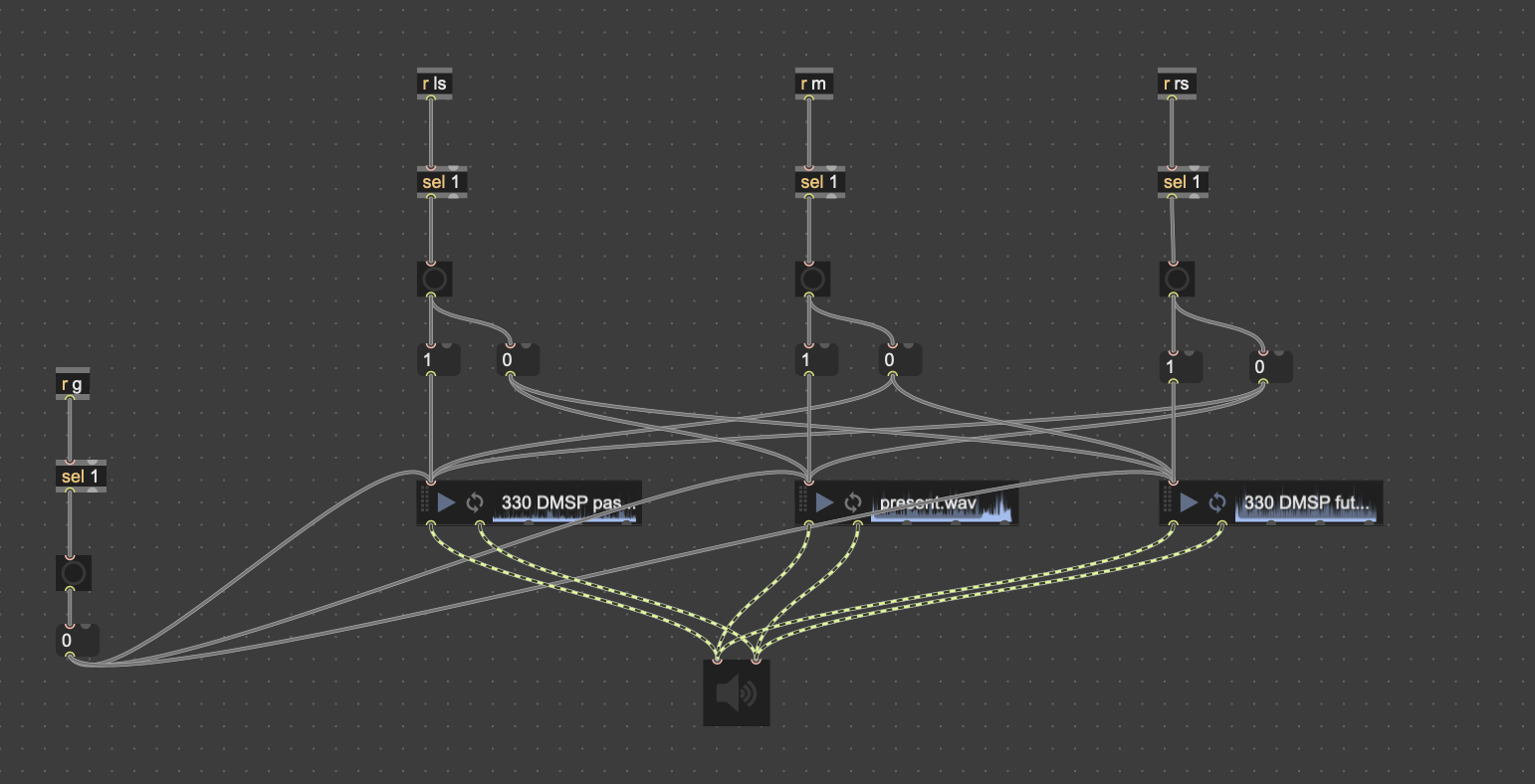
Randomized Future Sound Triggers
To enrich the futuristic sonic palette, I created a group of short machine-like or electronic glitch sounds, categorized as “future sounds”. These are not looped beds, but rather individual stingers triggered in real time.
Each directional button on the Xbox controller (up, down, left, right) is assigned to trigger a random sample from a specific bank of these sounds. I used the random object in Max to vary the output on every press, creating unpredictability and diversity.
-
Up (↑): triggers a random glitch burst
-
Down (↓): triggers another bank of futuristic mechanical sounds
-
Left (←) and Right (→): access different subsets of robotic or industrial textures
The sfplay~ objects are preloaded with .wav files, and each trigger dynamically selects and plays one at a time. This system gives the audience a sense of tactile interaction with the “future,” as each movement sparks a unique technological voice.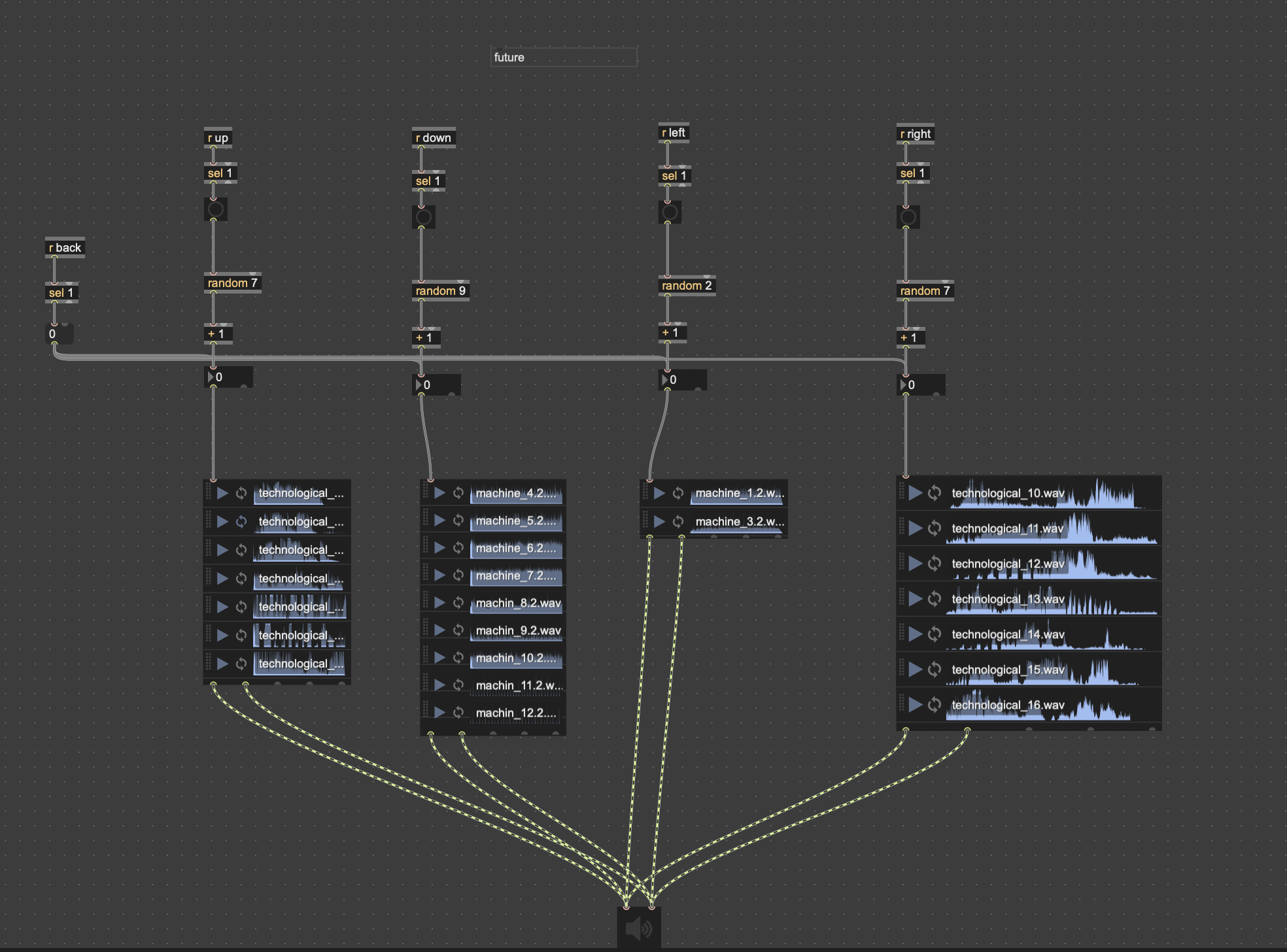
Past Sound Triggers
To contrast the futuristic glitches, I also created a bank of past-related sound effects that reference the tactile and physical nature of the paper factory environment.
Four Xbox controller buttons — A, B, X, and Y — are each mapped to a different sound category from the past:
-
A: triggers random mechanical elevator sounds
-
B: triggers various recorded footsteps
-
X: triggers short fragments of worker chatter
-
Y: triggers paper-related actions like cutting or rolling
Each button press randomly selects one sound from a preloaded bank using the random and sfplay~ system in Max. This randomness gives life to the piece, allowing for non-repetitive and expressive interaction, as each visitor might generate a slightly different combination of past memories.
This system works in parallel with the future sound triggers, offering a way to jump across time layers in the soundscape.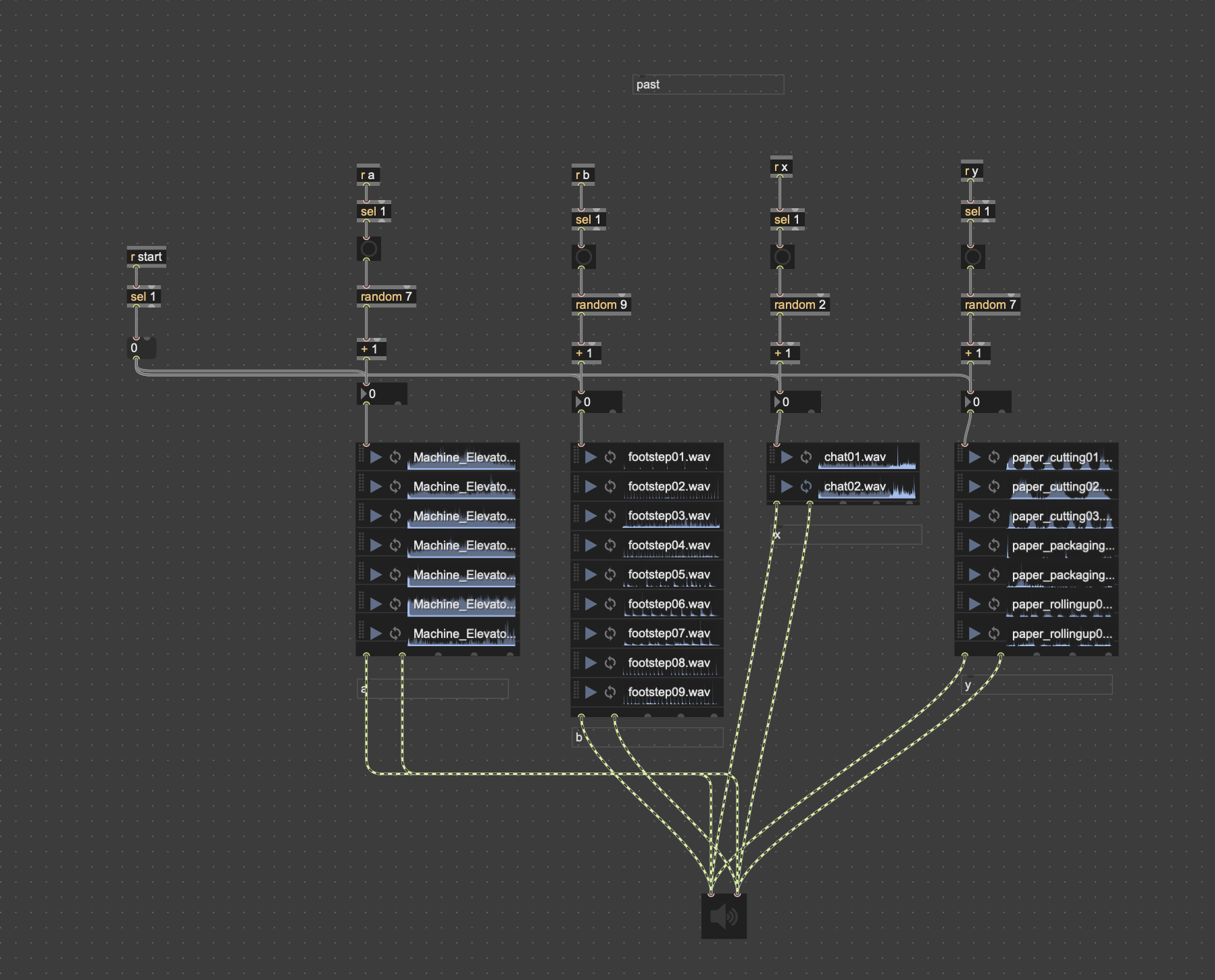
Real-Time Effect Control with Max and Logic Pro
To make the sound experience more responsive and interactive, I connected Max/MSP with Logic Pro using virtual MIDI routing. This lets Max send real-time control data straight into Logic, so audience actions can actually change the sound.
Here’s what I’ve mapped:
-
ValhallaVintageVerb: Mix – This reverb mix is controlled by the Left Shoulder button on the Xbox controller. The more it’s pressed, the wetter and spacier the reverb becomes.
-
H-Delay Mix – This delay’s wet/dry ratio is controlled by how loud the environment is, using a microphone input. When the audience makes louder sounds, the delay becomes more pronounced.
-
Track Volume – This is controlled by the amount of motion in front of the camera. I use a computer webcam and optical flow to detect how much people are moving — more movement means higher volume.
-
Pan (Left-Right balance) – Controlled by the left joystick’s X-axis on the Xbox controller. Pushing left or right shifts the sound accordingly in the stereo field.
All these parameters are connected using Logic’s Learn Mode, which allows me to link MIDI data from Max (via from Max 1 port) directly to plugin and mixer parameters. That way, everything responds live to the audience — whether it’s someone waving, talking, or using the controller.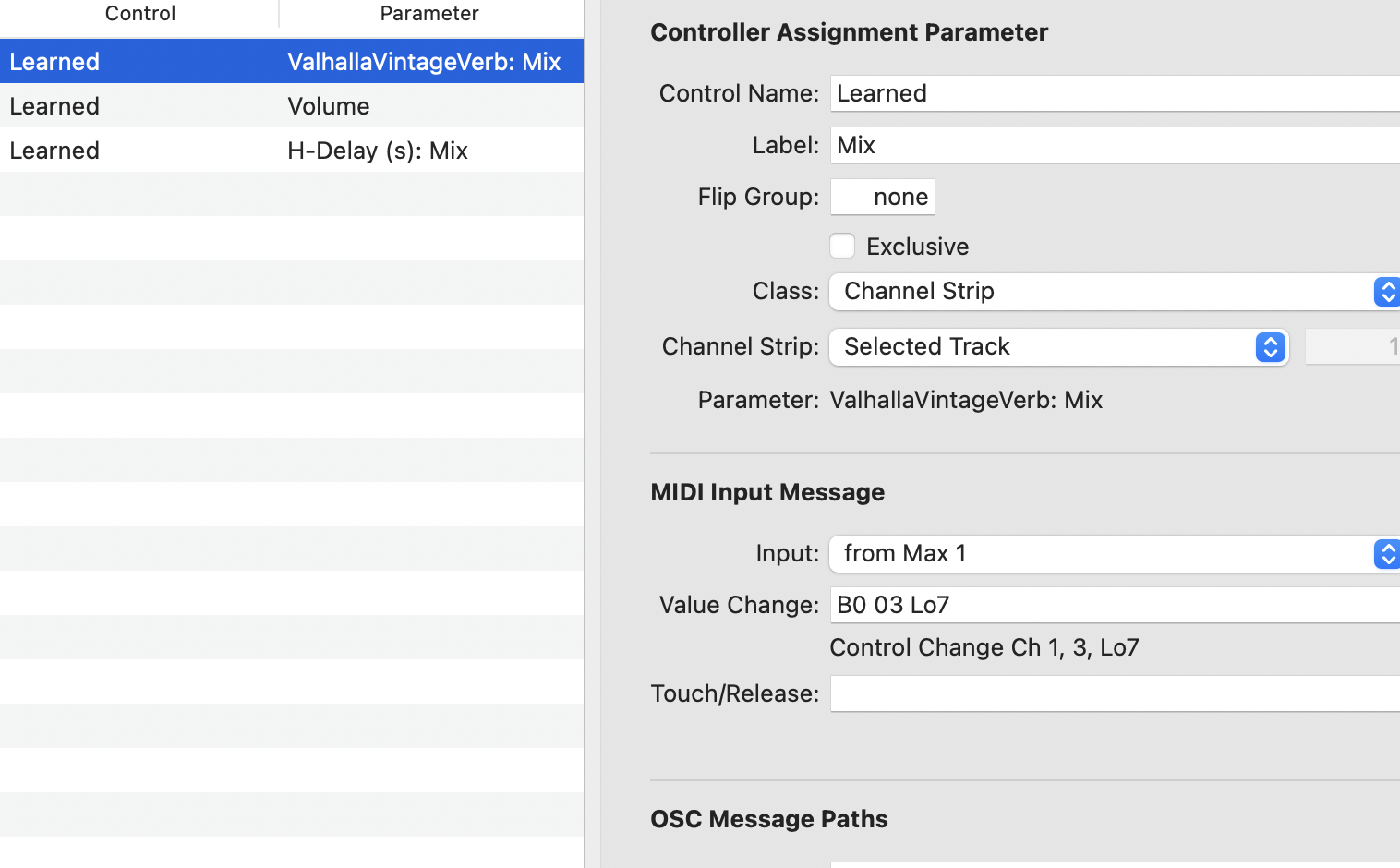
Written by Tianhua Yang(s2700229) & Jingxian Li(s2706245)