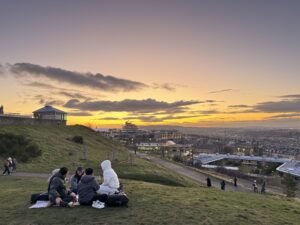
Any views expressed within media held on this service are those of the contributors, should not be taken as approved or endorsed by the University, and do not necessarily reflect the views of the University in respect of any particular issue.

Preparing for presentation

Zixuan:

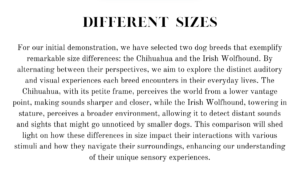
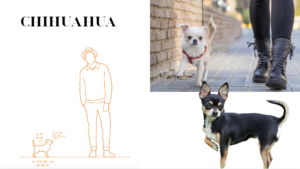
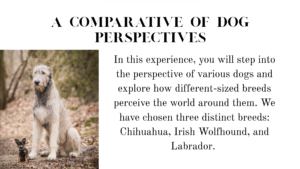
Before our final presentation, we assembled the VR headset in advance, and I drafted part of a short written introduction for our project. The aim was to help the audience quickly understand the core concept and structure of our work before engaging with the immersive experience.

In the introduction, we first explained the main theme of the project: an immersive auditory experience from a dog’s perspective. We then guided the audience through the two main sections of the piece:

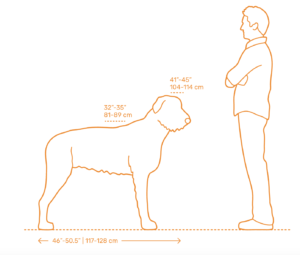
The first part explores the auditory differences between large and small dogs, comparing how they perceive spatial sound and frequency sensitivity within the same environment, highlighting how body size can affect hearing.

The second part focuses on the auditory perception differences between blind and deaf dogs, using specially designed soundscapes to simulate how sensory loss might lead to compensation or disorientation in their hearing experience.

After I finished the first draft of the text, Carly edited and refined the wording, selected appropriate images, and arranged the content into a visually coherent layout. Finally, we printed and laminated the introduction as a physical handout, which was displayed next to our setup during the presentation for visitors to read before engaging with the work.

Carly:

I started from Zixuan’s draft and curated the rest of the text. With the approval of both Zixuan and Ruiqi, I selected the images and created the presentation in Canva. I printed it at my accommodation, and we decided to laminate it to make it more durable and resistant to the weather. We also considered that laminating is available for free at the library.
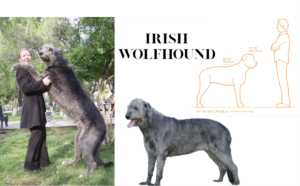
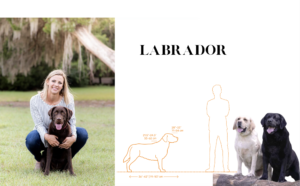
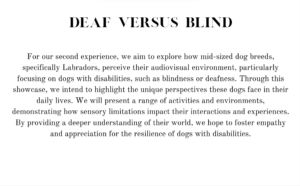
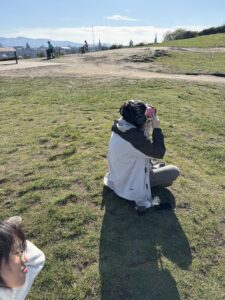
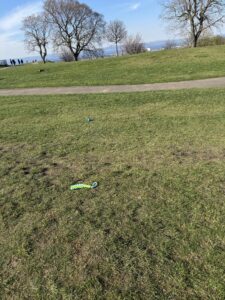
After laminating, we went to Calton Hill with the VR Headset, headphones, and dog toys to test if it worked. Glad to say it did.
IMG_3073

Optimising images for VR

Zixuan:

Today we tested how our images and video content perform in a VR environment. Ruiqi and I went to the library and picked up a set of free VR headsets, then began a full round of testing. It was our first time viewing the project content inside VR, and while we ran into a few issues, we also gained some very helpful insights.

We started by testing the video Carly had created. Right away, we noticed a major issue: there was a thick black border surrounding the video in VR, which seriously disrupted the sense of immersion. It felt like we were watching the content through a “window” instead of being inside the scene.

To solve this, we tried enlarging the image to remove the black edges. While this did fill the screen, it introduced a new problem: the content became blurry and hard to focus on, and there was noticeable ghosting and double vision. It made the experience uncomfortable to watch.

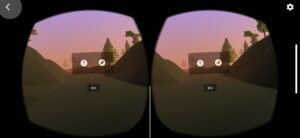
So, I decided to open the VR headset’s built-in testing app to study what properly formatted images for VR should look like. As expected, there were clear standards for image proportions and layout. I sent one of the reference images to Carly, and together we adjusted our content based on that template. It worked—the focus issue was completely resolved, and the visuals looked much more natural and immersive.

We also tried adding some explanatory text about our project during the black screen sections, but in VR it was impossible to view the full text properly, so we eventually decided to abandon that idea.

In the final stage, I added a small emotional touch to the video: every time a dog hears a positive word from its owner, I subtly increased the brightness of the screen to represent the dog’s happiness and excitement. This gentle lighting shift adds emotional depth without distracting from the experience.

After final testing, everything ran smoothly, and the VR playback now works perfectly. It feels like a huge step forward, and we’re excited to let others try it—to finally experience what the world might look and sound like from a dog’s point of view!

Test Demo of the Soundscape of Calton Hill from Dog’s Perspective

  • Soundscape Test- Ruotong Wu

I want to test whether we can tell stories primarily through sound from dog perspective. In other words, by creating a soundscape of the dog world, we can show the dog’s world. I exaggerate some effects in the human world that go unnoticed, such as  grating, chirp, vibration and so on.

But I found it is difficult to create sound without screen. So I think we can still use the video as an aid(do some abstract processing).on this basis, creating soundscape to show the dog’s perspective in our view. In addition, it is important to increase the audience’s interaction and sense of experience. We need to explore how to complete it.

Test Demo of Viewing National Monument from Dog’s Perspective

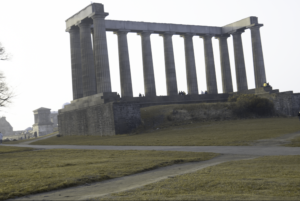
This is my perspective, imagining what a dog might perceive/ hear when it sees the national monument, with the help of Zixuan’s incredible editing and Carly’s pictures and meticulous photos arrangement. At first, seeing people coming, shaking their tails and scratching the grass, indicates massive excitement. Then, when it comes to the monument, it has a metaphor within. It is a memorial to the Scottish soldiers and sailors  who died fighting in the Napoleonic War. Such sound piece consists of lighting fire, very deep breath (exaggerated by bass plug-in) and drone. After that, when it meet other dogs like itself, it feels cheerful, where shepard tone and the whoosh would tell.

Also I’ve made an ambience plugged-in distortion to make a deafaid-like effect to mimick the blur hearing of a dog.

Prototype of dog perspective in Carlton Hill and Prince Street

  • Demo Recording and Photography- Chao Li, Yiting Liu
  • Editing Demo of Video- Yiting Liu
  • Editing Demo of Audio-Chao Li

This week was an online meeting, during which we discussed making a demo first and sorted out the equipment that might need to be rented. On Friday, Chao Li and Yiting headed to the location Andrew recommended: Jacob’s Ladder. Unfortunately, the trail was closed due to poor condition.  We could only record some sound and video materials at the edge of the path. On the way back, we passed Prince Street. We sat on the benches on Prince Street, and the camera and recorder simultaneously recorded the passers-by. It was fascinating.

On Sunday Mar 09th, we integrated the audio and video, performed editing, color grading, transitions, special effects and other processing on the video, and performed pitch, EQ, and vocal extraction on the audio.

We successfully completed the demo and will show it to Andrew on Tuesday. I hope he will like it.


Ruotong, Ruiqi, Zixuan and Carly’s: Sunday at Calton Hill

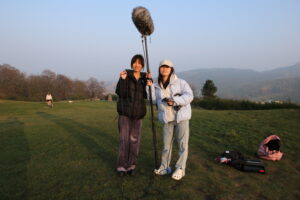
On Sunday, the 9th of March, all four of us went to Calton Hill.

We met at Alison House as we had some equipment stored in a locker in the music store. Thankfully, we just needed to book a shotgun mic, a boom pole, XLR cables, a tripod, and a camera lens, as I have a Zoom H6 recorder and a camera. This meant that we could get the equipment, as the recorder was not available for the weekend.

On Calton Hill, we discussed the project presentation location and one of the directions so we could demo it.

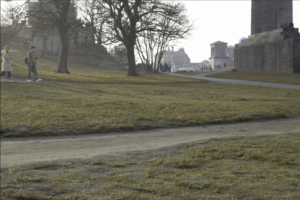
Zixuan and I took photos of the desired location, and Ruotong and Ruiqi focused on capturing the sound.

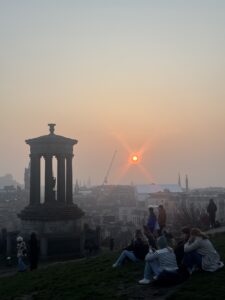
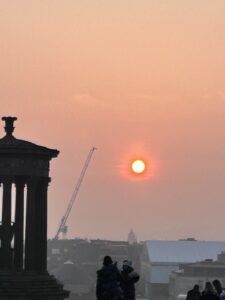
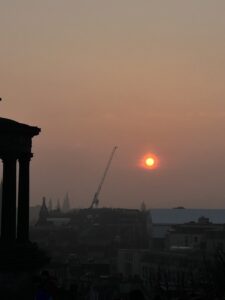
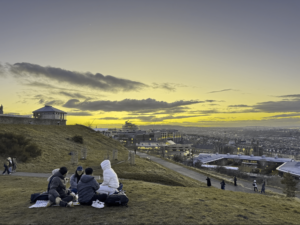
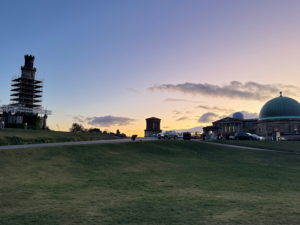
We were pretty productive, which allowed us to sit and admire the sunset, which was quite beautiful and foggy.

Overall, we worked and had fun. I’m really happy with our dynamic and the work we achieved on Sunday.

Zixuan:

On a topic, we went for a short visit to Calton Hill earlier today, hoping we could find pieces of the thing to help us with the project or to get inspired. The weather was gorgeous; I saw a great view at the peak, although it was quite stirring.

We took a map and went on quite a big round of the hill, noticing and taking brief notes. One of the things that stood out to me the most was how many tourists were there, from all over the world. It was an interesting experience to hear so many different languages talking all at the same time. This obvious diversity made me think that it might serve a purpose in our piece, representing humans’ connection and their continuous movement.

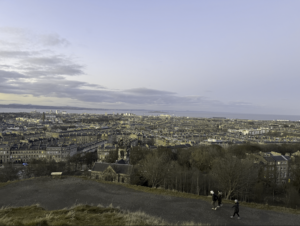
From the top of the hill, we could take a glance of Arthur’s Seat, Princes Street, and St. Catherine’s Cathedral as well. This resonated with an openness, with a kind of worldly peace we were surprised to experience and it gave some idea about how to make a sound design with spatial layers. This, for instance, could become the base to make sounds with reverb or multiple layers of atmospheres.

It was so nice to see, for instance, the amount of people walking around, continuing their hike with their pooches.  dogs  were jumping and running all around the grassy areas, and here we stopped for a while, just watching them play. The sounds that they produced, the movements they were making, and the lively energy actually played an inspirational role in conveying rhythm and giving a sense of how living things are supposed to have a sound.

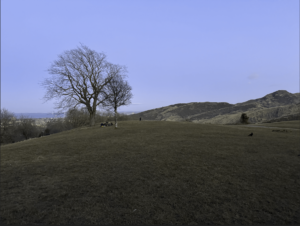
Carly and I captured some photographs to be used afterwards as visual references and for the purposes of creative inspiration (for curling, some monuments, and a few cute dogs). Over on Ruiqi and Ruotong’s side, sounds were being recorded (ambient, mostly voices and steps) from the hill, all the while the crowd of visitors were milling about. This will, for sure, be the most useful content to be incorporated into our demo.

Converting photos to a dog colour scale

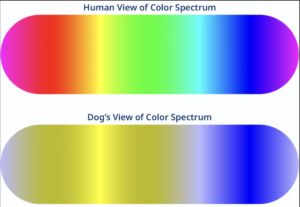
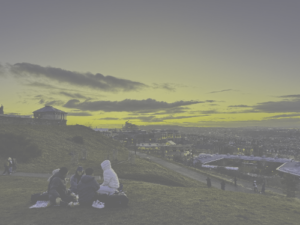
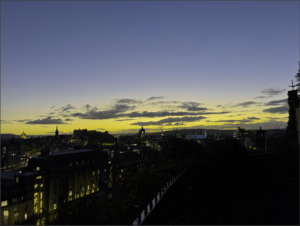
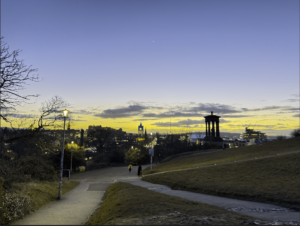
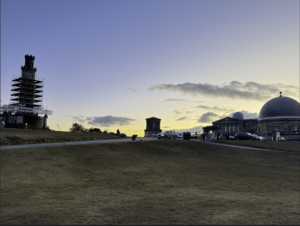
Converting colour scale from typical spectrum to Deuteranopia spectrum

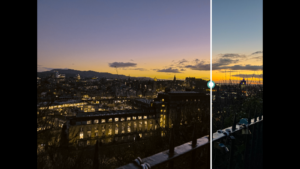
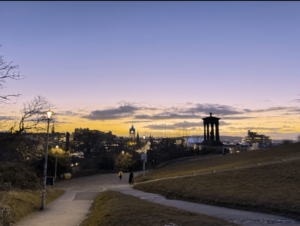
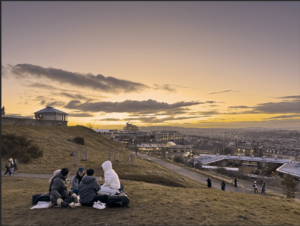
After taking some test photos at Calton Hill ( see: https://blogs.ed.ac.uk/dmsp-perspective25/2025/03/03/carly-and-zixuan-at-calton-hill/ ), I decided to try producing the change in colour on the images. It is to be noted that these were test images taken on an iPhone, and it is expected that the final images will be taken with a professional camera and with different lenses, such as wide-angle or fish-eye lenses.

As we researched, we know that dogs see in a yellow and blue scale of colours, contrary to the common belief that dogs see in black and white(“What Colors Can Dogs See? Can Dogs See Color?,” n.d.). This is also known as Deuteranopia, Red-Green color blindness, which also affects some humans.

“There’s a myth that dogs only see in black and white. However, a dog’s vision is actually comparable to the vision of roughly 9% of humans with red-green color blindness. Dogs have dichromatic vision, meaning they can see shades of blue and yellow in addition to shades of gray, but they cannot see colors such as red, orange, and green.” (Petch 2023)

https://www.bowwowlabs.com/blogs/news/what-colors-can-dogs-see

Different website options

I tried different websites to change the images, but sadly, I couldn’t find one that worked well enough.

  • TrustedHousesitters
  • Woof me!
  • Pilestone Color Blind Experts
  • Colblindor

Here are some examples of what I could obtain from these websites:

https://www.trustedhousesitters.com/blog/pets/through-pets-eyes/?irclickid=3y1Tt5088xyKUm0UFpxj9xLfUkswKB1kCQd8QE0&irgwc=1&utm_source=impact&utm_medium=affiliate&utm_content=27795-CPN
https://www.color-blindness.com/coblis-color-blindness-simulator/
https://pilestone.co.uk/pages/color-blindness-simulator#
https://woofme.ie/vision-converter/

Some images don’t display the change correctly, some show colours that are excluded with deuteranopia, some are too dark, some wouldn’t let me download, and all would greatly degrade the image quality.

Trying Adobe Photoshop

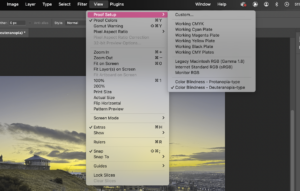
The only way I could get the images to look a certain way was via Adobe Photoshop. Sadly, when exported, it wouldn’t show as the process would be done with the “view tool”.  This seems to be a common problem (“Dogs Color Vision – Help/How To – Shotcut Forum” 2018) (“Export Photo/Video With Color Blindness Simulation” 2022)

Screenshot of Adobe Photoshop toolbar “VIEW”- “PROOF SETUP”- “COLOR BLINDNESS- DEUTERANOPIA-TYPE”

I need to do more research to find out how to export these images with the Deuteranopia effect on them; for the moment, I’ve opted for screenshoting.

Results

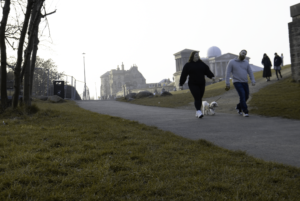
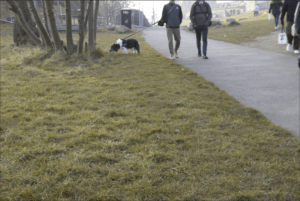
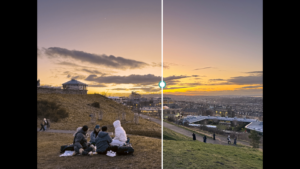
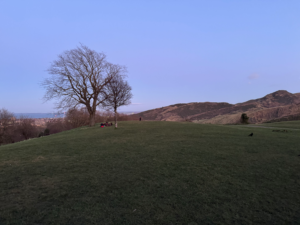
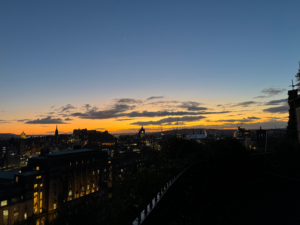
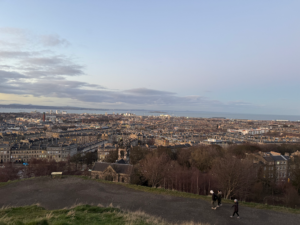
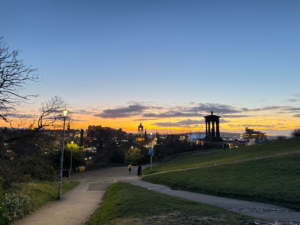
Here, we can see the altered images:

Here, we can see the original images:

Conclussion

After comparing the website’s obtained images with the ones from Photoshop, I’ve concluded that Photoshop is the answer for the effect that we are looking for. However, it is important to keep in mind that I have to do more research to find a way to export them without losing quality or to find a better tool to change the colour scale.

References:

“What Colors Can Dogs See? Can Dogs See Color?” n.d. Bow Wow Labs. https://www.bowwowlabs.com/blogs/news/what-colors-can-dogs-see

“Dogs Color Vision – Help/How To – Shotcut Forum.” 2018. Shotcut Forum. December 12, 2018. https://forum.shotcut.org/t/dogs-color-vision/8642

“Export Photo/Video With Color Blindness Simulation.” 2022. Https://Community.Adobe.Com. November 10, 2022. https://community.adobe.com/t5/photoshop-ecosystem-discussions/export-photo-video-with-color-blindness-simulation/td-p/12136430 

“Dog Vision Converter – Your Dog’s Vision | Woof Me – Woof Me.” 2023. Woof Me. January 8, 2023. https://woofme.ie/vision-converter/

Petch, Danielle. 2023. “Through Pet’s Eyes.” TrustedHousesitters, February 10, 2023. https://www.trustedhousesitters.com/blog/pets/through-pets-eyes/?irclickid=3y1Tt5088xyKUm0UFpxj9xLfUkswKB1kCQd8QE0&irgwc=1&utm_source=impact&utm_medium=affiliate&utm_content=27795-CPN

Petch, Danielle. 2023. “Through Pet’s Eyes.” TrustedHousesitters, February 10, 2023. https://www.trustedhousesitters.com/blog/pets/through-pets-eyes/?irclickid=3y1Tt5088xyKUm0UFpxj9xLfUkswKB1kCQd8QE0&irgwc=1&utm_source=impact&utm_medium=affiliate&utm_content=27795-CPN 

https://katzenworld.co.uk/2023/02/13/see-the-world-through-your-pets-eyes-with-this-filter/.

https://pilestone.co.uk/pages/color-blindness-simulator#

https://www.color-blindness.com/coblis-color-blindness-simulator/.

css.php

Report this page

To report inappropriate content on this page, please use the form below. Upon receiving your report, we will be in touch as per the Take Down Policy of the service.

Please note that personal data collected through this form is used and stored for the purposes of processing this report and communication with you.

If you are unable to report a concern about content via this form please contact the Service Owner.

Please enter an email address you wish to be contacted on. Please describe the unacceptable content in sufficient detail to allow us to locate it, and why you consider it to be unacceptable.
By submitting this report, you accept that it is accurate and that fraudulent or nuisance complaints may result in action by the University.

  Cancel