Any views expressed within media held on this service are those of the contributors, should not be taken as approved or endorsed by the University, and do not necessarily reflect the views of the University in respect of any particular issue.
Originally our idea with the tracks would be that the sphere’s would be stuck to a pole that would be in a track, but we already established that this would be too hard and expensive. Add that onto the down-scaling of our set-up we brainstormed other solutions.
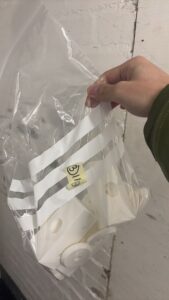
Yanis suggested maybe making a small cart, like a little train, so we could wheel the planets down our track. I looked at Thingiverse for options to 3D print these trains as building them from scratch would be too hard to figure out and we didn’t have much time left to make it either at this point.
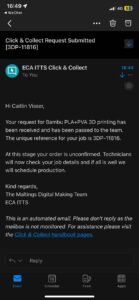
Yanis booked a 3D printer and was able to print one to test out, but it took a while to print. So I ordered it through the Click-and-Collect service at Minto House in the meantime, in case printing them ourselves would take too long as we were never able to book the right printer.
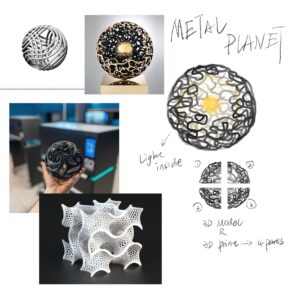
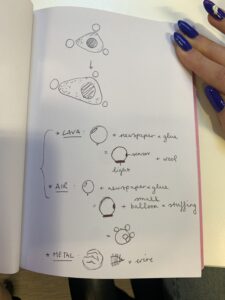
Unfortunately we didn’t take that many pictures of the first stages of building the models. It mainly consisted of covering balloons in paper maché so we would have customisable base for all two of our moons. The third moon would be made of metal and would be hollow, but I was still trying to find the tools to make these.
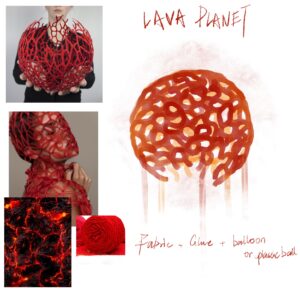
Originally our idea was to use the red wool we had bought to create squiggly shapes over the base sphere, and we were going to glue this down so the wool would be stiff and hold its shape. We started this process and quite quickly realised it didn’t work that well, and kept falling out of place as the glue wasn’t strong enough. We tried multiple different methods like completely dousing the wool in the glue and using super glue to glue parts of the wool together, but nothing worked so we decided to revisit it once what we had managed to do, had completely dried.
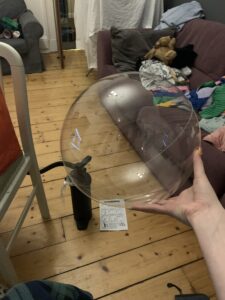
The earth planet we kept as the last one to do. We had bought clear balloons for this one, which were extremely hard to blow up ourselves, so we needed a pump. I was able to find one later which made the process so much easier.
Once the bases had dried, we could customise them. Here’s what we did
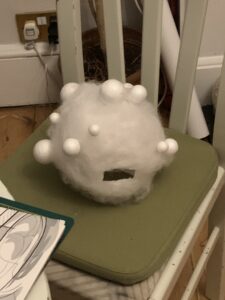
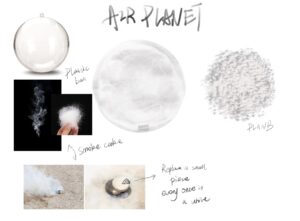
Air planet:
– added cotton stuffing all around it (I’m an avid sewer so luckily had some lying around from projects over the years)
– stuck different sized styrofoam balls on top to make it look lighter
Lava planet:
– checked the dried wool to see if it was usable; it wasn’t – it wouldn’t keep it’s shape and we would have had to use a lot of glue to further secure it to the base, and we only had half the sphere
– the base was quite soft, so I decided to sew the wool into the sphere; which was tedious but worked
– then we painted the base in a reddish-orange colour to look like lava
This meant that we only had the lava planet to finish off, and to make the metal and earth ones.
This process was very time-consuming, but also really fun. It took our mind off of other projects and we could just muck around a bit and see what happened. Yanis and I have had 2 meetings, each of about 3 hours, to make these models, and both times have put a movie on in the background to make the process feel less tiring.
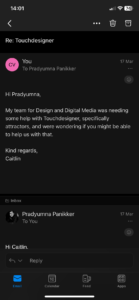
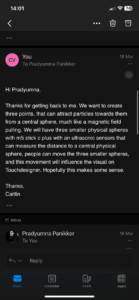
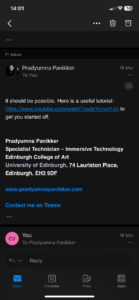
At some point while following the tutorial, it started not working anymore. I kept going back, retracing my steps, and even started again, but it kept breaking. So I reached out to Pradyumna for any help he could offer, as the tutorial I was following still wasn’t exactly what we needed. I explained our project to him and what we needed Touchdesigner for, and he suggested following the same tutorial I was already following. So it confirmed my suspicion that it would quite hard and specific to achieve what we wanted.
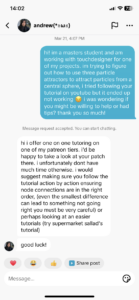
This then made me reach out to the creator of the tutorial. I had seen a few of his videos on TikTok before I had even started this whole project, so once I connected those dots, I figured he would probably be quite responsive on TikTok. I explained the issue and if he had any trouble shooting tips he might be able to share. Sadly, there wasn’t much he could do. I had previously taken this part over as Yanis was quite busy, but as I couldn’t figure it out, he has now taken it over and will try to follow the same tutorial and hopefully get better results.
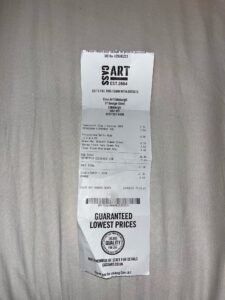
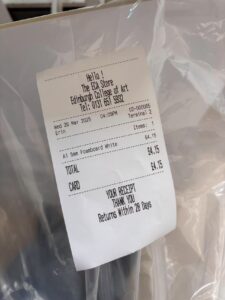
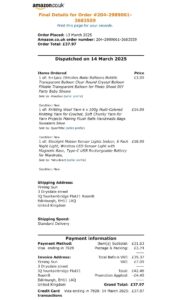
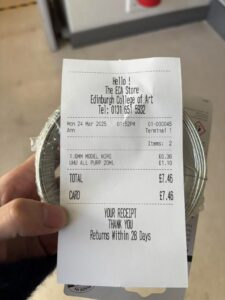
We slowly started to buy everything we needed for our physical model building. We needed quite a bit of material, and tried our best to use things we already had like paint, superglue, paper, etc.
We did need to buy some weird things too like fake grass for the earth planet and a foam board to create our tracks.
For a short while our plan was to buy a plastic mat to stick our foam board track sides to so we could transport it easily and make sure we couldn’t lose any tracks. We went to multiple hardware store to find a mat, but either didn’t find one big enough or cheap enough. We had to be quite strategic with how much we could buy.
We had already thought that Touchdesigner would probably provide us with the best way to make what we needed. We also knew that you can input data from MAX into Touchdesigner which would work to make it a reactive visual. I started the process by looking for tutorials for what we needed specifically because neither of us have much experience using Touchdesigner (especially me). So it was going to be a real learning experience.
I looked extensively for the right tutorials, starting with just beginner Touchdesigner ones (which soon we realised we did not have enough time to start at the basics) and then trying to find specific ones. It became clear quite quickly that what we were attempting to make was not something commonly done, so I found just one tutorial that could maybe work. It used multiple attractors that attracted particles around a spherical base object.
I started following the tutorial and it was definitely a long, hard process. It created some really interesting visuals in the process that looked quite like the one we were thinking of. The problem was trying to figure out where we would be able to input our own data as the locational information for the attractors. The tutorial has randomly generated coordinates for the attractors, which are constantly changing as well.
Yanis had used Touchdesigner a little before, so he started by trying to make something himself first, and then proceeded to use some tutorials that showed how to make wavey/sea like visuals.
We had a small meeting with our team leader Lulu to tie up some loose ends. Which for the most part were the small visual holes we had, but one big thing was the actual layout of our exhibit. We knew we were going to use tracks, on a smaller scale and handmade after concluding that our original idea was indeed too expensive and complicated. We hadn’t decided the scale of this. Originally the plan was to have the spheres be quite large, but that would be not only hard to move, but also hard to make in such a short time. Dave had already suggested scaling everything down, even to a type of switchboard so the focus could be on the digital visual. However we were determined to still make it a big enough model to really feel like an interactive exhibit that people could move around.
We had talked to Jules briefly about the layout of the Atrium and how it could be set up for our work. We wanted to project a lot of things, and Jules said we could drape sheets down the sides of the Atrium scaffolding. He also suggested projecting visuals from the back of the sheets, so it wouldn’t be in the way for the audience.
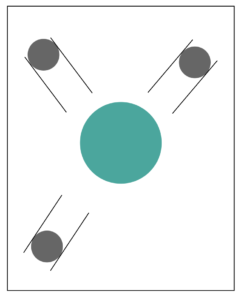
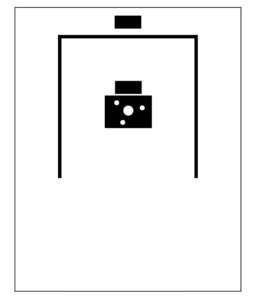
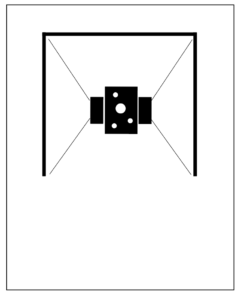
I made some basic layout sketches on Illustrator to demonstrate all these conclusions. First, it was much more scaled down. Then we decided to add three screens to surround the central planet set-up, with ambient visuals projecting on the left and right screens, and the central front one showing our reactive visual overlayed with the overhead projection of the water basin.
This is a very basic representation of the layout, and will probably change a bit after some tests and experiments. It definitely excited us to see how we would be setting it up because it made it all feel very real and imminent.
Yanis fleshed out his sketches a little more, clearly defining the overarching attribute of each planet, but now moon.
We had researched into different types of hypothetical planets, and based these off of them. There are many types of already defined planet types like e.g. gas giants. However there are also many types that are only a theory, such as entirely metal planets and lava planets.
He noted what type of materials we would need for each, and what look we were going for. After our online meeting where we concluded we would have to redefine them as moons, we discussed what materials we would definitely need for each, as our next order of business was buying them to then finally start making them. We also thought about how to incorporate the sensor into the design. We opted for a small window that the sensor could sit in, that would point at the central “earth”.
We are very excited to get started with this our other courses haven’t offered this much opportunity to physically make things, so this is a nice change of scenery. It’s has also been a true collaborative approach to reach these conclusions which has been really nice. We want the same for this project, and know there our own and each other’s strengths lie which has been really helpful to inform our decisions.
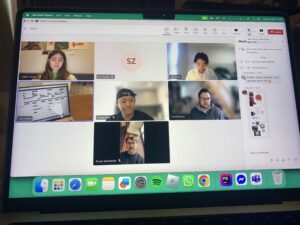
We had some online meetings with Dave to discuss the development of the project. Most of them consisted of Dave telling us that we were probably quite behind and needed to shoot into action. Which we did know, but again because we did a 180 on our concept, it was hard to know where to start I guess.
I brought up what I had discussed with my astronomy student friend, and presented the options for our planets or moons. We quickly concluded that having the central sphere be a star wouldn’t make sense because our main focus was the tides and that would mean changing our concept once again. It was good to get that out of the way, but it did mean that Yanis and I had to slightly change our perception (no pun intended) of the spheres. Yanis had in the mean time sketched out ideas for each of the three orbiting spheres. We had already discussed wanting to have them all be the same, but thought this might not be the most visually striking. His sketched built off of this and produced three different attributed/concepts for each, which also meant we could be quite creative. With the change to them being classified to moons, we just kept in mind to keep the size of the physical models small enough to justify their “moon status” as it were.
We talked a bit more about the other aspects of the process, like the sound development and interactive aspect of the exhibit; like how people would be encouraged to touch and interact, how we could express these interactions through the sound too, etc.
I have a friend who studies astrobiology and planetary science as her master degree, so I thought it would be a good idea to talk with her about the actual science related to our topic. Even though our concept is fictional, it is rooted in reality with all the different gravity and tidal equations that were used.
We mainly spoke about how to make certain elements more accurate. The biggest thing being what would orbit our central planet. In all solar or planetary systems, planets will orbit a star as it has a bigger mass. A big mass doesn’t always equate to a bigger sized planet. Yanis and I had mainly been discussing making planets orbiting another, but that’s not really a thing that happens. The solution she suggested was to either change the planets to moons, as they do orbit planets and influence the tides, or make the “earth” a star to make it gravitationally correct and gives us the opporunity to make planets, but then we lose the tide aspect (which is integral). She did also tell me that there are different types of moons, which would work with our idea of having orbs with different characteristics.
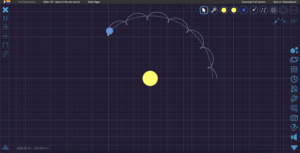
Lastly, she showed me a website that can map planets and gravitational pull, so you can see how exactly they would orbit based off of mass, sizer, etc. This might be useful, but we don’t have any defined values right now for any planet, so we will see how that can factor into it.
For the sound design, and as an alternative option for our visual, we got a short tutorial on MAX/MSP and Jitter. For the digital visual, we were really wanting to have a reactive particle system, that would have the particles gravitate towards the orbs if they moved. We had discussed using Touchdesigner for this but Dave wanted us to think of an alternative solution just in case. Also just in case the physical models proved too difficult, we had something to fall back on.
I personally was quite ill during this workshop and was really trying my best to understand what was going on, but it wasn’t really working. Luckily, Lulu, Fraser and Jackson understood what was going on.
It was really interesting to see how MAX could potentially help us with the visuals. Jules also showed us some other resources to create interesting visuals that would fit our theme of the tidal force. Yanis and I are still quite set on having a reactive visual, which didn’t immediately seem like a possibility with MAX, but will be explored further if Touchdesigner doesn’t agree with us.
Fraser was able to link our sound Max patch to a visual of three spheres orbiting a central sphere. This gave us a solid base that visualised all the sound work the rest of the group did.