Any views expressed within media held on this service are those of the contributors, should not be taken as approved or endorsed by the University, and do not necessarily reflect the views of the University in respect of any particular issue.
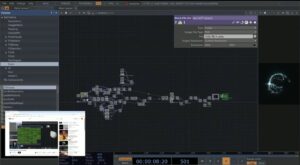
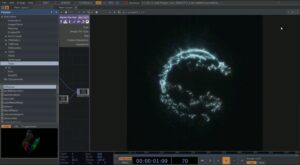
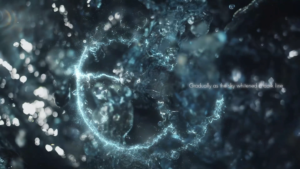
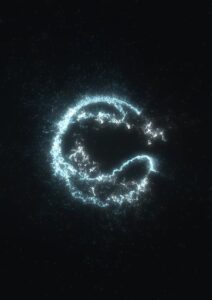
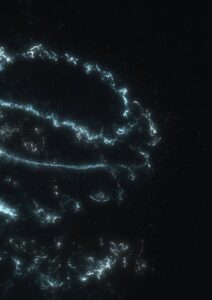
Based on our concept and with the help of Caitlin and Pradyumna, I created a Touchdesigner visual based on a YouTube tutorial (https://www.youtube.com/watch?v=dzYyrvyY-zc&t=1687s) and adjusted the effects and colors to our project. We were trying to substitute the formulas that the team projected into Touchdesigner to use, but it didn’t work out in the end. However, the attractor used in this visual matched the concept of our project so well that we decided to keep the visual and make an ambient video to place in the room.
We minimized external light sources to create a serene, cosmic environment. Upon entering the space, visitors were invited to become a metaphorical force—controlling the tides of the universe. Abstract video projections representing tidal forces were displayed on both sides of the exhibition.
To achieve the desired visual effect, we experimented with various projection fabrics—testing different colors and textures. In the end, we chose semi-transparent black gauze curtains to hang around the space. This material allowed the projections to softly appear on the curtains while also illuminating the central installation. We carefully adjusted the projector positions multiple times to ensure the imagery fully covered the curtains while avoiding direct interference with the viewers’ line of sight, offering an optimal viewing experience.
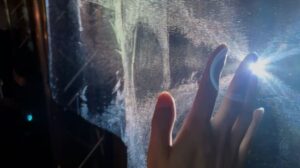
As visitors moved through the space, their motion created gentle air currents that caused the gauze curtains to sway. This movement made the projected visuals ripple like water, turning the room into a tidal planet breathing in sync with the universe—immersing the audience in the sensation of tidal force.
At the front, the water ripple projection passed through the semi-transparent gauze and continued onto the wall behind. This visual alignment formed a continuous line with the central planet installation, creating a poetic visual echo.
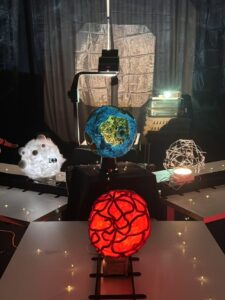
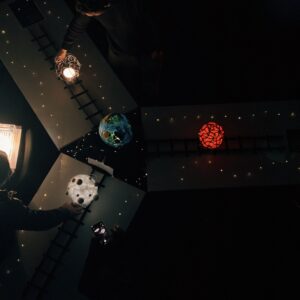
For the central installation, we slightly elevated the main star on a black platform and allowed the fabric to cascade down like a veil. Star lights were added to simulate clusters of twinkling stars surrounding four planets. Three of the planets were arranged in a triangular formation around the central star and faced the entrance, as if welcoming the visitors. With warm orange-yellow lighting and ambient music, the entire installation felt like a dreamlike cosmic scene quietly waiting in the depths of space.
Building on the visual effects developed in TouchDesigner, I created projection videos for both sides of the exhibition room. Our goal was to let the audience feel the tidal force—an abstract, subtle sensation. Water, as the core element of tides, became the central visual motif. It represents life, flow, rationality, and emotion.
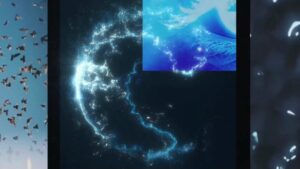
I sourced video footage from Pixabay, focusing on different forms of water: waves, still water, flowing streams, and surging tides. We also considered time as another essential aspect of the tide. For us, time was a conceptual extension—water becomes a metaphor for time: always moving forward, continuous, and intangible. I collected video materials symbolizing time, weaving them into the narrative of the piece.
The video transitions from the tangible water to the abstract time and tidal force. Looking through the whole video, rippling waves gradually flow into eyes which is the “window” of the human mind, where the sensation of force peaks, every feeling burst into mind. And finally, everything quiets down into the rhythmic motion of a ticking clock. I also included an excerpt from Virginia Woolf’s The Waves, adding a poetic, literary thread that connects the physical and emotional qualities of the tide.
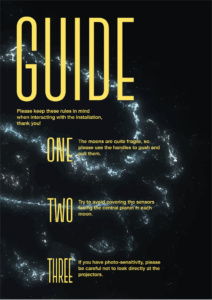
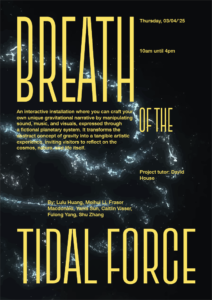
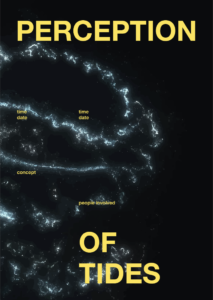
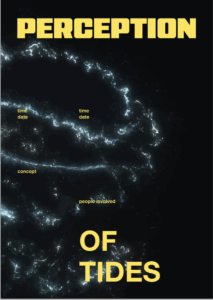
Yanis and I looked at more typefaces and settled on this compressed, tall one. I fitted it to the grid so it would sit nicely between all the information on the poster. As a group we also decided that we might need a small guide on how to use the installation as our models were quite fragile.
Everyone was really happy with the poster, and it really feels finished off now. It’s also nice to have a small souvenir of the project that isn’t an awkward planet model.
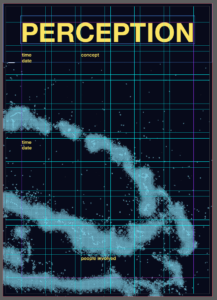
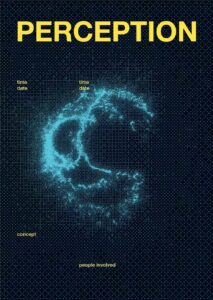
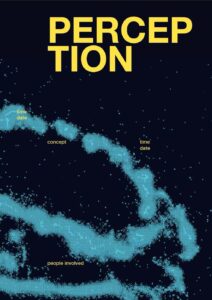
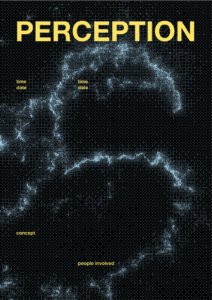
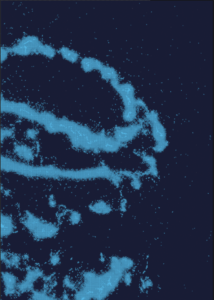
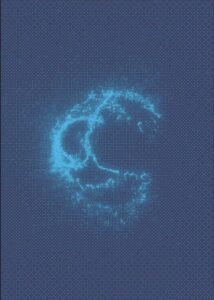
For the poster I made a grid system to juxtapose the flowy visual in the background. The bitmaps were very blue, so to contrast this I opted for yellow type. I did try a lighter blue but felt it wasn’t striking enough.
Grid system used
I did try a lighter blue but felt it wasn’t striking enough.
Blue type trial
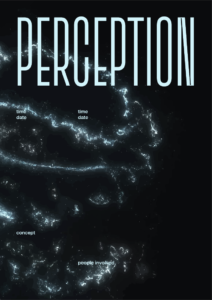
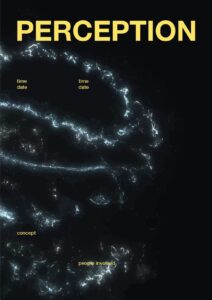
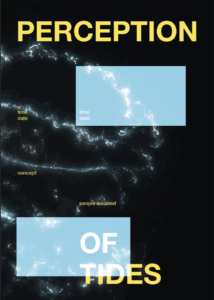
Then it was just a matter of finding which bitmap worked the best. I tried different layouts, both with how zoomed in the background image was and where the type was placed. I showed Yanis to get some feedback and he suggested adding squares that were inverted to further this idea of a different perception. But we both felt it wasn’t quite hitting.
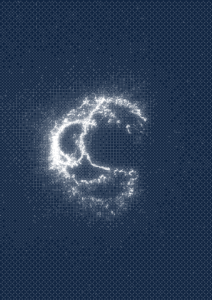
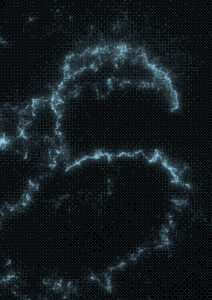
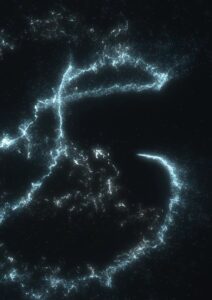
One issue with the bitmaps was that there were lots of little shapes, which did look cool but also made it look a bit like an optical illusion, and that isn’t the most comfortable thing to look at. This was happening due to there being lots of particles swirling around the central sphere shape, which were being recognised by the bitmap.
I took the original image of the Touchdesigner visual and image traced it in Illustrator. This also had lots of little particles still swirling, but were much bigger and less contrasting to its immediate surrounding, so made it so much more comfortable to look at.
Another thing we did together was play around a bit with different fonts, as I had just been using Helvetica as a base font. We looked at more digital looking typefaces, that felt more futuristic.
This whole process was something that I’ve really missed doing. A lot of, not only this project, but the course in general has been learning a lot of new skills. That has been great, but it’s always nice to just do what you know well. It also felt like a nice way to just decompress after working non-stop on the physical models.
I decided to make a poster for our exhibition. I wanted to use one of Yanis’ visuals as the background of the poster. The problem was that he had to use the free version of Touchdesigner which doesn’t let you export anything at a high resolution. The solution for this was to put it in Photoshop and make a bitmap. I then cut out the white of the bitmap and was able to fill it with a different colour.
I tried some different options, and played around with the bitmap settings and subsequent colour combinations. This was a really fun process, and was finally something that I did know how to do.
We had finished the lava and air moon, so now we had to do the metal moon, the tracks for the trains and the central “earth”.
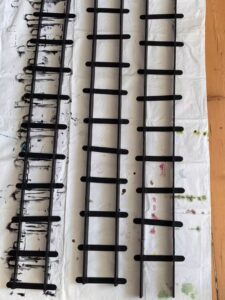
We had been told by the others that the tracks would need some type of system to slow down the trains. They were worried that the audience would want to move the trains extremely quickly, which would then cause a small delay to the data. We decided we would use wooden sticks and then secure the foam board sides to the sticks so the tracks would be separate, and thus easy to transport, but also create sort of speed-bumps for the trains.
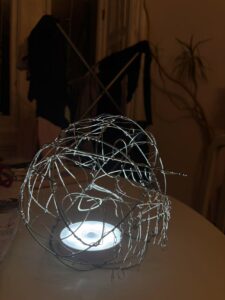
Yanis focused on the metal moon, using a balloon as a template to bend the metal wire to a spherical shape. He made it quite abstract and added small dangly parts.
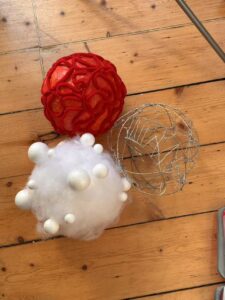
Here they are all done:
Lastly, was the central planet. We used one of the transparent balloons and stuck our fake grass on top of it. We used some paper and kitchen towel to create a watery texture. We also put some UHU glue over this to create a layered, squiggly texture to look more like waves. We painted over it to represent grass and water, and the let it to dry for a while.
All of our models are very crafty, and slightly look like a primary school project. But that’s not to say that the process was very enjoyable, and Yanis and I in particular are very proud of the result. We had to do a lot of rethinking about how we were going to make them. We went through so many different ideas and had to constantly be problem-solving, which I would say is the real thing we took from it.
We had our trains (yay!) but now we had to assemble them. For some reason, the trains were printed slightly too big and we had already gotten screws to attach the wheels, which now obviously didn’t fit our prints.
I went back to my dad to see if he had any other screws, and luckily for us he is Bob the Builder, so that was solved.
Every time we completed a small task, it was a massive weight off of our shoulders. Lots of changes had been made to our concept, but also the requirements for the data collection, so we didn’t have as much time to create everything as we would have wanted.
We had to put our foot down at a certain point because the others responsible for the sound and data collection kept thinking of new ideas, which were great, but kept delaying when we could start producing everything. So that process was slightly frustrating on our end, but we understood why it was happening and tried to resolve all the issues they arose as quickly and creatively as possible.
Yanis had taken over figuring out Touchdesigner and had gotten the tutorial to work, the next step was to find a way to input our real time data. He and Lulu tried to figure it out, but it wouldn’t work. So seeing as Touchdesigner was not working out very well for what we needed, we needed to rethink how we were going to make our visual.
When we got our MAX tutorial from Jules, he had mentioned that Jitter was able to create interesting visuals. I looked into this as we had all our sensor data, sound data and orbiting planet data on MAX so it would probably be an easier process to input our data to create a reactive visual system.
Again, Yanis and I are not familiar with MAX or Jitter, so I looked for tutorials that could help us. I found a tutorial series on YouTube that, again, worked with particle attractors with coordinates.
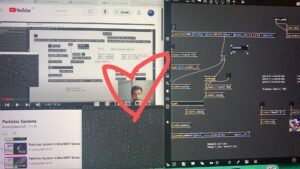
This is the only picture I took of me following the tutorial, and just really felt like this man was my saviour as we had been struggling so much with Touchdesigner and something was finally working in our favour.
It broke a few times when I was following the tutorial, so it was a real trial-and-error process.
How far I got with the tutorial:
I got to a good base with the visual, as the rest of the tutorials started exploring constantly moving attractors and different colour/textures, and I didn’t want to jump too far ahead if it wouldn’t work with our data.
The patch included a node for the attractor coordinates, and I had checked the later tutorials to see if he incorporated multiple attractors, which he did. I tried to figure out where I could customise these coordinates, but I didn’t know enough about MAX or our sound patch to figure it out.
I asked Lulu for help at this stage, as she had done a lot of the maths for our patches and knew how it was set up. I handed over my patch to her, with the tutorial link and she was able to figure out how to make it reactive to our data changes.
Lulu’s revision of the patch using our sensor data:
I’m not great at maths and could not wrap my head around how she managed it, but it worked. They were able to customise it to represent the different moon types too by changing the colour.