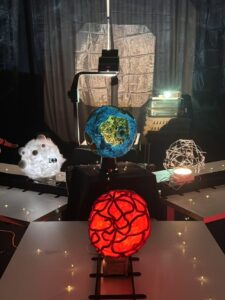
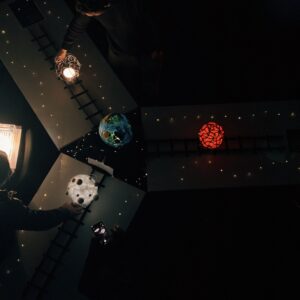
In our group’s conception, the tidal force is sensed by moving a specific device. According to physical principles, the magnitude of the tidal force is inversely proportional to the cube of the distance between celestial bodies, so we need to simulate the change of the tidal force by varying the distance between the two ‘celestial’ devices.
25/2/2025
For this purpose, we chose to use an ultrasonic sensor at the beginning of the project, which transmits and receives ultrasound waves to obtain the distance between the two devices. We borrowed the Grove Arduino kit and looked up the tutorials for connecting and using it on the official Grove website. After plugging the ultrasonic sensor(Grove – Ultrasonic Ranger) into the main control board and connecting it to the computer, data reading was successfully achieved. Test results show that the sensor performs well in terms of measurement sensitivity and accuracy, and can meet our needs for real-time distance change perception.
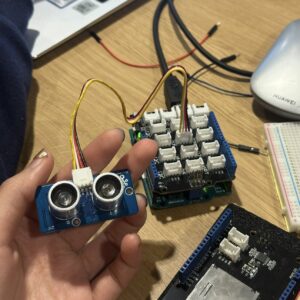
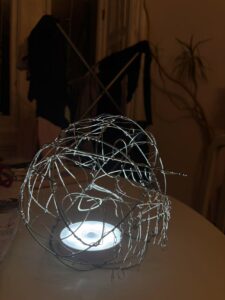
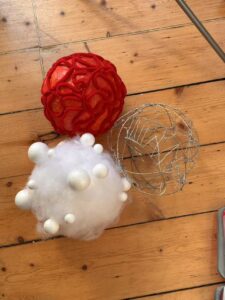
Since our design requires the viewer to move three separate spheres simultaneously and detect the distance between them in real time, the sensors had to be embedded inside the spheres and have wireless communication capabilities to be able to transmit the data to a computer for processing via Wi-Fi. This required us to optimise the original wired connection solution.
7/3/2025
First, I began testing the M5StickC Plus, a miniature device with wireless data transfer capability. After several rounds of testing, it turned out that its own IMU (Inertial Measurement Unit) was the closest to what we were looking for: it could acquire acceleration data by detecting its own motion. However, the IMU only provides acceleration information, making it difficult to directly derive the distance data we needed. In the end, I decided to abandon the M5StickC Plus-only solution and to re-evaluate and optimise the implementation of distance measurement and wireless communication.
ScreenRecording_04-15-2025 15-46-54_1