The content
The videos I gathered were of nature and pollution. I start with a generic sunrise that changes into a bird’s eye view of a forest to the mountains with a beach. I wanted the audience to feel calm and see sites they are familiar with. From here I transitioned to a cityscape. I should’ve added visuals that had more vehicles and people but showed one that was rather a calm city road with a few cars. I then began adding pollution videos and these would crossfade with the nature visuals. In short, I move from nature to cityscape, pollution in the cityscape to pollution in nature. Finally, end with us (the group) looking down a hole and it begins to spiral. This is where my part ends.
These videos used were stock videos taken from online sources, I would’ve liked to film a few visuals in the city but unfortunately, never had the time. I did ask around for any aesthetic nature videos among my friends and peers but failed to receive any suitable ones. It was also interesting to learn that we use portrait mode to capture moments over landscape these days and that’s mainly due to social media. The links to the videos used are mentioned below.
Choreographing the performance
I start our performance with visuals of nature and pollution, blending them with effects to create an interesting video output. We were introduced to Vizzie (Max) during the course, where this was all possible and it seemed rather straightforward.
Little did I know that running the software would make my laptop sound like it was about to take off.
I started the first patch by adding video players, multiple effects, and loadbang commands for all of them. I did notice a considerable decrease in the speed of my laptop as I was working. The file crashed multiple times and I was starting to question my laptop’s GPU ( which could run Unity, Blender, and Photoshop at the same time!)
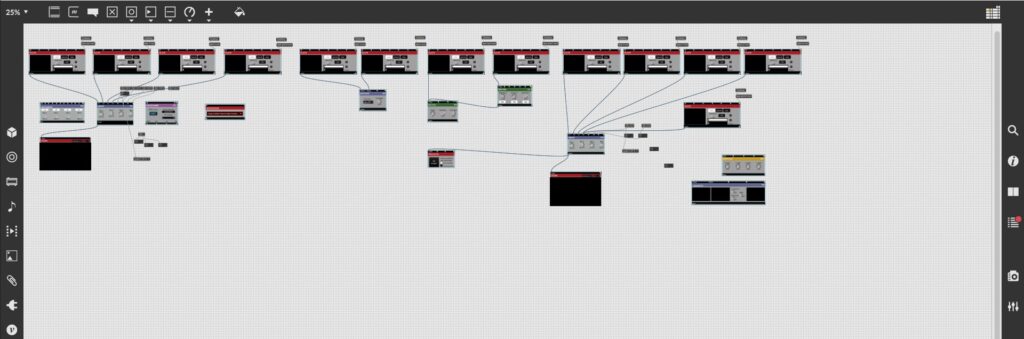
It was during our rehearsal on the 27th of March, that Jules pointed out that having too many players with loadbang for all of them is causing the laptop to slow down and crash the software. He told me to simplify it and have a maximum of four players.
So, I restarted, opened a new patch, and began the process again. This time I kept it as simple as possible and had just enough effects. I added movie folders, three exactly, one for nature, one for pollution, and another for glitches and effects. I added three effects so that I can follow consistency through the performance.
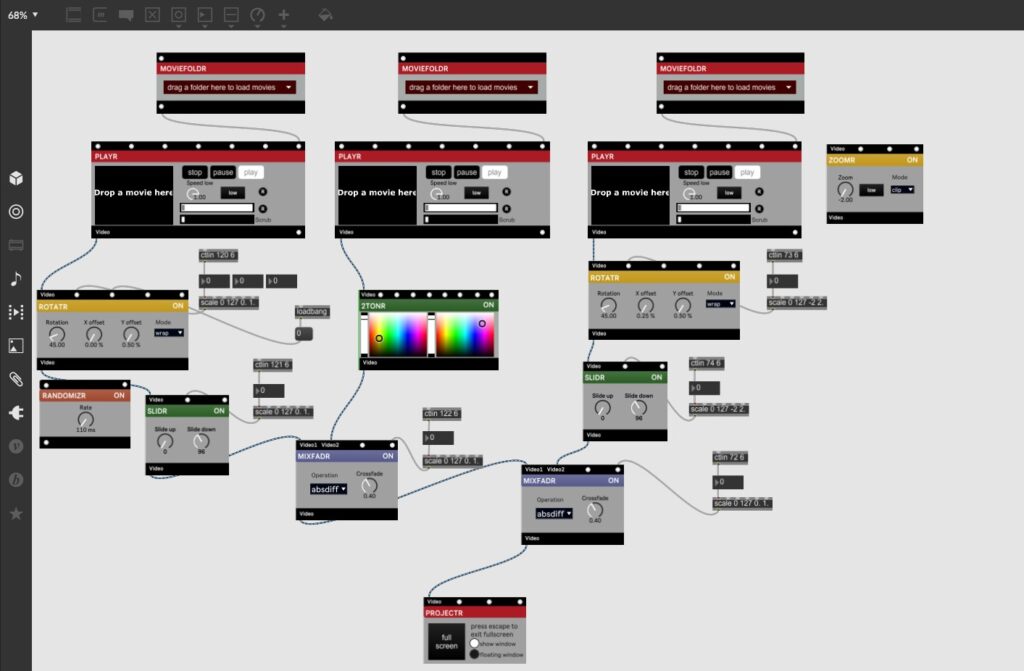 Adding a MiDi controller to control the changes/effects has been very useful and with practice, I feel a lot more confident.
What I learned from this experience – start simple, see what the software is capable of, and have fun!